

Coconote is built around one moment: the lecture starts, you tap record, and by the time you leave the room you have a transcript, organized notes, and a set of quizzes and flashcards. It also takes uploads (PDFs, documents, audio, video and web links), and it can turn a note into a podcast narrated by its AI host, Coco. Since February 2026 it has belonged to Quizlet, which bought it to bring audio-based studying into its own platform.
PocketNote starts from the same raw material but is organized around what happens after the lecture: reviewing flashcards on a spaced-repetition schedule, answering quiz questions that explain every option, writing your own notes by hand or keyboard, and planning revision backwards from an exam date. Both apps record lectures. The real difference is what each one expects you to do with the recording next.
This comparison was checked against Coconote's website, its upgrade page and its App Store listing in November 2026. It covers what each app does, where each one is the better pick, what they cost, and how to use them together if you already rely on Coconote.
At a glance
PocketNote vs Coconote
| Feature | PocketNote | Coconote |
|---|---|---|
| Record a lecture in the app | Yes, with transcript, summary and notes | Yes, with transcript and notes |
| Upload files | PDF, Word, Excel, CSV, TXT, Markdown, audio | PDFs, documents, audio, video |
| Links | YouTube (with transcript) and web articles | Websites and links |
| Flashcards | Yes, spaced repetition (Again/Hard/Good/Easy) | Yes; spaced repetition not advertised |
| Quizzes | Yes, every option explained | Quizzes and practice exams |
| Podcast-style audio review | Yes, with captions | Yes, narrated by Coco |
| Chat with your material | Poki, with citations to the source | AI chat with your notes |
| Handwriting and PDF annotation | Yes (Apple Pencil, drawing in browser) | Not advertised |
| Exam-date study plan | Yes, with reminders and mastery scores | Not advertised |
| Languages | Study material in 50+ languages | Capture or translate in 100+ languages |
| Platforms | Web, iPhone, iPad | iPhone, iPad, Apple Watch, Android, web |
| Price model | Free to start; Basic and Plus plans | Free to start; paid Unlimited Pass |
Checked against each product's own website and Coconote's App Store listing, November 2026. Plans and features change; confirm current details there.
Why students reach for Coconote
Coconote's appeal is speed with almost no setup. Its website describes the loop as record or upload, get notes and a transcript, then review, study and share. From one note it can generate quizzes, practice exams, flashcards, short study games and an AI podcast, and its FAQ also mentions videos. For a student juggling four lectures a day, getting something usable out of every class without typing is a real gain.
It also runs on a wide range of devices. Coconote lists iPhone, iPad, Apple Watch, Android and the web, and it says it can capture audio or translate in more than 100 languages. That matters if you study in a second language or switch between an Android phone and a laptop. It also handles meetings, which its site lists alongside lectures.
The Quizlet acquisition, announced in February 2026, is the other part of the picture. Quizlet said Coconote's transcription and study-content generation would feed its new AI learning experience, and that Coconote would continue its mission under Quizlet. At the time of writing, Coconote is still its own app, now listed under Quizlet Inc on the App Store.
What Coconote leaves to you after the lecture
Coconote is strongest at turning a recording into material. What it advertises less is the schedule for reviewing that material. Its site lists flashcards and quizzes but does not describe spaced repetition, a review queue, or a plan that works backwards from your exam date. If you are disciplined about reviewing, that may not matter. If your notes tend to pile up unread until the week before the exam, it matters a lot.
It also does not advertise handwritten notes or writing on PDFs. Many students take notes by hand during a lecture or mark up the slides the professor posted, and those notes carry their own thinking: the arrow between two ideas, the word circled because the lecturer stressed it. A recording-first app captures what was said, while your own annotations capture what you understood.
Accuracy is the other thing to watch, in any app of this kind. A lecturer who speaks quietly, a noisy hall, or a term the speech model has never heard can all produce a transcript with mistakes, and a flashcard built on a misheard word will teach you the wrong thing with total confidence. Skim the notes the same day, while the lecture is fresh, and correct anything that looks off.
One practical point applies to both apps. Coconote's own FAQ says it is fine to use as long as your professor allows audio recording of class. Recording rules differ by school and by lecturer, so check before you press record, whichever app you use.
One lecture, start to finish, in PocketNote
Here is the same Tuesday biology lecture in PocketNote. You tap Record on the Quick start screen and let it run. Afterwards you have the audio, a transcript, a summary and AI-written notes that you can edit like any other note. If the lecturer posted slides, you import the PDF into the same folder, and if they mentioned a YouTube video, you paste the link and its transcript comes with it.
From there the material turns into study tools. You generate flashcards, a quiz, a mind map or an audio review from the lecture, the slides, or both together. When something in the transcript does not make sense, you ask Poki, PocketNote's AI, and it answers from your own material with citations, so you can open the exact passage it used instead of trusting a summary blindly.
If you wrote notes by hand on an iPad during the lecture, those live in the same library. With Note Replay, you can record audio while you write, and playing it back shows the strokes you were writing at each moment, which is useful when your notes say "see example" and you need to hear which example.
Checking the AI's work is built into the same screens. The notes are editable, the transcript sits next to them, and when you ask Poki a question it cites the passage it relied on, so a doubtful answer can be traced back to the exact sentence in the transcript or slide before it ends up on a flashcard.

Reviewing on a schedule instead of all at once
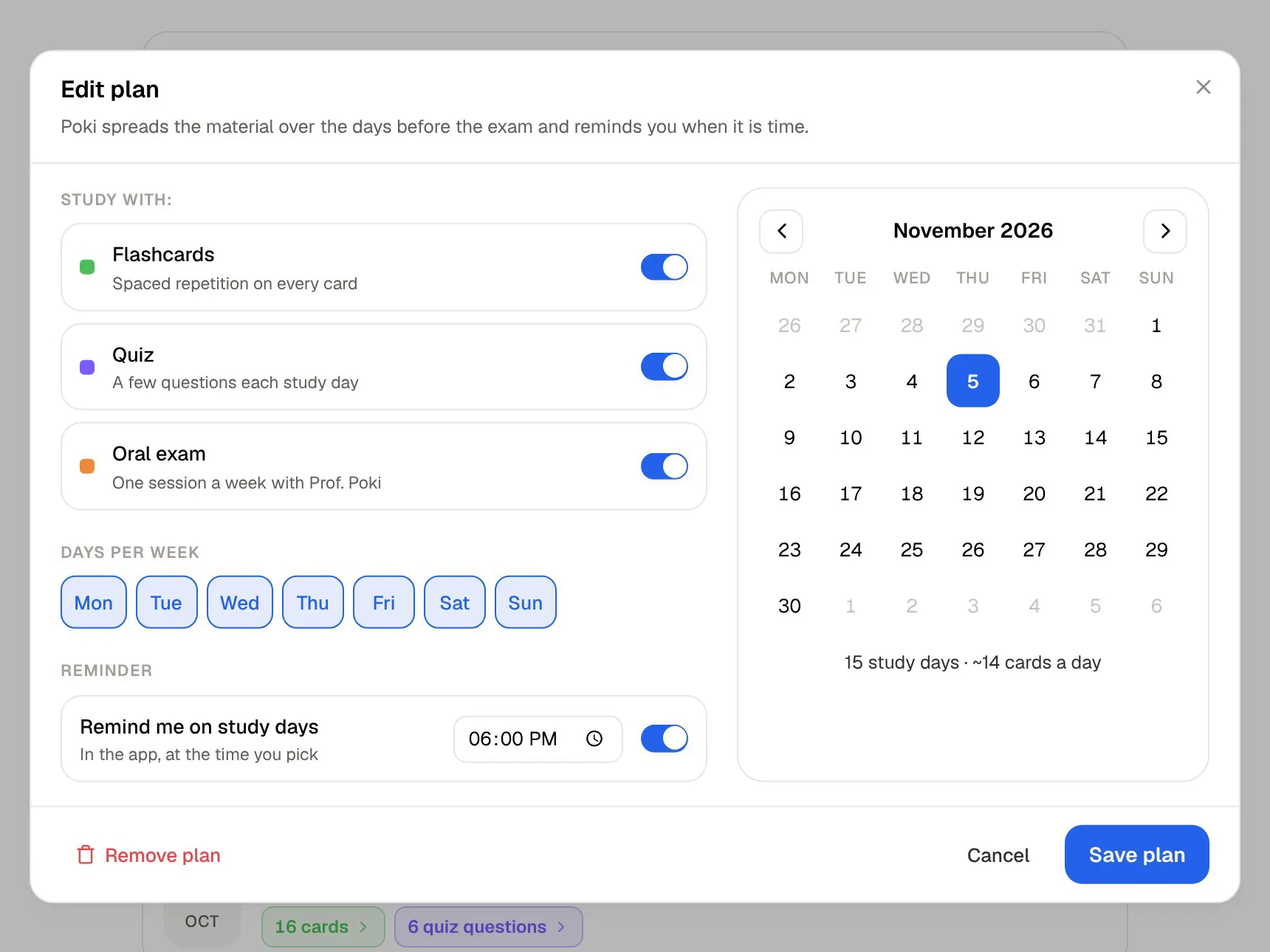
The biggest practical difference between the two apps shows up three weeks after the lecture. In PocketNote, every flashcard you review gets a rating: Again, Hard, Good or Easy. Cards you find easy come back later, and cards you miss come back sooner, so each review session is made of the cards you are closest to forgetting rather than the ones you already know.
Spaced repetition and retrieval practice are among the best-supported ideas in learning research: testing yourself, spread out over time, tends to beat rereading notes in one sitting. Coconote gives you the flashcards and quizzes to test yourself with. PocketNote adds the scheduling, and a study plan that takes your exam date, spreads the material across the days you have left, sends reminders, and tracks memory, applied and mastery scores.
Quizzes differ in a smaller way. PocketNote explains every answer option, the wrong ones included, so a missed question teaches you why the distractor was tempting. Coconote's quizzes and practice exams give you plenty of questions to answer, and its study games make short review sessions lighter.
Listening back: Coco's podcasts and PocketNote audio reviews
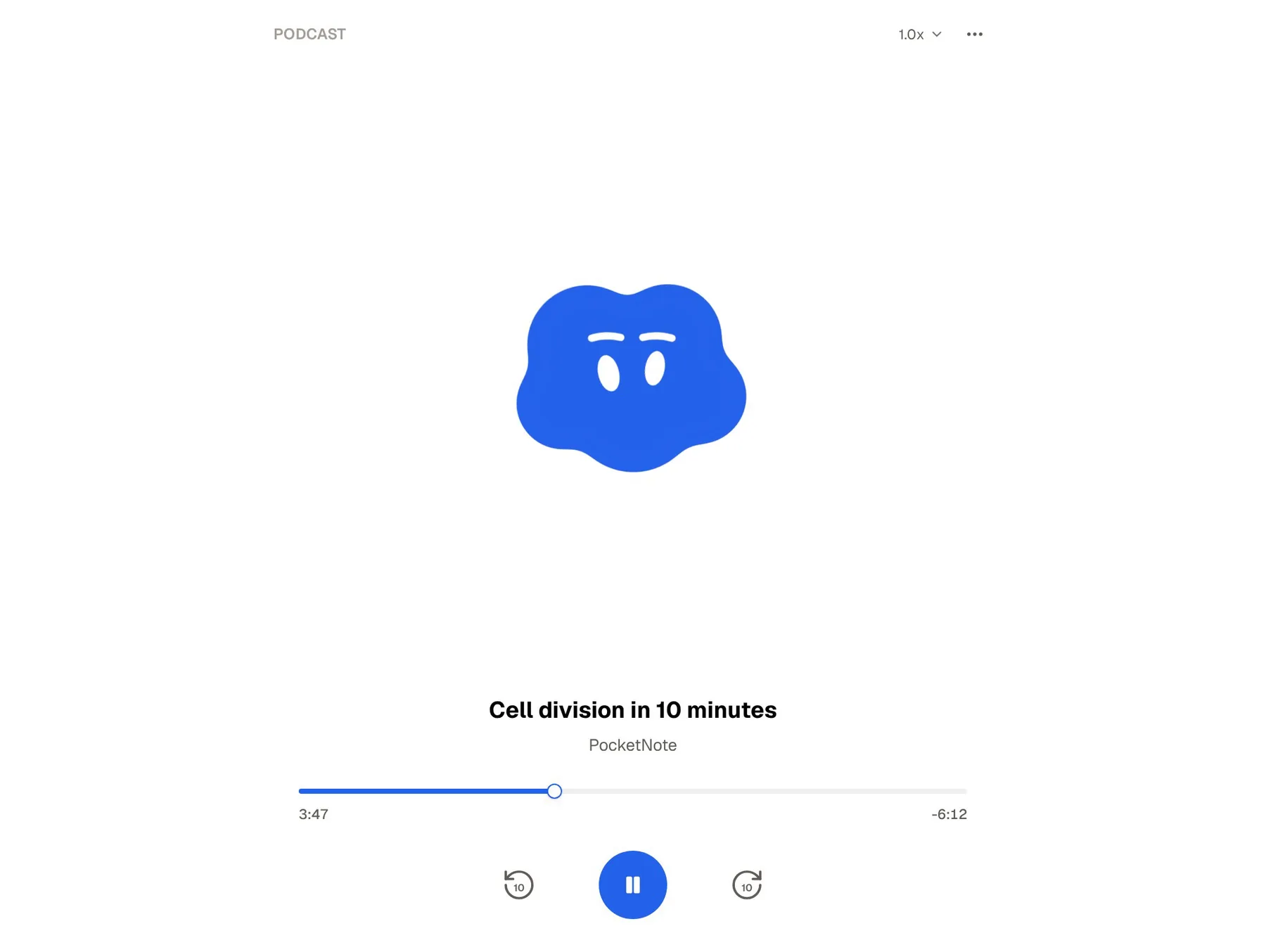
Both apps can turn your notes into something to listen to, which suits a commute or a walk to campus. Coconote's AI podcasts are narrated by Coco, its AI host. PocketNote's audio reviews are podcast-style episodes about your material, with captions that follow the voices, so you can glance at the screen when a term is hard to catch by ear.
If listening is how you study best, PocketNote also offers live voice on paid plans: you talk to Poki out loud and hear the answer, and you can ask it to quiz you. Coconote's site describes its podcasts and chat but not a spoken back-and-forth, so the two cover different listening habits: one is an episode you play, the other is a conversation you can interrupt.
What each costs
Coconote is free to download and use to start, and its FAQ recommends the paid Unlimited Pass for unlimited notes, priority support and added features. At the time of writing (November 2026), its web upgrade page offered a 3-day free trial followed by $119 a year for unlimited AI notes, recordings, uploads and study materials. The App Store lists several other in-app price points, including a family plan, so the price you are shown may differ by platform.
PocketNote is free to start. Its paid plans are Basic, which adds live voice, premium AI models and connectors, and Plus, which adds unlimited notebooks and apps, the longest podcasts and all models. See pocketnote.app for current prices.
Whichever you try, test it on one real lecture before paying: record or upload a class you know well, read the notes for errors, and check whether you would actually come back to the flashcards a week later.
Where Coconote is the better choice
Coconote is the better pick in a few clear situations, and it is worth being plain about them.
- You use an Android phone. Coconote has an Android app; PocketNote runs on the web, iPhone and iPad only.
- You want capture on your wrist. Coconote lists Apple Watch support, which PocketNote does not offer.
- You record meetings as well as lectures. Coconote presents meetings as a core use, not an afterthought.
- You want study games. Coconote includes short games for review; PocketNote's practice is flashcards, quizzes, oral exams and plans.
- You already live in Quizlet. With Coconote now part of Quizlet, its features are heading into the platform where your sets already are.
Using both, or moving across
You do not have to choose on day one. Some students keep Coconote for quick capture on their phone and use PocketNote for the material they will be examined on: the slide PDFs, the reading list, their handwritten notes, and the flashcards they review all term.
If you want to move a lecture across, the cleanest route is the original audio. PocketNote imports MP3, WAV, M4A and OGG files and produces its own transcript, summary and notes from them. Coconote's website does not describe an export feature, so check inside the app what you can save out; text you can copy can go into a typed PocketNote note, and PDFs or Word files import directly. Your old Coconote flashcards will not carry over as cards, but generating a fresh set from the same lecture is quick.
The verdict
Which one should you pick?
Pick PocketNote if…
- You want flashcards that come back on a spaced-repetition schedule and a study plan tied to your exam date.
- You take handwritten notes or mark up lecture PDFs and want them in the same place as your recordings.
- You want answers that cite your own material, so you can check where each one came from.
- You study on an iPad or in a browser and want recording, notes and practice in one library.
Pick Coconote if…
- You want quick capture with no setup that turns each lecture into notes on your phone, including on Android or Apple Watch.
- You also record meetings and want one app for both.
- You like study games and already use Quizlet, which now owns Coconote.
Try it yourself
See it with your own notes
PocketNote is an AI study app for the web, iPhone and iPad. You bring your course material (recorded lectures, slide PDFs, YouTube links, handwritten or typed notes) and it turns them into flashcards with spaced repetition, quizzes that explain every answer, oral exams, audio reviews and a study plan built around your exam date. Poki, its assistant, answers from your own material with citations.
If Coconote already handles your capture, you can try PocketNote on the part that comes after: import one lecture's audio and slides, generate a deck, and see whether the review schedule keeps you coming back. It is free to start.
Frequently asked questions
Sources
Keep reading