
Jungle (the app is called Jungle: AI Flashcards & Quiz, and it is often called Jungle AI after its web address) does one thing with a lot of care: it turns your lecture slides into multiple-choice questions. Upload a deck, and a few moments later you are answering questions with AI feedback on what you got right and wrong, growing a tree as you go. Its homepage leans hard on question quality, especially on making the wrong answer choices believable.
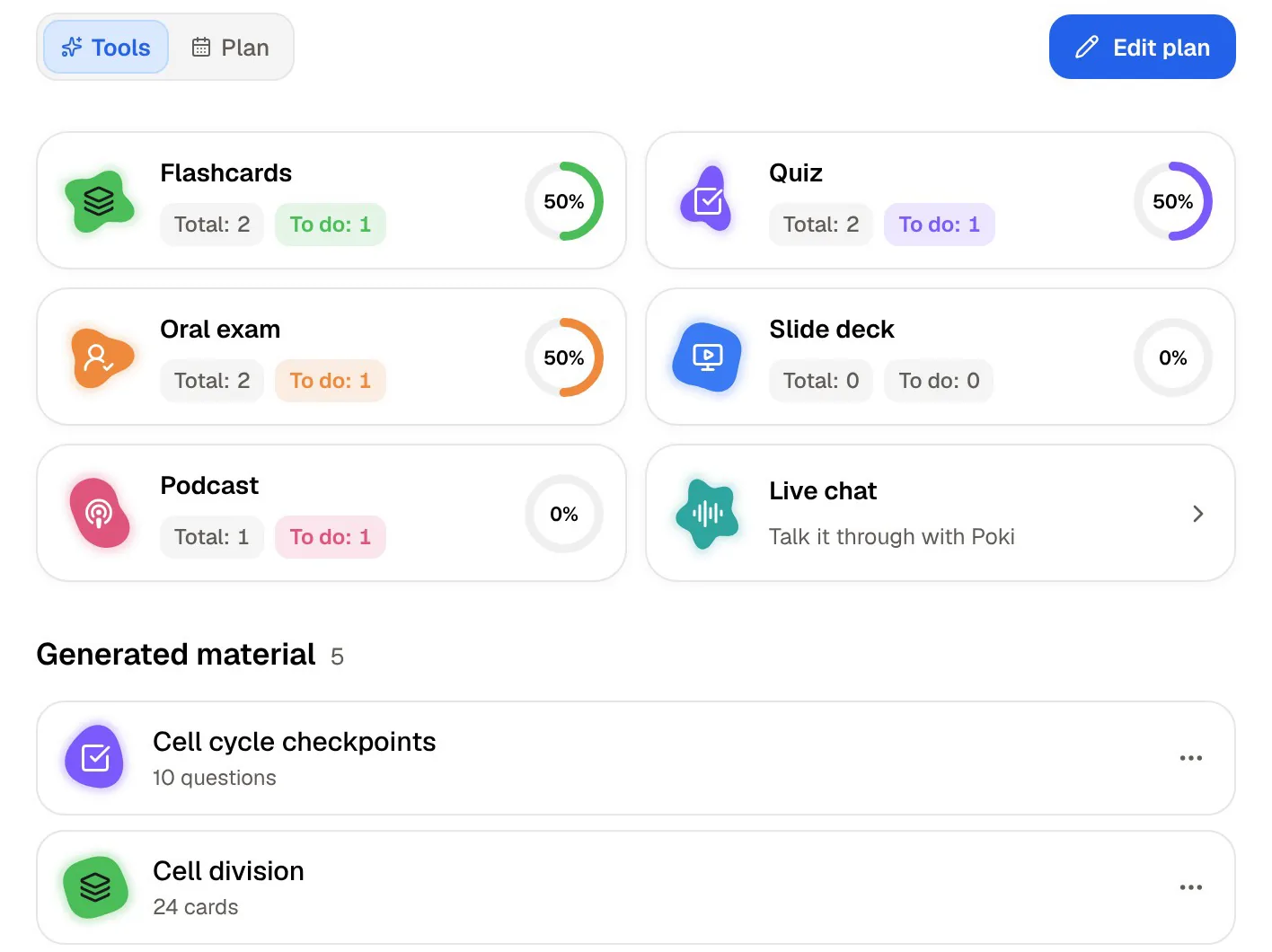
PocketNote also makes practice questions from your material, but questions are one part of a larger study library: flashcards on a spaced-repetition schedule, quizzes that explain every option, an oral exam that makes you explain ideas in your own words, notes you write by hand or keyboard, and a plan built around your exam date.
If your studying is mostly drilling questions from slide decks, Jungle was built for you, and this post says so. If you need the rest of the toolkit around those questions, the comparison below shows where the two differ. Everything was checked against Jungle's website, pricing page and app listings in November 2026.
At a glance
PocketNote vs Jungle AI
| Feature | PocketNote | Jungle AI |
|---|---|---|
| Main output | Flashcards, quizzes, notes, maps, audio, plans | Multiple-choice questions and flashcards |
| File types | PDF, Word, Excel, CSV, TXT, Markdown, audio | PDF, Word, PowerPoint, video, audio |
| Links | YouTube and web articles | YouTube, Google Drive links, web pages |
| Lecture recording | Yes, with transcript, summary and notes | Yes (5 a month on the free plan) |
| Spaced repetition | Yes, rate Again/Hard/Good/Easy | Yes, daily review |
| Feedback on answers | Every option explained | AI feedback on each answer |
| Speaking practice | Prof. Poki oral exam; live voice on paid plans | Voice tutor calls (unlimited on Elite) |
| Exam-style question templates | Not offered | Step 1, MCAT styles on Elite |
| Handwriting and PDF annotation | Yes | Not advertised |
| Exam-date study plan | Yes, with reminders and mastery scores | Daily review; size adjustable on Elite |
| Platforms | Web, iPhone, iPad | Web, iPhone, iPad, Android |
| Free plan | Free to start | 2 generations a month |
Checked against each product's own website, Jungle's pricing page and its App Store and Google Play listings, November 2026. Plans and features change; confirm current details there.
What Jungle is built to do
Jungle's core loop is short. You upload class material (PDFs, Word documents, PowerPoints, video or audio files, YouTube videos, Google Drive links or web pages) and it generates flashcards, multiple-choice questions and quizzes. After each answer you get feedback, and you can chat with the document or video when you are still confused, or ask for an analogy that explains the idea differently.
The product is clearly shaped by heavy question users. Its paid tiers add more questions per generation, advanced-difficulty questions, export of cards to Anki, auto image occlusion, and question-style templates modelled on exams such as USMLE Step 1 and the MCAT. That points squarely at pre-med and medical students, who face large slide decks and board-style multiple-choice exams.
It also tries to make the habit stick. Its site and apps describe a daily spaced-repetition review, a tree that grows as you answer correctly, XP and rewards, and a call with a "monkey tutor" who can talk through your material and put you on the spot with questions.
Jungle runs on iPhone, iPad and Android, and in the browser if you would rather not install anything. That reach, plus a free plan you can try in a couple of minutes, makes it easy to test on a real deck before you commit to anything.
Where a question generator stops
Questions are excellent for checking what you know, but they are the last step of learning, not the first. Before you can answer a hard question about the renal tubule, someone has to explain the renal tubule, and you need somewhere to write down how you understood it. Jungle covers the explanation part through chat and analogies, but it does not advertise a place for your own notes, handwritten or typed.
It also does not advertise ways to work on the source itself, such as highlighting a PDF, writing in the margin, or turning a lecture into a mind map, a summary or an audio episode. If your study day is mostly questions, you will not miss these. If you build understanding by reading, annotating and summarizing first, you will need another tool alongside Jungle.
The free plan is also deliberately small. At the time of writing (November 2026) it includes 2 generations a month, documents up to 30 pages, videos up to 30 minutes, 5 lecture recordings a month and 8 AI chat messages an hour. That is enough to judge the questions, not to run a semester.
The same slide deck, two workflows
In Jungle, the slide deck goes in and questions come out. In PocketNote, the deck becomes the center of a small workspace. You import the slides (as a PDF; PocketNote's import list is PDF, Word, Excel, CSV, TXT and Markdown, so save a PowerPoint as PDF first), add the lecture recording or YouTube link if there is one, and everything sits together as sources.
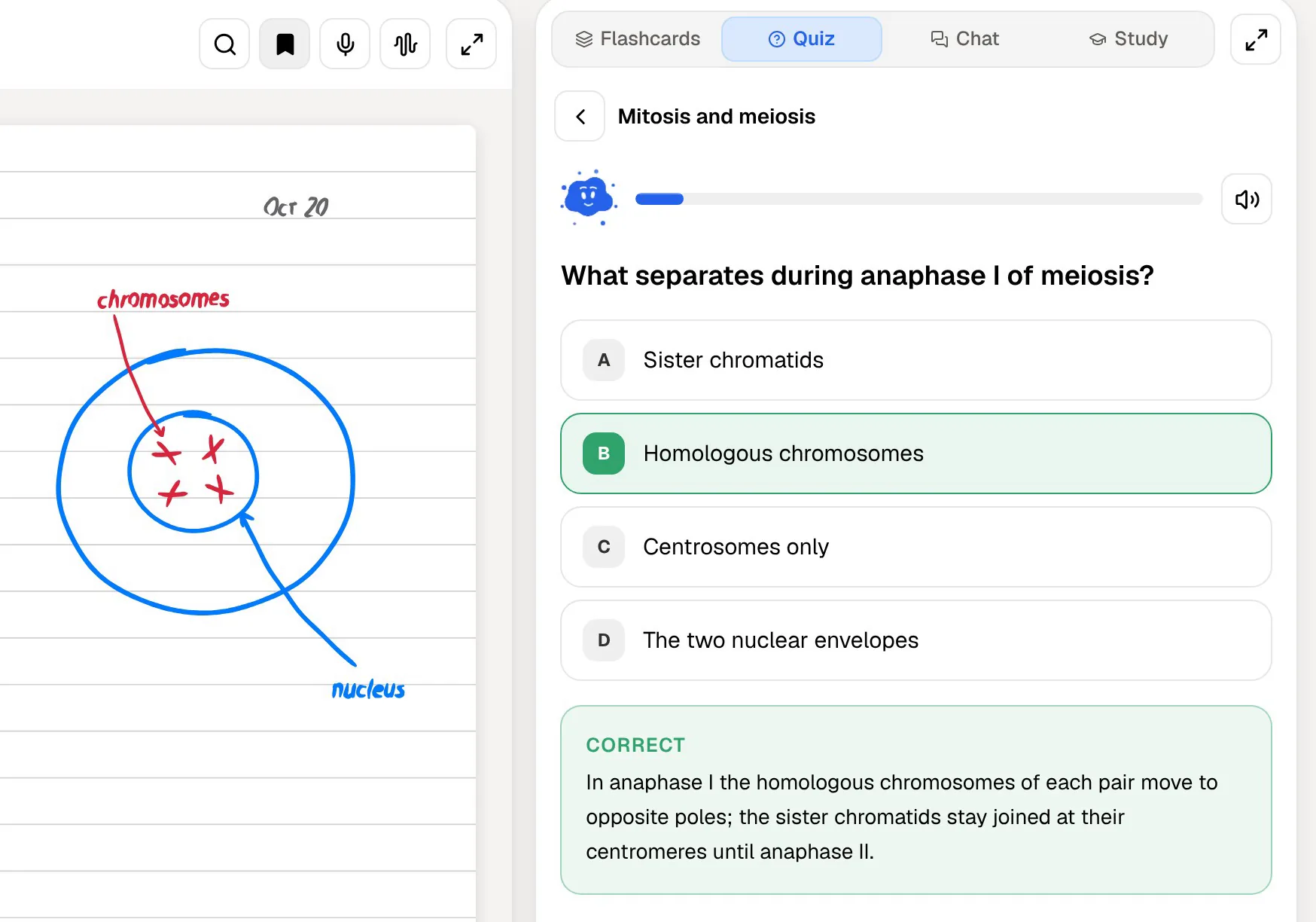
From those sources you can generate a quiz, a flashcard deck, a mind map, written notes, a slide deck or an audio review. The quiz explains every option, so when you choose the wrong answer you see why it was wrong and why the right one is right. When a question exposes a gap, you can ask Poki about it, and it answers from your slides with citations to the page it used.
You can also write on the slides directly: highlight, draw and add margin notes. Poki can look at a PDF page as you see it, highlights and handwriting included, and can highlight or circle passages for you when you ask, for example to mark every definition on page 3.
Judging question quality yourself
Jungle publishes its own comparison of question quality against other apps, scored by an AI judge on relevance, clarity and how plausible the wrong options are. It is a vendor's own test, so treat it as a claim to check rather than a result. The useful part is the criteria, which are the right ones for any AI question generator.
Run your own test with one deck you know well, in both apps. Look for questions that test understanding rather than copied wording, wrong answers that a half-prepared student would actually pick, coverage of the whole deck rather than the first ten slides, and explanations that are correct. Ten minutes of this tells you more than any benchmark, including this article.
One more check matters more than it first appears: whether you can trace a question back to the slide it came from. An AI generator occasionally invents a detail or blends two slides into one wrong fact. Jungle lets you chat with the document when a question confuses you. In PocketNote, Poki's answers carry citations to the source, so when a quiz question looks wrong you can ask about it and open the exact page the answer relies on, then decide whether the question or your memory needs fixing.

Talking it through: monkey tutor and Prof. Poki
Both apps include a spoken mode, built on the idea that saying an answer out loud is harder, and more useful, than recognizing it in a list. Jungle's voice tutor can go over your material on a call and turn the tables by asking you questions; unlimited calls are part of its top Elite plan.
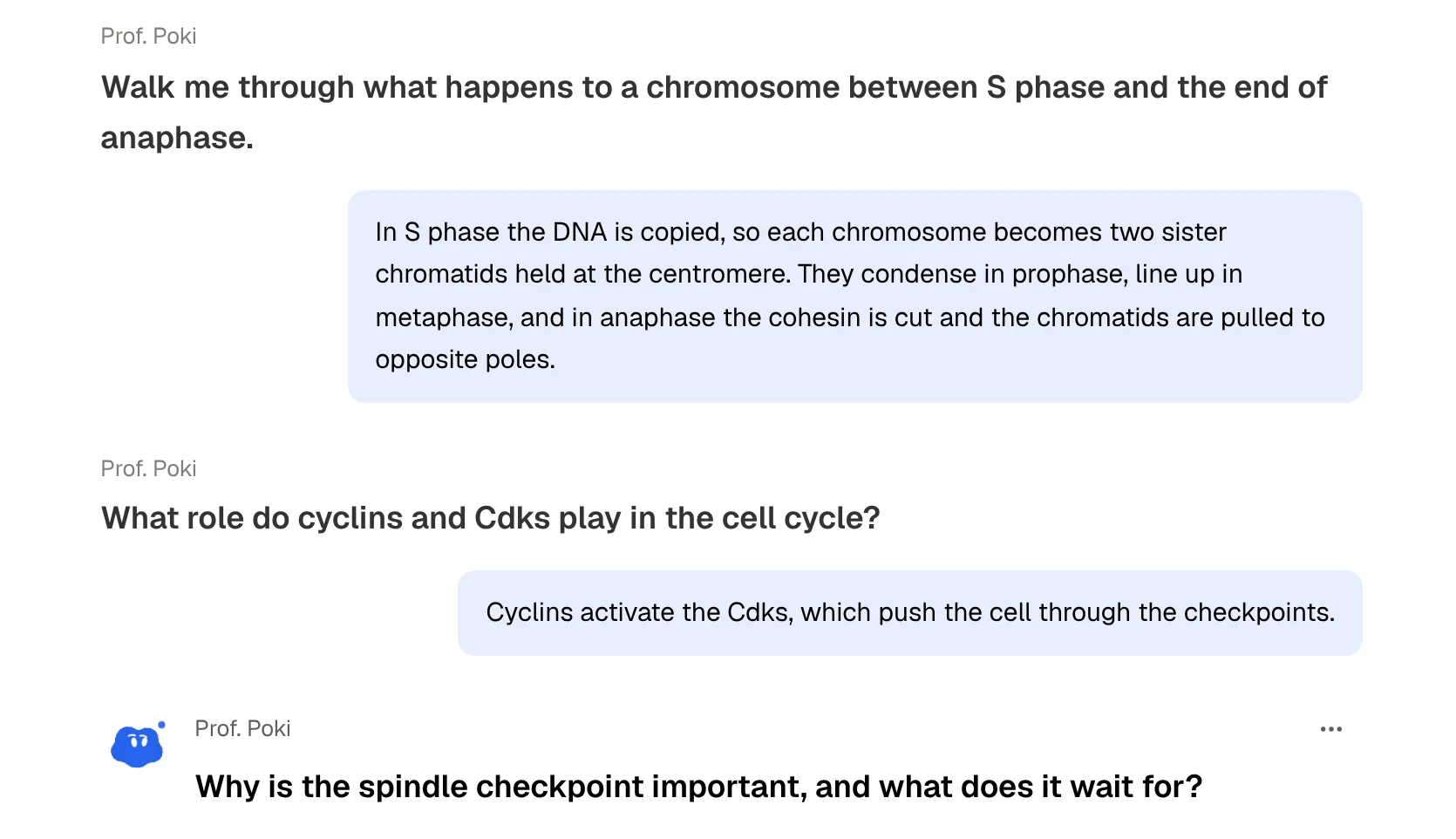
PocketNote's oral exam takes a similar idea in a stricter direction. Prof. Poki asks you a question, out loud or in text, and keeps probing until you can explain the idea properly. If your answer is vague, it follows up rather than moving on. On paid plans, live voice lets you talk to Poki out loud and hear the answer, which suits revision away from a desk.
For multiple-choice exams, recognition practice is essential, and Jungle is built for it. For essays, vivas, practicals and short-answer papers, explaining in your own words is the skill being tested, and an oral exam rehearses that more directly.
Review schedules and the exam date
Both apps use spaced repetition, the well-established idea that reviewing just before you would forget makes memories last. Jungle runs a daily review, and its Elite plan lets you set how large that review is. PocketNote has you rate each flashcard Again, Hard, Good or Easy, and schedules the card's return from that rating.
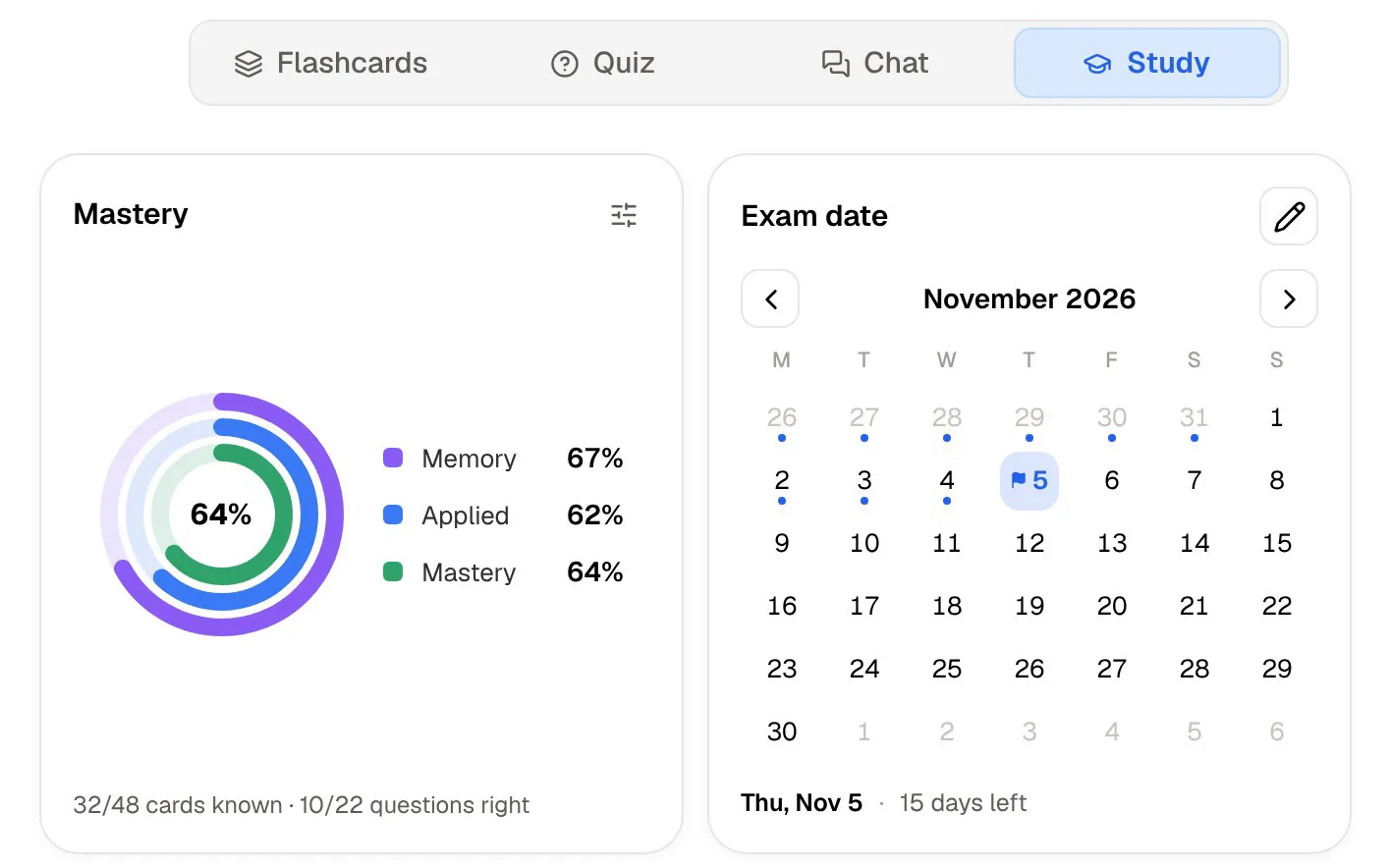
PocketNote adds a layer above the cards: a study plan. You set the exam date, and PocketNote plans what to cover each day, sends reminders and tracks three scores (memory, applied and mastery) across flashcards, quizzes and oral exams. When you have five modules and four weeks, the plan answers the question of what to do tonight.
If you like Jungle's questions but want PocketNote's plan, nothing stops you from using both. The cost is two review queues, which most students find hard to keep up with, so decide which app holds your daily review and use the other one for generating extra practice when an exam is close.
Where Jungle is the better choice
For some students Jungle is clearly the better pick.
- You are preparing for USMLE Step 1, the MCAT or a similar board-style exam. Jungle's Elite plan writes questions in those styles; PocketNote does not offer exam-style templates.
- You already review in Anki. Jungle's Pro plan exports cards to Anki, so it can feed the system you already trust.
- Your material is image-heavy. Auto image occlusion on Elite turns labelled diagrams into hide-the-label cards, which suits anatomy and histology.
- You study on Android or from PowerPoint files. Jungle has an Android app and takes PowerPoint directly.
- Game mechanics keep you going. Trees, XP and characters are part of Jungle's design, not an add-on.
Plans and prices
Jungle has a free plan with the limits listed above, and two paid tiers. Pro adds unlimited generations on documents of any size, three times more questions per generation, unlimited advanced questions, AI explanations and lecture recordings, and Anki export. Elite adds the question-quality boost, exam-style templates, auto image occlusion, unlimited voice tutor calls and an adjustable daily review. Its pricing page shows your local price before you pay, so check it there.
PocketNote is free to start, with two paid plans: Basic (live voice, premium AI models and connectors) and Plus (unlimited notebooks and apps, the longest podcasts and all models). See pocketnote.app for current prices.
The verdict
Which one should you pick?
Pick PocketNote if…
- You need more than questions: notes, annotated slides, summaries, mind maps and audio reviews from the same material.
- You want quizzes that explain every option and an oral exam that makes you explain ideas in your own words.
- You want a study plan that works back from your exam date across several modules.
- You write notes by hand on an iPad and want them in the same library as your slides.
Pick Jungle AI if…
- Your exam is multiple choice and you want a high volume of practice questions from your slides.
- You want Step 1 or MCAT-style questions, image occlusion or Anki export.
- You use Android or want to upload PowerPoint files directly.
Try it yourself
See it with your own notes
PocketNote is an AI study app for the web, iPhone and iPad. You bring your slides, recordings, links and notes, and it turns them into flashcards with spaced repetition, quizzes that explain each answer, oral exams with Prof. Poki, audio reviews and a study plan built around your exam date. Poki answers your questions from your own material, with citations.
A fair test is to take one slide deck you are about to be examined on, generate questions in both apps, and see which ones you would still be using a week later. PocketNote is free to start.
Frequently asked questions
Sources
Keep reading