
Google has put a lot into Gemini for students. Its student page describes study notebooks for each course with a learning plan Gemini builds for you, personalised quizzes from your notes, a performance tracker and a student hub. Guided Learning teaches by breaking problems into steps, and Google's notebook product, which used to be NotebookLM and now goes by Gemini Notebook, sits alongside it. Eligible US college students can also claim a year of Google AI Pro for free.
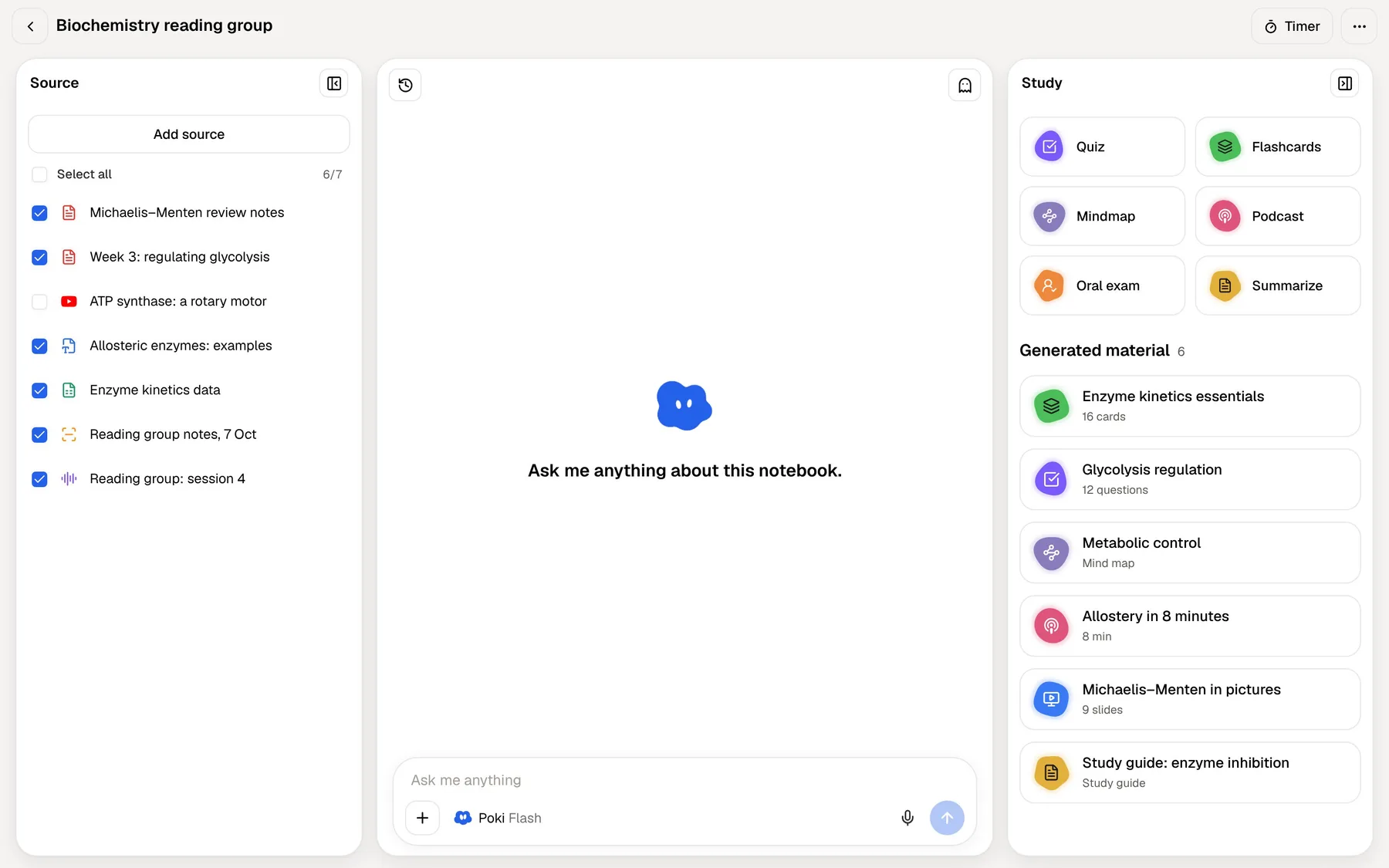
That makes Gemini a close competitor to a dedicated study app. PocketNote's case rests on specific things: spaced-repetition flashcards that schedule every card, an oral exam that keeps probing, handwritten notes and PDF annotation on iPad with Apple Pencil, lecture recording, and a choice of AI models from several providers rather than one.
This page compares the two as of November 2026, explains the student offer and its conditions, and says plainly where Gemini is the stronger choice.
At a glance
PocketNote vs Gemini
| Feature | PocketNote | Gemini |
|---|---|---|
| Built for | Studying your course material | A general assistant across Google |
| Course notebooks | Colour-coded folders and notebooks | Study notebooks with a learning plan |
| Answers from your files | Yes, cited to the source | Yes; notebooks can be a source |
| Tutoring | Oral exam that keeps probing | Guided Learning mode |
| Flashcards | Spaced repetition: Again / Hard / Good / Easy | Flashcards and study guides |
| Quizzes and progress | Explained quizzes; mastery scores | Personalised quizzes; performance tracker |
| Audio | Podcast-style audio reviews | Audio Overviews in Gemini Notebook |
| Handwriting | Apple Pencil on iPad, Note Replay | Upload images of your notes |
| AI models | Several providers to choose from | Google's Gemini models |
| Connected apps | Drive, Notion, Outlook and more (paid) | Gmail, Drive and Workspace |
| Price | Free to start; Basic and Plus | Free; AI Plus $4.99, AI Pro $19.99 a month |
| Student offer | See pocketnote.app | Free AI Pro year, eligible US students |
Checked against each product's own website, November 2026 (Gemini prices are Google's US prices). Plans and features change; confirm current details there.
What Gemini offers students now
Google's student page, at the time of writing (November 2026), sets out a full study workflow. You create a notebook for each course and upload the course materials, and Gemini builds a learning plan tailored to you. It turns your notes and content into personalised quizzes, a performance tracker shows your growth areas, and a student hub is a dedicated space in the app where your courses and content connect. Gemini Live handles spoken back-and-forth about difficult concepts, and you can connect Gmail, Drive and other Workspace apps.
Guided Learning, which Google introduced for all Gemini users in August 2025, is the tutoring mode. It breaks problems into steps and adapts its explanations so you understand the reasoning rather than just the answer. Google's announcement also describes making flashcards and study guides from your quiz results or class materials.
The notebook side has been folding into Gemini for some time. Since January 2026 you can add a NotebookLM notebook as a source in the Gemini app, so answers are grounded in that notebook's sources. NotebookLM's old address now redirects to Gemini Notebook, and Google's plans page lists Audio Overviews in Gemini Notebook, with more of them on paid plans.
Around the study features sits the rest of Gemini, which is considerable: Deep Research, Canvas, image generation and Gems are all on the free plan, according to Google's plans page.
The free year of Google AI Pro, explained
The student offer is generous, and the conditions matter. If you qualify, claim it and put the renewal date in your calendar the same day. Outside the US, check Google's student page for your country, because the offer described here is for US college students.
These are the terms as Google's student page states them in November 2026:
- Who: eligible US college students aged 18 or over, with eligibility verified each year.
- What: Google AI Pro for one year, with higher usage limits in Gemini, 5 TB of storage and unlimited uploads of your own class materials.
- Deadline: redeem by December 31, 2026.
- After the year: a payment method is required at sign-up, and AI Pro then renews at $19.99 a month unless you cancel.
Where Gemini stops short
Gemini's study tools live inside a general assistant, and the assistant is Google's. Answers come from Google's own models, and the connected apps Google highlights for students are Gmail, Drive and Workspace. That is ideal if your university and your files already run on Google.
Model choice is another difference. Gemini runs on Google's models. PocketNote lets you choose between leading AI models from several providers, with premium models on paid plans, so you can switch if one explains your subject better.
The flashcards Google describes are study material made from your content; Google's pages don't describe a spaced-repetition schedule that decides when each card comes back. Its pages also don't advertise handwritten note-taking, PDF annotation or a spoken oral exam that keeps probing your answers. You can upload a photo of handwritten notes, but writing them happens in another app.
None of this makes Gemini a weak study tool. It means some of the most effective study habits, spaced review and explaining things out loud under questioning, are left for you to organise yourself. PocketNote builds both into the app: the cards are scheduled for you, and the oral exam does the questioning.
Handwriting and PDFs: the iPad difference
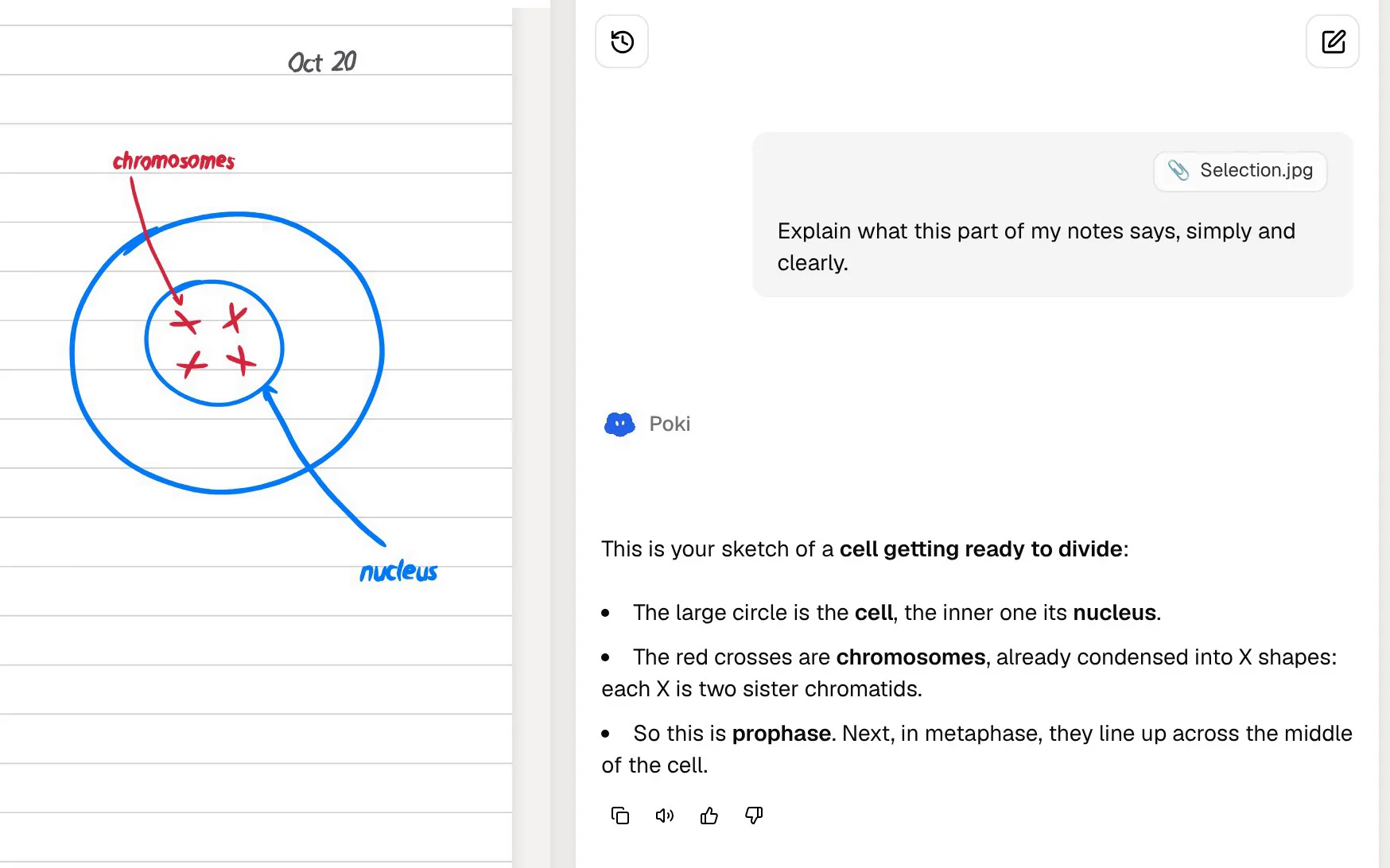
PocketNote's iPad app is a full handwriting notebook. With Apple Pencil you get pens, highlighters, fountain pen, watercolour and crayon inks, shape snapping, page templates such as lined, grid and Cornell, a zoom window for small writing, and a lasso that turns handwriting into text, recolours it, or asks Poki about a selection. The "tape" tool hides answers so you can test yourself on your own notes, and search reaches into your handwriting.
Note Replay records audio while you write; playing it back shows the strokes you were writing at that moment, which helps when your notes say "see example" and you can't remember which one.
Those notes are sources like any other. Poki can read them, and flashcards and quizzes can come from what you wrote in the lecture. PDF annotation works the same way: highlight and write on the lecturer's slides, and Poki sees your marks and can add its own highlights, underlines or circles when you ask.
To be fair to the handwriting specialists, PocketNote's handwriting is newer than the decade of polish in apps like Notability or GoodNotes. Compared with Gemini, though, it is a category Gemini doesn't try to cover.
Quizzes, progress and memory
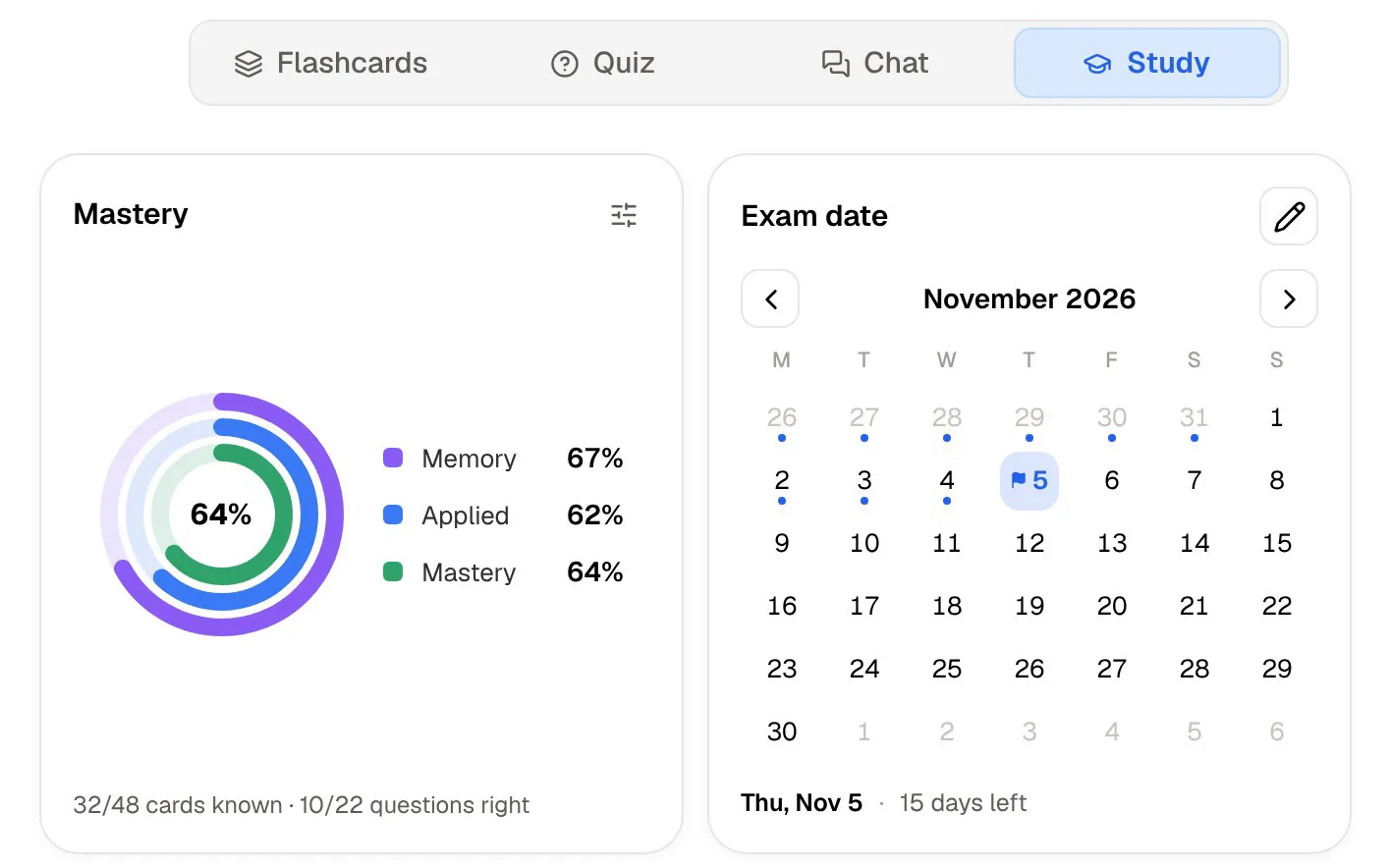
Both apps quiz you from your notes and both track progress. Gemini's performance tracker identifies your growth areas; PocketNote's study plan tracks three scores per topic: memory, applied and mastery.
The differences are in the details. A PocketNote quiz explains every option, so you see why the right answer is right and why each wrong one is wrong. Flashcards follow a spaced-repetition schedule from your Again, Hard, Good or Easy ratings. The study plan takes your exam date, plans what to cover each day and reminds you. And the oral exam tests whether you can explain an idea, not just recognise the right option.
Both apps also plan for you, in different ways. Google describes Gemini building a learning plan tailored to you inside each course notebook. PocketNote's study plan starts from a date: you set when the exam is, and it works backwards, deciding what to cover each day, showing your progress in each study tool from flashcards to the oral exam, and sending reminders so a missed day doesn't quietly turn into a missed week.
Listening: Audio Overviews and audio reviews
Audio Overviews, which began in NotebookLM, continue in Gemini Notebook, with higher allowances on Google AI Plus, Pro and Ultra according to its plans page.
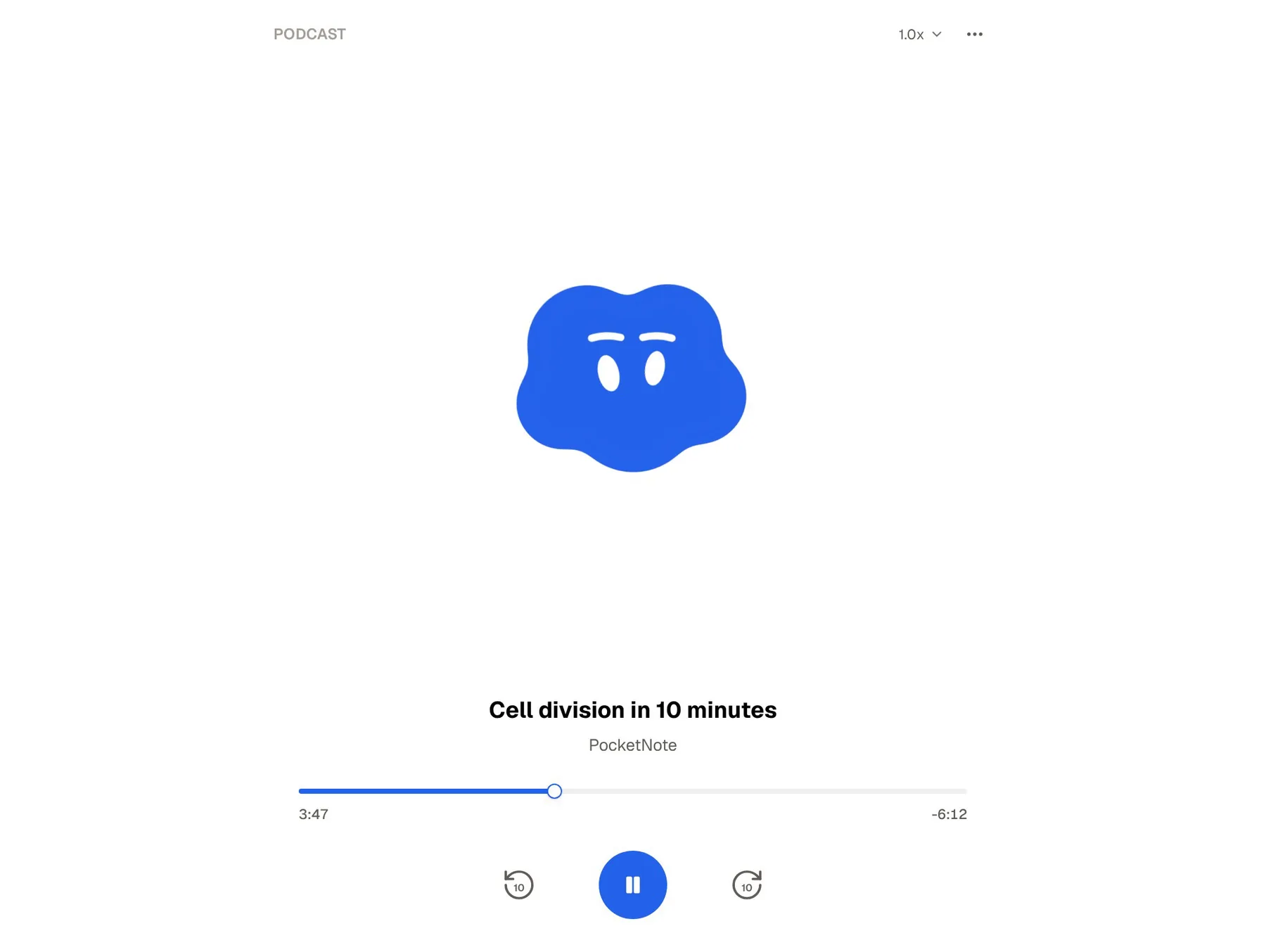
PocketNote's audio reviews do a similar job for your course: a podcast-style episode about your material, with captions that follow the voices so you can read along when a term is unfamiliar. Plus has the longest episodes. The formats are close, so the better choice is whichever app already holds the rest of your material.
The same goes for live conversation. Gemini Live is on Gemini's free plan, according to Google. PocketNote's live voice, on paid plans, lets you talk to Poki out loud about your own material and hear the answer, and in the oral exam Prof. Poki can ask the questions out loud.
Where Gemini is the better choice
Gemini is a strong option for many students, and for some it is clearly the better one. These are the cases where we would recommend it.
- US college students who qualify for the free year. A year of AI Pro at no cost is hard to argue with.
- Life in Google. If your files are in Drive and your mail is in Gmail, Gemini already has the context.
- General knowledge and creative work. Deep Research, Canvas, image generation and Gemini Live in one app.
- Storage. AI Pro includes 5 TB of Google storage; AI Plus at $4.99 a month includes 400 GB.
- A learning plan inside the assistant you already use. Study notebooks build a plan and quizzes for each course without another app.
Using Gemini and PocketNote together
The two work well side by side. PocketNote imports files from Google Drive and takes YouTube links with their transcripts, so material you keep in Google's world comes straight in. Use Gemini for general questions, research and anything that benefits from Google's apps; use PocketNote for each module's library, the spaced-repetition cards, the oral exam and the handwritten notes. Both run in a browser, so on a laptop you can keep them open side by side.
Prices at the time of writing (November 2026), as listed on Google's US plans page: Gemini is free with a Google account, Google AI Plus is $4.99 a month, Google AI Pro is $19.99 a month and Google AI Ultra starts at $99.99 a month. PocketNote has a free start and two paid plans, Basic and Plus, listed at pocketnote.app.
If you have the free AI Pro year, a practical set-up is Gemini for everything general and Google-shaped, and PocketNote as the place where each module's material ends up and gets revised. When the free year ends, you can decide which subscription you actually used.
The verdict
Which one should you pick?
Pick PocketNote if…
- You want spaced-repetition flashcards that schedule every card, plus quizzes that explain every option.
- You take handwritten notes or annotate PDFs on an iPad with Apple Pencil.
- You want an oral exam that keeps asking until you can explain the idea.
- You want to choose between AI models from several providers, or connect Notion, Outlook, OneDrive or Dropbox.
Pick Gemini if…
- You are an eligible US college student and can use a free year of Google AI Pro.
- Your files, mail and calendar are in Google, and you want an assistant that already knows them.
- You want one assistant for study and everything else: research, writing, images and voice.
Try it yourself
See it with your own notes
PocketNote is a study app for your own material: lectures you record, PDFs you annotate, notes you write by hand or type, and links from YouTube and the web. Poki answers from all of it with citations, and the same sources become flashcards with spaced repetition, explained quizzes, an oral exam, mind maps and audio reviews.
It is free to start on the web, iPhone and iPad, and it imports from Google Drive, so it fits next to Gemini rather than replacing it.
Frequently asked questions
Sources
Keep reading