
Goodnotes is where a lot of students' handwriting lives. It is known for the feel of writing with an Apple Pencil, for tidy notebooks and digital stationery, and for flashcards you can draw on, which it calls Study Sets. It has also added Goodnotes AI: search across your handwriting, summaries, a quiz generator and maths checking.
PocketNote is built around a different moment, the week before the exam. It is an AI study app that takes your notes, PDFs, slides and lecture recordings and generates the revision for you: flashcards with spaced repetition, quizzes that explain every option, an oral exam, a study plan to your exam date and audio reviews. It has a handwriting canvas on iPad too, though it doesn't have Goodnotes' years of refinement.
This comparison is for the student who already writes beautifully in Goodnotes and wonders whether the studying should happen there or somewhere else. It covers the flashcard question in detail, checks what Goodnotes AI actually does, and lists the prices shown on its site in November 2026.
At a glance
PocketNote vs Goodnotes
| Feature | PocketNote | Goodnotes |
|---|---|---|
| Built for | Turning course material into study sessions | Handwritten notes, PDFs, whiteboards and docs |
| Handwriting | Apple Pencil canvas, inks, lasso, tape | Mature: cross out to erase, spellcheck, convert |
| Flashcards | Generated from your material | Study Sets with handwritten, typed or image cards |
| Spaced repetition | Rate Again / Hard / Good / Easy | Smart Learn shows harder cards more often |
| Quizzes | Every option explained | AI quiz generator from notes |
| Oral exam | Prof. Poki asks and follows up | Not advertised |
| Plan to an exam date | Daily plan, reminders, mastery scores | Not advertised |
| Audio synced to writing | Note Replay | Tap a word to hear that moment |
| AI on your PDFs | Poki sees your marks and can highlight or circle | Search across notes and PDFs; note summaries |
| Collaboration | Share a link to a note | Real-time collaboration (Pro) |
| Apps | Web, iPhone, iPad | iPhone, iPad, Mac, Windows, Android, web |
| Paid plans | Basic and Plus; see pocketnote.app | Essential $11.99/yr, Pro $35.99/yr |
Checked against each product's own website, November 2026. Plans and features change; confirm current details there.
Why so many students write in Goodnotes
Goodnotes earned its place on the writing itself. Its site talks about resting your hand on the screen, writing quickly, crossing words out to erase them and converting handwriting to text, and its pricing table adds spellcheck for handwriting, handwriting search, shape recognition, a lasso, a ruler, tape and layers (layers are marked experimental, on iPad and Mac). A large marketplace of templates, planners and stickers sits around all of it.
It has also spread well beyond the iPad. Goodnotes lists apps for iOS and iPadOS, Mac, Windows, Android and the web, with real-time collaboration on notebooks, documents and whiteboards. Its homepage now speaks mostly to professionals and teams, and schools get a separate education programme with an admin console.
For a student, the result is a dependable paper replacement: lecture slides imported as PDFs, notes written straight onto them, everything searchable, and a notebook that looks the way you want it to.
Goodnotes AI and Poki, side by side
Goodnotes AI is spread across the app rather than gathered in one place. Its AI page lists search across typed text, handwriting, PDFs and images; Ask Goodnotes, which turns long notes or supported recordings into summaries and key takeaways; handwriting-to-text conversion with spellcheck; a maths feature that checks handwritten calculations; a quiz generator that works from your notes; and diagrams or mind maps made from your ideas.
Its App Store listing pitches the student side directly: use AI to summarise, shorten or change the tone of your writing, and turn messy handwritten or typed notes into structured study material. A newer Handwriting Restyle tool tidies a lassoed passage into a chosen handwriting style.
How much you get depends on the plan. Essential includes basic or limited AI. Pro includes advanced Goodnotes AI, such as Create Mode, image generation and Goodnotes AI for Meetings (cloud transcription, live summaries and generated notes), with limited monthly credits. An add-on called AI Pass adds roughly twelve times more AI credits. Goodnotes says it doesn't use your notebooks to train its AI.
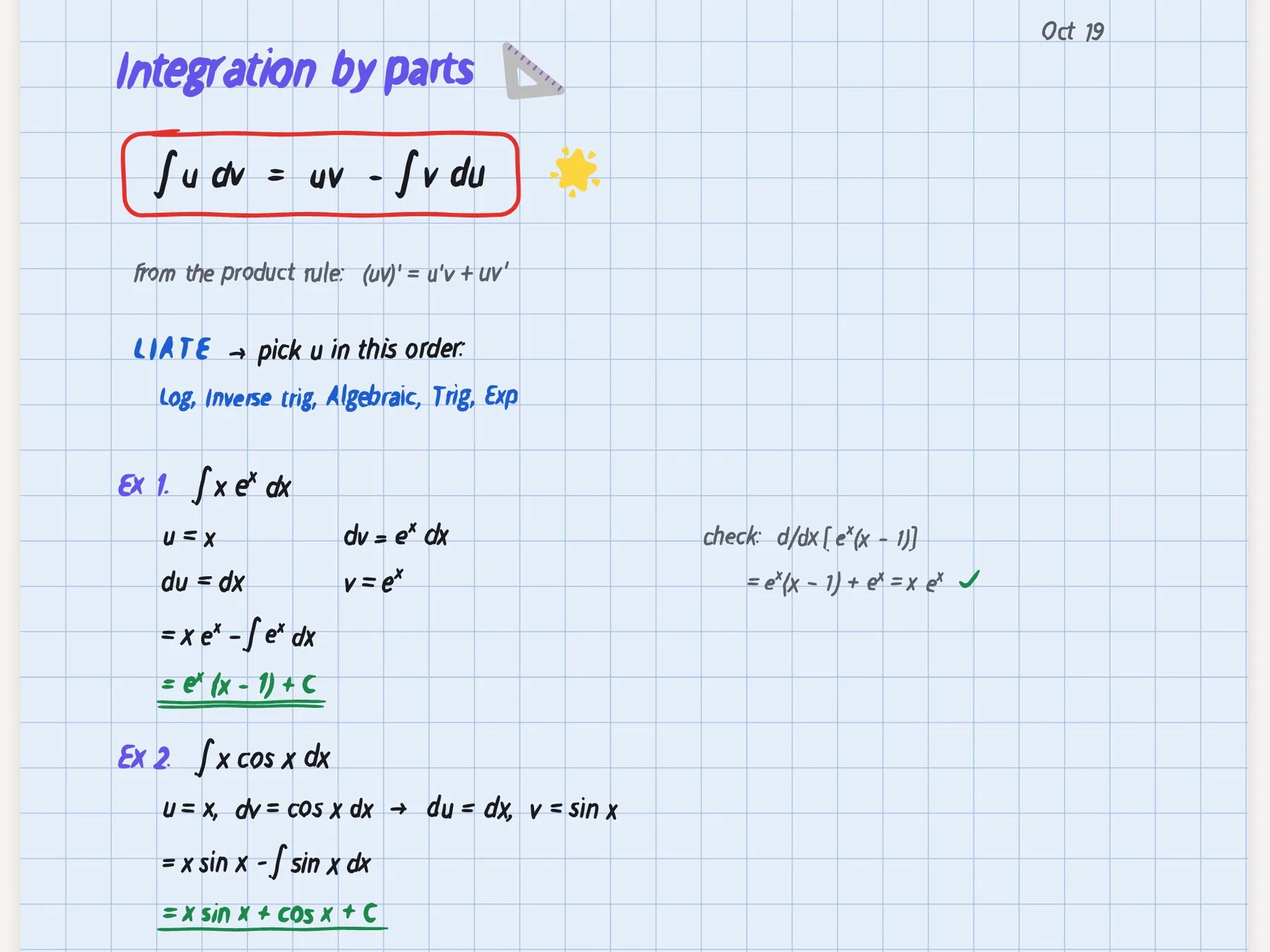
Goodnotes AI is strongest at finding and condensing what you have written. Poki works more like a tutor who has read your whole course: it answers from your notes, PDFs and recordings with citations to the source, shows its steps as it searches your notes and reads the item, and can put an answer in a table when you ask. It can also write a summary into your notes from the chat.
Poki can see a PDF page as you see it, including your own highlights and handwriting, and mark it up on request. Ask it to circle the key terms on page 12 and it does; one tap removes its marks. What Goodnotes doesn't advertise is a study system around its AI: no oral exam, no plan built backwards from your exam date and no audio review of your material.
Study Sets or generated flashcards
This is the real decision for most Goodnotes users. Goodnotes Study Sets are flashcards built around handwriting: you can write on them, draw graphs or paste in a diagram, which matters in maths, chemistry or a language with its own script. The Goodnotes pages checked for this article describe making the cards yourself rather than generating a deck from a lecture. Smart Learn then orders the cards by how hard you found them, shows the difficult ones more often, and suggests a date to come back after each session. Making cards by hand is also a form of studying in its own right.
PocketNote makes the deck for you. Point it at a lecture, a chapter PDF or your handwritten notes and it generates flashcards from that material. You rate each card Again, Hard, Good or Easy, and it comes back when you are about to forget it. A deck that would take an evening to write by hand is generated for you, so the evening goes on reviewing it instead.
Neither approach is wrong. If you like building cards and your subject is visual, Goodnotes Study Sets fit well. If your week is full and the material is mostly text, generated cards get you to the reviewing faster.

Quizzes that explain the answer
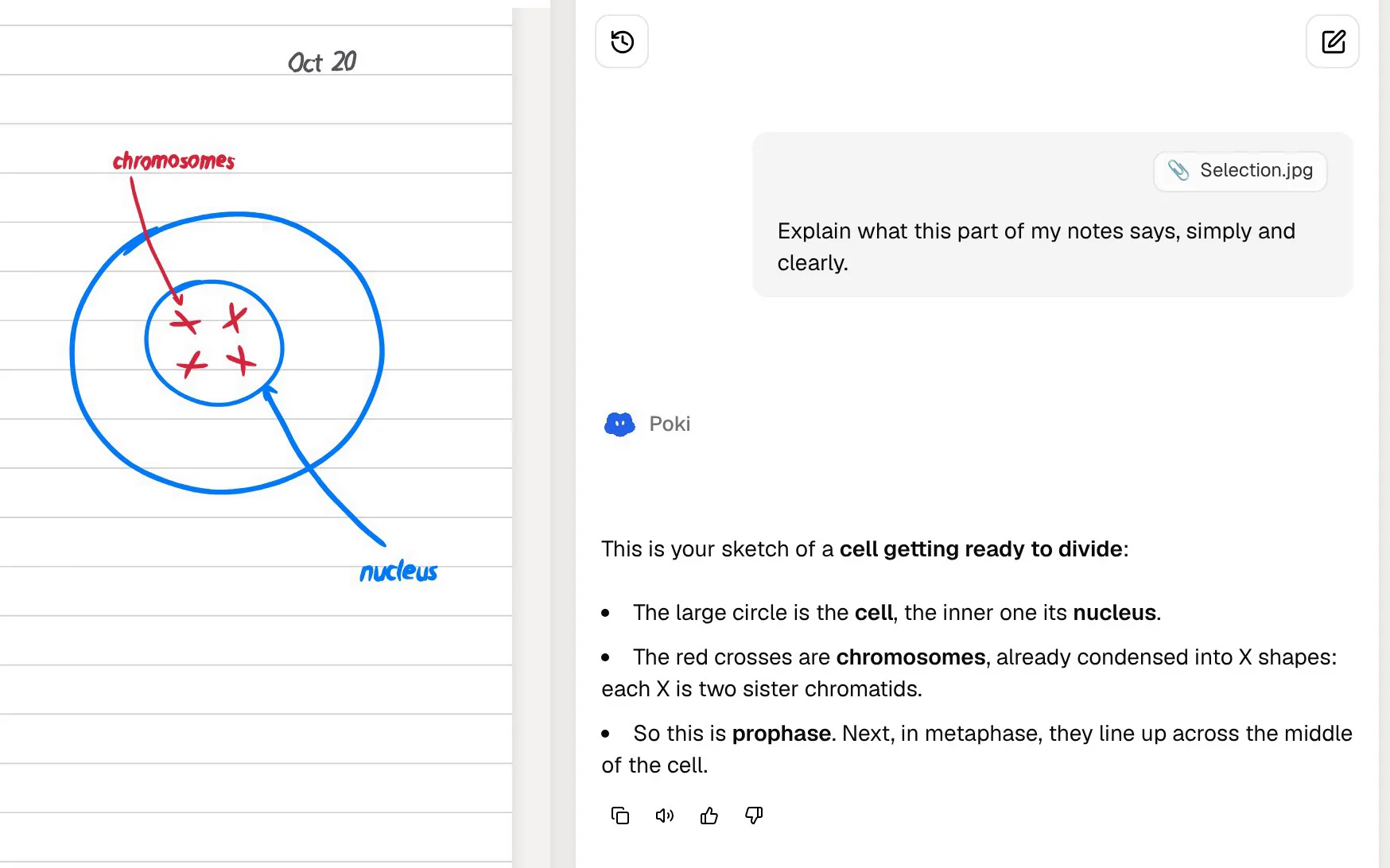
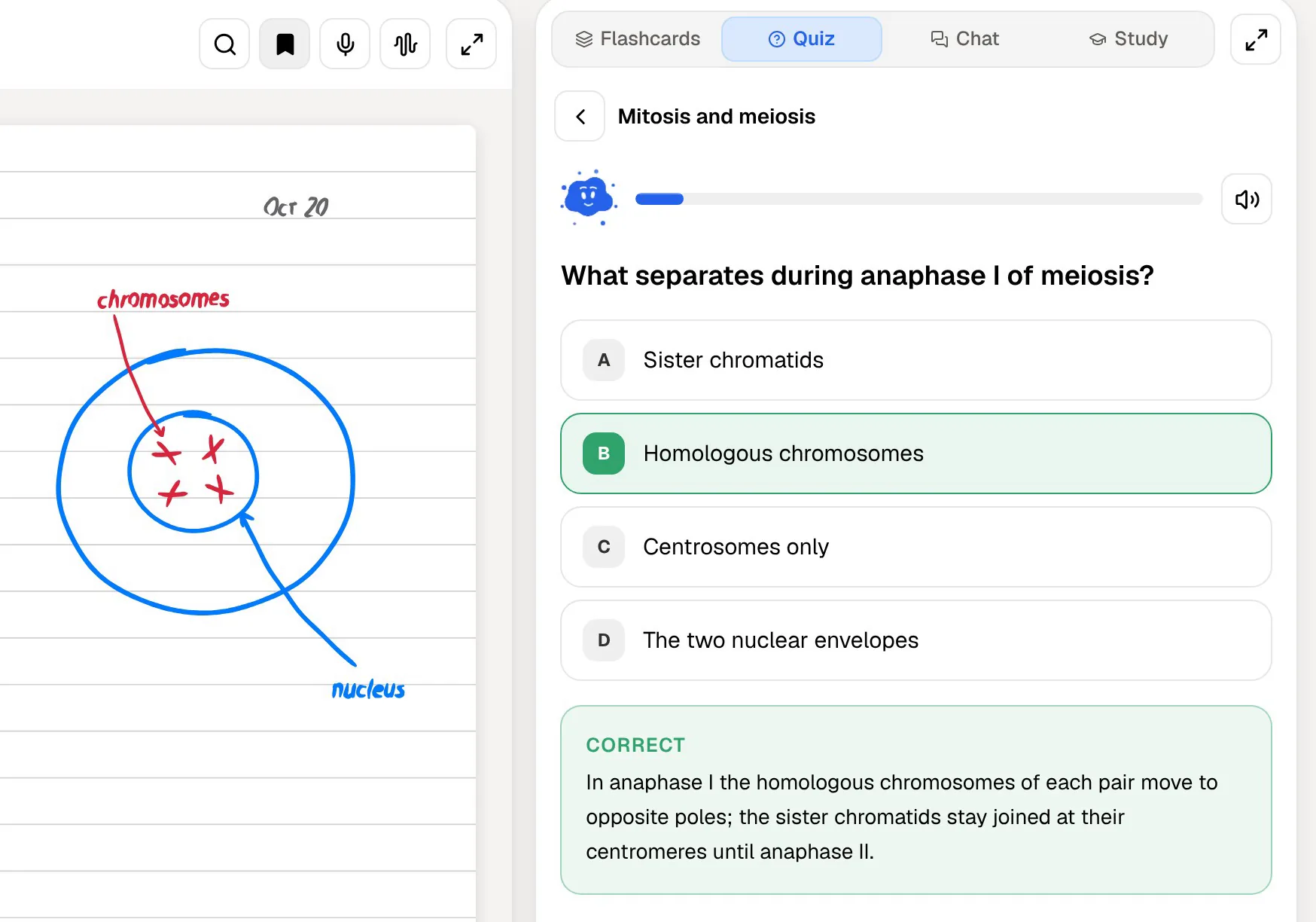
Both apps generate quizzes from your notes, so the difference is in what happens after you answer. In PocketNote every answer comes with its reason: the right option is explained, and so are the wrong ones, which is where most of the learning is. Getting a question wrong and reading why the option you picked was tempting does more than a red cross.
PocketNote also adds the oral exam. Prof. Poki asks a question out loud or in text, takes your explanation in your own words and keeps probing until you can explain it. Goodnotes doesn't advertise anything like it. The oral exam suits essay subjects and any course where you will be asked to explain rather than recognise.
Lecture audio in each app
Goodnotes records audio while you write and keeps the two in sync: tap a handwritten word and the recording jumps to the moment you wrote it. Its feature page adds adjustable playback speed, silence skipping and AI transcription into searchable text, and says the standard transcription model runs on the device; Pro adds cloud transcription for meetings. The free plan caps recording at 20 minutes, and Essential removes the cap.
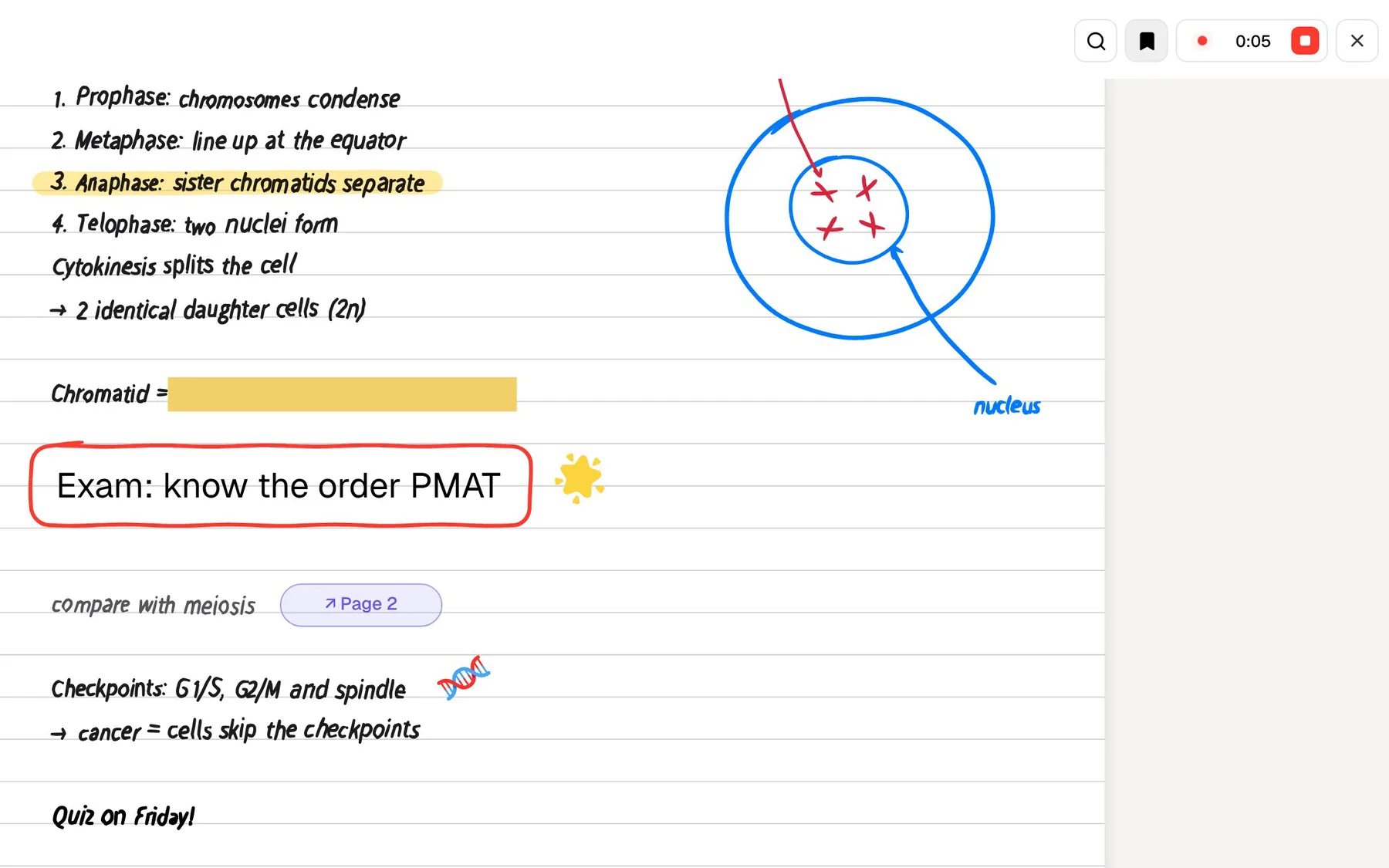
PocketNote has two ways in. Note Replay records while you write on iPad and, on playback, shows the strokes you were writing at each moment. The lecture recorder is for when you would rather listen: it turns the lecture into one item with the audio, a transcript, a summary and notes. From there the same lecture becomes flashcards, a quiz or a podcast-style audio review with captions that follow the voices.
If tapping your own handwriting to hear the lecturer is the habit you rely on, Goodnotes is very good at it. If you want the recording to turn into revision material without more work from you, PocketNote goes further.
Where Goodnotes is the better choice
Goodnotes is the better app when the notebook is what you care about most, and in several cases PocketNote simply doesn't compete.
- You want the most refined handwriting experience, with handwriting spellcheck and a large template and planner marketplace.
- You like making your own flashcards, with drawings and handwriting on them, and reviewing them with Smart Learn.
- You need native apps on Windows, Android or Mac, not only iPhone, iPad and a browser.
- You work on notes with classmates in real time, or your school runs Goodnotes with its admin console.
- You record lectures and want to tap a handwritten word to hear that moment, with playback speed and silence skipping.
Prices at the time of writing
At the time of writing (November 2026), Goodnotes' pricing page lists a free plan with up to 3 files, a 5MB import size limit and 20 minutes of audio recording. Essential costs $11.99 a year for unlimited files, unlimited audio recording, all note-taking tools and limited AI, with a 7-day free trial. Pro costs $35.99 a year and adds advanced AI with monthly credits, real-time collaboration, private link sharing and sync across devices. AI Pass is an extra $9.99 a month for more AI credits.
PocketNote is free to start. Paid plans are Basic (live voice, premium AI models and connectors) and Plus (unlimited notebooks, the longest podcasts and all models); see pocketnote.app for current prices. If you keep Goodnotes for writing, the cheapest useful setup is Goodnotes Essential plus PocketNote's free plan, upgrading only if the study tools earn it.
A week with both apps
Plenty of students should keep Goodnotes. Write in it during lectures, as you do now. At the end of the week, export the notebook pages or annotated slides as a PDF and import them into PocketNote, or save them to Google Drive, OneDrive or Dropbox and import from there.
PocketNote then does the revision work: a flashcard deck for the week's lectures, a quiz with explanations, an audio review for the commute and, closer to the exam, a study plan that schedules all of it. If you record lectures in Goodnotes, it can export the recording separately, and PocketNote imports MP3, WAV, M4A and OGG audio. Your handwriting stays in Goodnotes, and the studying happens in the app built for it.
The verdict
Which one should you pick?
Pick PocketNote if…
- You would rather review flashcards than spend evenings writing them, and you want spaced repetition built in.
- You want quizzes that explain every option, plus an oral exam that makes you explain ideas out loud.
- You want a study plan counted down from your exam date, with reminders and mastery scores.
- You want an AI that answers from your own notes with citations and can mark up your PDF pages.
Pick Goodnotes if…
- Handwriting feel, spellcheck and stationery matter most, and you want years of polish.
- You like hand-made Study Sets with drawings, reviewed with Smart Learn.
- You need Windows, Android or Mac apps, or real-time collaboration on notes.
Try it yourself
See it with your own notes
PocketNote is an AI study app for iPhone, iPad and the web. It takes your handwritten notes, PDFs, slides, YouTube lectures and recordings, answers your questions from them with citations, and generates flashcards with spaced repetition, explained quizzes, an oral exam, mind maps, audio reviews and a study plan to your exam date.
It works well next to Goodnotes: write there, import the PDFs here, and revise from what you wrote. It is free to start.
Frequently asked questions
Sources
Keep reading