
Humata is an AI tool for asking questions about your documents. Upload PDFs, select a file or a whole folder, and ask; the answers link back into the source files they came from. Around that core it has built features for organisations: shared team files, role-based permissions, a PDF chat you can embed on a website, an API and white labelling. Its pricing is metered by pages, starting from a free allowance of 60 pages a month.
PocketNote overlaps on the first part. It also answers questions across your files with citations. But it is built for one person learning a course rather than a team searching a document store, so the rest of it is study tools: flashcards with spaced repetition, explained quizzes, an oral exam, a study plan, lecture recording and handwritten notes.
Here is how they compare for a student, how far Humata's page allowance goes in a semester, and where Humata is the right tool.
At a glance
PocketNote vs Humata
| Feature | PocketNote | Humata |
|---|---|---|
| Built for | One student learning a course | Teams asking questions of documents |
| Cited answers | Yes, to your files | Yes, cited links into source files |
| Ask across many files | Yes, folders and notebooks | Ask All on selected files or a folder |
| Inputs | Files, audio, YouTube, web links, lectures | PDF-focused uploads; website import |
| Team permissions | Share a link to a note | Role-based access; folder permissions on Team |
| Embed and API | Not offered | Embed on a webpage; API |
| Flashcards with spaced repetition | Yes: Again / Hard / Good / Easy | Not advertised |
| Quizzes, oral exam, study plan | Yes | Not advertised |
| Audio | Audio reviews; live voice on paid plans | Not advertised |
| Free plan | Free to start | 60 pages a month, 1 user |
| Entry paid plan | Basic; see pocketnote.app | Expert: $9.99/month, 500 pages |
Checked against each product's own website and documentation, November 2026. Plans and features change; confirm current details there.
What Humata does well
Humata's promise is that, unlike a general chatbot, it reads every file you upload and answers from those files. Answers come with cited links into your source files, and the homepage pitches it for summarising findings, comparing documents and searching for answers across a collection.
Its documentation shows how simple the core is. Drag files or a whole folder into the upload area, and the Ask button appears. Ask All works the way you would expect: tick the files or the folder you want and press Ask All, and the question runs across all of them. You can also import a website by URL and question it like a document.
The rest is aimed at organisations. Teams share files with role-based access, and the Team plan adds department- and folder-level permissions, OCR for images and scanned text, and response personalisation. The docs cover single sign-on, multi-factor authentication, custom prompts, white labelling and an API for importing documents, creating conversations and asking questions from your own software. You can also embed Humata's PDF chat on a webpage.
For a research group, a law clinic or a student society with a shared archive of documents, that is a solid set of tools.
How far 60 pages goes in a semester
Humata charges by the pages you use. For one paper a week, the free plan is plenty. A taught course is heavier: a single textbook chapter can run to 30 or 40 pages, and a 300-page course reader would use five months of the free allowance on its own. On Expert, 500 pages a month covers a module or two, and past that the per-page charge applies.
The overage is small per page, but it is open-ended, so it helps to know your numbers. Humata's documentation has a page on pay-as-you-go spending controls; if you choose a paid plan, set them before exam season, when it is easy to upload a term's material in one evening.
Humata's FAQ also mentions a Student plan, but the pricing section doesn't list one, so ask Humata about it before choosing. At the time of writing (November 2026), its pricing page lists these plans:
- Free: $0, one user, 60 pages a month.
- Expert: $9.99 a month, up to three users, 500 pages a month, then $0.02 per extra page.
- Team: $49 per user a month, 5,000 pages a month, then $0.01 per extra page, with folder permissions and OCR.
- Enterprise: custom pricing, by contacting sales.
Where Humata stops short for studying
Humata answers questions. It doesn't advertise flashcards, quizzes, spaced repetition or any way of testing yourself, and its inputs are documents and web pages rather than lectures. It doesn't advertise a recorder, handwritten notes or a place to build your own study notes around the files.
For a student, answering questions is the start of the job. Reading a clear answer about the Krebs cycle feels like understanding it; recalling the steps a week later without help is the real test. A tool built for document search leaves that second step to you.
There is also the question of shape. Humata's model, a shared store of files with permissions, fits an organisation well. A student's semester is shaped differently: a handful of modules, each with lectures, readings, slides and deadlines, and an exam at the end of each. A tool organised around that shape makes it easier to see what is still left to learn in each module.
The same folder of PDFs in PocketNote
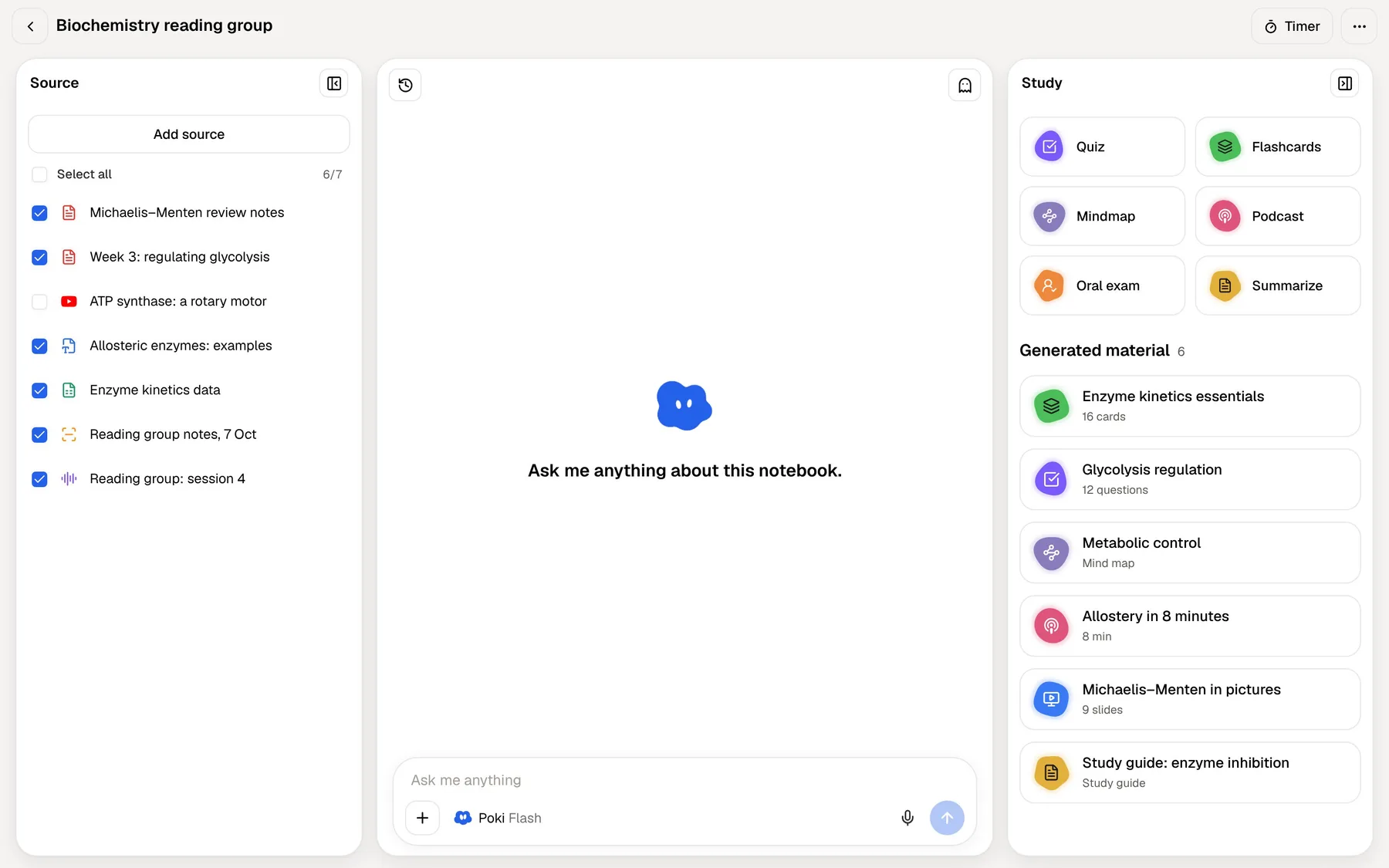
Put the module's PDFs into a PocketNote folder, add the lecture recordings and the YouTube videos from the reading list, and ask Poki a question. It answers across the folder with citations, and the notebook workspace keeps the list of sources beside the chat.
From the same folder the Study panel generates what you need for revision: a quiz, flashcards, a mind map, a podcast-style audio review, written notes, a slide deck or a data table. Each one comes from the sources you chose, so it covers the module rather than the subject in general.
Say the folder is a second-year pharmacology module: twelve lecture PDFs, two textbook chapters, a recorded revision session and a YouTube video on receptor binding. Ask Poki to compare agonists and antagonists in a table and the answer cites the lecture and the chapter it drew on. Ask for a quiz on week six and every option comes with an explanation. Ask for flashcards on drug names and mechanisms, and they come back on a spaced schedule as you rate them Again, Hard, Good or Easy.
Poki also shows its steps as it works, such as searching your notes, reading an item or starting a quiz, so you can see what it looked at before you trust the answer.
Notes you can study from
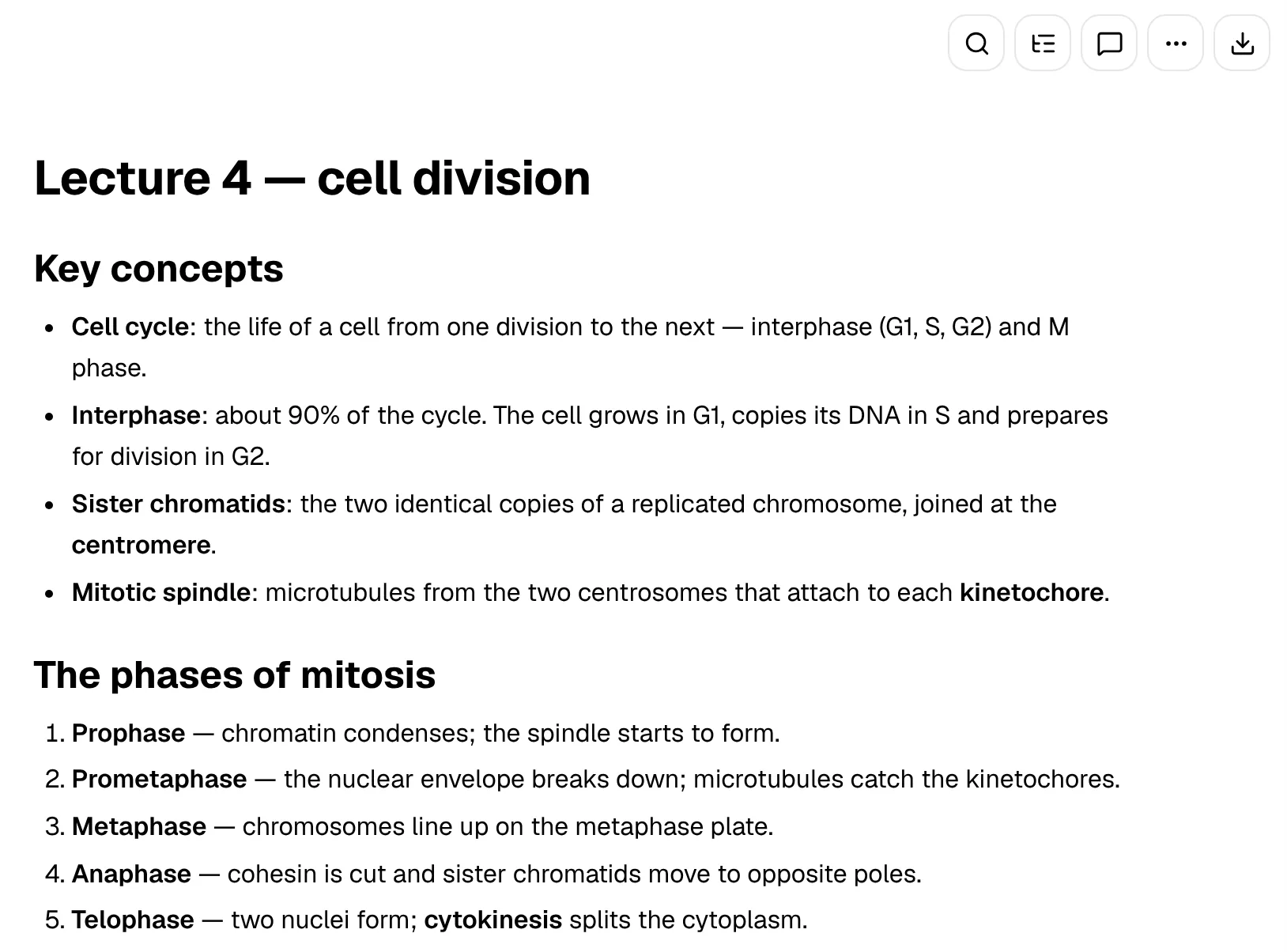
Humata gives you answers in a chat. PocketNote can also produce notes: written notes and summaries from a source, editable in a block editor with headings, lists, tables, callouts and LaTeX maths. You can ask Poki inside a note, and it can write into the note from the chat.
If you prefer writing by hand, the iPad app works with Apple Pencil, with pens, highlighters, page templates including Cornell notes, and a lasso that can turn handwriting into text. Handwritten notes are sources too, so the flashcards and quizzes can come from what you wrote in class.
Two handwriting features are built for revision. The "tape" tool hides parts of a page so you can test yourself on your own notes, and Note Replay records audio while you write, so playing it back shows the strokes you were writing at that moment of the lecture.
Notes keep saving offline and sync when you are back online, which matters on campus Wi-Fi.
Revising away from the desk
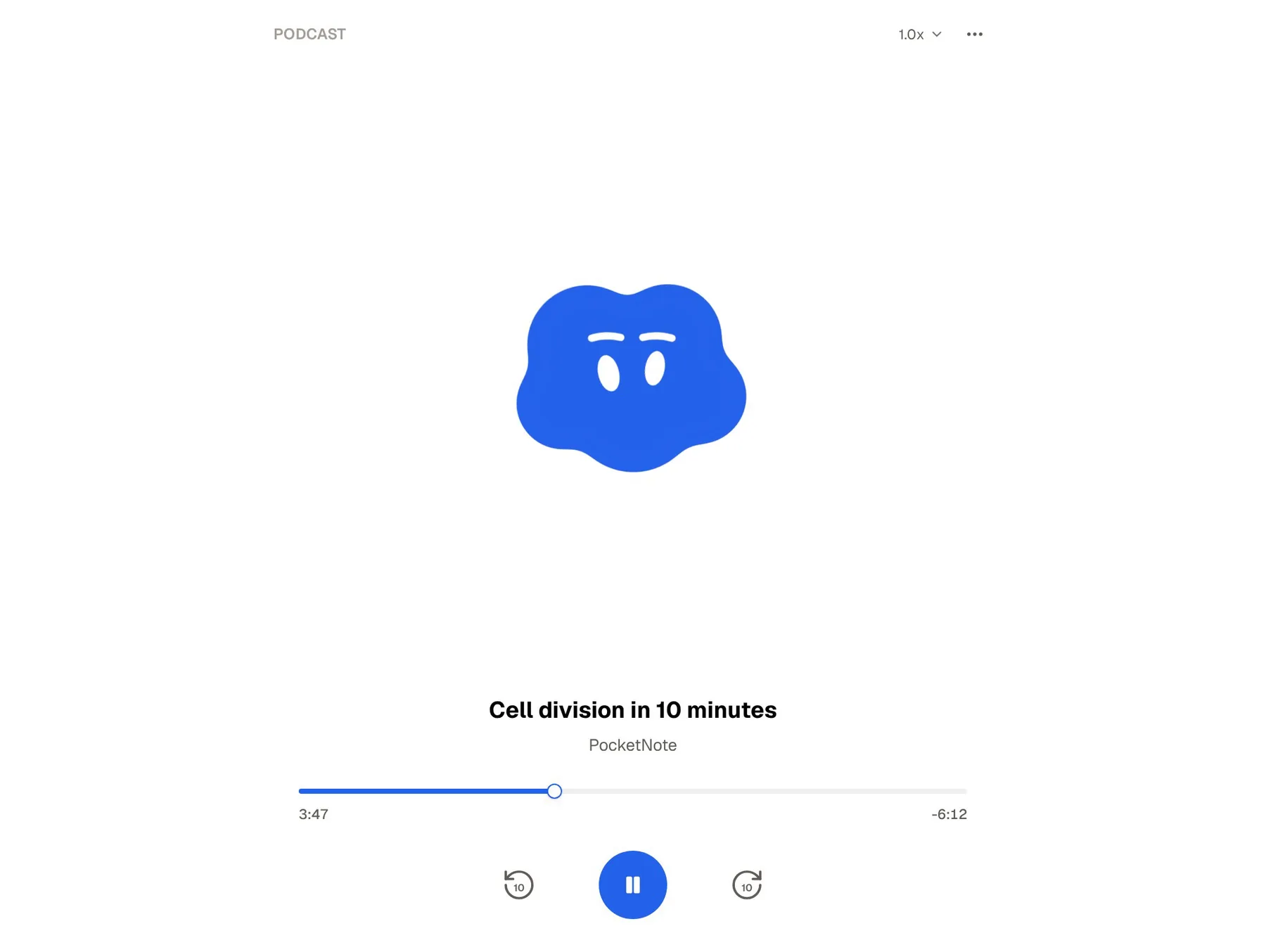
One more difference shows up on the commute. PocketNote can turn a folder of sources into a podcast-style audio review, a short episode about your material with captions that follow the voices. On paid plans, live voice lets you talk to Poki out loud and hear the answer, and the oral exam has Prof. Poki question you out loud until you can explain the topic.
Humata doesn't advertise audio or voice features; you type a question and read a cited answer. At a desk that is fine. For a student revising on the bus or walking between lectures, audio is often the only format that actually gets used.
Back at the desk, PocketNote has a study timer with ambient sounds for focused sessions, so the reading, the questions and the practice happen in the same app rather than across three.
Where Humata is the better choice
PocketNote is built for individual study. It is not a team workspace with shared databases or real-time co-editing, and it has no API or embeddable chat. For these jobs, Humata fits better. Several of them matter more to a research group or a student society than to an individual revising for exams, which is exactly the audience Humata's team features are built for.
- Shared document stores. A lab, clinic or team that needs one place to question many files, with permissions by department or folder.
- A document chat on a website. The embed and white-labelling options have no PocketNote equivalent.
- Building it into other software. Humata's API covers importing documents, starting conversations and asking questions.
- Scanned archives. OCR for images and scanned text is part of the Team plan.
- Light, occasional use. If you only question a few short PDFs a month, the free 60 pages may be all you need.
Using both, or switching
Humata works on files you already have, so switching means uploading the same PDFs to PocketNote; there is nothing locked away. If your research group uses Humata for its shared archive, keep doing that, and copy the papers you personally need to learn into your own PocketNote folders.
The two also suit different stages of a project. Humata helps a team find what is in a large shared archive; PocketNote helps each member learn the part they are responsible for, and practise explaining it before a presentation or assessment.
PocketNote is free to start, with paid Basic and Plus plans; see pocketnote.app for current plans. Paid plans add connectors, so Poki can use context from Google Drive, OneDrive, Dropbox, Notion or Outlook when you ask.
The verdict
Which one should you pick?
Pick PocketNote if…
- You are one student studying a course and want answers and practice from the same files.
- Your material includes lectures, YouTube videos and handwritten notes, not only PDFs.
- You want flashcards, explained quizzes, an oral exam and a study plan.
- You want to listen to your material as an audio review or talk it through out loud.
Pick Humata if…
- You need team access to a document collection, with role-based and folder permissions.
- You want to embed a document chat on a website or connect it to other software through an API.
- You only question a few PDFs a month and the free 60 pages covers it.
Try it yourself
See it with your own notes
PocketNote is an AI study app: everything for a course goes into colour-coded folders, and Poki answers from it with citations instead of from the open web. The same sources become flashcards with spaced repetition, quizzes that explain every answer, an oral exam, mind maps, notes and audio reviews, and the study plan works back from your exam date.
It runs on the web, iPhone and iPad, it is free to start, and your files stay out of public AI model training.
Frequently asked questions
Sources
Keep reading