
Mem started life as an AI-first notes app and has changed a good deal since. In late 2026 its homepage calls it "your AI chief of staff": Mem Agent reads your notes, meetings, saved pages and connected apps in the background, keeps a picture of your tasks, projects and goals, and helps you follow through on them. The people it addresses are founders, consultants, executives and content creators.
PocketNote is an AI app as well, but it aims at a different outcome. You bring lecture recordings, slides, PDFs and your own notes; its assistant, Poki, answers from them with citations, and PocketNote turns them into flashcards with spaced repetition, quizzes, an oral exam and a study plan for your exam date.
Both apps record audio, both let you chat with an AI about your notes, and both have free plans, so on a feature list they can look alike. This page goes through what each AI is actually built to do, what Mem's free plan allows in a month, and which of the two makes sense for a term of lectures.
At a glance
PocketNote vs Mem
| Feature | PocketNote | Mem |
|---|---|---|
| Built for | Students studying their own material | Professionals ("your AI chief of staff") |
| Free plan | Yes, free to start | 25 messages and 25 new notes a month |
| Paid plans | Basic and Plus (see pocketnote.app) | From $9 to $199 a month |
| AI chat over your notes | Poki, with citations to the source | Mem Agent chat and Deep Search |
| Recording | Lectures: transcript, summary, notes | Voice Mode: meetings and voice notes |
| Languages | Study material in 50+ languages | Voice Mode in English only |
| Flashcards with spaced repetition | Built in | Not advertised |
| Quizzes and oral exam | Generated from your material | Not advertised |
| Planning | Study plan to your exam date | Tracks tasks and projects |
| Handwriting and PDF annotation | Apple Pencil on iPad; annotate PDFs | Not advertised |
| Platforms | Web, iPhone and iPad | Mac, Windows, iOS, web |
Checked against each product's own website, November 2026. Plans and features change; confirm current details there.
What Mem is in late 2026
Mem's current product is built around Mem Agent. It reviews your notes, meetings, saved web pages and connected apps continuously, and updates how people, projects, decisions and priorities fit together as new information arrives. You can ask it questions in chat without re-explaining the background, which is the point of its "skip the briefing" pitch.
Around the agent sit the parts you would expect of a notes app: a workspace for notes, a web clipper, Deep Search and templates on every plan. Push-to-Remember on Mac and Windows lets you hold a shortcut and say something you want Mem to keep track of. Meetings are captured without a bot joining the call, and Mem pulls out decisions and follow-ups.
There are apps for Mac, Windows and iOS, and a web app. Mem says data is encrypted at rest and in transit but not end-to-end, and that it doesn't sell data or mine it for ads. Notes and collections can be exported as Markdown files in one click.
It is worth separating this from older write-ups of Mem. The current site leads with the agent, and the pricing is built around how much you ask it to do. If you are reading a comparison from a year or two ago, check its claims against Mem's own pages.
What Mem does well
If your days are full of meetings and promises to other people, an agent that notices "you said you would send the budget on Friday" and keeps it in front of you is useful. That is the job Mem has chosen, and it is a clear one.
Voice Mode is the other strength. You can talk through an idea and Mem works out what you meant and formats a structured note; in a meeting it records, transcribes, and writes summarised notes from the transcript. You then accept the result, ask it to refine (for example, add action items), or reject it. The audio and full transcript stay attached at the bottom of the note.
On Windows and Apple silicon Macs, the desktop app records your microphone and your computer's audio together, so the other people on a Zoom, Meet or Teams call are captured too. Mem's help page even lists study group discussions among the uses.
The free plan, measured against a term of lectures
Mem's limits are monthly and reset each billing period. At the time of writing (November 2026), the free plan includes 25 messages to Mem, 25 new notes, 15 open tasks and projects, and 3 hours of Voice Mode. A message counts any push-to-talk request, any message in the floating chat, and any email you send to Mem.
For coursework, those numbers run out quickly. Twenty-five new notes is fewer than one a day. If you have, say, three one-hour lectures a week, three hours of Voice Mode covers the first week of the month, not the month. Mem Plus at $9 a month doubles messages and notes to 50 and gives 10 hours of Voice Mode; Mem Pro at $29 a month gives 100 messages, 100 new notes and 25 hours.
None of this makes Mem a poor product. It reflects who it is priced for: a professional whose AI usage pays for itself in work time. A student filling a library with lecture notes is a different usage pattern. If you do use Mem for classes, keeping one running note per module stretches the allowance, since it counts new notes; that is a workaround, though, not a study method.
Recording a lecture in each app
In a lecture hall, both apps are listening through a microphone, so the practical differences are elsewhere. Mem's Voice Mode works in English only for now. The web app captures your microphone but not computer audio, and on iOS it records through the microphone with pausing still in development. Mem's desktop advantage, capturing system audio, matters most for online classes on a laptop.
In PocketNote you tap Record and get the audio, a transcript, a summary and notes on what was covered. The recording then sits in your library as a source like any PDF, so it feeds flashcards, quizzes and the oral exam. Study material can come out in any of 50+ languages, including a different one from the lecture's.
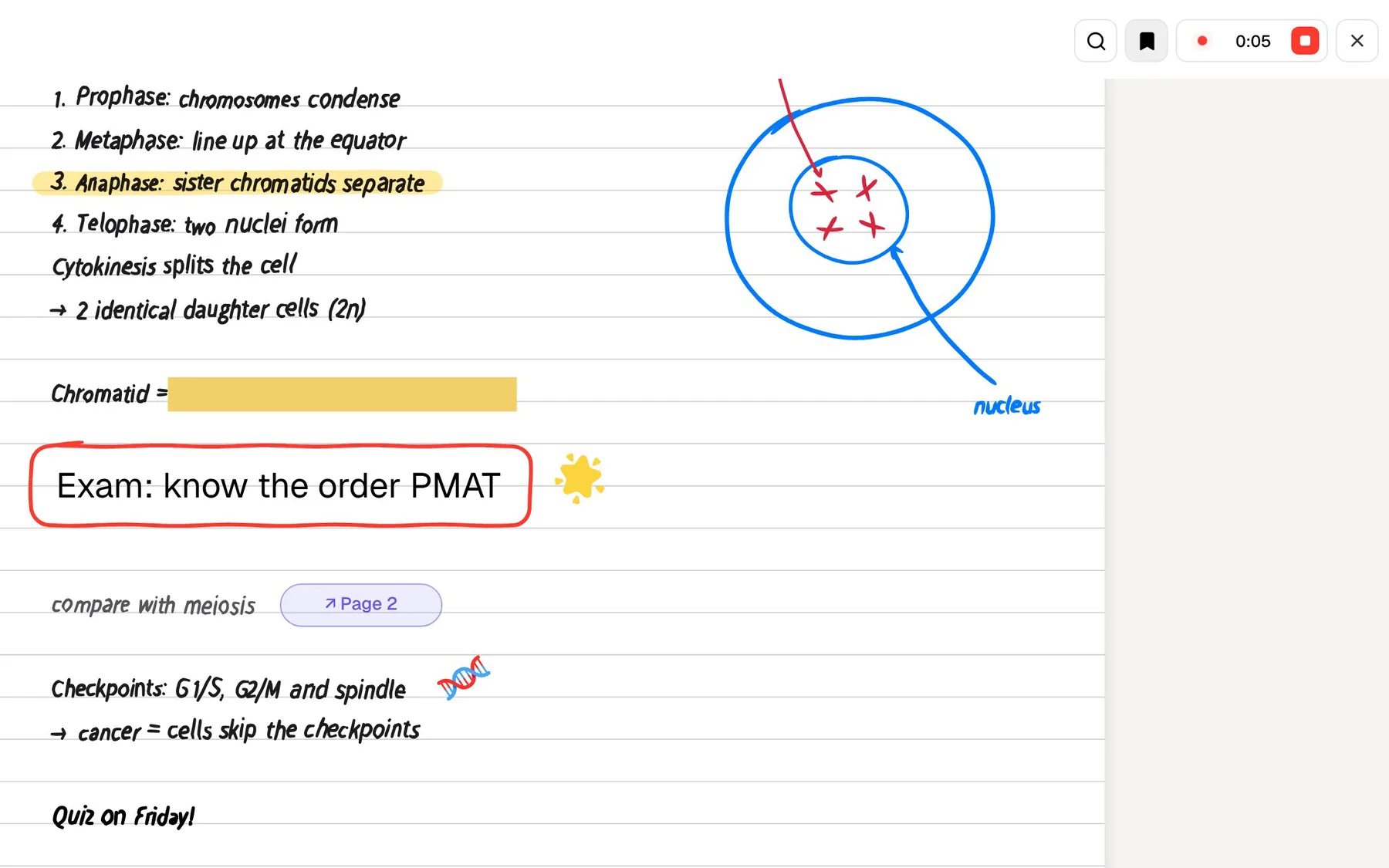
If you take notes by hand while recording, PocketNote's Note Replay keeps the two together: playing the audio back shows the strokes you were writing at that moment.
PocketNote's own live voice points the other way. On paid plans you can talk to Poki out loud and hear the answer, and it is mostly used for being quizzed: ask it to test you on the spindle checkpoint and it asks the next question back.
After the lecture: what each AI does with your notes
Mem's agent uses your notes to keep you on track: it connects people, projects and decisions, surfaces related information and tracks open tasks. Ask it about last week's meeting and it can answer without a briefing. Its pages don't advertise flashcards, quizzes or spaced repetition, because remembering course content is not the job it is designed for.
Poki is built the other way round. It answers from your own material with citations to the source, and shows its steps (searched your notes, read an item) so you can see what it relied on. It can look at a PDF page as you see it, including your highlights and handwriting, and highlight, underline or circle passages when you ask. It can also write into your notes from the chat.
Then the study tools take over. Flashcards come back on a spaced-repetition schedule as you rate them Again, Hard, Good or Easy. Quizzes explain every option. In the oral exam, Prof. Poki asks questions out loud or in text and keeps probing until you can explain the idea yourself.

Two meanings of staying on track
Mem keeps track of tasks and projects. It could remind you that an essay is due or that you promised a classmate your notes. That is useful, and PocketNote doesn't try to be a task manager or a team tool.
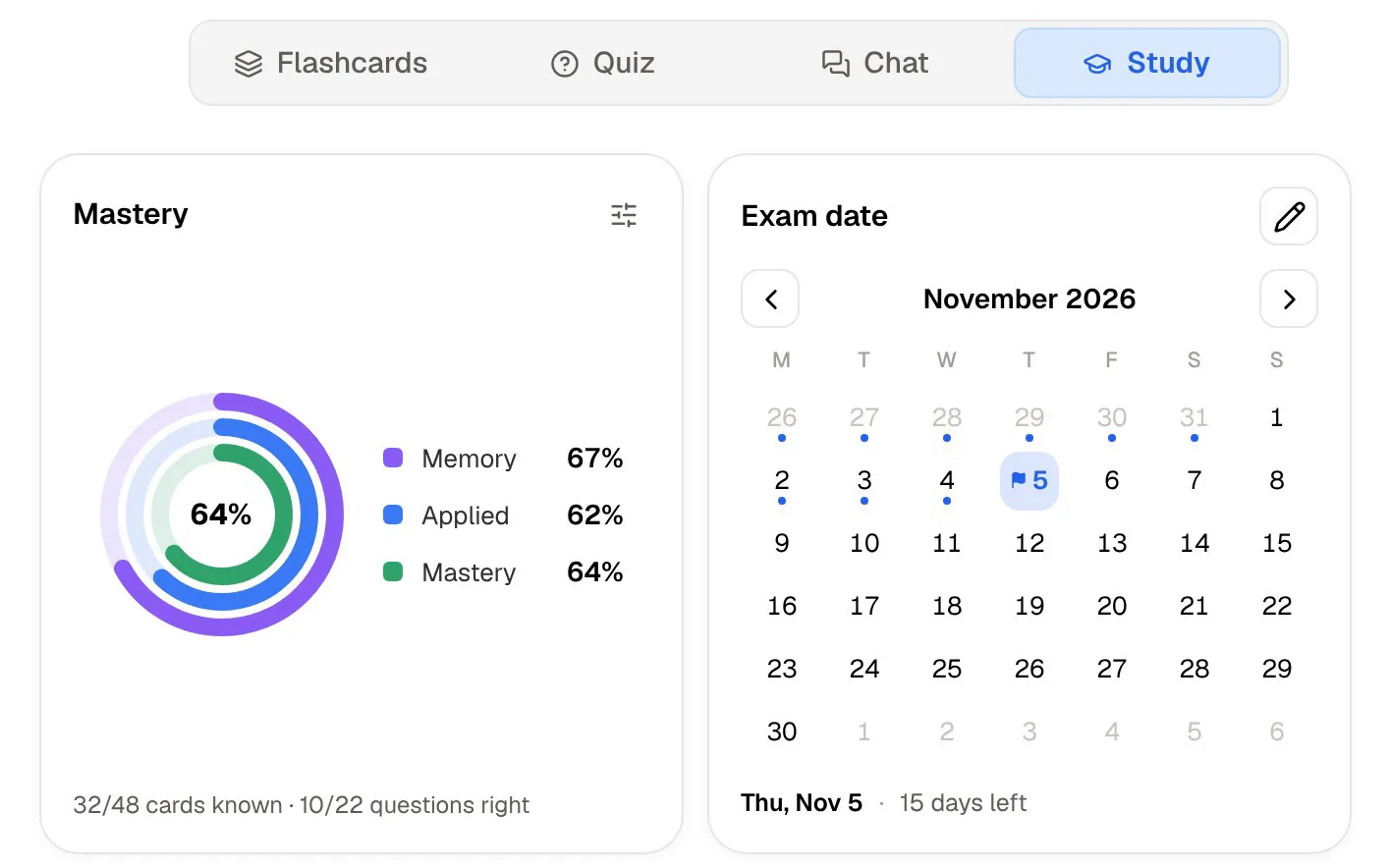
PocketNote's planning is about content. You set the exam date and it works out what to cover each day, reminds you, and tracks three scores as you study: memory, applied and mastery. Progress shows per tool, so you can see whether you have been reviewing flashcards but skipping quizzes.
Mem's task tracking runs on the same monthly allowance as everything else: 15 open tasks and projects on the free plan, 25 on Plus and 50 on Pro. For a student, that is enough to track assignments, which is a reasonable use of it.
Mem's plans next to PocketNote's
At the time of writing (November 2026), Mem's pricing page lists Mem Free, Mem Plus at $9 a month, Mem Pro at $29 a month, and larger Pro tiers at $49, $99, $149 and $199 a month, each raising the monthly allowance. Only Pro and above include custom routines and connections to other apps. The page shows monthly prices and doesn't mention a student discount. At the top end, Extra Usage adds capacity in $50 monthly units, which says a lot about how Mem charges: by how much you ask the agent to do.
On the PocketNote side there is a free start and two paid plans: Basic, which brings live voice, premium AI models and connectors to apps like Google Drive and Notion, and Plus, which adds unlimited notebooks and apps, the longest audio reviews and every model. Prices are on pocketnote.app.
Where Mem is the better choice, and using both
Mem is the better fit when the problem is work, not exams. If you run a side business, manage a society or a research group, or have a part-time job full of meetings, an agent that watches your commitments is closer to what you need than a study app. The same goes for a PhD student coordinating with a supervisor and collaborators, where the hard part is keeping track of who promised what rather than memorising content.
Using both is straightforward. Mem exports notes and collections as Markdown, and PocketNote imports Markdown, so class notes can move across while work and admin stay in Mem.
- You manage projects, clients or a team and want an agent that tracks commitments.
- You record video calls on a Mac or Windows PC and want both sides captured without a bot.
- You want one AI that sees your notes, meetings and connected apps together.
- Your recordings are in English and your main need is organised meeting notes.
The verdict
Which one should you pick?
Pick PocketNote if…
- you want your lectures, slides and readings turned into flashcards, quizzes and an oral exam.
- you want revision planned day by day up to an exam, with mastery you can track.
- you want study material in a language other than English.
- you take handwritten notes or annotate PDFs on an iPad.
Pick Mem if…
- you manage projects, clients or a team and want an AI that tracks commitments and follow-ups.
- you record video calls on a Mac or Windows PC and want both sides captured without a bot.
- you want one assistant that sees your notes, meetings and connected apps together.
Try it yourself
See it with your own notes
Start with a single lecture: PocketNote is free to start on the web and on iPhone and iPad. Record it, add its slides, and run the quiz and flashcards that come out of it. That is the clearest way to see the difference between an AI that organises your work and one that tests you on your course.
Frequently asked questions
Sources
Keep reading