
Microsoft Copilot is really two things for a student. There is the Copilot app, free with a Microsoft account and included with higher limits in Microsoft 365 Personal, Family and Premium. And there is Copilot inside Word, Excel, PowerPoint and Outlook, which universities can switch on through their Microsoft 365 licences. Microsoft has also renamed several features recently: Study and Learn mode is now Guided Learning, Projects are now Notebooks, and Deep Research is now Researcher.
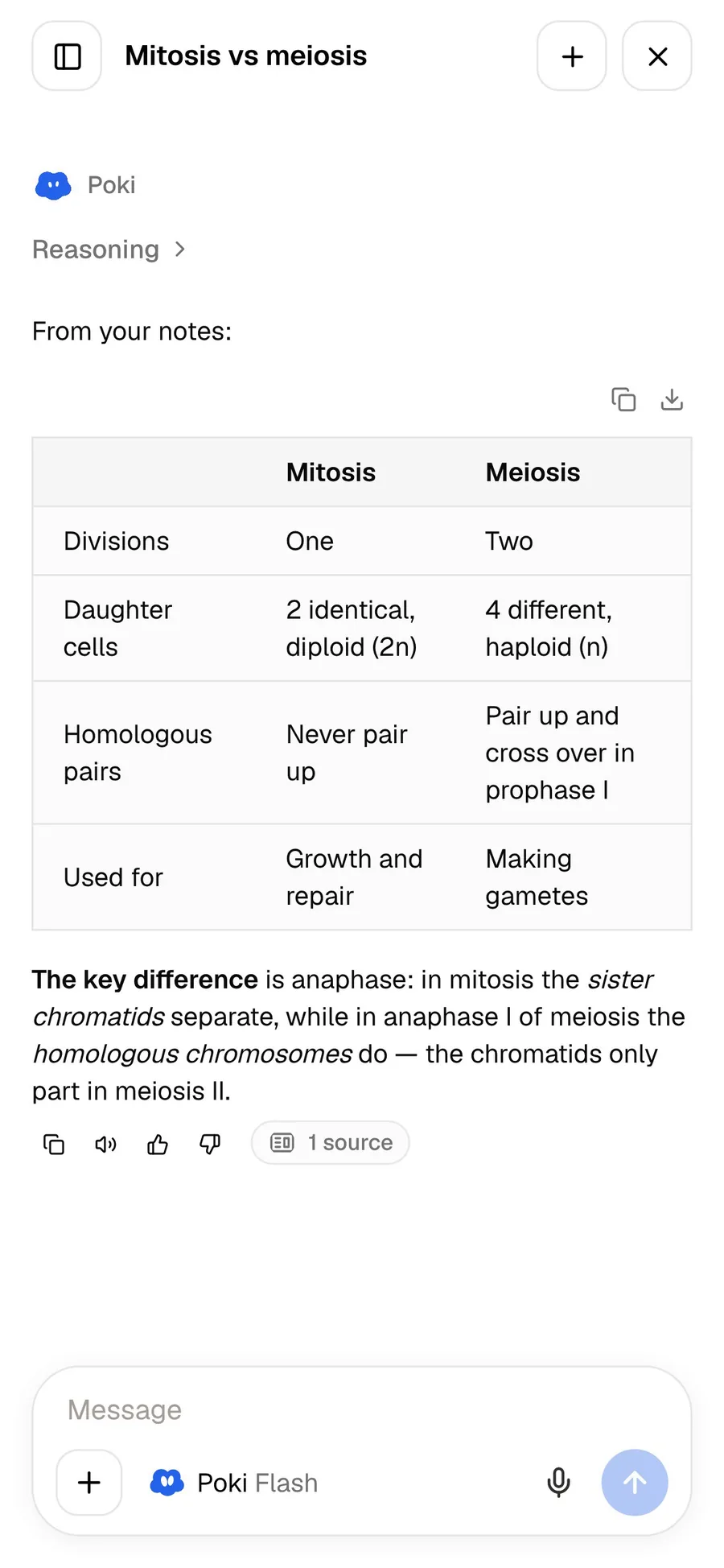
PocketNote is a study app for your course material. It doesn't write your essay in Word or build your spreadsheet in Excel. It holds your lectures, PDFs and notes, answers from them with citations, and turns them into flashcards with spaced repetition, explained quizzes, an oral exam and a study plan.
This page compares the two for studying as of November 2026, sets out what your school may already give you, and says where Microsoft Copilot is the better choice.
At a glance
PocketNote vs Microsoft Copilot
| Feature | PocketNote | Microsoft Copilot |
|---|---|---|
| Built for | Studying your course material | AI across Microsoft 365, Windows and the web |
| Where it runs | Web app, iPhone, iPad | Web, Windows, Mac, mobile and Office apps |
| Office documents | Imports Word and Excel files | Copilot inside Word, Excel, PowerPoint, Outlook |
| Study mode | Study tools built from your files | Guided Learning (formerly Study and Learn) |
| Through your school | Personal account; free to start | Copilot Chat with eligible school licences |
| Flashcards with spaced repetition | Yes: Again / Hard / Good / Easy | Not advertised |
| Quizzes with explanations | Yes, for every option | Retrieval practice in schools' Study and Learn Agent |
| Oral exam | Prof. Poki asks and follows up | Not advertised |
| Slide decks | Generated from your sources | Copilot in PowerPoint with Microsoft 365 |
| Cloud files | Imports from OneDrive, Drive, Dropbox | OneDrive; 1 TB on Personal |
| Free plan | Free to start | Free tier with a Microsoft account |
| Paid plans | Basic and Plus | Personal $9.99/month; Premium $19.99/month |
Checked against each product's own website, November 2026 (Microsoft prices are its US prices). Plans and features change; confirm current details there.
Which Copilot you have
The name covers several products, and which one you have depends on how you sign in. With a personal Microsoft account you get the Copilot app: free with usage limits, and with higher limits plus Copilot in the desktop Word, Excel, PowerPoint and Outlook apps on Microsoft 365 Personal, or for the subscription owner on Family. Microsoft 365 Premium adds Copilot features that are exclusive to Premium and Pro. Microsoft says the app now gives one experience across Windows, Mac, Edge and mobile, with work and personal conversations kept separate by account.
With a school account, things are different. Microsoft's education page says Copilot Chat is available at no extra cost to users with Microsoft 365 A1, A3 or A5 licences who sign in with a school account, currently including higher-education students aged 13 and over. Schools can also give students a Study and Learn Agent in Microsoft 365 Copilot.
The renames are worth knowing if you follow older guides: Project is now Notebook, Tasks is now Cowork, Deep Research is now Researcher, and Study and Learn mode is now Guided Learning. Microsoft says existing chats, history and files carried over to the new experience.
If you aren't sure which version you have, your university's IT pages usually say which Microsoft 365 licence students get and whether Copilot is switched on. It is worth checking before you pay for anything, Copilot or otherwise.
What Copilot does well for students
Its biggest advantage is where it lives. If you write essays in Word, analyse data in Excel, build presentations in PowerPoint and read email in Outlook, Copilot is already in those windows. It drafts, rewrites, summarises and analyses inside the document you are working on, and the files sit in OneDrive, with 1 TB of storage on Microsoft 365 Personal.
Microsoft describes the Study and Learn Agent for schools in learning-science terms: guided practice and interactive activities, adaptive scaffolding, productive struggle and retrieval-based practice, designed to help students understand concepts, solve problems and improve their writing without doing the work for them. That is a thoughtful design, and if your school has switched it on, it is worth trying.
The consumer app adds visual help from your screen or camera, AI-generated audio in English, image creation and, on Premium, agent features for research and analysis. Word, Excel and PowerPoint on the web are free, so even without a subscription the basic Office tools are available.
Where Copilot stops short for revision
Copilot is a productivity assistant first. Microsoft's consumer pages describe writing, analysis, research and images; they don't advertise flashcards with spaced repetition, quizzes that explain each option, a spoken oral exam or a study plan that works back from an exam date. The school agent's retrieval-based practice is the closest, and it depends on your institution enabling it.
It also doesn't hold a course together the way a study app does. Your lecture slides sit in one OneDrive folder, the recording is somewhere else and the reading list is a link in an email. Copilot can work on each piece, but nothing turns the whole module into one set of revision material that tracks what you have learned.
That is a design choice rather than a gap Microsoft forgot to fill. Copilot is built to help you produce documents; studying is about what ends up in your head when the documents are closed and the exam paper is turned over.
Your Office files in PocketNote
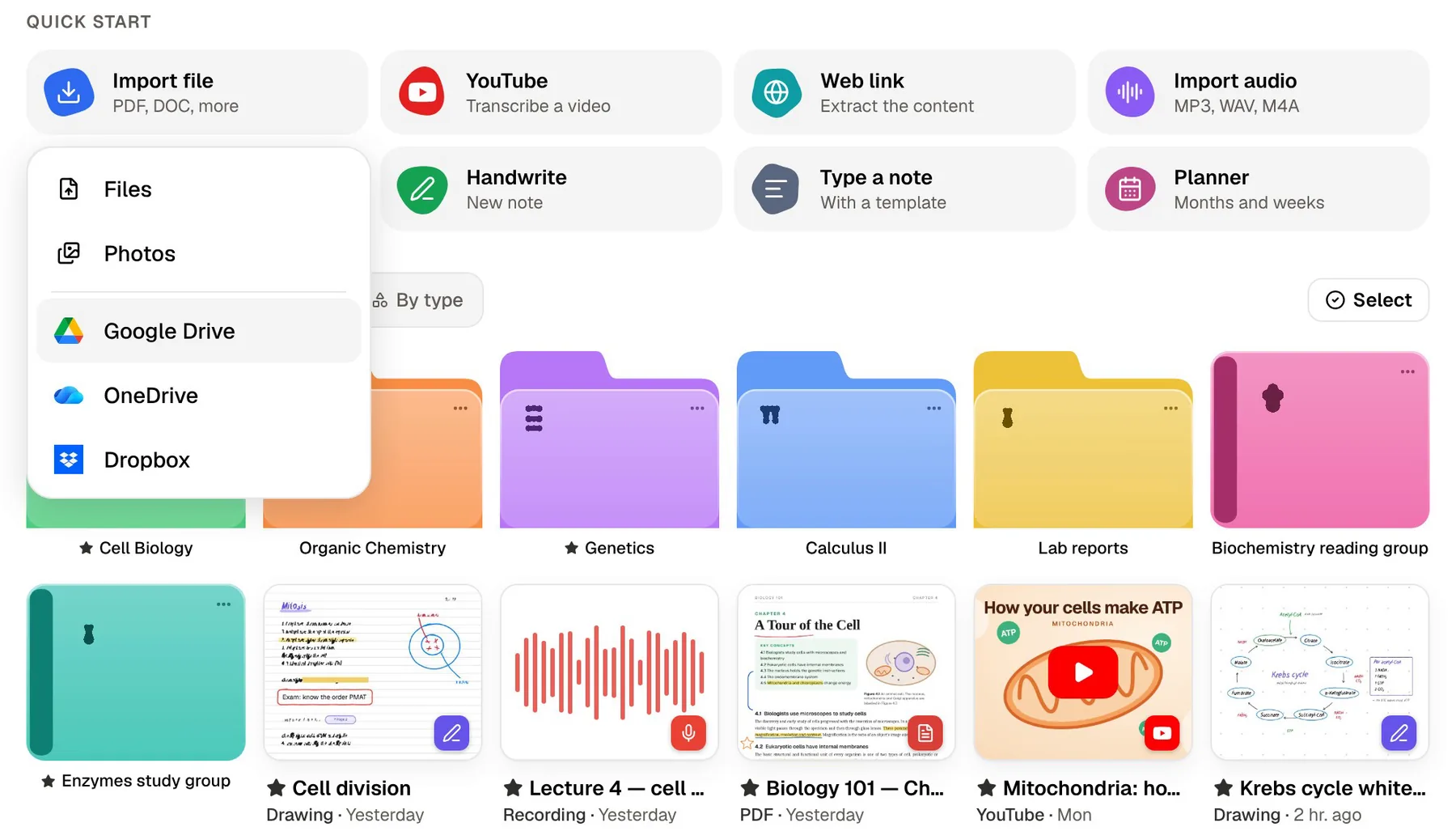
PocketNote imports Word (.docx) and Excel (.xlsx and .xls) files, along with PDFs, CSV, text and Markdown, and it can pull files straight from OneDrive, Google Drive or Dropbox. PowerPoint isn't on the import list, so save slide decks as PDF first. Once imported, you can write on the slides with Apple Pencil on iPad or in the browser, and Poki can read your highlights and handwriting on them.
On paid plans, connectors let Poki use Outlook, OneDrive and other services as context when it answers, and it can add a summary to a Notion page you name. PocketNote doesn't use your files to train public AI models.
A typical module goes in within a few minutes: the slide PDFs from OneDrive, the Word handout, the Excel data from the lab, the lecture recording and a YouTube video from the reading list, all in one colour-coded folder. Excel and CSV files become sources like the rest, so a question about a lab practical can draw on the data sheet and the protocol together.
From module material to revision
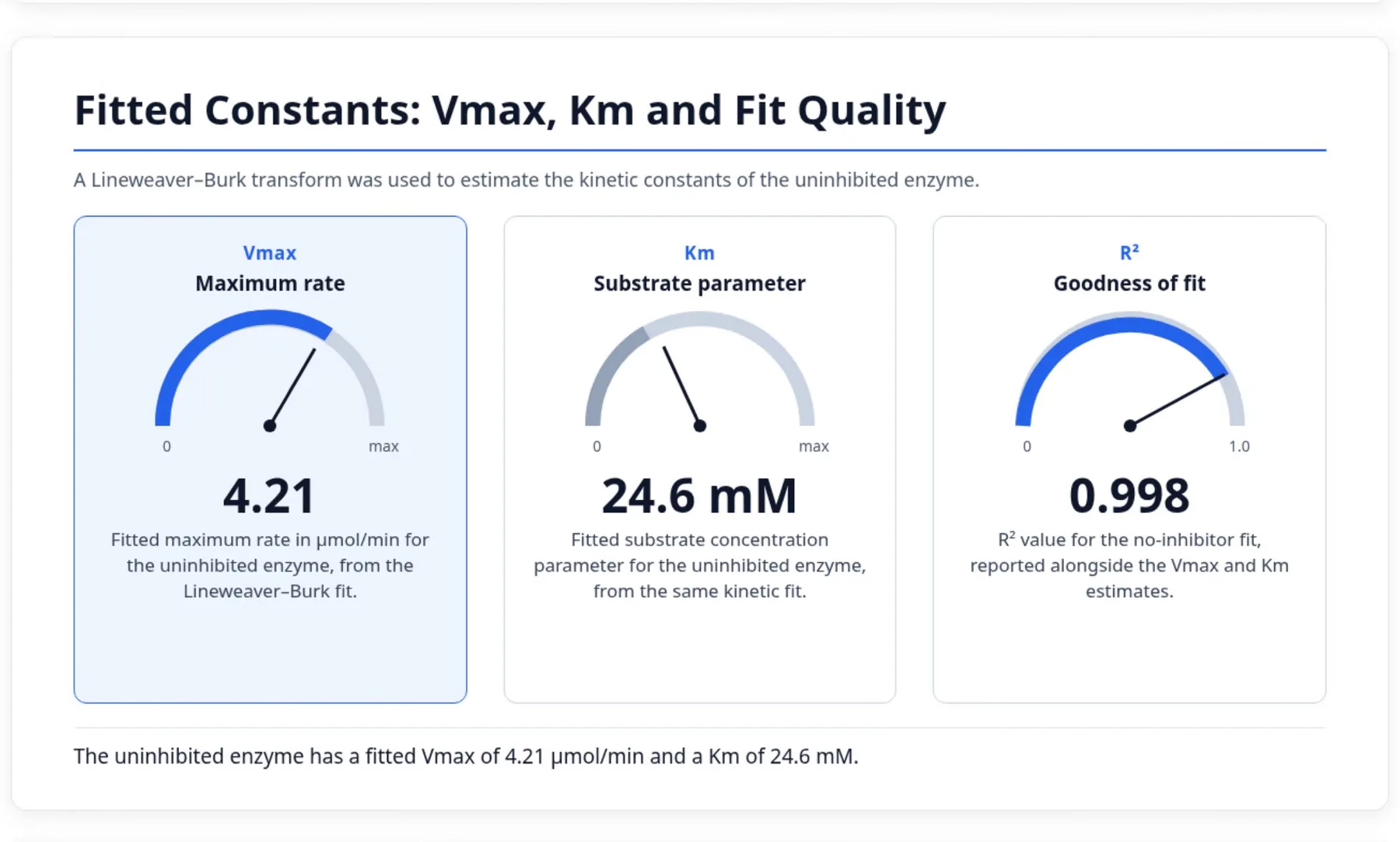
Once the module is in a folder, the Study panel generates what revision needs: written notes and summaries you can edit, slide decks that pull a source's key result onto a page, data tables, flashcards on a spaced schedule from your Again, Hard, Good or Easy ratings, quizzes with a reason behind every answer, mind maps and podcast-style audio reviews.
Ask Poki a question and it answers from those sources with citations, showing its steps as it works. Ask it to highlight the key definitions on page 3 of the lecture slides and it marks them on the PDF; one tap undoes its marks.
A slide deck in PocketNote is a revision aid built from your sources. A presentation you will be graded on is still better built in PowerPoint, where Copilot can help you draft and design it.
Set the exam date and the study plan turns all of this into a schedule. It decides what to cover each day, reminds you, and tracks memory, applied and mastery scores for each topic, so you can spend the week before the exam on the topics that are actually weak rather than the ones that feel comfortable.
Practising out loud
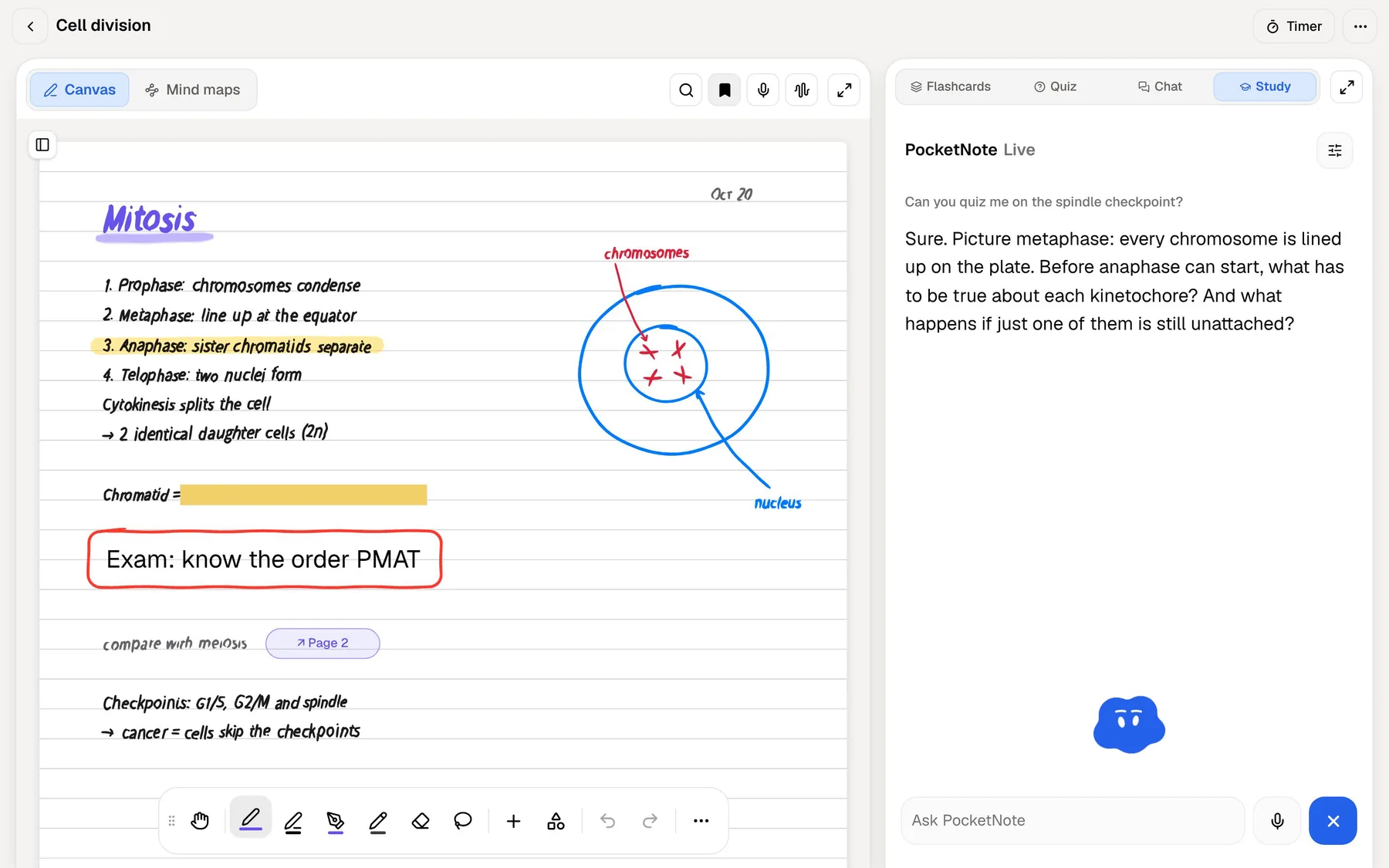
Microsoft says you can work with Copilot by voice, keyboard or pen. PocketNote uses voice for testing. In the oral exam, Prof. Poki asks about your material, out loud or in text, and keeps probing until you can explain it. On paid plans, live voice lets you ask Poki anything about your material and hear the answer, which helps when you are revising away from a desk.
Being asked a follow-up question you didn't expect is close to what a real exam or tutorial feels like, and it shows quickly which parts of a topic you only half know.
If you write by hand, the iPad app works with Apple Pencil for notes as well as testing: lined, grid and Cornell templates, a lasso that turns handwriting into text, and Note Replay, which records audio as you write and plays back the strokes in time with it.
Where Copilot is the better choice
PocketNote is not an office suite, and for a lot of coursework Copilot is the right tool. Essays, lab reports, data analysis and presentations are all produced in Office, and an assistant that works inside those files saves real time. These are the jobs where we would reach for it.
- Writing and analysis in Office. Drafting in Word, formulas and analysis in Excel, presentations in PowerPoint, email in Outlook.
- You may already have it. If your university licenses Microsoft 365, Copilot Chat may cost you nothing extra.
- One subscription for apps, storage and AI. Microsoft 365 Personal bundles the Office desktop apps, 1 TB of OneDrive and Copilot.
- A desktop app. Copilot runs on Windows and Mac; on a computer, PocketNote runs in the browser.
- Questions beyond your course. General knowledge, research and image creation.
Pricing side by side
At the time of writing (November 2026), Microsoft lists these US prices: a limited free Copilot tier with a Microsoft account; Microsoft 365 Personal at $9.99 a month or $99.99 a year; Family at $12.99 a month or $129.99 a year, with AI features for the subscription owner only; Premium at $19.99 a month or $199.99 a year; and Pro at $99.99 a month. Usage limits apply on every plan. Microsoft also says eligible students may qualify for education offers, and that some schools provide Microsoft 365 at no extra cost.
PocketNote costs nothing to start; its paid plans, Basic and Plus, are listed at pocketnote.app.
The two overlap very little, so this is rarely an either-or choice. If you use Office for coursework, keep Microsoft 365 for writing and analysis, and use PocketNote for learning the module.
The verdict
Which one should you pick?
Pick PocketNote if…
- You want a study app that turns a whole module into flashcards, explained quizzes and an oral exam.
- You want answers cited to your lecture material rather than a writing assistant.
- You want a study plan that counts down to your exam date and tracks mastery.
- You take notes with Apple Pencil, or want lectures recorded and transcribed in the same app.
Pick Microsoft Copilot if…
- Most of your coursework happens in Word, Excel, PowerPoint and Outlook.
- Your university already gives you Copilot through Microsoft 365.
- You want one subscription covering Office apps, OneDrive storage and AI.
Try it yourself
See it with your own notes
PocketNote fits beside Microsoft 365 rather than replacing it. Import your Word and Excel files, slides saved as PDF, lecture recordings and links, or pull them from OneDrive, and Poki answers from them with citations. The same material becomes spaced-repetition flashcards, explained quizzes, an oral exam, notes, slide decks, mind maps and audio reviews.
You can start free on the web, iPhone or iPad.
Frequently asked questions
Sources
Keep reading