

On 16 July 2026 Google renamed NotebookLM to Gemini Notebook. Google describes it as the same standalone product, now connected more closely to the rest of Gemini, and the old web address redirects to the new one. Most students still search for it as NotebookLM, so this page uses both names.
Of everything PocketNote gets compared with, this is the closest match. Both answer from the material you give them with citations back to it, and both turn that material into audio overviews, mind maps, flashcards, quizzes, slide decks and reports. The differences are narrower and more specific: how much material each holds, what happens after you generate a flashcard deck, and how your own notes and lectures get in.
Every Gemini Notebook detail below comes from Google's help centre and plan pages as of November 2026. Where Google's product is ahead, this page says so plainly.
At a glance
PocketNote vs Gemini Notebook (NotebookLM)
| Feature | PocketNote | Gemini Notebook (NotebookLM) |
|---|---|---|
| Answers from your sources | Yes, with citations to the source | Yes, with inline citations |
| Sources per notebook | See pocketnote.app for plan limits | 50 free; 100 to 600 on paid plans |
| File types | PDF, Word, Excel, CSV, TXT, Markdown, audio, YouTube, web links | PDF, Word, PowerPoint, CSV, audio, images, ePub, YouTube, web, Google Docs/Slides/Sheets |
| Finding new sources | arXiv and SSRN paper search | Fast Research (web or Drive) and Deep Research |
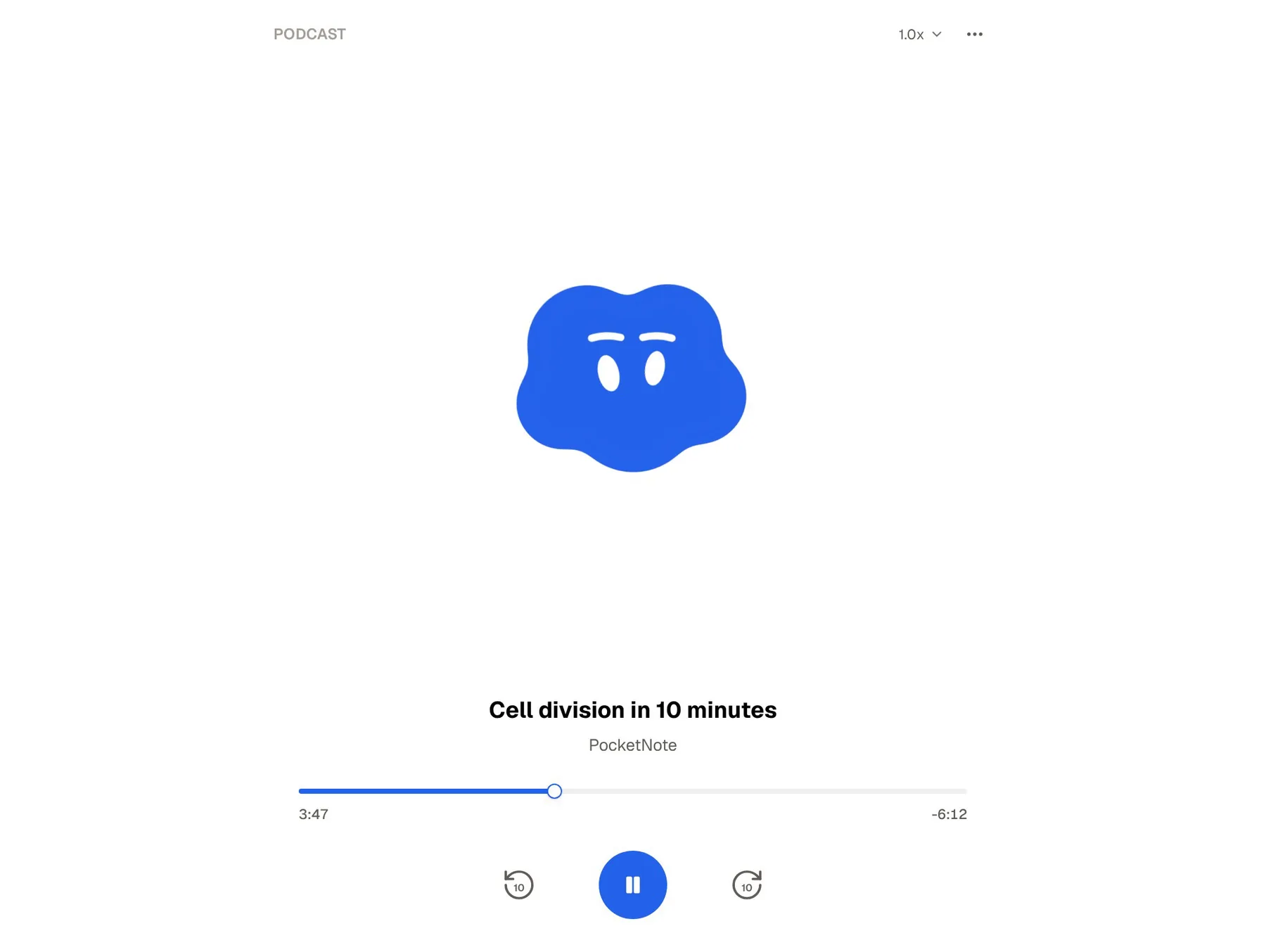
| Audio and video | Podcast-style audio reviews; explainer videos | Audio Overviews in four formats; Video Overviews |
| Flashcards | Spaced repetition: Again / Hard / Good / Easy | Got it / Missed it; retake missed cards |
| Quizzes | Every option explained | Explain and Hint buttons; easy to hard |
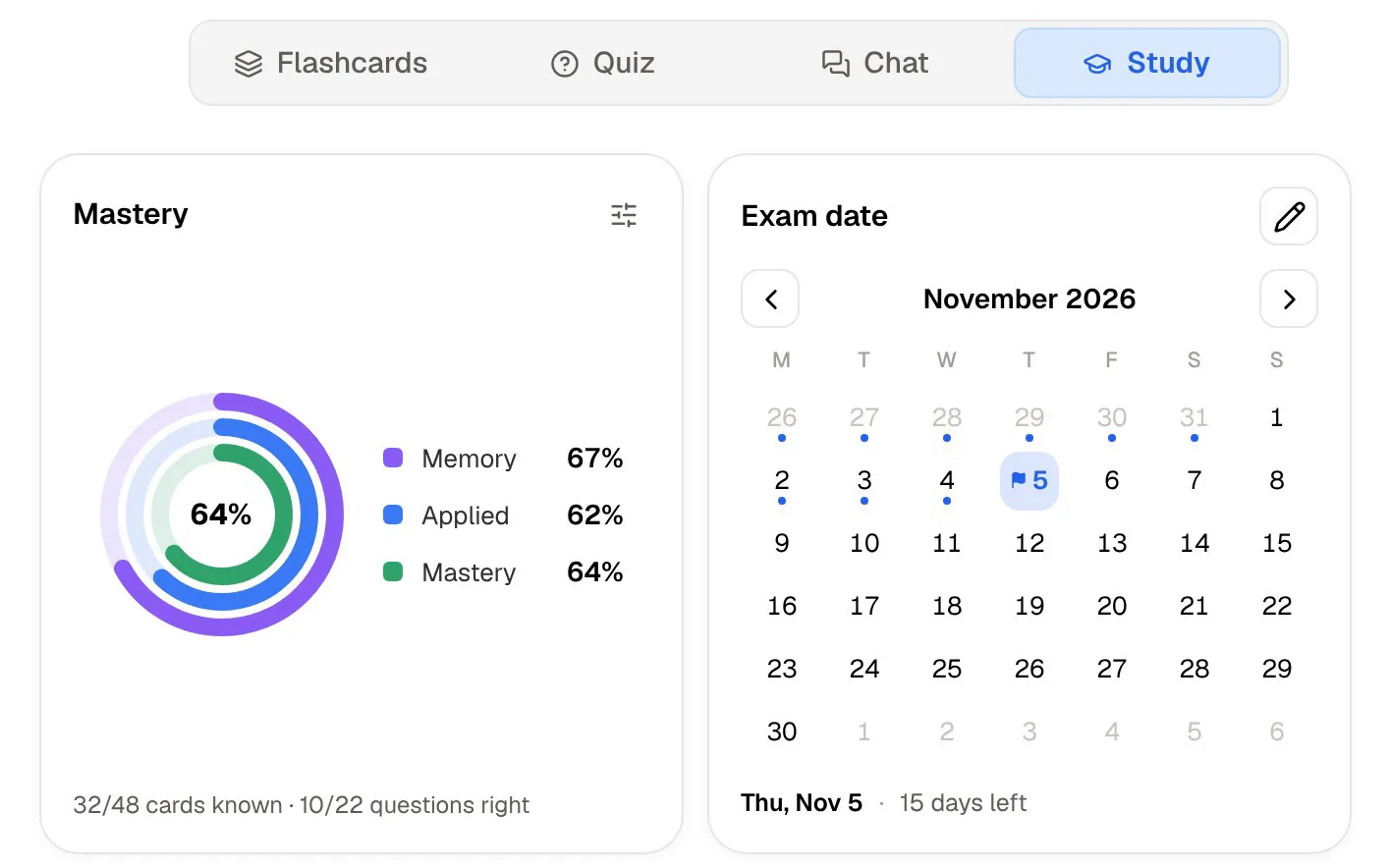
| Exam-date study plan | Daily plan, reminders, mastery scores | Not described in its help centre |
| Your own notes | Block editor, Apple Pencil handwriting, PDF annotation | Text notes; no note editing on mobile yet |
| Lecture recording | Record in the app: transcript, summary, notes | Upload audio files |
| Apps | Web, iPhone, iPad | Web, Android, iPhone and iPad |
| Price | Free to start; Basic and Plus plans | Free; higher limits with Google AI Plus or Pro |
Checked against Google's Gemini Notebook help centre and plan pages and PocketNote's own site, November 2026. Plans and features change; confirm current details with each product.
Where the two are nearly the same
Upload a lecture PDF to either app and ask a question, and the experience is similar. Gemini Notebook's chat answers from your sources, with citations you can hover over to see the quote or click to see it in context. PocketNote's assistant, Poki, answers from your material with citations to the source and shows its steps as it works: thinking about your request, searching your notes, reading a specific item.
The outputs overlap heavily too. Gemini Notebook's Studio panel makes Audio and Video Overviews, mind maps, reports such as study guides and briefing documents, data tables, flashcards, quizzes, infographics and slide decks. PocketNote's study tools include podcast-style audio reviews, explainer videos, mind maps, written notes and summaries, slide decks, data tables, flashcards and quizzes.
Both also keep your material out of model training in broadly similar terms. Google says sources, queries and responses from personal accounts aren't used to directly train its foundational models unless you choose to give feedback, and work or school accounts get stronger protection. PocketNote says your files are not used to train public AI models.
If all you need is to understand a stack of readings and listen to a summary on the bus, either will do it well. The rest of this page is about the edges, which is where the choice gets made.
Where Gemini Notebook is the better choice
Google's product is ahead in several areas that matter to students, and they deserve to be listed plainly rather than buried.
- Capacity. Free accounts get 100 notebooks with up to 50 sources each, and each source can hold up to 500,000 words or 200 MB. Paid Google AI plans raise that to between 100 and 600 sources per notebook. For a dissertation or a reading-heavy module, that headroom is useful.
- File types. It accepts PowerPoint, images, ePub and Google Docs, Slides and Sheets, as well as PDFs, Word files, text, Markdown, CSV, audio, YouTube and web pages.
- Finding sources. Fast Research pulls in relevant pages from the web or your Google Drive, and Deep Research can browse up to hundreds of websites to assemble sources for a research question.
- Audio and video formats. Audio Overviews come as a two-host Deep Dive, a short Brief, a Critique or a Debate, in over 80 languages, and you can interrupt the hosts by voice to ask a question (English only). Video Overviews come as Explainer, Short or Cinematic videos, with a choice of visual styles.
- Google integration. Notebooks sync with the Gemini app, reports export to Google Docs and tables to Google Sheets.
- Android. There is an Android app as well as iPhone and iPad apps. PocketNote has no Android app yet.
- Price for many students. It's free with a Google account, and eligible US college students aged 18 and over can get a year of Google AI Pro free if they redeem by 31 December 2026.
Flashcards that schedule themselves
This is the biggest practical difference for exam preparation. In Gemini Notebook you generate flashcards from the Studio panel, choosing fewer, standard or more cards and an easy, medium or hard difficulty, then mark each card Got it or Missed it. It remembers your progress, and at the end you can retake the same cards, all cards, or only the ones you missed. You can also download the deck as a CSV.
Google's help page doesn't describe any review schedule beyond that. Whether a card comes back tomorrow or next week is up to you, and nothing in that page suggests a deck you made in week two will reappear in week six unless you open it.
PocketNote's flashcards use spaced repetition. You rate each card Again, Hard, Good or Easy, and it comes back when you are about to forget it, so the deck from week two keeps resurfacing at sensible intervals until the exam. For memorising a module's worth of terms and processes, that scheduling does a lot of quiet work you would otherwise have to organise yourself.
Quizzes are closer. Gemini Notebook's quizzes have a Hint button and an Explain button, with the same choice of difficulty as its flashcards. PocketNote's quizzes come with the reason for every answer, right and wrong options alike. Both are good at showing you why; the difference is mostly whether the explanation is a click away or already on the screen.

Planning backwards from the exam date
Gemini Notebook is organised around notebooks and sources. Its help centre doesn't describe an exam date, a daily plan or reminders.
PocketNote's study plan starts there. You set the exam date, and it plans what to cover each day, reminds you, and tracks mastery with memory, applied and mastery scores. Progress is shown for each tool, from flashcards and quizzes to the oral exam, slide deck and podcast, so you can see which kind of practice you've been avoiding.
If you study steadily without a deadline, this matters less. If you have four exams in ten days, it's likely to be the feature you open most.
Your own notes and the lectures you sit through
Gemini Notebook lets you write or paste text into a note, save chat answers as notes and use notes as sources. Its help centre says the mobile app doesn't support note editing at this time. For lectures, its help pages describe adding audio files as sources rather than recording in the app.
PocketNote is also a note-taking app. Typed notes use a block editor with headings, lists, tables, toggles, callouts, LaTeX maths and an outline, and you can ask Poki inside a note. On iPad you can write by hand with Apple Pencil, annotate PDFs directly, and use Note Replay, which records audio while you write and shows the strokes you were writing at each moment on playback. A lasso turns handwriting into text or sends a selection to Poki, tape hides answers on the page for self-testing, and search reaches into your handwriting.
You can also record a lecture in the app and get a transcript, a summary and notes, and Poki can highlight, underline or circle passages on your PDF when you ask, with one tap to undo. If you take notes in class rather than only collecting readings, this is where PocketNote fits better.
Speaking practice: interactive audio or an oral exam
Both let you use your voice, in different ways. Gemini Notebook's interactive mode lets you join an Audio Overview while it plays and ask the hosts a question; they answer from your sources and then carry on. It works in English on newly generated overviews.
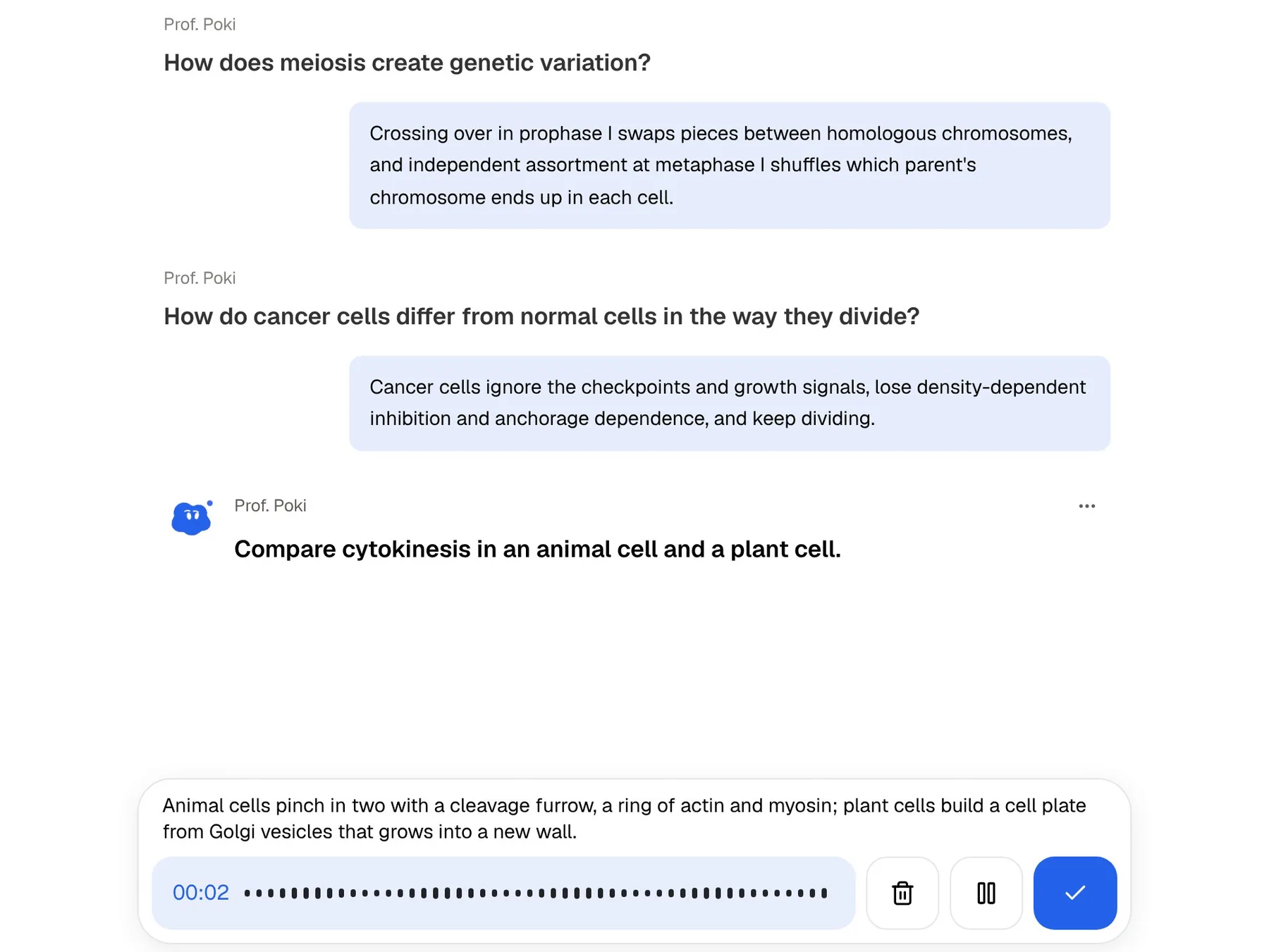
PocketNote's oral exam reverses the roles. Prof. Poki asks you questions out loud or in text and keeps probing until you can explain the topic in your own words. Paid plans add live voice, so you can talk to Poki and hear the answer, including asking it to quiz you out loud.
One is a way to question the material; the other is a way to be questioned on it. For viva-style exams, language orals or any test that asks you to explain, the second is closer to the real thing.
Price, limits and the student offer
Gemini Notebook is free with a Google account. At the time of writing (November 2026), Google's plans page lists Google AI Plus at $4.99 a month and Google AI Pro at $19.99 a month in the US, with Ultra plans above that. Google's help centre says Plus gives twice the standard usage limits and Pro four times, and that usage refreshes every five hours up to a weekly limit. Because the limits are given as multiples rather than as a number per feature, the easiest way to see whether the free tier is enough is to use it through a busy week.
Students in the US should check Google's student offer: eligible college students aged 18 and over can get Google AI Pro free for a year if they redeem by 31 December 2026, after which it renews at the normal monthly price unless cancelled.
PocketNote is free to start. Its paid plans are Basic, which adds live voice, premium models and connectors, and Plus, which adds unlimited notebooks and apps, the longest podcasts and all models. See pocketnote.app for current plans.
Using both, and how to choose
There is a reasonable case for using both. Gemini Notebook is strong at the research stage: many sources, Deep Research, long audio and video overviews. PocketNote is strong at the revision stage: notes you write, lectures you record, flashcards on a schedule and a plan up to the exam date.
Moving between them is mostly a matter of keeping your original files. PDFs, Word files, text, Markdown, CSV, audio files, YouTube links and web links all import into PocketNote, and it can import from Google Drive. Gemini Notebook's flashcards download as a CSV, which PocketNote accepts as a source; audio and video overviews don't transfer, so you would generate new ones.
Both can also reach beyond your uploads. Gemini Notebook has connected apps on the web, which it uses automatically when a chat prompt calls for them. PocketNote's paid plans add connectors for Google Drive, Notion and Outlook, among others, so Poki can use that context; for example, it can add a summary to a Notion page you name.
If you can only pick one, look at a typical week. Reading and synthesising many sources points to Gemini Notebook. Attending lectures, taking notes and preparing for exams points to PocketNote.
The verdict
Which one should you pick?
Pick PocketNote if…
- You want flashcards on a schedule, rated Again, Hard, Good or Easy, rather than a deck you retake by hand.
- You have an exam date and want a daily plan, reminders and mastery scores.
- You take notes by hand on iPad, annotate PDFs, or want Poki to mark passages on your PDF.
- You record lectures and want the transcript, summary and notes in one place.
- You want an oral exam that keeps asking until you can explain it.
Pick Gemini Notebook (NotebookLM) if…
- You work with many sources: 50 per notebook free and up to 600 on paid plans, with Deep Research to find more.
- You live in Google's tools and want Docs, Slides and Sheets as sources, with exports to Docs and Sheets.
- You want it free, or you're an eligible US college student who can claim the free Google AI Pro year.
- You're on Android, or want Video Overviews in several formats and styles.
Try it yourself
See it with your own notes
PocketNote is an AI study app for the material your course gives you. Like Gemini Notebook, it answers from your files with citations; then it goes further into revision, with flashcards on spaced repetition, quizzes that explain every option, an oral exam with Prof. Poki and a study plan built around your exam date. You can record lectures and write notes by hand in the same library.
It runs at pocketnote.app and on iPhone and iPad, and it's free to start.
Frequently asked questions
Sources
Keep reading