
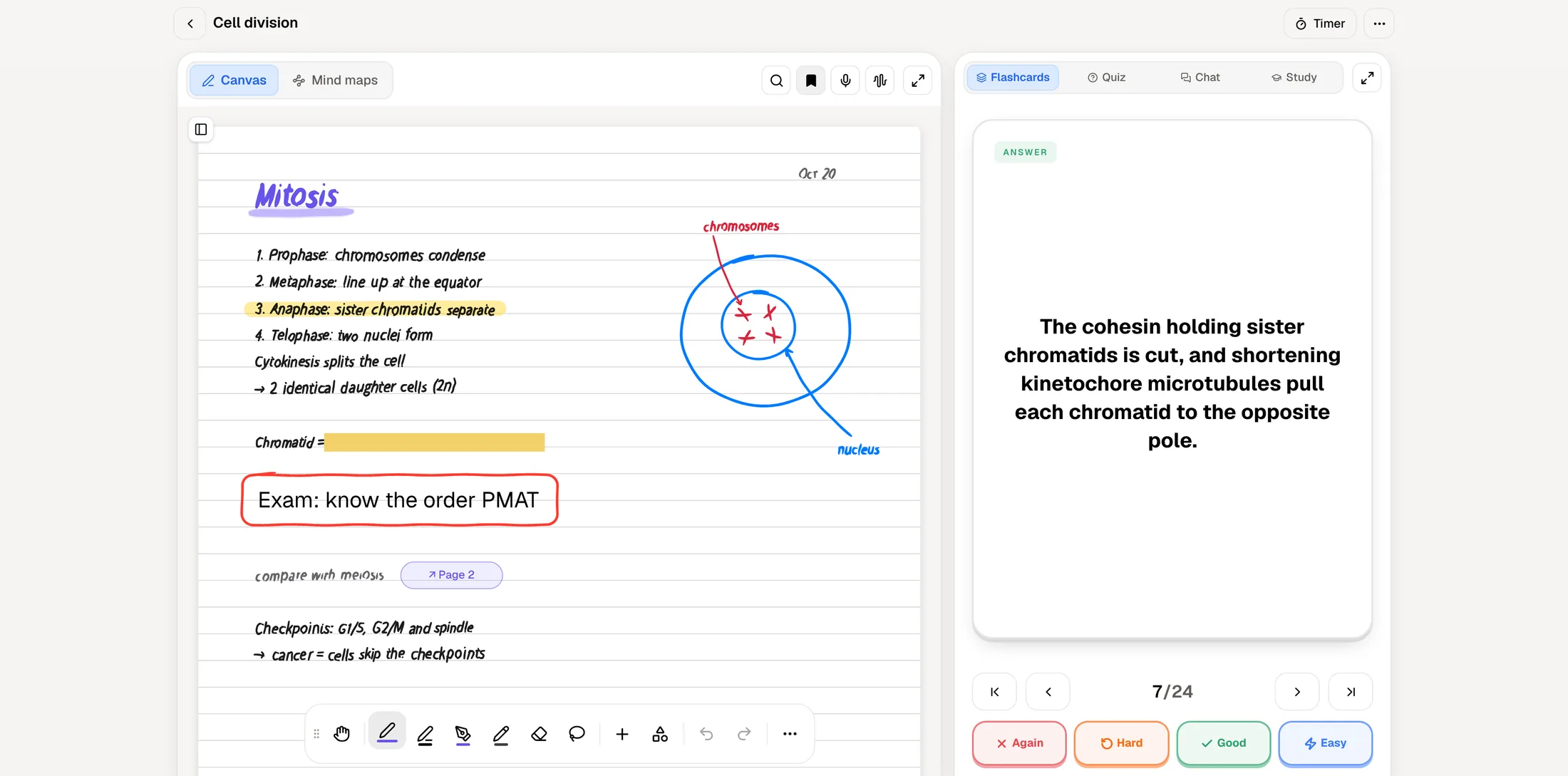
RemNote and PocketNote start from the same belief: your flashcards should come from your notes, not live in a separate app. They get there differently. In RemNote you write notes and turn lines into flashcards as you go, so every card stays linked to the note it came from. In PocketNote you bring the material, such as slides, a recorded lecture, a PDF or handwritten pages, and it generates the flashcards, quizzes and other study tools for you.
Both have spaced repetition, PDF annotation, handwriting and an exam planner, so the differences are in the details: who writes the cards, how much the free plan covers, which scheduler you get, and what each does beyond flashcards. This comparison goes through them using RemNote's own pricing page and help centre, checked in November 2026.
If you are deciding before term starts, the most useful test is to put one real lecture into each app and see which way of working you actually keep up.
At a glance
PocketNote vs RemNote
| Feature | PocketNote | RemNote |
|---|---|---|
| Core idea | Study tools generated from your material | Notes with flashcards written inline |
| Making cards | Generated from files, lectures, handwriting | Written in notes; AI generation too |
| Scheduler | Again, Hard, Good, Easy | SM-2 style by default; FSRS optional |
| Anki import | Not among its import formats | .apkg with schedules kept |
| PDF annotation | Yes; Poki can mark pages too | Yes (3 PDFs free, unlimited on Pro) |
| Handwriting | Apple Pencil canvas, search, tape | Handwritten documents (1 free) |
| Lecture recording | Yes: transcript, summary, notes | On Pro with AI |
| Exam planner | Study plan with mastery scores | Exam scheduler (Pro) |
| Oral exam | Prof. Poki, voice or text | Not advertised |
| Offline | Notes save offline, sync later | Offline notes, sync later |
| Platforms | Web, iPhone, iPad | Windows, Mac, Linux, iOS, Android |
| Price | Free to start; Basic and Plus plans | Free; Pro $8/mo; Pro with AI $18/mo |
Checked against each product's own website and help centre, November 2026. Plans and features change; confirm current details there.
RemNote's idea: cards inside your notes
RemNote is a note-taking app where flashcards are part of the writing. While you take notes, you add flashcards, drawings and references directly in the document, and each card keeps its link back to its context. Over time your notes become a knowledge base you can search and a deck you can review, in one place.
For students who already take careful, structured notes, that is efficient: writing the note and making the card are one step. RemNote also has AI that can generate cards from notes, PDFs or lecture transcripts, add an explanation to each card, and answer questions in a tutor chat, though the heaviest AI tools sit on its top plan. Its AI tab completion suggests text as you type, with limited use on the free plan and near-unlimited use on Pro.
It works offline as well. RemNote says you can take notes with no connection and sync when you reconnect, and it offers desktop apps for Windows, Mac and Linux plus iOS and Android apps.
Writing cards versus having them drafted
This is the main fork. In RemNote, the cards are as good as the notes you write, and you decide line by line what becomes a card. That suits people who learn by writing and who keep up with their notes during term. It also keeps each card's context close: when you forget an answer during review, the note it came from is linked right there.
PocketNote suits the student who is behind, or whose material arrives in formats that are slow to rewrite. You import the slides as a PDF, record the lecture in the app and get a transcript, a summary and notes, or write on an iPad with Apple Pencil, and PocketNote generates flashcards from that. Your handwriting stays as handwriting; the lasso can turn a selection into text when you need it.
Either way, look over the deck before an exam. Generated cards save time but can miss what your lecturer stressed, and self-written cards can miss what you didn't think to write down.
What a term looks like in each app
In RemNote, a good term looks like this: you write notes in each lecture or just after it, mark the facts worth testing as flashcards while you write, and review the queue each day. When an exam is announced, the exam scheduler on Pro lays out the days before it. The notes and the deck grow together, and by the end of term you have a searchable knowledge base and weeks of reviews behind every card.
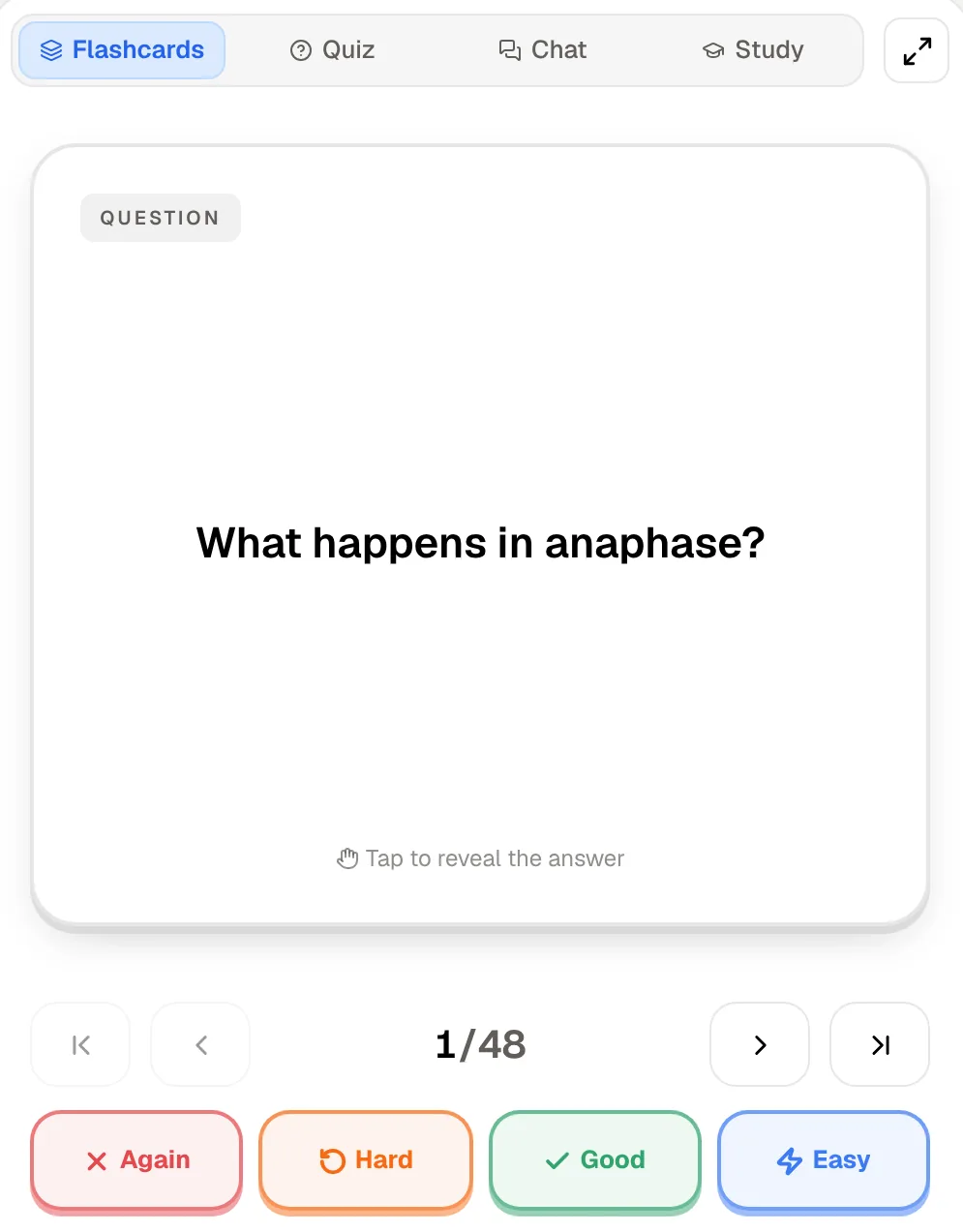
In PocketNote, the term can look less disciplined and still work. You record lectures or import the slides when you get to them, generate flashcards, quizzes and notes from each one, and review cards as they come due. When you set an exam date, the study plan spreads what is left over the days before it and tracks your memory, applied and mastery scores, and the oral exam checks that you can explain the material, not only recognise it.
The fair summary: RemNote rewards consistency from week one. PocketNote is more forgiving if your notes fall behind, at the cost of cards you didn't write yourself.
Schedulers: RemNote's options and PocketNote's four buttons
RemNote gives you a choice of scheduler. Its help centre describes an Anki-style SM-2 scheduler as the default and FSRS (version 6) as an option you switch on yourself, either globally or for chosen documents and folders through custom schedulers. The help article still advises caution with critical cards while FSRS is tested further.
RemNote also imports Anki decks (.apkg) with their schedules preserved, including cloze, image occlusion and most custom note types. Imported cards go into a separate queue so they don't flood your daily reviews. If you are leaving Anki, that matters a great deal. The importer doesn't carry custom CSS and shows at most 2,000 tags, so heavily styled Anki decks may look different afterwards.
PocketNote doesn't offer a choice of scheduler. You rate each card Again, Hard, Good or Easy and it comes back when you are about to forget it. That means less to configure; if you care which algorithm runs, RemNote gives you the choice and PocketNote doesn't.
PDFs, handwriting and recorded lectures
Both apps annotate PDFs. RemNote lets you highlight, draw and add shapes on PDFs and slides alongside your notes; the free plan covers 3 annotated PDFs and Pro makes it unlimited. Handwritten documents follow the same pattern, with one on the free plan. The free plan also caps image occlusion at 5 cards, which you will feel in anatomy or any diagram-heavy subject. A lecture recorder is part of RemNote's Pro with AI plan.
In PocketNote, you highlight, write and draw directly on the PDF page, and Poki can work with the page too. It sees the page as you do, including your highlights and handwriting, and can highlight, underline or circle passages when you ask, for example the key definitions on page 3. You can undo its marks in one tap.
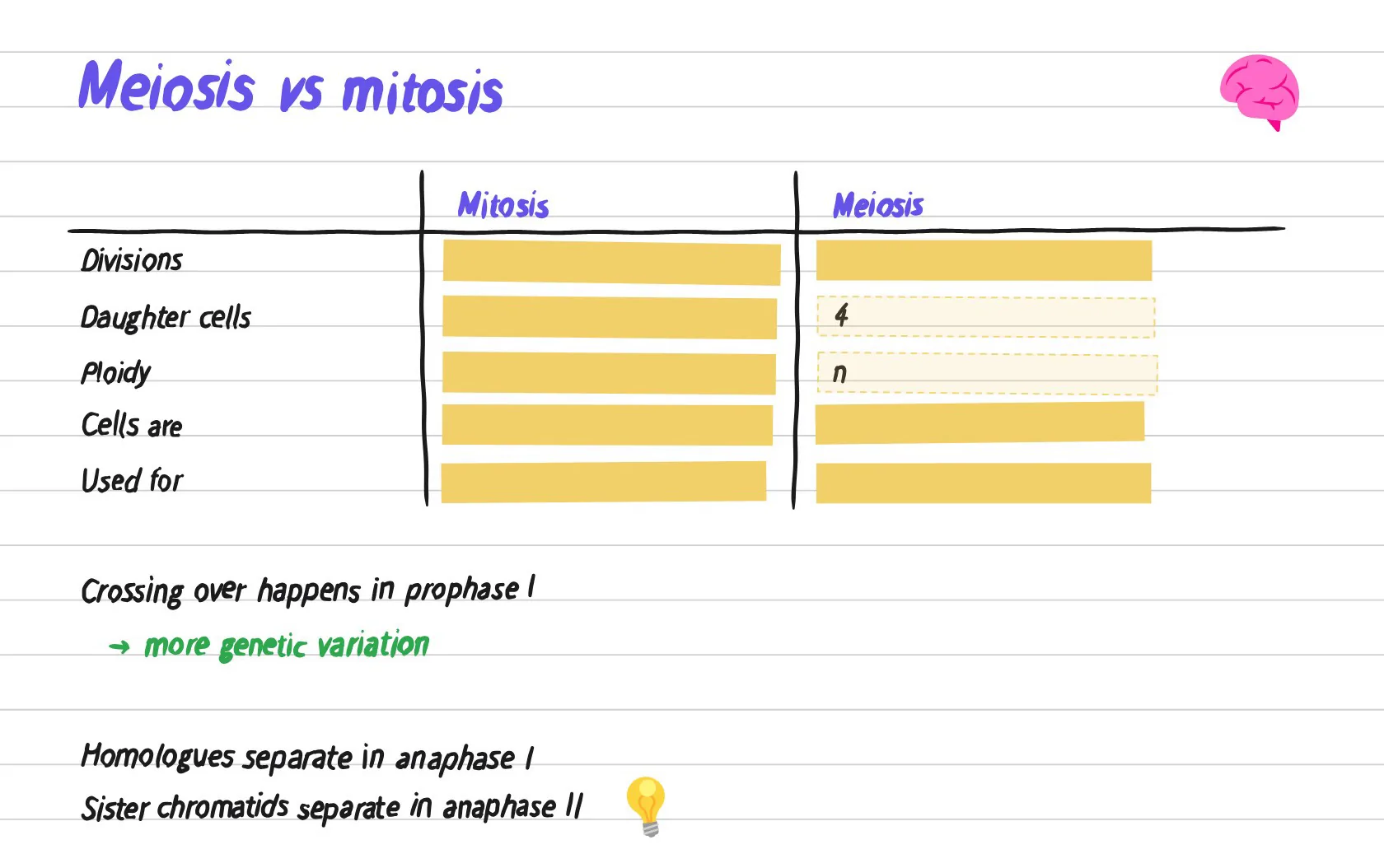
Handwriting is a bigger part of PocketNote: pens and highlighters, page templates including Cornell, a zoom window for small writing, search through your handwriting, and tape that hides answers so you can test yourself on your own notes. Note Replay records audio while you write and plays back the strokes you were making at each moment. To be fair, PocketNote's handwriting is newer than that of note apps with a decade of polish.
Planning to an exam date in both
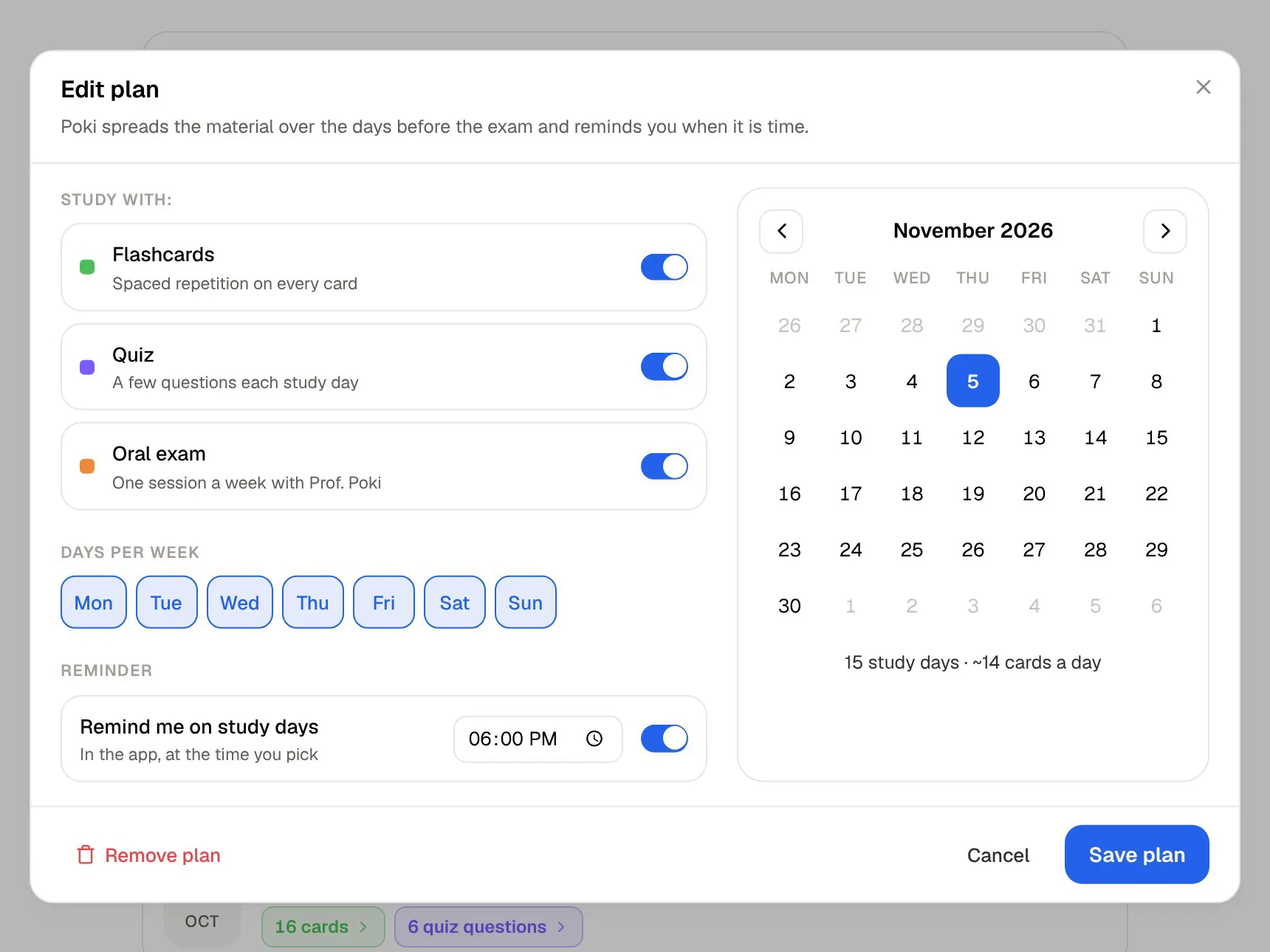
RemNote's exam scheduler, listed among Pro's features, builds a daily plan around your exam date. PocketNote's study plan does the same job: set the exam date and it plans what to cover each day, sends reminders, and tracks memory, applied and mastery scores.
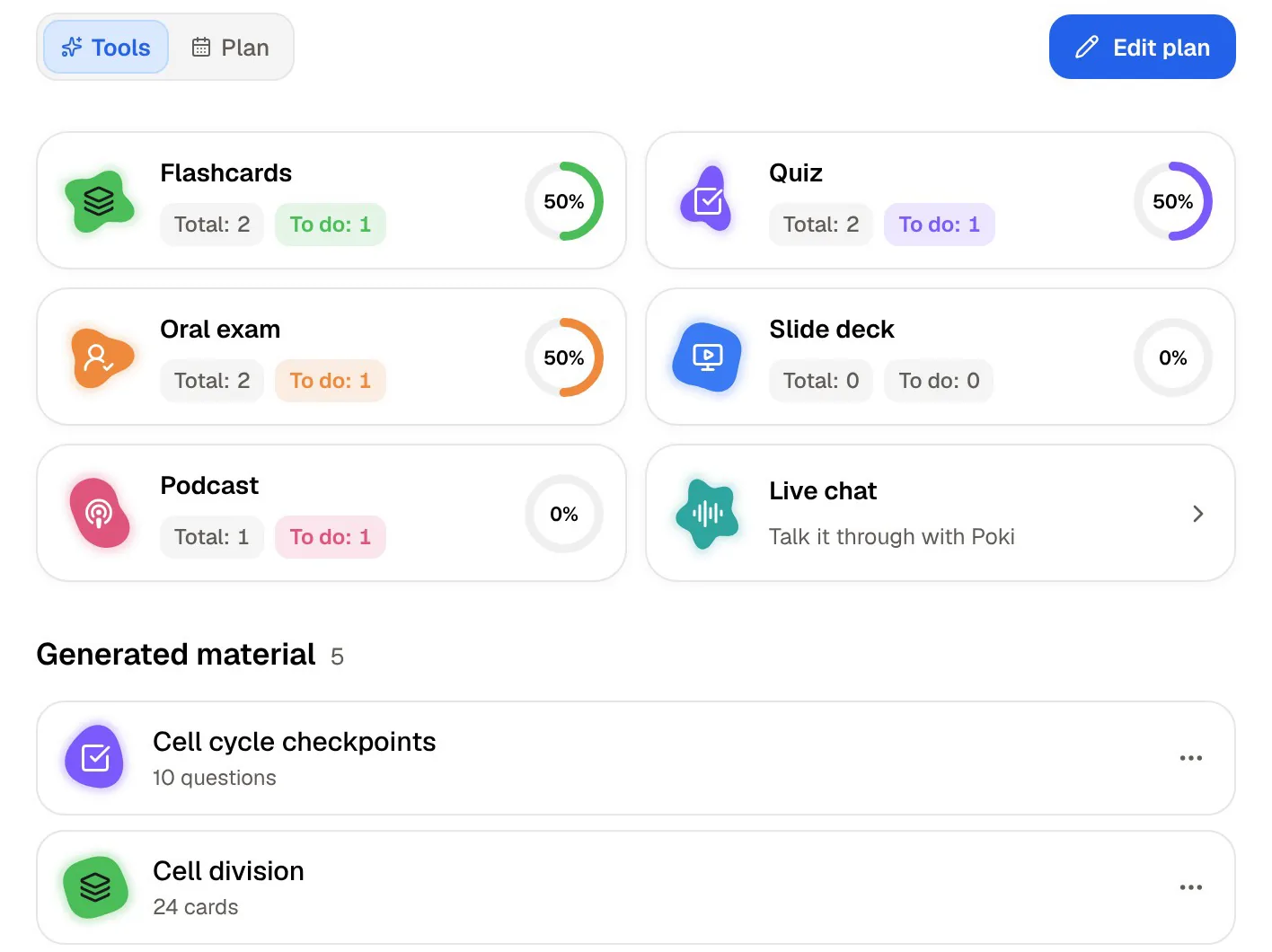
The difference is what feeds the plan. In RemNote it is your flashcards. In PocketNote, flashcards are one track alongside quizzes, the oral exam, slide decks, podcast-style audio reviews and live chat, and the plan shows your progress in each.
The oral exam is the piece RemNote doesn't advertise. Prof. Poki asks questions out loud or in text and keeps probing until you can explain the idea, which helps with vivas, essay subjects and anything where recognising an answer isn't enough.
If your exams are mostly recall, a flashcard-driven plan like RemNote's covers it. If they include essays, problem questions or an oral component, the extra tracks earn their place.
Prices and free-plan limits
At the time of writing (November 2026), RemNote's pricing page lists three plans. Free includes unlimited notes and flashcards on unlimited devices, with limits on some features: 3 annotated PDFs, 5 image occlusion cards, 1 handwritten document and 250 AI credits a month. The free plan also allows 20 file uploads a day at up to 8 MB each. Pro costs $8 a month or $96 billed yearly, lifts those limits, gives 1,000 AI credits and raises uploads to 600 a day at up to 300 MB. Pro with AI costs $18 a month or $216 billed yearly, with 20,000 AI credits plus AI flashcards, quizzes and summaries from PDFs, the lecture recorder, AI grading and image to text.
PocketNote is free to start, with Basic (live voice, premium models, connectors) and Plus (unlimited notebooks and apps, the longest podcasts, all models). See pocketnote.app for current prices. If AI generation from PDFs and lectures is what you want from RemNote, note that those tools sit on Pro with AI, not plain Pro.
Who should stay with RemNote
RemNote rewards the student who keeps notes up to date all term, and it is the better tool for one kind of student: someone who wants a single, long-lived place for everything they learn, where a concept from first year links to the one that builds on it in third year.
Stay with it, or pick it, if these sound like you:
- You like writing structured notes and want cards to come out of them line by line.
- You are moving from Anki and want your decks and their schedules to come with you.
- You want to choose your scheduler, including FSRS.
- You want native desktop apps on Windows, Mac or Linux, or an Android app.
- You are building a knowledge base that links ideas across courses and years.
The verdict
Which one should you pick?
Pick PocketNote if…
- Your material piles up as recordings, PDFs and handwritten pages and you want cards generated from it.
- You want Poki to read and mark your PDFs and answer with citations.
- You want an oral exam and quizzes with explanations in the same plan as your flashcards.
- You handwrite on iPad and want tape, Note Replay and handwriting search.
Pick RemNote if…
- You write structured notes and want to make cards inline as you go.
- You're leaving Anki and want schedules preserved, or you want FSRS.
- You want desktop apps on Windows, Mac or Linux, or study on Android.
Try it yourself
See it with your own notes
PocketNote suits students whose notes don't start as tidy outlines: a lecture recording, a stack of PDFs, pages written with Apple Pencil. It generates flashcards rated Again, Hard, Good or Easy, quizzes that explain every answer and an oral exam with Prof. Poki, and plans them all to your exam date.
It is free to start on the web and on iPhone and iPad. If RemNote already holds your knowledge base, keep it there and try PocketNote on the next lecture you haven't written up yet.
Frequently asked questions
Sources
Keep reading