
Anki is the flashcard program serious memorisers end up using. It is free on Windows, Mac, Linux and Android, it syncs through AnkiWeb at no charge, it handles collections of more than 100,000 cards, and its scheduler can be tuned down to the retention rate you want. Medical students, law students and language learners build years of study around it.
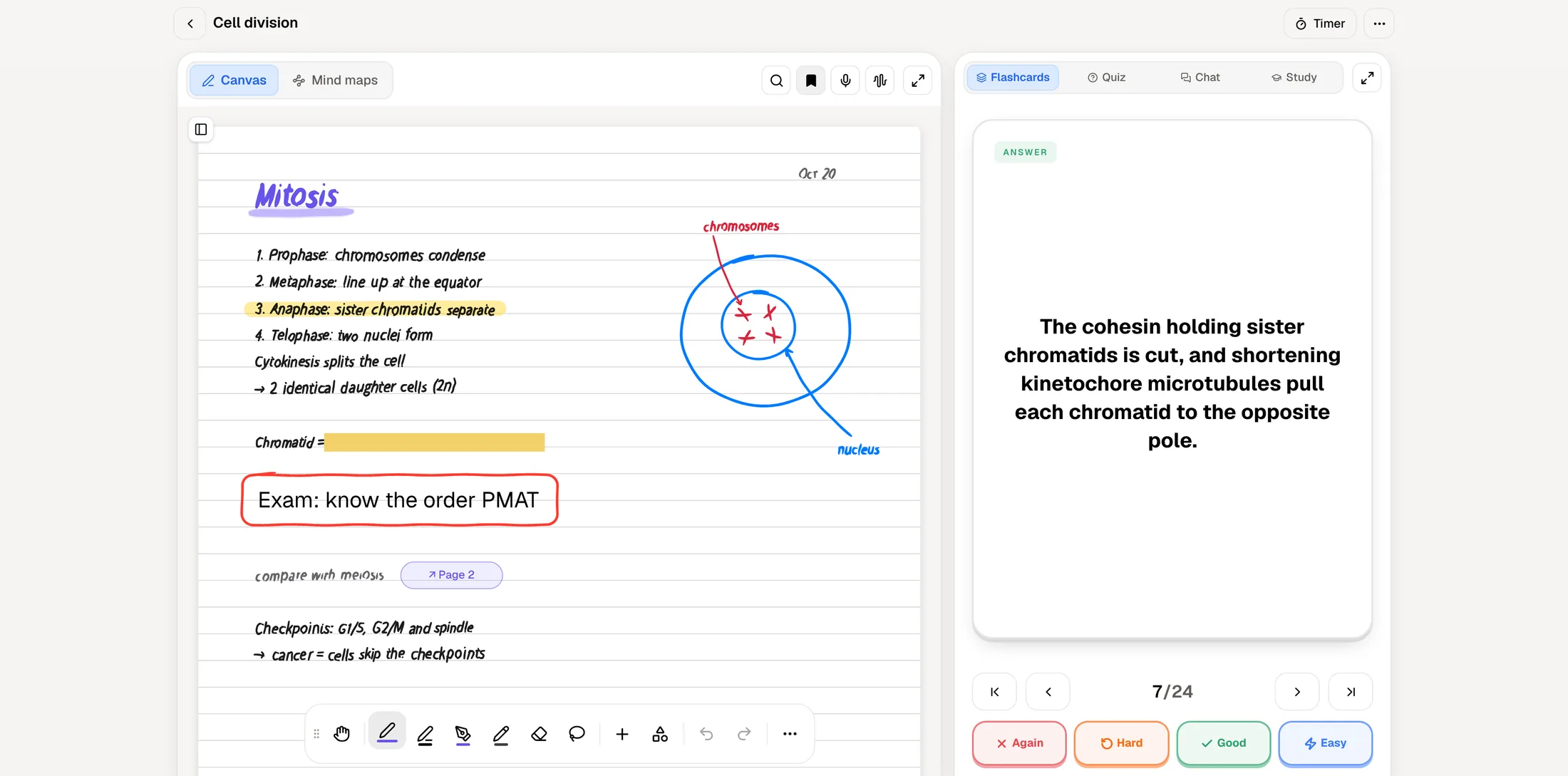
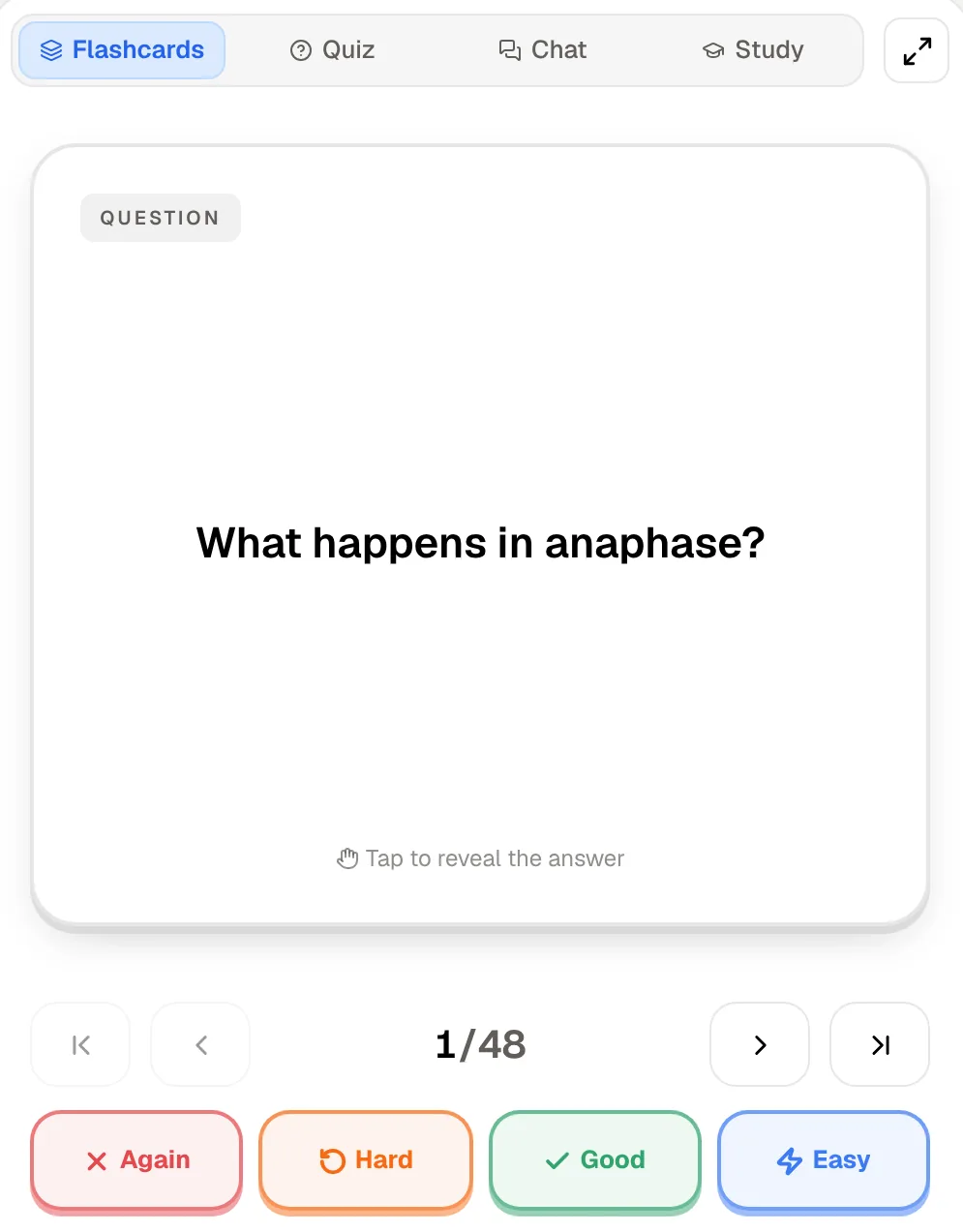
PocketNote comes at the same goal from the other end. Instead of starting with an empty deck, you start with your course material: a PDF, a recorded lecture, a page of handwritten notes. PocketNote generates flashcards from it, and you review them with spaced repetition, rating each card Again, Hard, Good or Easy. Around the deck sit quizzes, an oral exam and a study plan built to your exam date.
This comparison is for students deciding where their next deck should live. It covers the scheduler, where the cards come from, what each app does beyond flashcards, prices, and the cases where Anki is plainly the better tool. Anki details were checked against its own manual and download page in November 2026.
At a glance
PocketNote vs Anki
| Feature | PocketNote | Anki |
|---|---|---|
| Where cards come from | Generated from your files, lectures and notes | You write them, or download shared decks |
| Review ratings | Again, Hard, Good, Easy | Again, Hard, Good, Easy |
| Scheduler choice | Handled for you | FSRS or legacy SM-2 |
| Retention target and optimizer | Not advertised | Yes, with FSRS |
| Card types | Generated flashcards | Basic, Cloze, Image Occlusion, custom |
| Extensions | Connectors (Drive, Notion…) on paid plans | Large add-on library for desktop |
| Shared deck library | No public library | AnkiWeb shared decks |
| Quizzes with explanations | Yes, built in | Not built in |
| Oral exam | Prof. Poki, voice or text | Not built in |
| Exam-date study plan | Yes, with mastery tracking | Not built in |
| Platforms | Web, iPhone, iPad | Windows, Mac, Linux, iOS, Android |
| Price | Free to start; Basic and Plus plans | Free, except AnkiMobile (one-time) |
Checked against each product's own website, November 2026. Plans and features change; confirm current details there.
What Anki does better than almost anything
Anki's strength is control. A card is built from a note, a note has fields, and the note type decides which cards get made from those fields. Out of the box you get Basic cards, Cloze deletions and, since version 23.10, built-in Image Occlusion, which hides labels on a diagram so you can test yourself on each one. That last type suits anatomy diagrams, maps and anything labelled.
Then there is scale and longevity. The desktop app handles collections of 100,000+ cards, add-ons extend it with new features, and the AnkiWeb shared-deck section lets you download decks other people have made. It is a community project with its source code on GitHub, and the desktop app, AnkiDroid and AnkiWeb sync cost nothing.
Anki's own manual is candid about something worth knowing before you compare. It says creating your own deck is the most effective way to learn a complex subject, and that shared decks should be used as a supplement to your course material, not as a replacement for it. Writing a good card forces you to decide what matters, and that decision is part of learning.
FSRS, SM-2 and the four buttons
Anki ships two schedulers. The legacy one is based on SuperMemo 2 (SM-2). The newer one, FSRS, is an opt-in alternative you switch on in the FSRS section at the bottom of the deck options. It applies globally: you can't enable it for some presets and not others. Once it is on, SM-2 settings such as the graduating interval and easy bonus are hidden.
FSRS works from a target. You set a desired retention, which defaults to 90%, meaning the share of cards you want to still remember when they come due. Raise it and you do more reviews; the manual recommends staying below 97%. An optimizer fits the model's parameters to your own review history, and the manual suggests running it about once a month. A newer Easy Days setting lightens chosen weekdays and works with either scheduler.
The buttons matter more than people expect. In Anki, Again is for anything you forgot. Hard counts as a pass, and the manual warns against pressing Hard on a card you actually missed, because FSRS treats it as remembered.
PocketNote uses the same four labels, Again, Hard, Good and Easy, and brings each card back when you are about to forget it. What it doesn't give you is Anki's panel of dials: no desired-retention setting or optimizer is advertised, and card layouts are far less customisable. If tuning the scheduler is part of how you study, that is a real reason to stay with Anki. If you would rather the schedule just runs, PocketNote asks nothing of you beyond the rating.
Where the cards come from
In Anki, every card you make starts as typing. You copy a definition from the slides, decide which word becomes the cloze, add the image, and repeat. For a 50-slide lecture that can take an evening, and it is one reason students download shared decks instead, even though those decks were written for someone else's course.
PocketNote starts from the material itself. Import the lecture slides as a PDF or the reading as a Word file, paste the YouTube link of a recorded class (the transcript comes with it), or record the lecture in the app and get a transcript, a summary and notes. Handwritten notes count too: write them on iPad with Apple Pencil and generate cards from the page. The deck follows what your lecturer actually covered.
The honest trade-off is the one Anki's manual points at. Generated cards save the hours, but they skip the step where you decide what is worth a card. Read through a generated deck once before you rely on it, and use the quiz and the oral exam to find what it missed. Students who learn by writing cards may still prefer to write them.
One lecture, two workflows
Take a single 50-minute lecture on cell division, with slides and a labelled diagram of the mitotic spindle.
In Anki, you open the slides beside the Add window. Definitions become Basic cards, the order of the phases becomes a Cloze note, and the spindle diagram becomes an Image Occlusion note with each label hidden. You file the notes in the lecture's deck, check which options preset it uses, and the new cards join your queue. The time goes into deciding and typing, and the reward is a deck that says exactly what you wanted it to say.
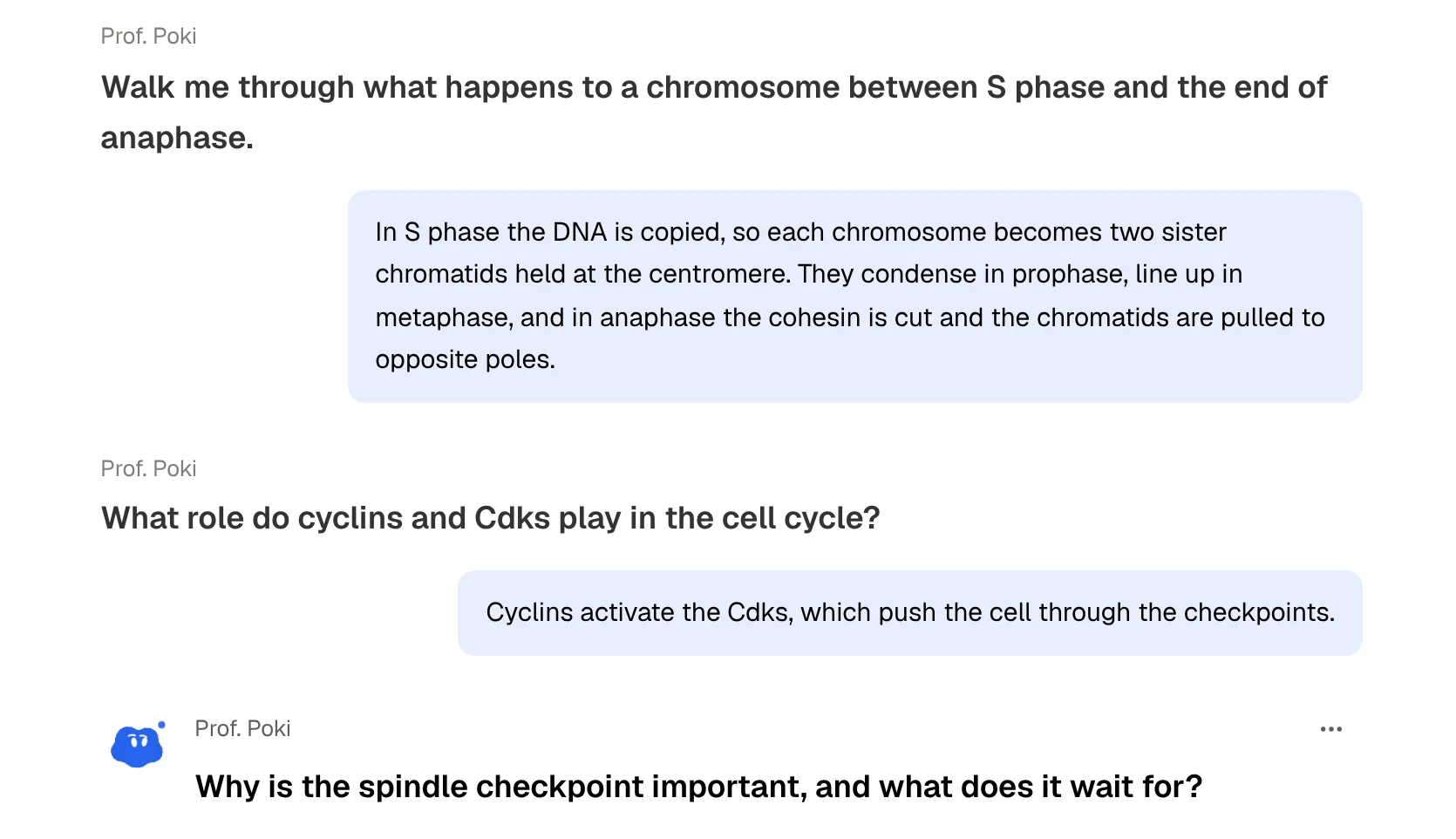
In PocketNote, you record the lecture in the app or import the slides as a PDF afterwards. The recording gives you a transcript, a summary and notes, and from the same source you generate flashcards and start reviewing with Again, Hard, Good and Easy. Before the weekend you take a quiz on the lecture and read the explanation for each miss. A few days before the exam you sit an oral exam in which Prof. Poki asks you to explain the phases in order and why the spindle checkpoint matters. The time goes into studying rather than building, and the risk is a deck you didn't choose card by card.
Neither is wrong. The first workflow fits students with steady weekly time and a long-term deck. The second fits students who are behind, or whose courses move too fast to write every card by hand.
What PocketNote adds around the deck
Anki is a review engine first. It shows you a card, you grade yourself, it schedules the next review, and its statistics show what you have done. The core program doesn't write practice questions, ask you to explain a concept, or plan your weeks to an exam date.
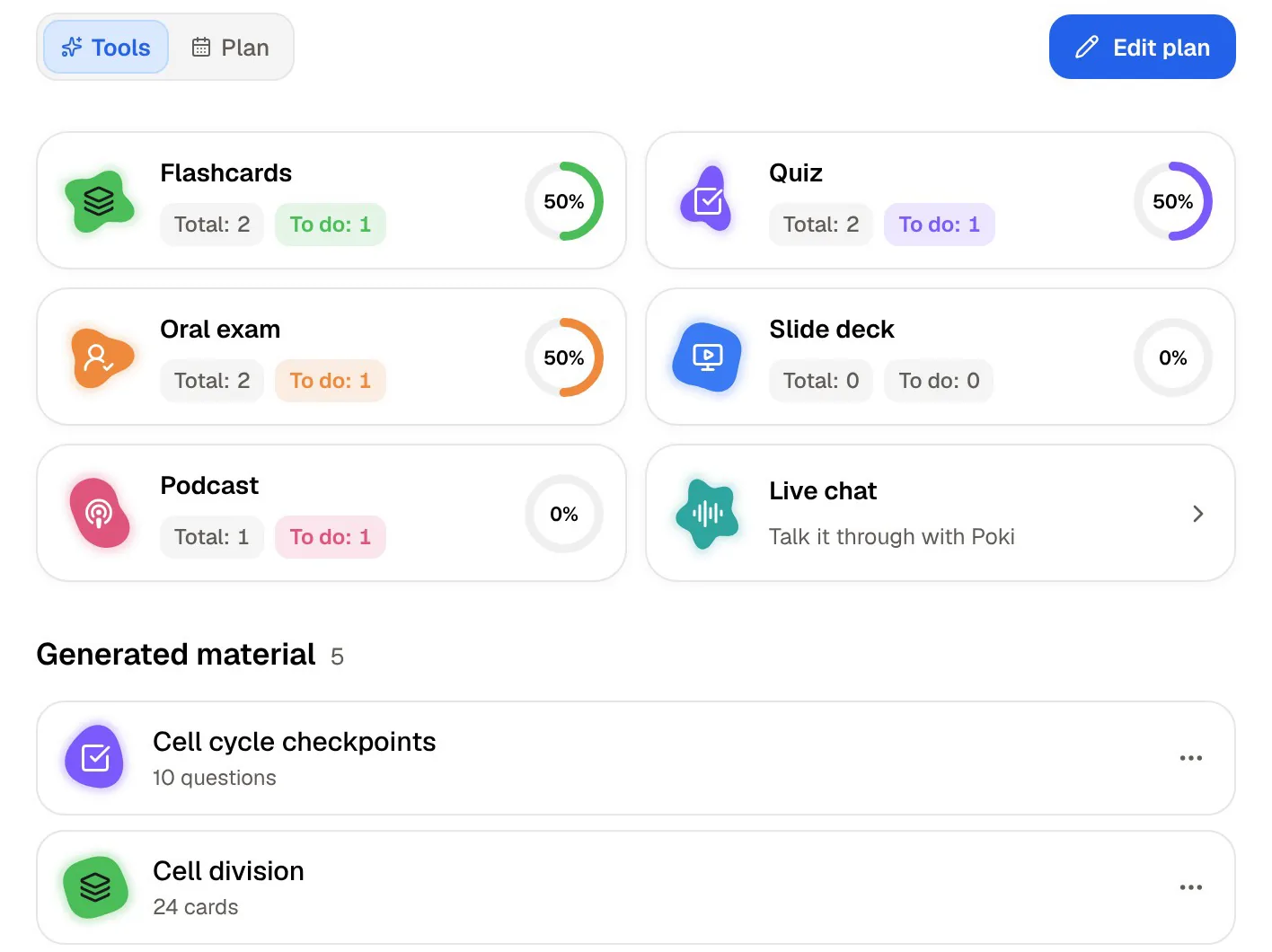
PocketNote builds those around the same material:
- Quizzes where every answer comes with the reason, including why the wrong options are wrong.
- An oral exam in which Prof. Poki asks questions out loud or in text and keeps probing until you can explain the idea in your own words.
- A study plan: set the exam date and PocketNote plans what to cover each day, sends reminders, and tracks memory, applied and mastery scores.
- Poki, the assistant, which answers questions from your own files with citations to the source, so you can check where an answer came from.
- Other formats from the same source: mind maps, summaries, slide decks and podcast-style audio reviews.
Price and platforms
At the time of writing (November 2026), Anki's desktop app for Windows, Mac and Linux is free, AnkiDroid for Android is free and built by contributors, and AnkiWeb sync is free. The official iPhone and iPad app, AnkiMobile, is a one-time purchase that helps fund development; the US App Store lists it at $24.99, with sync included and no subscription.
PocketNote is free to start, with two paid plans. Basic adds live voice, premium AI models and connectors; Plus adds unlimited notebooks and apps, the longest podcasts and all models. See pocketnote.app for current prices. It runs as a web app in any browser and as an app for iPhone and iPad, with your library synced by account.
Platform is often the deciding factor. If you study on an Android phone, Anki has a free native app and PocketNote has no Android app to recommend yet. If you are on an iPhone, PocketNote is free to try while AnkiMobile is a paid download.
When Anki is the right choice
Anki wins outright in several situations, and it is worth being plain about them. The more of these describe you, the less reason there is to move your main deck.
- You are preparing for a board or licensing exam and a well-maintained shared deck already covers the syllabus.
- Your collection is large and long-lived: years of vocabulary or medicine, tens of thousands of cards, reviewed daily.
- You want to tune the scheduler: desired retention, the FSRS optimizer, learning steps, Easy Days.
- You rely on special card types such as cloze deletions and image occlusion, or on add-ons.
- You use Android or Linux, or you want everything free.
- Writing the cards is part of how you learn, and you don't want that step automated.
Moving decks, or running both
Decks don't move cleanly between the two. Anki exports packaged decks (.apkg) and plain-text notes. PocketNote's file import takes PDF, Word, Excel, CSV, TXT and Markdown; an Anki package isn't on that list, so your review history stays in Anki. You can export notes as text and bring them into PocketNote as source material, which is handy for generating a quiz or an oral exam from an existing deck, but any cards made from it start fresh.
Running both is a reasonable setup. Keep the long-term deck, such as a pharmacology or vocabulary collection, in Anki. Put each week's lectures, readings and handwritten notes into PocketNote to understand them, get quizzed on them and plan the run-up to the exam. The two jobs overlap less than the word flashcards suggests.
The verdict
Which one should you pick?
Pick PocketNote if…
- Your material arrives as PDFs, slides, recordings or handwriting and you want cards made from it rather than typed.
- You want quizzes with explanations, an oral exam and a dated study plan around the flashcards.
- You want answers to questions cited to your own files.
- You study on iPhone, iPad or the web and want to start free.
Pick Anki if…
- You want FSRS controls: desired retention, the optimizer, learning steps.
- You have, or need, a large long-term deck or a proven shared deck for a board exam.
- You use cloze, image occlusion or add-ons, or study on Android or Linux.
- You want a tool that is free on desktop and Android, with free sync.
Try it yourself
See it with your own notes
PocketNote is built for the step before the deck: getting a lecture, a chapter or a page of handwriting into a form you can review. It generates flashcards you rate Again, Hard, Good or Easy, then adds quizzes that explain every answer, an oral exam with Prof. Poki, and a study plan counted down to your exam date.
It is free to start on the web and on iPhone and iPad. If you already have an Anki routine that works, keep it, and try PocketNote on next week's lecture to see whether the generated cards and the oral exam fill a gap.
Frequently asked questions
Sources
Keep reading