

Mochi is a quiet flashcard app for people who like plain text. You write notes and cards in Markdown, it stores everything on your device first, and it reviews cards with spaced repetition using two answers: Remembered or Forgot. People who want a calmer place than Anki to keep hand-written cards, including programmers and language learners, are its natural audience.
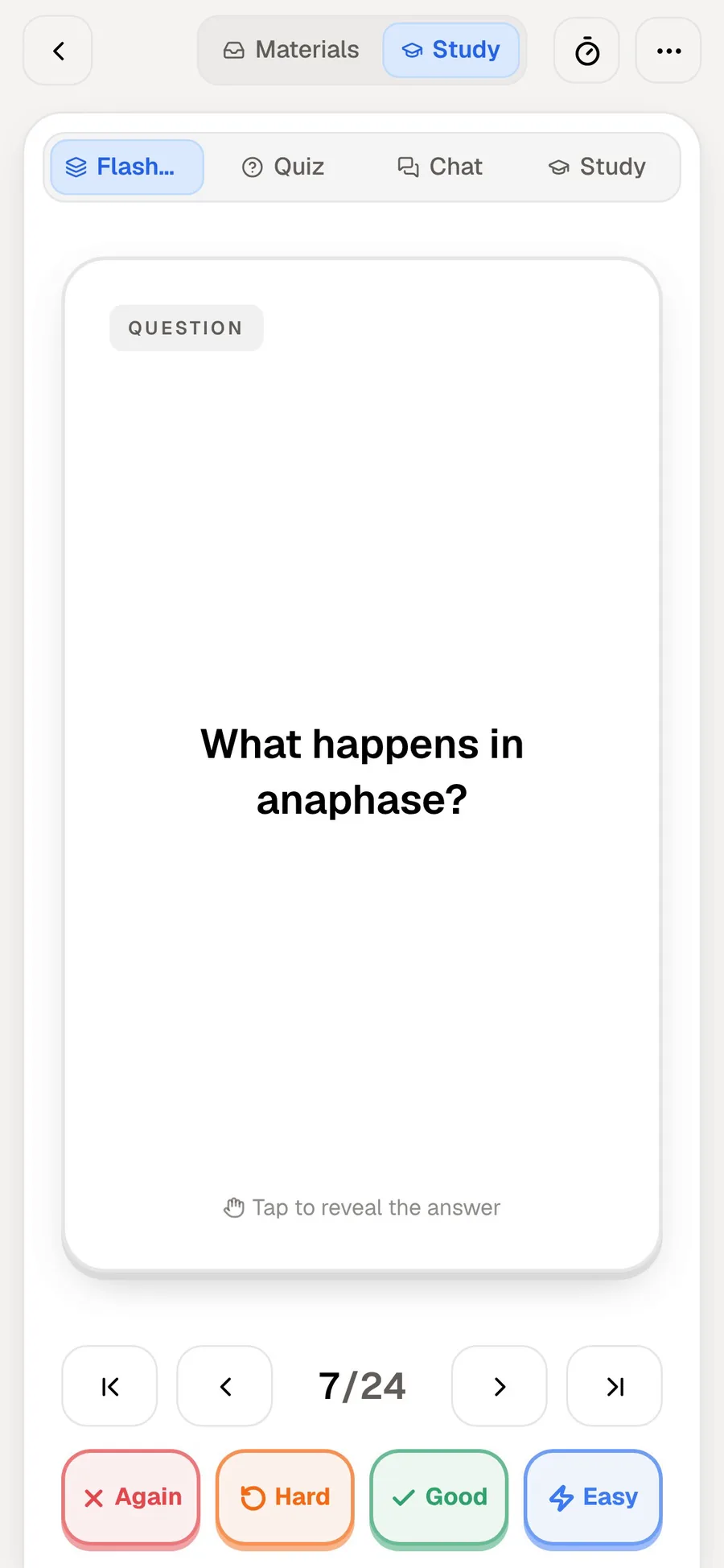
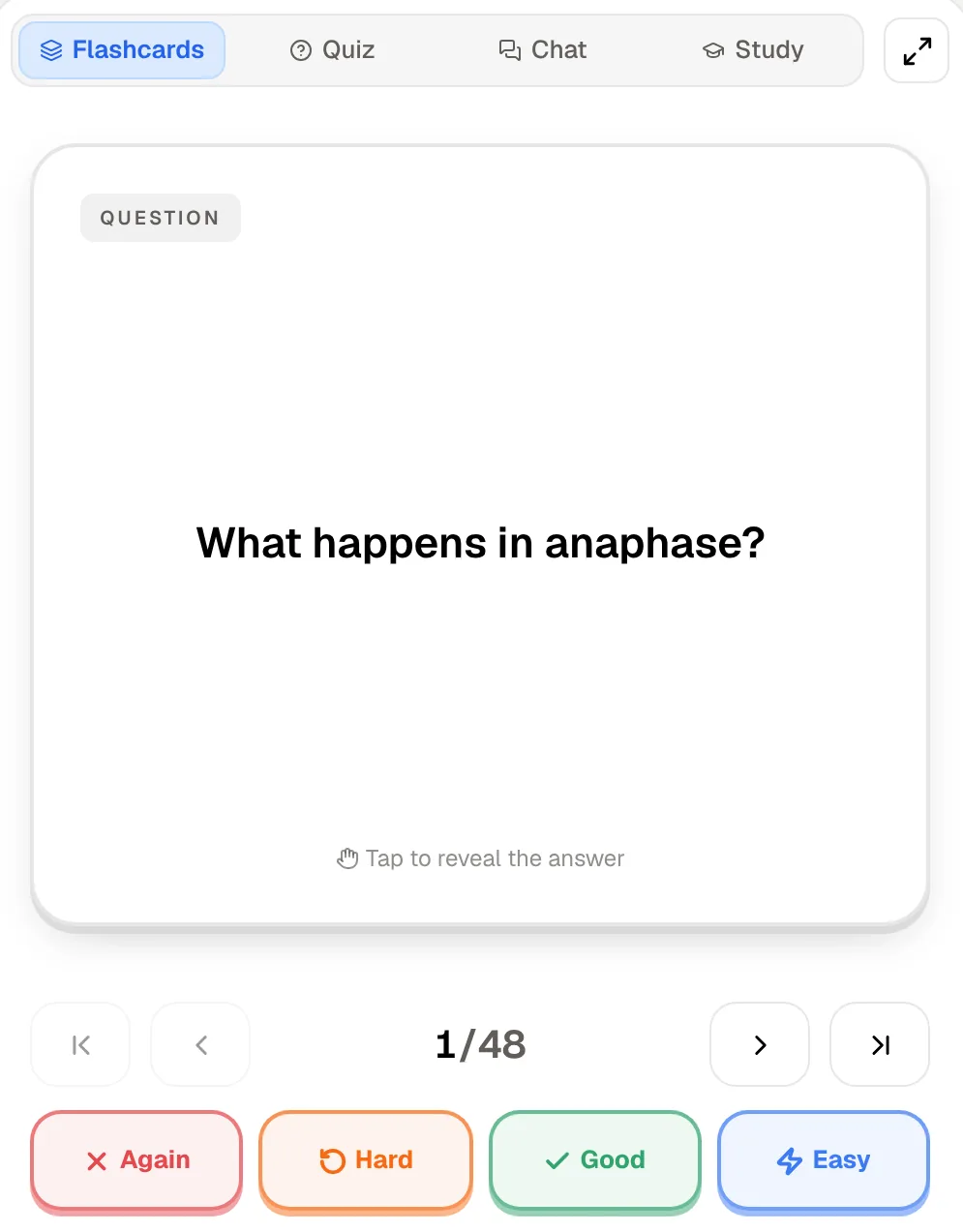
PocketNote begins somewhere else. Rather than writing each card, you add your course material, such as lecture slides as a PDF, a recording or a page of handwritten notes, and PocketNote generates the flashcards, plus quizzes, an oral exam and a study plan. You review cards with four ratings: Again, Hard, Good, Easy.
If you enjoy crafting cards, Mochi is a pleasant tool to do it in. If you are short on time and long on lecture material, the generated route may suit you better. Here is how they compare, from Mochi's own docs and pricing page as of November 2026.
At a glance
PocketNote vs Mochi
| Feature | PocketNote | Mochi |
|---|---|---|
| Card creation | Generated from your material | Written in Markdown; AI text helper |
| Review answers | Again, Hard, Good, Easy | Remembered or Forgot |
| Scheduler | Spaced repetition, handled for you | Own algorithm; FSRS optional |
| Anki import | Not among its import formats | .apkg with review history |
| Storage and sync | Account sync across web and iOS | Local-first; sync on Pro |
| Offline | Notes save offline, sync later | Unlimited offline use, free |
| Language tools | Study material in 50+ languages | Dictionaries, text-to-speech, translate |
| Quizzes and oral exam | Yes, both | Not advertised |
| Exam-date study plan | Yes, with mastery scores | Not advertised |
| Platforms | Web, iPhone, iPad | Mac, Windows, Linux, web, iOS, Android |
| Price | Free to start; Basic and Plus plans | Free; Pro $5/mo billed yearly |
Checked against each product's own website and docs, November 2026. Plans and features change; confirm current details there.
Mochi in brief: plain text, local first
Mochi stores your data on your device and syncs when you are online, so it behaves the same with or without a connection. Notes and cards are Markdown, with headings, lists and code, and you can link cards with references and organise them with tags and filters. Those references make it work as a light note system as well as a deck.
It has tools for language learners built in: dictionaries, text-to-speech, image search and auto-translate, with monthly allowances on the free plan. An AI text feature can write example sentences or study prompts. Card templates are free; dynamic fields are a Pro feature.
It runs on Mac, Windows, Linux, the web, iOS and Android, and the free plan needs no sign-up, so trying it takes a minute. On Pro, deck publishing lets you share a deck, and API keys let you script your cards if you are that way inclined.
Two buttons or four: how review works
Mochi records each review as Remembered or Forgot. By default it schedules with its own algorithm, which changes a card's interval by fixed multipliers depending on which you pressed. You can switch to FSRS, which models each card's stability and difficulty from your review history; under FSRS, Mochi maps Remembered and Forgot onto FSRS's Good and Again grades. You can switch back at any time. Because the two buttons map onto only two of FSRS's four grades, Hard and Easy simply don't come up; the model still learns from your history.
PocketNote uses four ratings, Again, Hard, Good and Easy, and brings each card back when you're about to forget it. The two extra buttons let you say a card was a struggle or trivially easy, which some students find more honest than a yes or no. Others prefer Mochi's two buttons because there is nothing to deliberate over. Two buttons also keep phone reviews quick, one tap per card; four ask for a little more judgement each time, which is the price of telling the scheduler how hard a card felt.
Neither approach is clearly better for everyone. Mochi documents its default algorithm openly, which suits people who like to know exactly why a card is due. If you want to pick the algorithm, Mochi gives you that switch and PocketNote doesn't.
Hand-written Markdown versus generated cards
Writing cards in Mochi is fast if you type well and know exactly what you want to test. Markdown keeps formatting predictable, code blocks suit programming cards, and every card ends up worded the way you meant it.
The cost is time. A week of lectures can mean hours of card writing. PocketNote starts from the material instead: import a PDF, Word, Excel, CSV, TXT or Markdown file, an MP3, WAV, M4A or OGG recording, a YouTube link or a web article, or record the lecture in the app to get a transcript, a summary and notes. Flashcards, quizzes and mind maps are generated from that.
Take a 40-slide lecture on enzyme kinetics. In Mochi you might write 30 cards over an hour, keeping each card to one idea. In PocketNote you import the slides as a PDF, generate flashcards and a quiz, and spend that hour reviewing and quizzing instead. The Mochi deck will be more precisely worded; the PocketNote hour will have more practice in it.
Generated cards have a typical weakness: they can be wordier than cards you would write, and they may test a detail you consider trivial. Skim a generated deck once so you know what is in it before the reviews start.
Your Markdown habit carries over in part. PocketNote imports Markdown files as sources, and its typed notes use a block editor with headings, lists, tables, toggles, code, LaTeX maths and callouts, where you can ask Poki a question without leaving the note.
Offline, sync and where your data lives
Mochi's local-first design is one of its best qualities. The free plan has unlimited offline use, cards and decks, and nothing leaves your device unless you turn on sync, which is part of Pro along with 10 GB of cloud storage. The flip side is that without Pro's sync your cards live only on your device, so export a backup now and then.
PocketNote is account-based: your library syncs across the web app and the iPhone and iPad app. Notes keep saving offline and sync when you're back online, so the deck you review on your phone on the bus is the same one in your laptop's browser that evening. PocketNote states that your files are not used to train public AI models.
If keeping everything on your own machine matters most to you, Mochi is the better fit on this point. If you study on shared or school computers, the reverse can be true: an account-based app means your deck follows you, while a local-first app keeps it on one machine unless you pay for sync.
What PocketNote adds beyond the deck
Mochi is a flashcard and note app and stays that way, which is part of its appeal. PocketNote's extras matter most in courses examined by essays, problem questions or orals, where flashcards cover the facts but not the explaining. Poki can also write into your notes from the chat, so a clarified explanation can land straight in the lecture notes.
PocketNote builds several study formats from the same source:
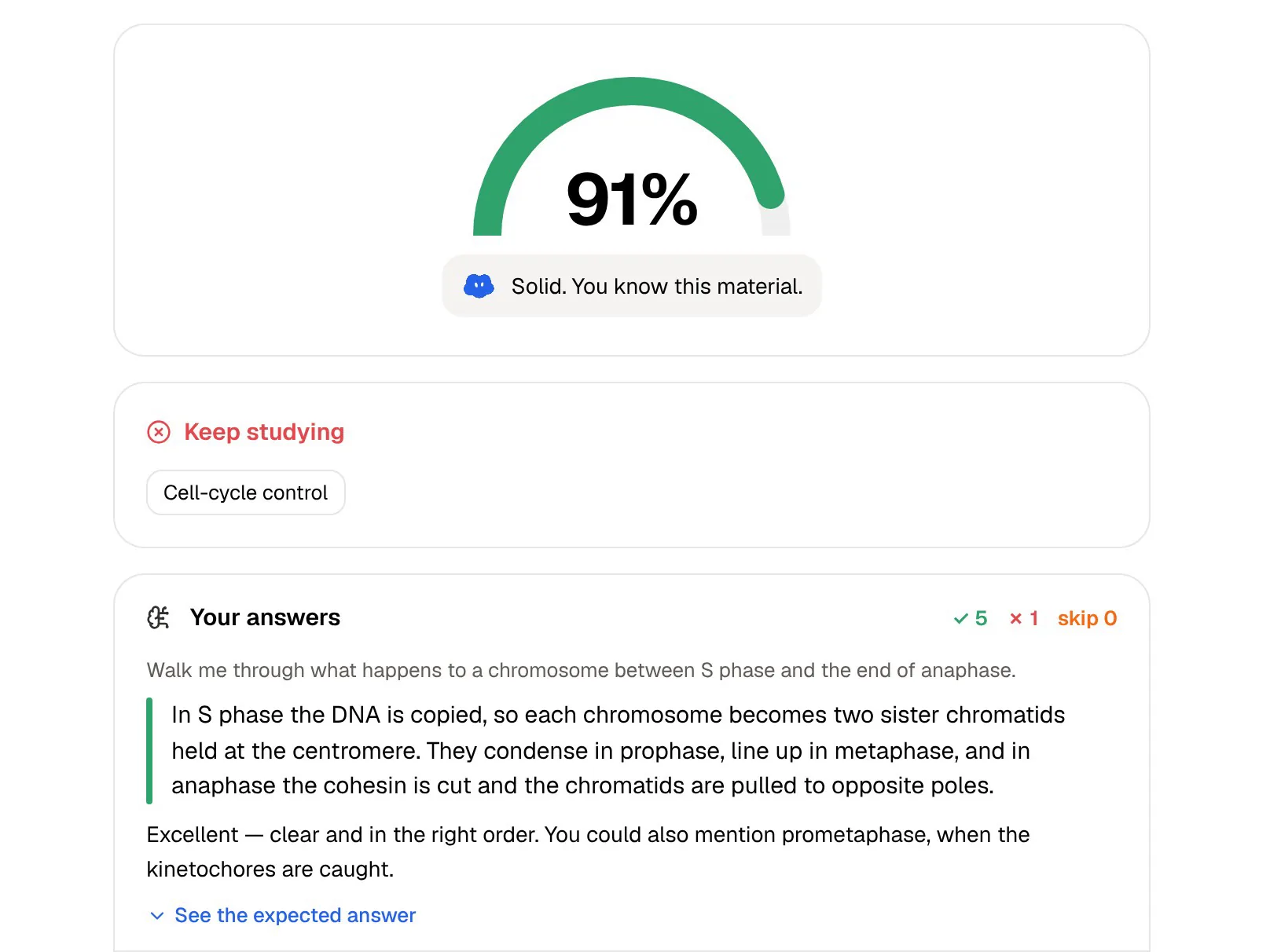
- Quizzes where each answer comes with the reason, with right and wrong options both explained.
- An oral exam: Prof. Poki asks out loud or in text and keeps probing until you can explain the idea.
- A study plan that works back from your exam date, reminds you and tracks memory, applied and mastery scores.
- Mind maps, summaries, slide decks and audio reviews from the same lecture, useful for a first pass through a topic before there is anything to memorise.
- Poki, which answers questions from your material with citations to the source.
Price check
At the time of writing (November 2026), Mochi's free plan costs nothing and includes unlimited offline use, cards and decks, templates, and import and export, plus small monthly allowances for AI, dictionary lookups, translation, transcription, text-to-speech and image search. The free allowances are small, for example 5,000 AI tokens and 200 text-to-speech characters a month, so heavy language-learning use leans toward Pro. Mochi Pro is $5 a month billed annually (the page says yearly billing saves $12 a year over paying monthly) and adds sync across devices with 10 GB of storage, deck publishing, API keys, dynamic fields, AI integration and much higher monthly allowances.
PocketNote is free to start, with paid Basic and Plus plans; see pocketnote.app for current prices. Both free tiers are usable for real study, so it costs nothing to try each on the same chapter. Give each a week rather than an evening; the difference shows in whether you keep up with the reviews.
Where Mochi is the better choice
Mochi is the stronger pick for a particular kind of learner, and it does that job well. It is especially good for material you will keep for years, where each card is worth the minute it takes to write.
- You like writing your own cards and want Markdown, code blocks and full control of the wording.
- You want local-first storage and unlimited offline use without an account.
- You want a small, focused app that does flashcards and notes and nothing else.
- You're learning a language and want dictionaries, text-to-speech and translation built in.
- You're moving from Anki and want your decks and review history to come with you; Mochi imports .apkg files including history.
- You want native desktop or Android apps; PocketNote has no desktop app (its web app runs in any browser) and no Android app yet.
Running Mochi and PocketNote side by side
A workable split is to keep hand-written, long-term cards, such as vocabulary or programming syntax (which suits Markdown cards with code blocks), in Mochi, and use PocketNote for lecture-heavy courses where generating the deck, quizzing yourself and planning to an exam date matter more than wording each card.
Plain-text notes can feed both. Mochi imports Markdown, either a folder of files or one file split by a delimiter, and the same files can go into PocketNote as sources for quizzes and an oral exam.
The two don't sync, so decide per subject which app holds the deck, and don't review the same material in both.
The verdict
Which one should you pick?
Pick PocketNote if…
- Your courses come as lectures, PDFs and handwritten notes and you want cards generated, not typed.
- You want quizzes with explanations, an oral exam and an exam-date plan with your flashcards.
- You prefer four review ratings to two.
- You study on iPhone, iPad or the web and want your library synced by account.
Pick Mochi if…
- You enjoy writing cards in Markdown and want full control of each one.
- You want local-first, offline storage, or native desktop and Android apps.
- You want FSRS as an option and Anki import with review history.
Try it yourself
See it with your own notes
PocketNote is for students who would rather spend the evening studying than writing cards. Add the lecture, the PDF or your handwritten page, and it generates flashcards rated Again, Hard, Good or Easy, quizzes that explain every answer, an oral exam with Prof. Poki and a plan to your exam date.
It is free to start on the web and on iPhone and iPad. If Mochi already holds cards you wrote and love, keep them there, and try PocketNote for the next course that arrives as a pile of slides.
Frequently asked questions
Sources
Keep reading