
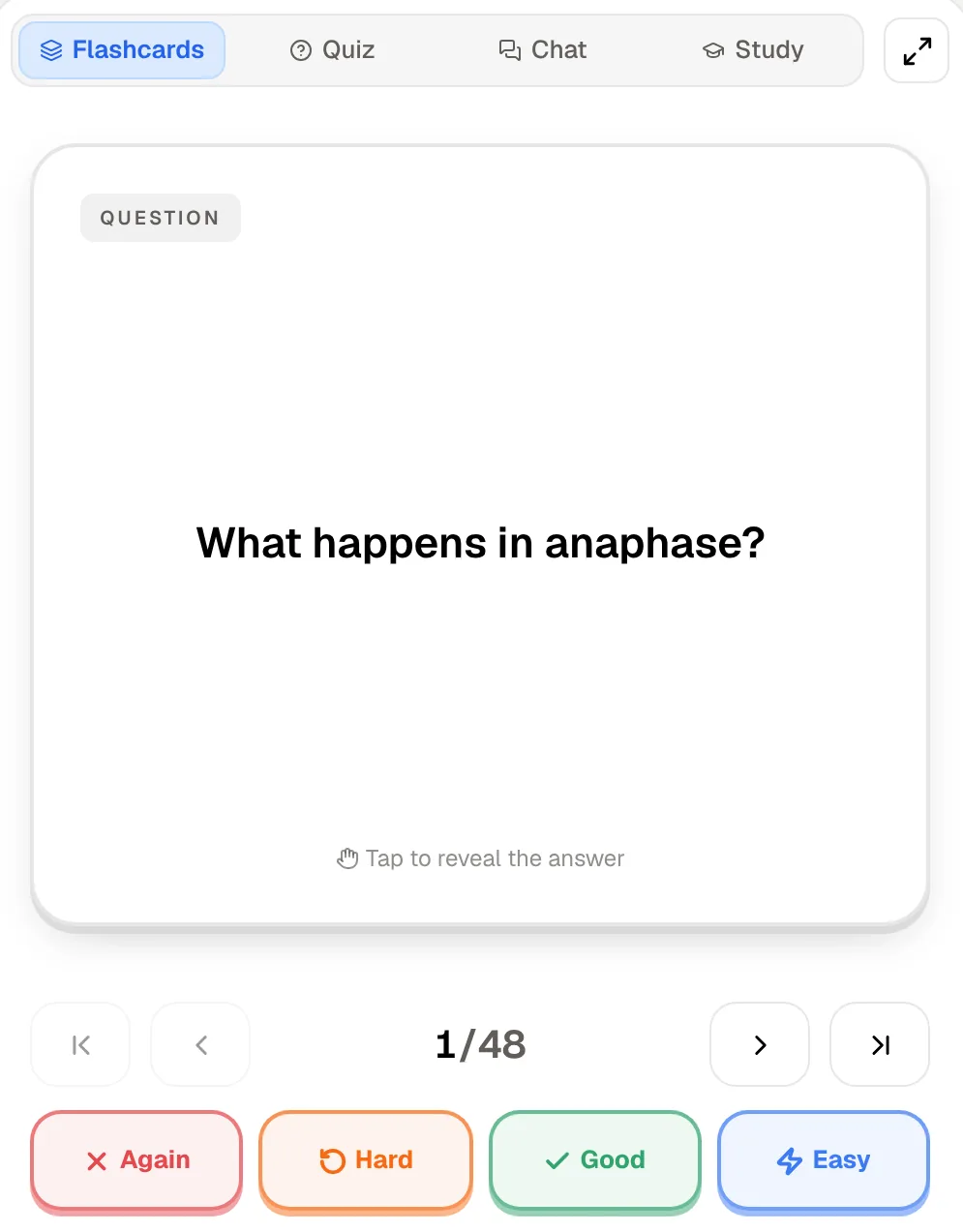
SuperMemo has been doing spaced repetition on computers since 1987, when SuperMemo 1.0 appeared, developed by Piotr Woźniak. The idea it built a program around, reviewing each item shortly before you would forget it, now sits inside many flashcard apps, PocketNote included.
Today the name covers two quite different products. SuperMemo.com is a language-learning service with ready-made courses, AI conversation practice and apps for the web, iOS and Android. SuperMemo for Windows is the long-running desktop program for building your own collection of knowledge, now at version 20, with a technique called incremental reading for working through long texts.
PocketNote is a study app for course material: you bring lectures, PDFs and notes, and it generates flashcards with spaced repetition, quizzes and a study plan from them. This page compares it with both SuperMemo products, using SuperMemo's own site and help pages as checked in November 2026.
At a glance
PocketNote vs SuperMemo
| Feature | PocketNote | SuperMemo |
|---|---|---|
| What it is | AI study app for your course material | Language courses (SuperMemo.com) and a Windows program |
| Spaced repetition | Built in: rate Again / Hard / Good / Easy | The core of both products |
| Where cards come from | Generated from your files, lectures and notes | Ready-made courses, or cards you write yourself |
| Long readings | Ask Poki about a PDF; answers cite the source | Incremental reading (Windows program) |
| Languages | Study material in 50+ languages | 25 languages, nearly 300 courses |
| AI conversation | Poki chat; live voice on paid plans | Live mode tutor and MemoChat for language practice |
| Planning | Study plan to an exam date, with reminders | Personalised learning plan (courses) |
| Lecture recording | Yes, with transcript, summary and notes | Not advertised |
| Handwriting and PDFs | Apple Pencil notes; write on PDFs | Not advertised |
| Platforms | Web, iPhone, iPad | Web, iOS, Android (courses); Windows (desktop) |
| Price | Free to start; Basic and Plus plans | Free first month; paid Premium and courses; Windows program sold separately |
Checked against SuperMemo's and PocketNote's own sites, November 2026. Plans and features change; confirm current details with each product.
Two products share the SuperMemo name
It helps to separate them before comparing anything. SuperMemo.com, run by SuperMemo World, is mainly about languages: its homepage lists 25 languages and nearly 300 courses organised by level and purpose, from business and exam courses to vocabulary and courses for children. A Course Editor also lets you build private courses of your own cards, with images and audio.
SuperMemo for Windows is a different animal. SuperMemo's help wiki says SuperMemo 20 for Windows was released on 1 April 2026, and Wikipedia lists SM-20 as the current version of its algorithm. It is aimed at people who want to manage a large personal collection of knowledge with fine control over how each item is reviewed. The two share a name and a commitment to spaced repetition, but not an interface, a price list or a typical user.
If you are looking at SuperMemo, you probably want one of two things: a language course with good review timing, or the most serious spaced-repetition tool available. PocketNote is neither of those, so the useful question is where the jobs overlap and where they don't.
What SuperMemo does especially well
Few study apps have spent as long on review timing. SuperMemo's algorithms have been revised across decades of versions, and the Windows program exposes that machinery to people who want it, including a priority system that decides what gets postponed when you fall behind.
Incremental reading is the other feature that sets it apart. You import an article, read a portion, extract the important passages into their own items, and turn short sentences into cloze deletions by hiding a keyword. Each extract is scheduled for review, so a long text gradually becomes a set of questions you remember.
For language learners, SuperMemo.com offers complete structured courses, speech recognition for pronunciation practice, an AI tutor you can talk to in Live mode, MemoChat conversations with suggested replies and corrections, and a translator that adds new words to your courses. It says its apps work on any number of devices, online or offline, and it tracks progress with statistics, a personalised learning plan and a user ranking. PocketNote has no ready-made courses of this kind.
The hard part of spaced repetition is making the cards
Spaced repetition only works on what you put into it. In SuperMemo for Windows that means extracts and cloze deletions you create; in a SuperMemo.com private course it means cards you type in the Course Editor. Good cards take time to write, and across a full course load that time adds up.
PocketNote removes most of that step. Import a lecture PDF, paste a YouTube link, record the class in the app or write notes with Apple Pencil, and it generates flashcards from that material. You review them the way you would in any spaced-repetition app: rate each card Again, Hard, Good or Easy, and it comes back when you are about to forget it.
The trade-off is control. SuperMemo lets you shape every item and tune how it is scheduled; PocketNote gives you a usable deck in minutes, generated from your material, and you check it rather than write it. For a student with five modules and an exam in three weeks, the second is usually the better use of the time available. For someone building a decade-long knowledge base, the first may be.
There is also a quality question. A card you wrote yourself usually matches how you think; a generated card follows how the source phrases it. In PocketNote the source sits in the same library, and Poki answers questions about it with citations, so a vague card is quick to check against the original.
A week of coursework in PocketNote
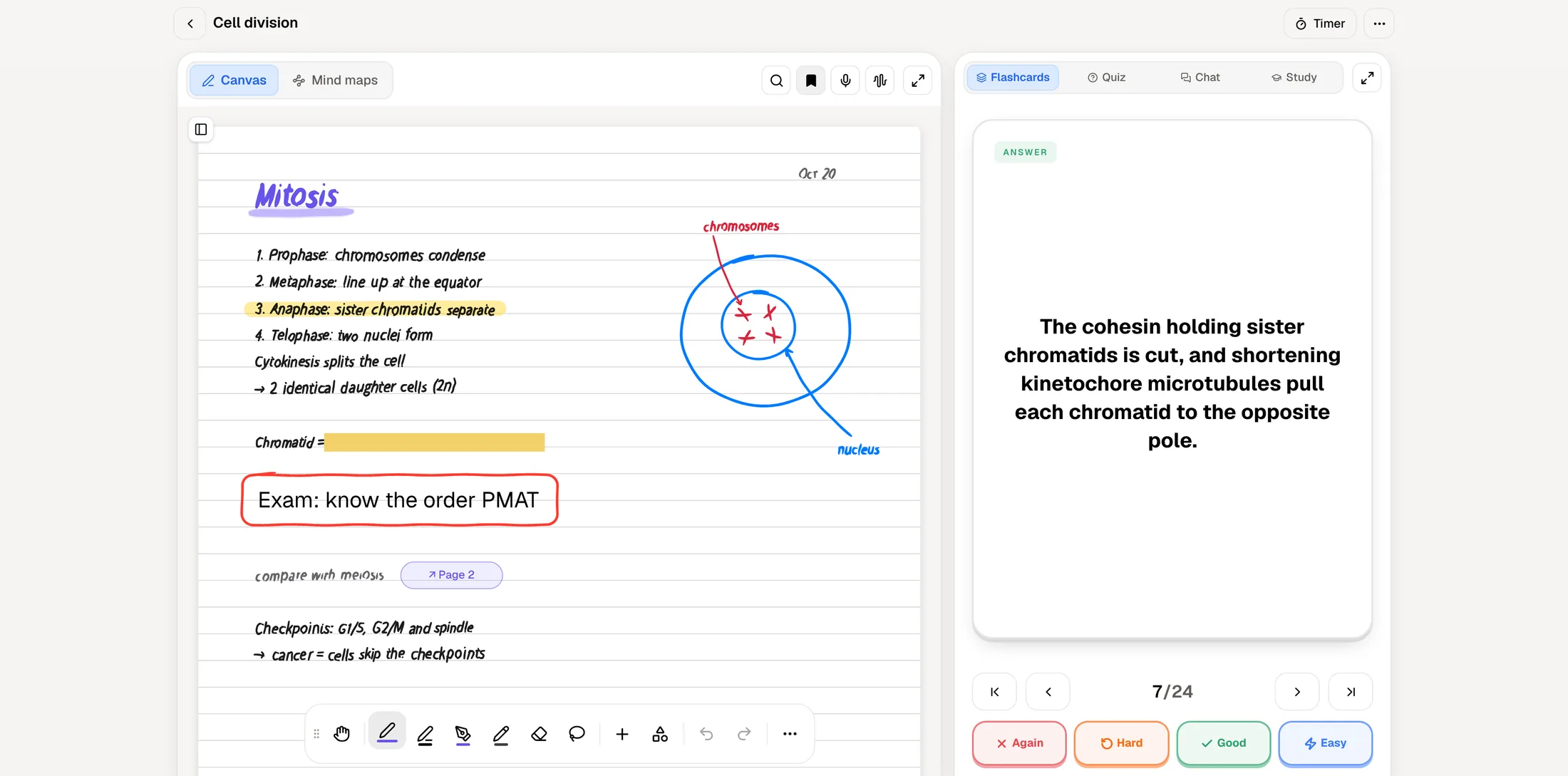
Here is how one module might run. On Monday you record the lecture in the app and get a transcript, a summary and notes. On Tuesday you import the week's reading as a PDF and ask Poki to highlight the key definitions on page 3; it marks them on the page, and you can undo its marks in one tap.
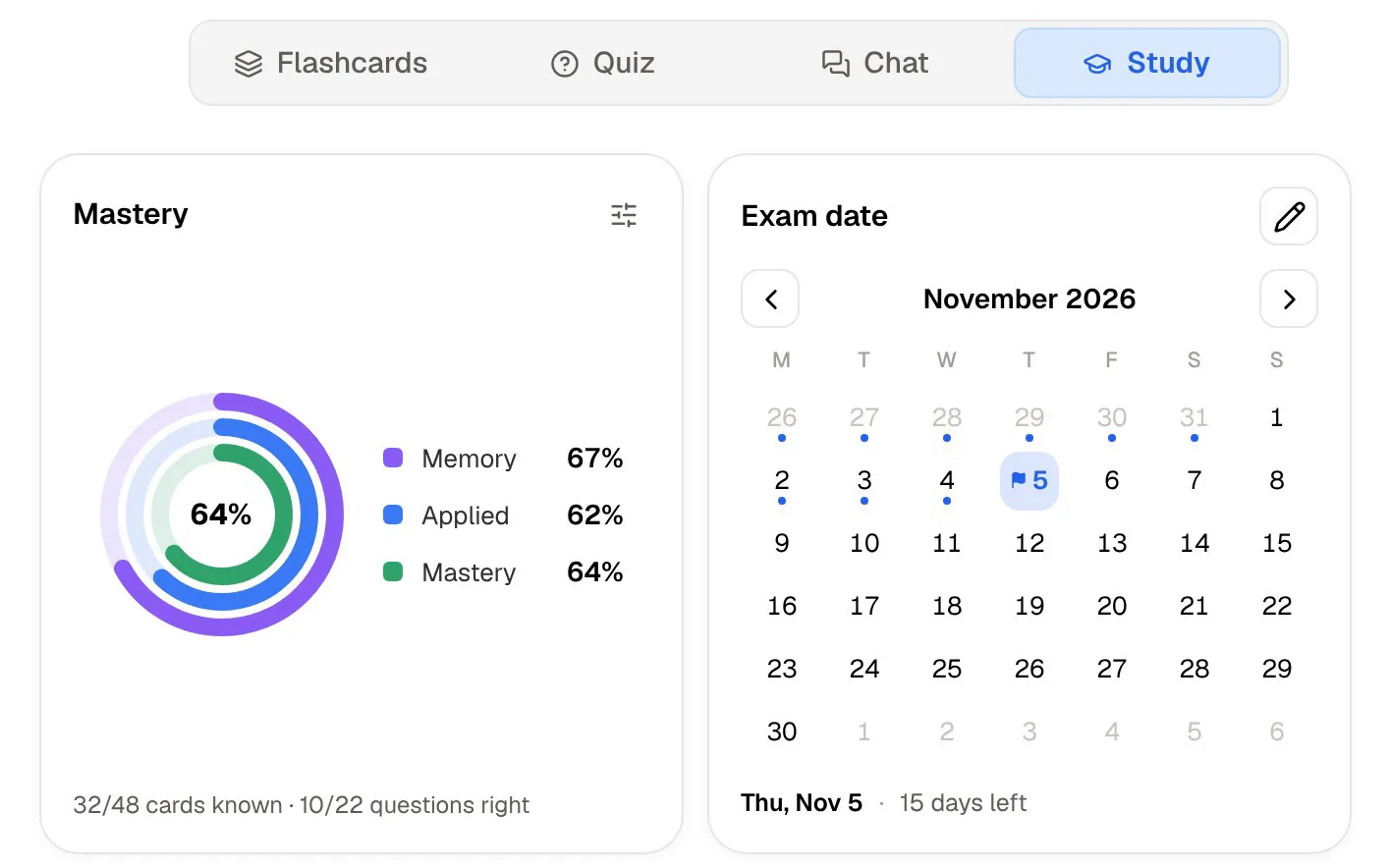
From those two items you generate flashcards and a quiz. The quiz explains every option, right and wrong, so you learn from the questions you miss. Then you set the exam date in the study plan, and PocketNote lays out what to cover each day, reminds you, and tracks memory, applied and mastery scores as you go.
Nothing in that week asks you to design a card or set an interval. That is the core difference from SuperMemo, for better and for worse, since you give up control in exchange for far less setup.
The rest of the week uses the same material in other forms. With half an hour on a train you can play the podcast-style audio review of the lecture, with captions that follow the voices. Before the weekend, Prof. Poki gives you an oral exam, asking questions out loud or in text and following up until you can explain the topic.
Long readings: incremental reading or asking Poki
Incremental reading is built for people who want to retain a large amount of reading over months or years. It rewards practice, and SuperMemo's own documentation for it is extensive, covering importing, extracting, cloze deletions and priorities in detail.
PocketNote approaches a hard paper differently. You can search arXiv and SSRN inside the app and save a paper to your library, open it, and ask Poki questions; its answers come from the paper with citations, and it can see the page as you see it, including your own highlights and handwriting. You can annotate the PDF yourself and then generate cards, a summary or a mind map from it.
One method is about keeping the reading for years; the other is about understanding it this week and testing yourself on it before an exam. Pick by which of those you actually need.
If the idea of incremental reading appeals but you don't use Windows, the nearest habit in PocketNote is to mark what matters on the page, ask Poki about the parts you don't follow, and generate cards from the reading once you understand it.

Learning a language
If you are learning a language from scratch, SuperMemo.com is the more complete tool. It gives you a course sequence by level, pronunciation practice through speech recognition, AI conversation with corrections, and a translator that adds words to your courses.
PocketNote is useful in a narrower way: for the language course you are already taking. It makes study material in 50+ languages, including from material in another language, so a vocabulary handout, a recorded seminar or an assigned article can become flashcards and quizzes. With live voice on paid plans you can also talk to Poki out loud. It doesn't replace a structured course, and it doesn't try to.
If your degree includes a language module, both can play a part: SuperMemo for the core vocabulary course, and PocketNote for the seminar readings, recordings and texts your lecturer assigns.
Where SuperMemo is the better choice
SuperMemo is the right pick when one of these describes you. These aren't consolation prizes; they are things it does better than PocketNote.
- You want a full language course with levels, pronunciation practice and AI conversation, on the web, iOS or Android.
- You want maximum control over spaced repetition and are happy to learn a detailed Windows program to get it.
- You read a lot and want to keep it for years. Incremental reading has no direct equivalent in PocketNote.
- You'd rather write every card yourself. Both SuperMemo products are built around that habit.
- Statistics and rankings motivate you. SuperMemo.com shows progress statistics and a user ranking alongside your learning plan.
- You need an Android app. SuperMemo.com has one; PocketNote doesn't yet and runs in the browser instead.
Cost and getting started
SuperMemo.com offers a free month when you sign up, then a Premium subscription, with individual courses also sold, often with promotional codes on the site. SuperMemo for Windows is a separate program sold through SuperMemo's store. Check both for current prices, as they weren't listed on the pages used for this comparison.
PocketNote is free to start. Basic adds live voice, premium models and connectors; Plus adds unlimited notebooks and apps, the longest podcasts and all models. See pocketnote.app for current plans.
If you are curious about both, the free month and PocketNote's free start make it cheap to try them side by side: a language course in one, this term's hardest module in the other.
The verdict
Which one should you pick?
Pick PocketNote if…
- You're studying for exams in several subjects and don't have time to write every card.
- Your material is lectures, slides and PDFs, and you want cards, quizzes and summaries made from it.
- You want a plan tied to an exam date, with reminders and mastery scores.
- You write notes by hand on iPad or record lectures and want them in the same library.
Pick SuperMemo if…
- You're learning a language and want structured courses with pronunciation and conversation practice.
- You want deep control over review timing and priorities, and you use Windows.
- You want to keep long reading for years with incremental reading.
Try it yourself
See it with your own notes
PocketNote brings spaced repetition to coursework without the card-writing. Import your PDFs, Word files, audio or links, record a lecture, or write notes with Apple Pencil, and it generates flashcards you rate Again, Hard, Good or Easy, quizzes that explain every answer, an oral exam and a study plan built around your exam date.
Poki answers from your own files with citations. PocketNote works in the browser at pocketnote.app and on iPhone and iPad, and you can start for free.
Frequently asked questions
Sources
Keep reading