
Most students already have some Adobe Acrobat. The free Acrobat Reader is how many people open, highlight and sign PDFs, on Windows, Mac, iPhone, Android or in a browser. Adobe has since added AI on top: the AI Assistant, which summarises documents and answers questions with citations, and, since April 2026, Student Spaces, a free study tool that turns notes, PDFs and links into flashcards, quizzes, study guides and podcasts.
That puts Acrobat much closer to PocketNote than it used to be. PocketNote is an AI study app: you bring PDFs, Word files, lecture recordings, YouTube links and your own handwritten or typed notes, and Poki, its AI, turns them into flashcards with spaced repetition, quizzes with explained answers, mind maps, audio reviews and an exam-date study plan.
This comparison sorts out which Adobe product does what, how Student Spaces compares with PocketNote feature by feature, and where each is the better pick. Adobe's study features are new and changing quickly, so everything here is as checked on Adobe's own pages in November 2026.
At a glance
PocketNote vs Adobe Acrobat
| Feature | PocketNote | Adobe Acrobat |
|---|---|---|
| Free option | Free to start | Reader free; Student Spaces free for eligible students |
| Platforms | Web app, iPhone and iPad | Reader on Windows, Mac, iOS, Android and web |
| Annotate PDFs | Highlight, write and draw | Comments, highlights, freehand drawing |
| Edit and convert PDFs | Not what it's built for | Acrobat Pro and Studio |
| AI answers with citations | Poki, from your own material | AI Assistant (paid) and Student Spaces |
| Flashcards | Spaced repetition: Again, Hard, Good, Easy | In Student Spaces; no review schedule described |
| Quizzes | Yes, every option explained | In Student Spaces |
| Podcast-style audio | Audio reviews with captions | PDF Spaces and Student Spaces |
| Lecture recording | Record, transcribe and summarise | Not advertised |
| Handwritten notebooks | Apple Pencil notes on iPad | Freehand drawing on PDFs |
| Exam-date study plan | Yes, with reminders | Not advertised |
| Sharing with classmates | Share a link to a note | Share a space: view, comment or edit |
Checked against each product's own website, November 2026. Plans and features change; confirm current details there.
Four Adobe products, four different jobs
Adobe's naming can be confusing, so it helps to separate the pieces before comparing anything.
- Acrobat Reader is free. It opens PDFs and lets you fill in forms, sign, and add comments, sticky notes, highlights, strikethroughs and freehand drawing, on desktop, mobile and the web.
- Acrobat Pro and Acrobat Studio are paid. Pro adds editing, converting and the rest of Adobe's PDF toolkit. Studio bundles Acrobat Pro with PDF Spaces, the AI Assistant and Adobe Express Premium.
- AI Assistant answers questions about your documents and summarises them with citations that link to the source. In a PDF Space it can turn several documents into a podcast-style audio overview. You get it as a paid add-on or as part of plans such as Acrobat Studio.
- Student Spaces is a separate, free study tool for students, launched in April 2026. You upload notes, PDFs or links, generate flashcards, quizzes, study guides and podcasts, and ask an assistant that answers from your materials.
What Acrobat does well
Acrobat's first strength is reach. Reader runs on Windows, macOS, iOS and Android and in a browser, so you can open and mark up a PDF on almost any device you meet, including a Windows lab PC or an Android phone. Forms and signatures are covered in the free Reader, and Pro covers editing, conversion and document security in depth.
The AI Assistant ties its answers to sources. Its summaries and answers come with citations that link to the exact place in your document, and it can produce outlines and key points as well as answers. In a PDF Space you can gather several documents and links and generate a podcast-style overview as a summary, highlights or a deeper dive.
Student Spaces is a serious entry for a free tool. Adobe describes its assistant as a built-in tutor that breaks down hard topics using your materials, its answers carry clickable citations, and you can share a space with classmates with view-only, comment or full edit access. For a study group working from the same readings, that sharing is something PocketNote doesn't match: PocketNote can share a link to a note, but it has no real-time co-editing.
Student Spaces vs PocketNote, feature by feature
On paper the two overlap a lot: upload material, get flashcards, quizzes and a podcast, and ask questions that are answered with citations. The differences are in the details that matter in the last weeks before an exam.
- Spaced repetition. PocketNote flashcards are scheduled: you rate each card Again, Hard, Good or Easy and it returns when you are about to forget it. Adobe's Student Spaces page doesn't mention spaced repetition or a review schedule.
- Explaining out loud. PocketNote's oral exam has Prof. Poki ask questions out loud or in text and keep probing until you can explain the idea; live voice conversations with Poki are on paid plans. Acrobat's mobile app offers hands-free voice chat with the AI Assistant, but Adobe doesn't describe an examiner that follows up on your answers.
- Lectures. PocketNote records a lecture in the app and gives you a transcript, a summary and notes, and it imports audio files and YouTube links. Adobe's Student Spaces page lists notes, PDFs and links as the things you upload.
- Handwriting. PocketNote has full handwritten notebooks on iPad with Apple Pencil, and Poki can read your handwriting and the marks on a PDF page. Acrobat's free tools include freehand drawing on PDFs.
- A plan. PocketNote's study plan takes your exam date, plans what to cover each day, reminds you and tracks memory, applied and mastery scores. Adobe doesn't describe an exam-date planner in Student Spaces.
- Where it runs. Adobe says Student Spaces works in a web browser and through the Acrobat Reader app on Android. PocketNote has a web app plus apps for iPhone and iPad.
- Who can use it. Student Spaces is for higher-education and early-career students aged 18 or over, with a free Adobe account. PocketNote is free to start.

Studying from lectures, not only PDFs
A lot of course content never exists as a PDF. In PocketNote you can press record at the start of a lecture and get a transcript, a summary and notes afterwards, or import a recording (MP3, WAV, M4A or OGG) made on your phone. A YouTube link brings its transcript with it, and a web link brings the article text.
Once the recording sits in a notebook beside the slides, Poki can use all of it. Ask what the lecturer said about a topic and the answer cites the transcript. Generate flashcards and the cards cover the spoken explanation as well as the slides. For handwritten notes, Note Replay goes a step further: record audio while you write, and playback shows the strokes you were making at that moment.
The same goes for material that lives in other apps. PocketNote imports Word, Excel, CSV, TXT and Markdown files as well as PDFs, pulls files from Google Drive, OneDrive and Dropbox, and can search arXiv and SSRN for papers inside the app. On paid plans, connectors let Poki use context from Google Drive, Notion and Outlook, so it can, for example, add a summary to a Notion page you name.

Remembering it: spaced repetition and the exam plan
Generating flashcards is the easy part; reviewing them at the right intervals is what makes them stick. Spaced repetition and retrieval practice are among the best-established techniques in learning research, and they work because you are tested just as a memory starts to fade.
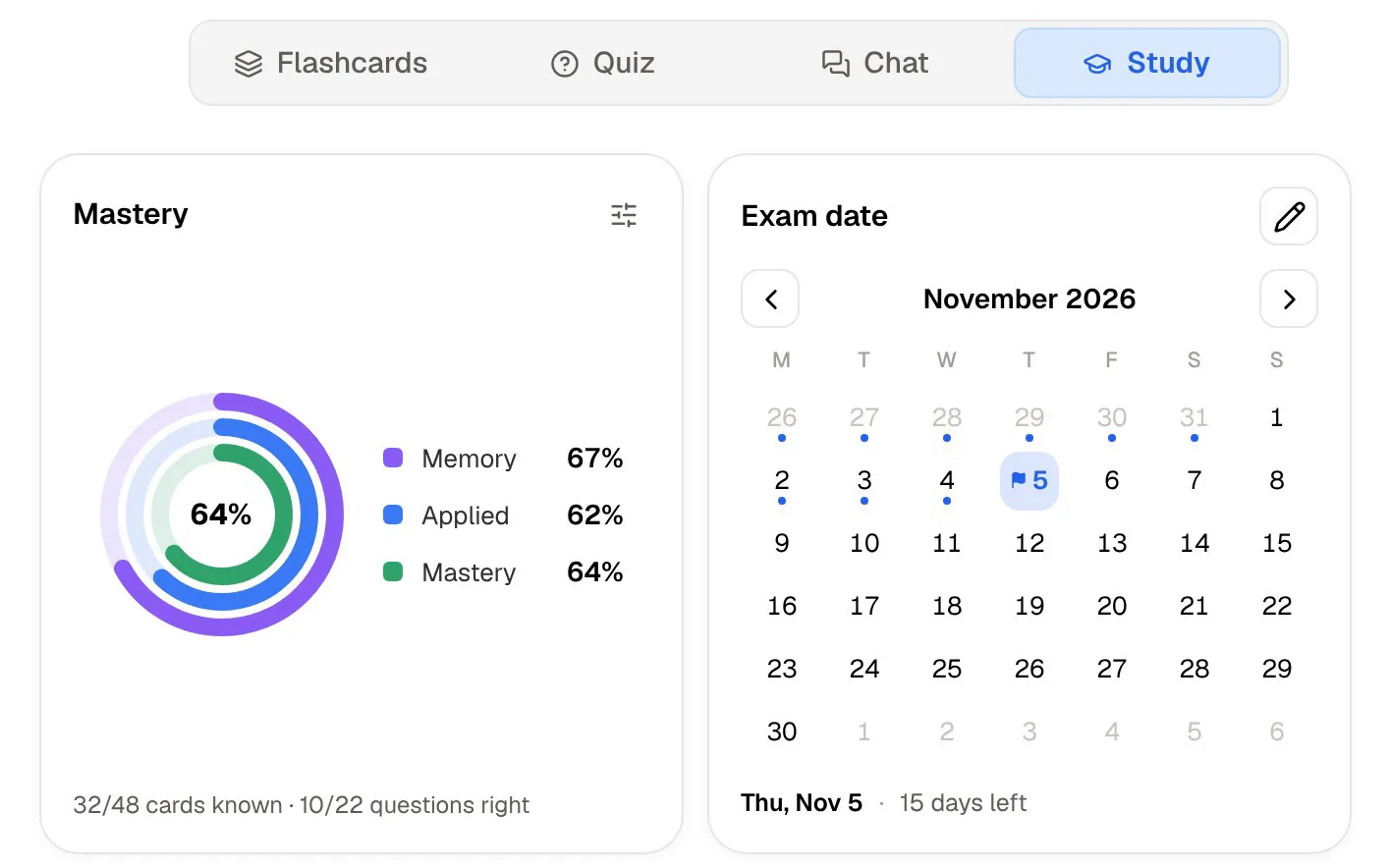
In PocketNote every card carries its own schedule. A card you rate Easy waits longer before it returns; one you rate Again comes back soon. Set your exam date and the study plan builds each day's work from flashcards, quizzes, the oral exam and the other tools, reminds you, and shows memory, applied and mastery scores so you can see which topics are still weak.
If Student Spaces adds a review schedule later, this difference narrows. As of November 2026 it isn't something Adobe describes.
Pricing, side by side
Acrobat Reader is free. Student Spaces is free for eligible students, with fair-use limits on its standard tools (flashcards, quizzes and study guides). The AI Assistant is paid: at the time of writing (November 2026), Adobe's student page lists it at US$1.99 a month for students, against a regular US$4.99 a month, on an annual plan billed monthly. Acrobat Studio, which bundles Pro, PDF Spaces and the AI Assistant, is a separate subscription, and Adobe's prices vary by country, so check its plans page for yours.
PocketNote is free to start. Paid plans are Basic (live voice, premium AI models, connectors) and Plus (unlimited notebooks and apps, the longest podcasts, all models); see pocketnote.app for current plans.
For a student on a budget, the plain fact is that Student Spaces costs nothing if you qualify. PocketNote's free start lets you compare the two on the same material before paying for anything.
Where Acrobat is the better choice
Acrobat, Student Spaces or both are the better pick when:
- You need PDF tools. Editing, converting, compressing and protecting PDFs are Acrobat Pro's territory, and PocketNote doesn't try to compete.
- You study on Windows or Android. Reader runs natively on both, and Student Spaces works in the browser and in the Android Reader app.
- You revise with a group. Sharing a Student Space with view, comment or edit access suits a group working from the same readings.
- You want a free AI study tool and qualify for it. Student Spaces is free for higher-education and early-career students aged 18 or over.
Using Acrobat and PocketNote together
Keep Reader or Pro for what they do best: opening every PDF you are sent, signing forms and editing documents. Use PocketNote for the course itself. Import the lecture PDFs, add the recordings and your handwritten notes, and let the flashcards and study plan run on that.
If you are trying Student Spaces, try PocketNote on the same module in the same week. Compare the cards, take a quiz in each, and notice which one you open again on day three. That is a fairer test than any feature table.
One practical difference is where your work ends up. Student Spaces and the AI Assistant sit inside Adobe's products and your Adobe account. PocketNote keeps a whole course (PDFs, recordings, handwritten notes and the study tools made from them) in one library that syncs across the web app, iPhone and iPad. Which matters more depends on where the rest of your work already lives.
The verdict
Which one should you pick?
Pick PocketNote if…
- You want flashcards that come back on a schedule and a study plan built from your exam date.
- Your course includes recorded lectures, YouTube videos and handwritten notes as well as PDFs.
- You want to practise explaining answers out loud in an oral exam.
- You study on an iPhone or iPad as well as in a browser.
Pick Adobe Acrobat if…
- You need PDF editing, signing and conversion on any platform, including Windows and Android.
- You qualify for Student Spaces and want a free AI study tool with citations.
- You revise with a group and want to share a space with comment or edit access.
Try it yourself
See it with your own notes
PocketNote is an AI study app for the web, iPhone and iPad. Import PDFs, Word or Excel files, audio, YouTube or web links, record a lecture, or write notes by hand, and Poki turns it all into flashcards with spaced repetition, quizzes that explain every answer, oral exams, mind maps, audio reviews and an exam-date study plan, citing your material as it answers.
It is free to start, and your files are not used to train public AI models.
Frequently asked questions
Sources
Keep reading