
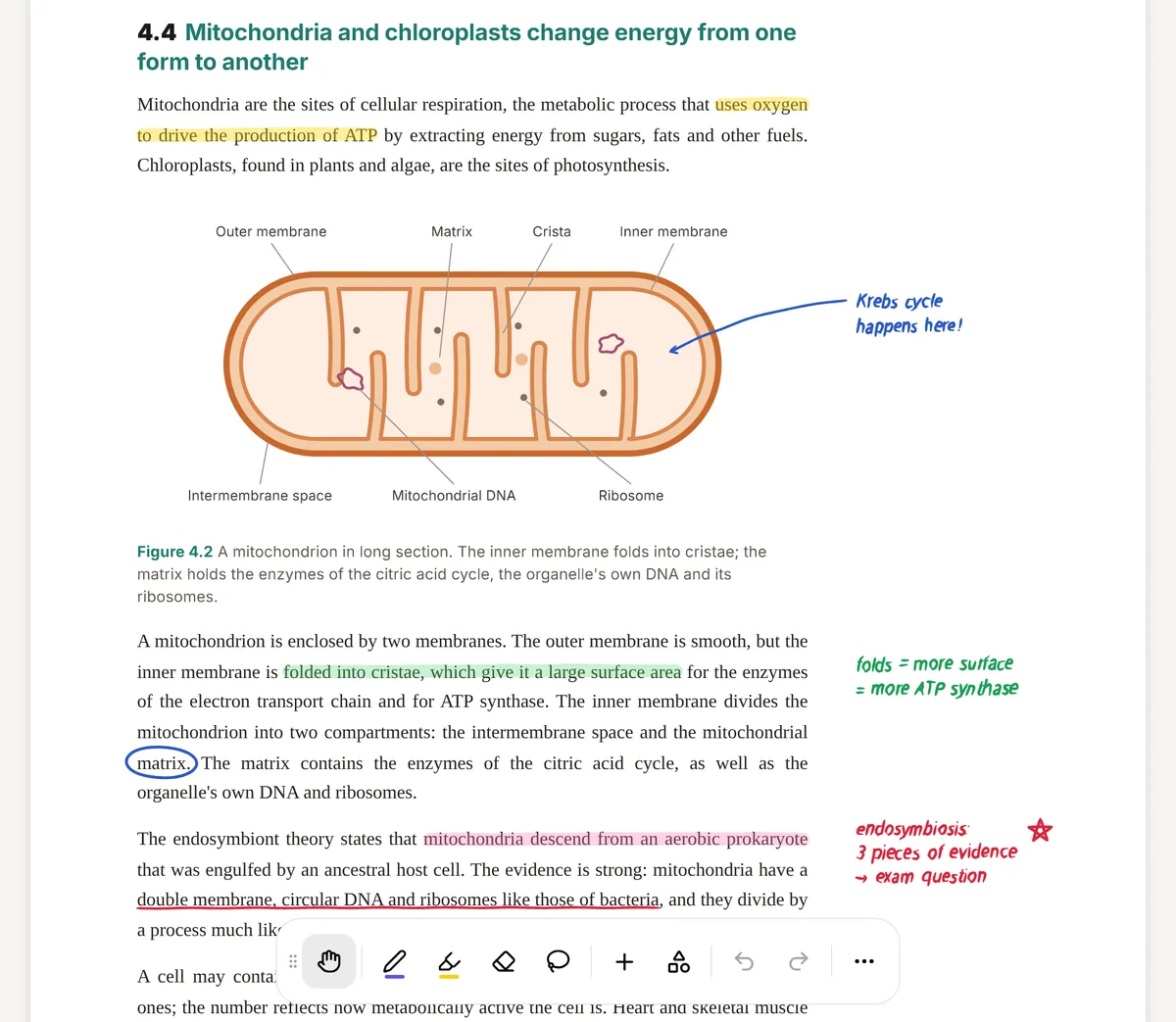
PDF Expert, made by Readdle, is a PDF reader and editor for iPhone, iPad and Mac. Students use it to read journal articles, mark up lecture slides, fill in placement forms and sign documents, and it handles all of that well. Its AI assistant, PDF Copilot, can summarise a document, list its main points and, on the Mac, generate a multiple-choice quiz.
PocketNote is a different kind of app. It is built for studying rather than for handling documents: you bring your course material (PDFs, Word files, lecture recordings, YouTube links) and Poki, its AI, makes flashcards with spaced repetition, quizzes with explained answers, mind maps, notes and audio reviews from all of it.
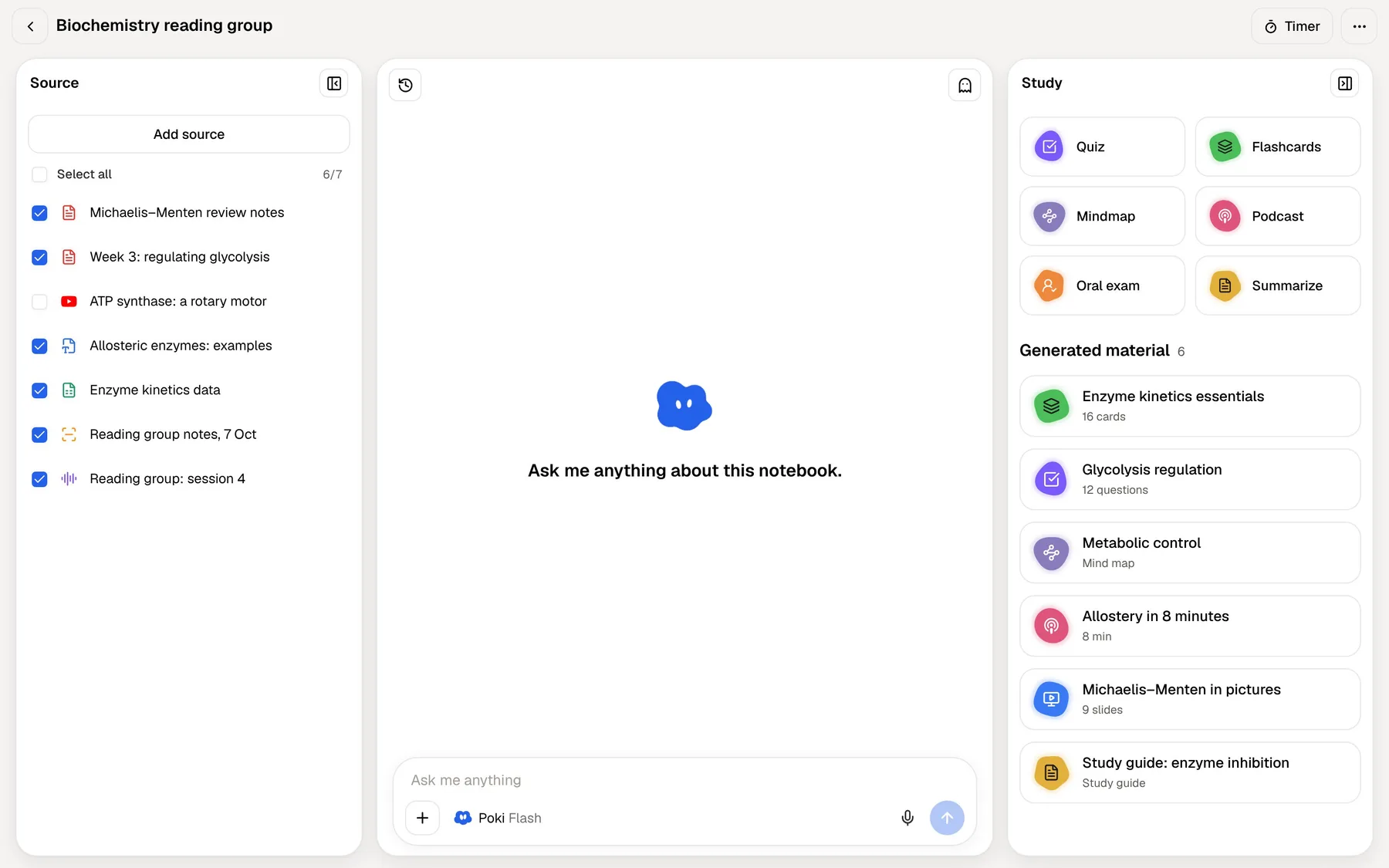
You may well end up keeping both. This post sets out what each does, where PDF Copilot helps with revision and where it stops, what each costs at the time of writing (November 2026), and which one to open when.
At a glance
PocketNote vs PDF Expert
| Feature | PocketNote | PDF Expert |
|---|---|---|
| Built for | Studying course material | Reading, editing and signing PDFs |
| Platforms | Web app, iPhone and iPad | iPhone, iPad and Mac |
| Highlight and draw on PDFs | Yes, with Apple Pencil on iPad | Yes |
| Edit text, sign, convert PDFs | Not what it's built for | Yes; editing and converting are premium |
| What the AI reads | Every source in a notebook, cited | The open PDF (PDF Copilot) |
| AI marks the page | Highlights, underlines or circles on request | Highlights the main points it lists |
| Quizzes | Yes, every option explained | Multiple-choice quiz via Copilot on Mac |
| Flashcards with spaced repetition | Yes, built in | Not advertised |
| Lectures and video | Record lectures; import audio and YouTube | Audio notes on PDF pages |
| Exam-date study plan | Yes, with reminders | Not advertised |
| Price model | Free to start; Basic and Plus plans | Free download; yearly or Mac lifetime |
Checked against each product's own website, November 2026. Plans and features change; confirm current details there.
What PDF Expert is good at
PDF Expert covers the whole life of a document. You can read and annotate (highlights, underlines, comments, stamps, drawings, even audio notes on the page), fill in forms, including ones with formulas and calculations, and sign with a saved signature. The paid plan adds editing of the text, images and links in a PDF, redaction, merging and splitting, compression, text recognition (OCR) for scans, translation, and conversion of PDFs to Word, Excel, PowerPoint or JPG.
One yearly plan covers the iPhone, iPad and Mac versions, so you pay once for all three. For the paperwork side of student life, such as a scholarship form, a signed lab agreement or a CV you need back in Word, it is a better tool than any study app, PocketNote included.
What PDF Copilot can do for revision
PDF Copilot is PDF Expert's AI assistant, and it is more useful for studying than a plain chat window. Readdle lists these actions: ask the PDF anything, summarise the whole document or just your annotations, list the main points (with page references, highlighted in the text), explain a selected term, translate a passage, and generate a quiz of multiple-choice questions with the answers hidden. Its answers come only from the open document, which keeps it on your material.
A few limits are worth knowing. Readdle's help centre lists the quiz and the annotation summary among the Mac actions; the iPhone and iPad actions it lists are summaries, main points, keywords and hashtags. Copilot works on the PDF you have open, not across a folder of them. And the App Store listing puts it among the premium features, with Readdle's help centre describing a usage quota.
Used well, Copilot makes a reasonable first pass on a new paper. List the main points to see the shape of the argument, try the quiz before you read the summary, and then go back to the pages its main points refer to for anything you missed. That is retrieval practice on a small scale, and it costs a few minutes.
Where a PDF editor stops for exam prep
A quiz on one paper is a good start, but exam revision runs across a whole module and a whole term. Three things are missing from PDF Expert's study story. It doesn't advertise flashcards or spaced repetition, so nothing brings a fact back just before you would forget it. It doesn't advertise a way in for lectures: recordings and YouTube explainers aren't part of what it handles. And there is no plan: nothing tracks what you have covered against an exam date.
That isn't a criticism of PDF Expert. It is a document tool and doesn't claim to be a study system. It does mean that a student who relies on it for revision ends up building the rest by hand, usually in a separate flashcard app and a calendar.
Picture a first-year biology module: twelve lecture PDFs, a textbook chapter each week, recorded tutorials and a past paper. In PDF Expert each PDF is its own island. You can summarise lecture 7 or quiz yourself on it, but you can't ask how lecture 7 connects to the tutorial in week 3, and the facts you got wrong in October won't come back to you in December unless you write them down somewhere and schedule them yourself.
In PocketNote the same module sits in one notebook. A recorded tutorial becomes a transcript, a summary and notes next to the lecture PDFs, Poki can answer a question that spans them, and the flashcards you missed in October are already scheduled to come back.
A lecture PDF, start to finish, in PocketNote
Here is one evening with a 40-slide lecture PDF on cell division. Import it into PocketNote from your device or from Google Drive, OneDrive or Dropbox. Read it with Apple Pencil in hand if you like, since PocketNote lets you highlight, write and draw on the PDF. Or ask Poki to underline the key definitions on a page; if you don't like its marks, undo them in one tap.
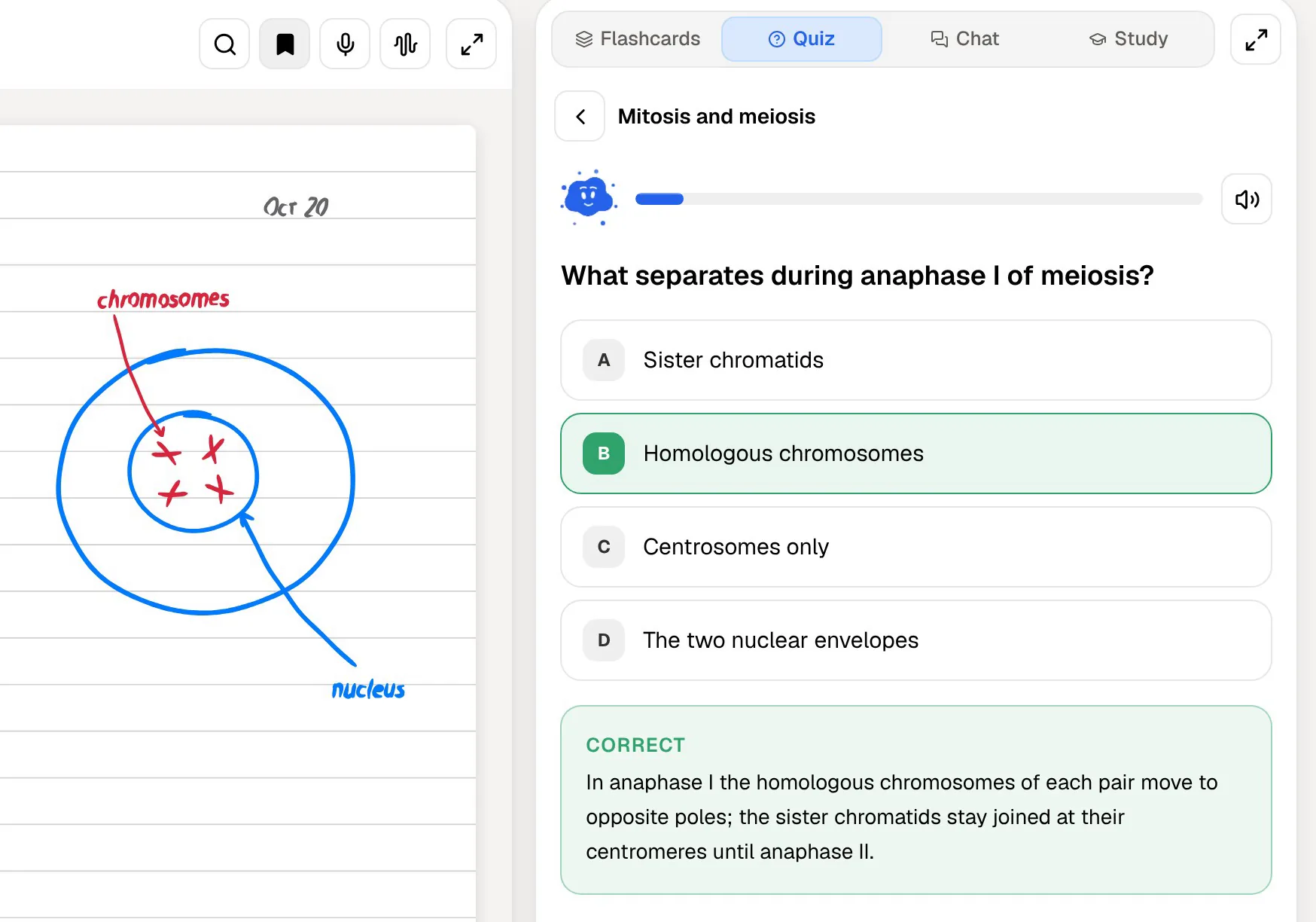
Ask questions as they come up. Poki answers from the lecture and the rest of your notebook, with citations, and shows its steps (searched your notes, read the item) so you can see where an answer came from. Then generate a quiz. Every question comes with the reason the right option is right and why each wrong option is wrong, which is where much of the learning happens.
Finally, turn the lecture into flashcards. Rate each one Again, Hard, Good or Easy, and PocketNote brings it back when you are about to forget it. If the lecture was recorded, import the audio or record the next one in the app, and its transcript, summary and notes join the same notebook. Set the exam date and the study plan spreads the reviews across the days you have left.
AI on the page: PDF Copilot and Poki side by side
Both assistants stay on your material rather than the open web, which is what you want for revision. The difference is scope. PDF Copilot works on the open PDF. Poki works on that PDF and on everything else in the notebook: other PDFs, Word files, lecture transcripts, YouTube transcripts and your own typed or handwritten notes.
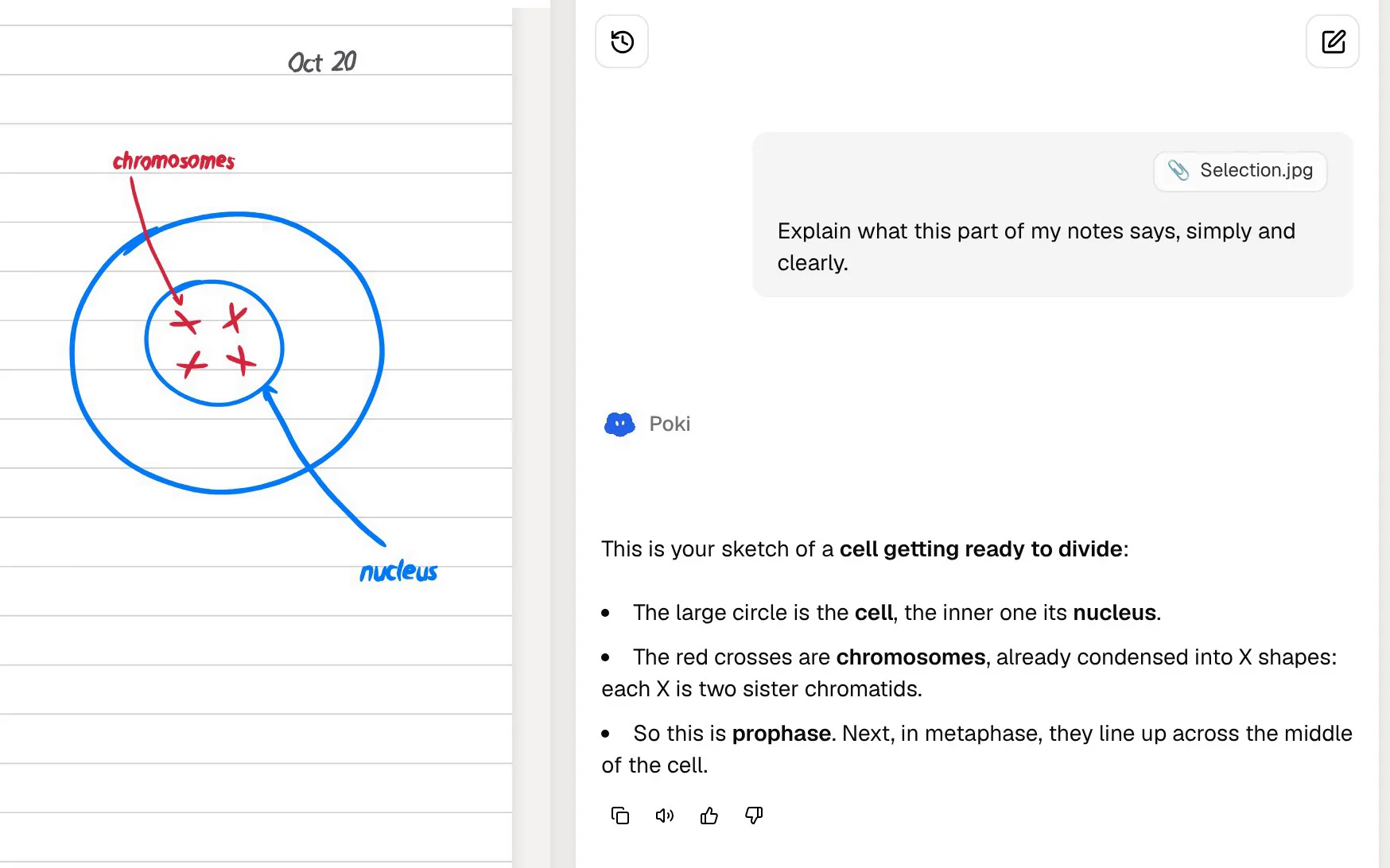
Both can mark the page. Copilot highlights the main points it lists. Poki highlights, underlines or circles whatever you ask for, and it can see your own highlights and handwriting on the page, so "explain the bit I circled" works. Poki can also write into your notes from the chat, and on paid plans you can talk to it out loud with live voice.
Copilot has its own advantages. It translates a selected passage in place, inside an app you may already use for everything else PDF. PocketNote approaches languages differently: it can produce study material in more than 50 languages, including from a source written in another one.
Price and platforms
PDF Expert is a free download with in-app purchases. At the time of writing (November 2026), Readdle's pricing page lists a yearly plan at $79.99 covering the iPhone, iPad and Mac versions, and a lifetime licence at $139.99 for the Mac version only, both with a 30-day money-back guarantee. There is an education offer on the annual plan for verified educational email addresses. Readdle's help centre says PDF Expert isn't available for Windows.
PocketNote is free to start, with paid Basic and Plus plans; see pocketnote.app for current plans. It runs in any browser, including on a Windows laptop, and has apps for iPhone and iPad.
The money buys different things. PDF Expert's plan pays for document tools plus Copilot; PocketNote's paid plans pay for study features such as live voice, premium AI models and connectors. If you already pay for PDF Expert because you edit and sign PDFs, PocketNote's free start lets you add a study layer and see whether it earns a place before you pay for a second app.
Where PDF Expert is the better choice
PDF Expert is the right tool when the job is the document itself:
- Editing a PDF. Changing text, images or links, redacting, merging and splitting are its job, not PocketNote's.
- Forms and signatures. Filling in forms, including ones with calculations, and signing are built in.
- Converting files. PDF to Word, Excel, PowerPoint or JPG, plus OCR for scanned pages.
- A native Mac app. PDF Expert runs on the Mac; on a computer, PocketNote runs in the browser.
- One paper, a quick check. If a summary and a few practice questions on a single PDF are all you need, PDF Copilot may be enough.
Keeping both on your iPad
The two apps don't compete for the same minutes of your day. PDF Expert is where admin PDFs and edits go. PocketNote is where course material goes once it is something you will be examined on. A lecture PDF can live in both: annotate it wherever you like, then import it into PocketNote for the flashcards, quiz and study plan.
If you mostly use PDF Expert to read and highlight lecture slides, try moving one module's PDFs into PocketNote for a week. You can still highlight and write on them, and the revision material arrives alongside.
A practical split for an iPad-first student: forms, contracts and anything you need to edit stay in PDF Expert; lecture slides, readings and recordings go into a PocketNote notebook per module; and the study plan, set to your exam date, decides what you review each evening. That keeps each app doing the job it was designed for.
The verdict
Which one should you pick?
Pick PocketNote if…
- You want flashcards with spaced repetition and quizzes that explain every answer, generated from your course PDFs.
- Your course also has lectures, recordings, YouTube videos and Word documents.
- You want an AI that answers across all your material with citations, not one file at a time.
- You want a study plan that works back from your exam date.
Pick PDF Expert if…
- You need to edit, sign, convert or fill in PDFs.
- You want a native Mac app alongside the iPhone and iPad versions.
- A summary, the main points and a quick quiz on one PDF at a time are all the AI you need.
Try it yourself
See it with your own notes
PocketNote is an AI study app for the web, iPhone and iPad. Import PDFs, Word and Excel files, audio, YouTube or web links, or record a lecture, and Poki builds flashcards with spaced repetition, quizzes with explanations, mind maps, notes, slide decks and audio reviews from them, citing your material as it answers.
It is free to start, and it annotates PDFs as well, so you can try it on this week's lecture slides without giving up the way you mark them up.
Frequently asked questions
Sources
Keep reading