
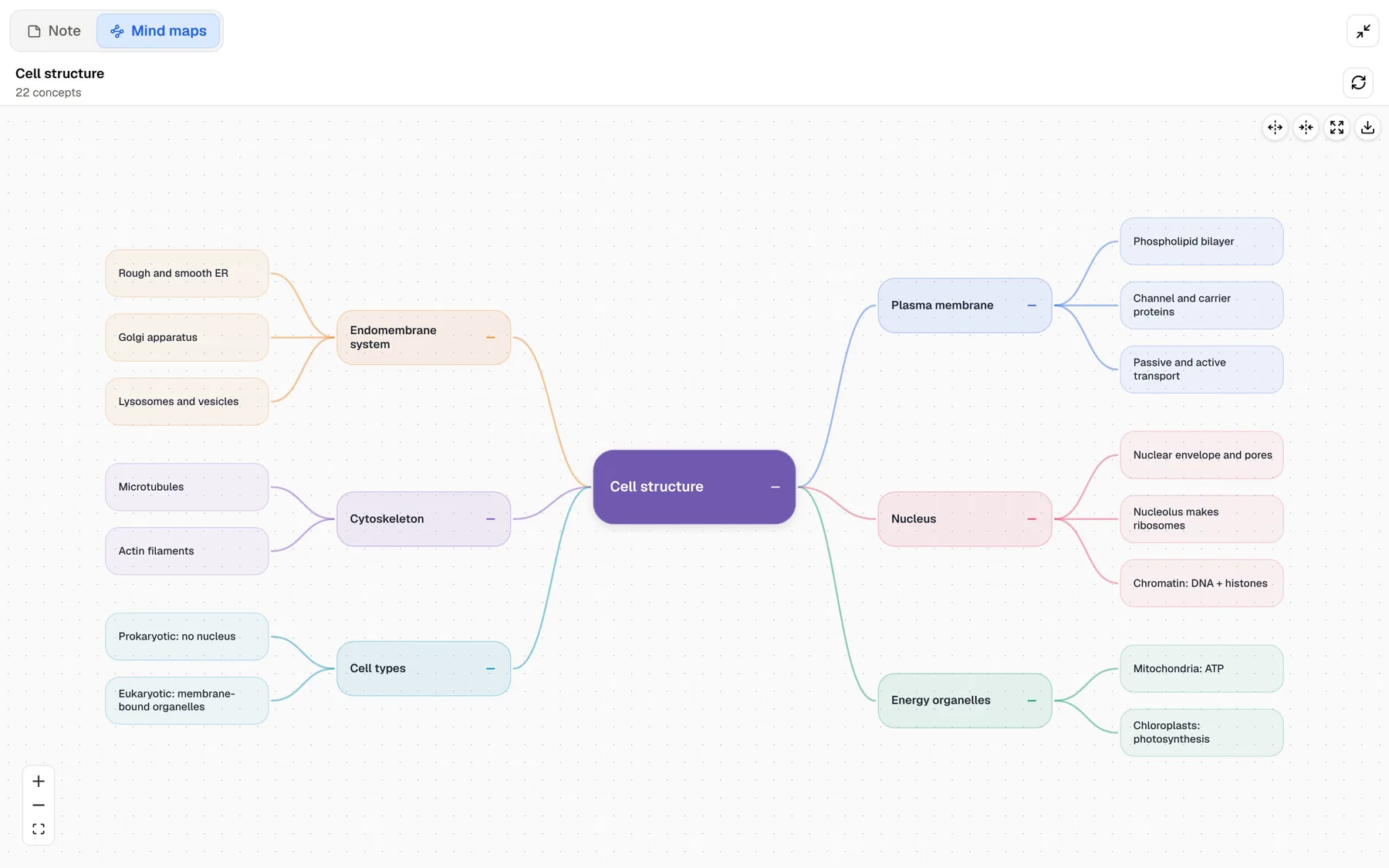
Algor Education is the concept-map app. You give it a chapter, a PDF, a photo of your notes or a YouTube link, and it returns a structured map of the key ideas, which you can then edit node by node: change the wording, recolor branches, add images or audio, and print the result. Around that map it now builds a full study set with notes, flashcards and quizzes.
PocketNote also makes mind maps from your material, but maps are one output among many. Its center of gravity is practice and planning: flashcards on a spaced-repetition schedule, quizzes that explain every option, an oral exam, audio reviews and a plan that counts down to your exam. It also has notes you write by hand on an iPad.
If you think in diagrams and want to shape the map yourself, Algor is a strong choice, and this post says where. If you want the map to lead into a review routine, PocketNote may suit you better. Both were checked against their own websites in November 2026.
At a glance
PocketNote vs Algor Education
| Feature | PocketNote | Algor Education |
|---|---|---|
| Signature feature | Study tools and a plan from your material | Editable AI concept maps |
| Concept and mind maps | Generated mind maps | Concept and mind maps, fully editable |
| Flashcards | Spaced repetition, rate Again/Hard/Good/Easy | Q&A, fill-in-the-blank, term-definition; printable |
| Quizzes | Every option explained | AI quizzes with progress tracking |
| What you can add | PDF, Word, Excel, CSV, TXT, Markdown, audio, YouTube, web | PDF, Word, images, text, web, YouTube |
| Audio and video | Record lectures in the app; import audio | Transcribe uploaded audio and video |
| Listening | Podcast-style audio reviews with captions | Speech synthesis (text-to-speech) |
| Handwriting | Apple Pencil notes, PDF annotation | Not advertised |
| AI assistant | Poki, with citations to your sources | Assistant that answers about your Set |
| Exam-date study plan | Yes, with reminders and mastery scores | Progress tracking from quiz results |
| Platforms | Web, iPhone, iPad | Browser on any device, plus an app |
| Price model | Free to start; Basic and Plus plans | Free plan; Beginner, Base and Pro |
Checked against each product's own website, November 2026. Plans and features change; confirm current details there.
Where Algor comes from, and who it serves
Algor Lab is an Italian startup based in Turin, incubated at I3P, the Politecnico di Torino's incubator. I3P's profile describes its mission as making learning more accessible and teaching more inclusive, and says its original product, Algor Maps, was designed and tested together with national associations. Its schools page still highlights tools for including students with learning disabilities and special educational needs.
That history shows in the product. Concept maps can help students who find long blocks of text hard to hold in mind, including some students with dyslexia, and Algor lets you choose the level of detail and then edit every node. The site is available in English, Italian, Spanish, French, Portuguese and German, and it has pages for Spanish public-exam (oposiciones) templates and for Italian teachers paying with the Carta del Docente.
Today Algor turns your material, or just a topic, into a Set: a study guide organised into sections and pages, where you choose the language, style and level of detail, review the outline, and edit the text and maps after they are generated. From the Set you run flashcard sessions and quizzes, track progress, and ask the AI assistant questions about your material.
Concept maps you can rebuild by hand
This is Algor's clearest advantage. Its concept maps are meant to be edited: you can change any node's text, adjust colors and styles, add images, video or audio to a node, split long material into several focused maps, and export or print them in different layouts. You can share a map by link or email, and people can view it without signing up.
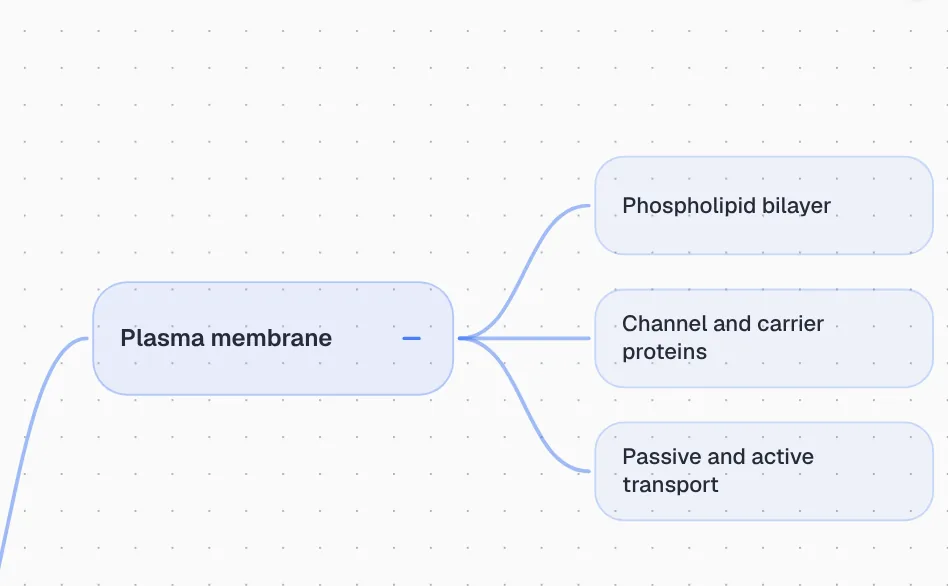
PocketNote generates mind maps from your sources, with color-coded branches that break a topic into its parts, such as the plasma membrane into the phospholipid bilayer, channel and carrier proteins, and passive and active transport. It is a fast way to see the shape of a topic. Algor puts far more of its product into the map itself, with editing, styling, media and print layouts all advertised, and if building and refining the map is how you learn, that depth matters.
There is a study-science reason to care. Reorganizing ideas yourself, deciding what connects to what, is active work, and active work tends to stick better than reading a finished diagram. Algor's editor invites that. In PocketNote, the equivalent active step is answering questions about the map's content in flashcards, quizzes and the oral exam.
From map to memory
A map shows you how a topic fits together. It does not, on its own, make you remember it in three weeks. Both apps add practice for that. Algor's flashcards come in fill-in-the-blank, question-and-answer and term-definition formats, can be refined with AI prompts, and print neatly if you prefer paper. Its flashcard page describes active recall and spaced repetition as the method behind them.
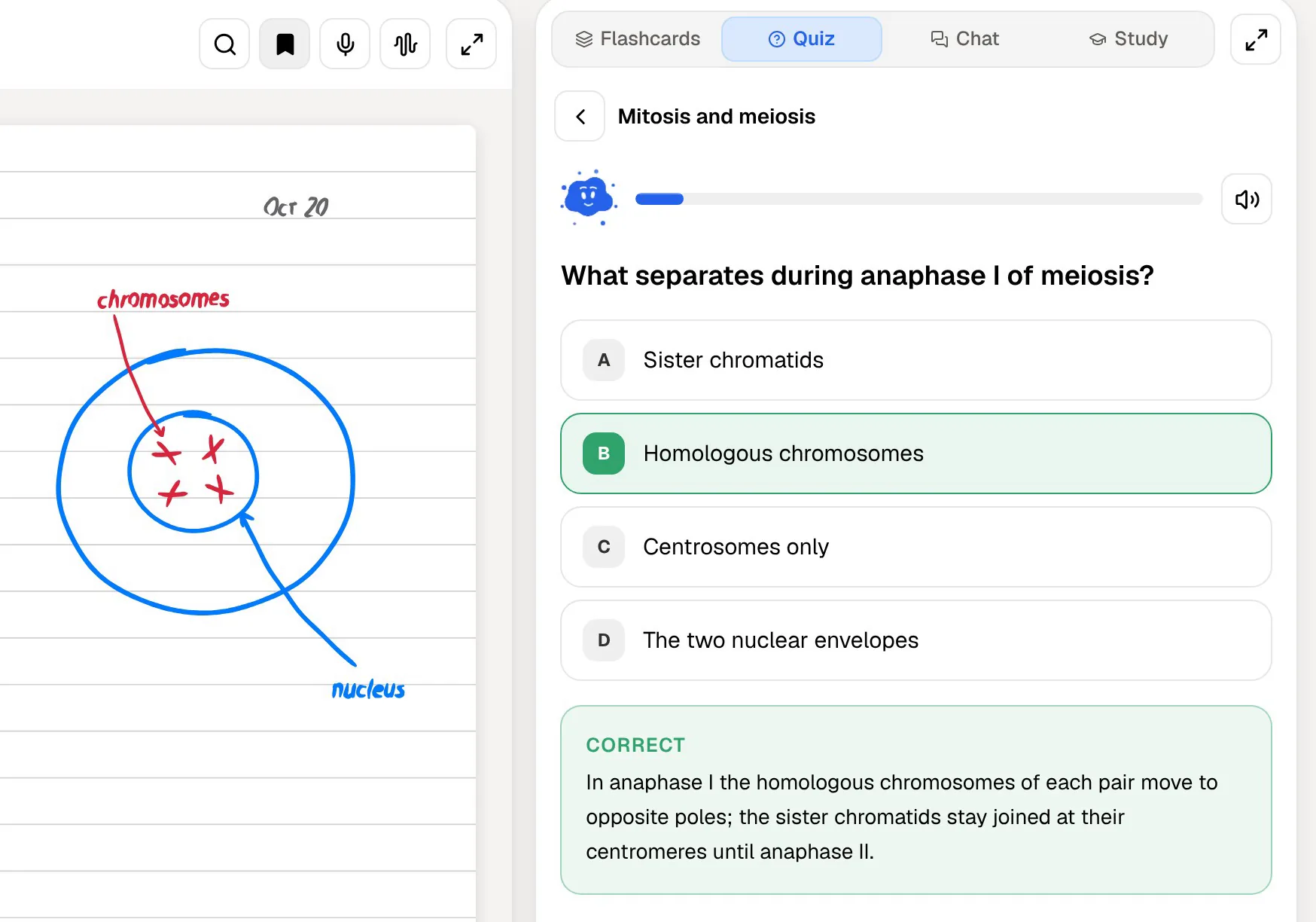
PocketNote's practice is built around a schedule. After each flashcard you rate how well you knew it (Again, Hard, Good or Easy), and the card returns when you are close to forgetting it. Quizzes explain every option, right and wrong, so a missed question shows you what you confused. Then a study plan takes your exam date and spreads the work over the days you have left, with reminders and memory, applied and mastery scores.
Questions about the material work differently too. Algor's assistant answers questions about your Set. PocketNote's Poki answers from your own sources with citations, shows its steps as it works (searching your notes, reading an item, starting a quiz), and can look at a PDF page as you see it, including your highlights and handwriting. Ask it to highlight the key definitions on page 3 and it marks them on the PDF; one tap undoes its marks if you would rather do it yourself.
Reading, listening and writing by hand
Students who find dense text hard often study better through more than one channel, and the two apps offer different ones. Algor's plan comparison lists speech synthesis, so you can listen to content instead of reading it. Its transcription feature turns uploaded audio and video into editable text that you can summarize or map.
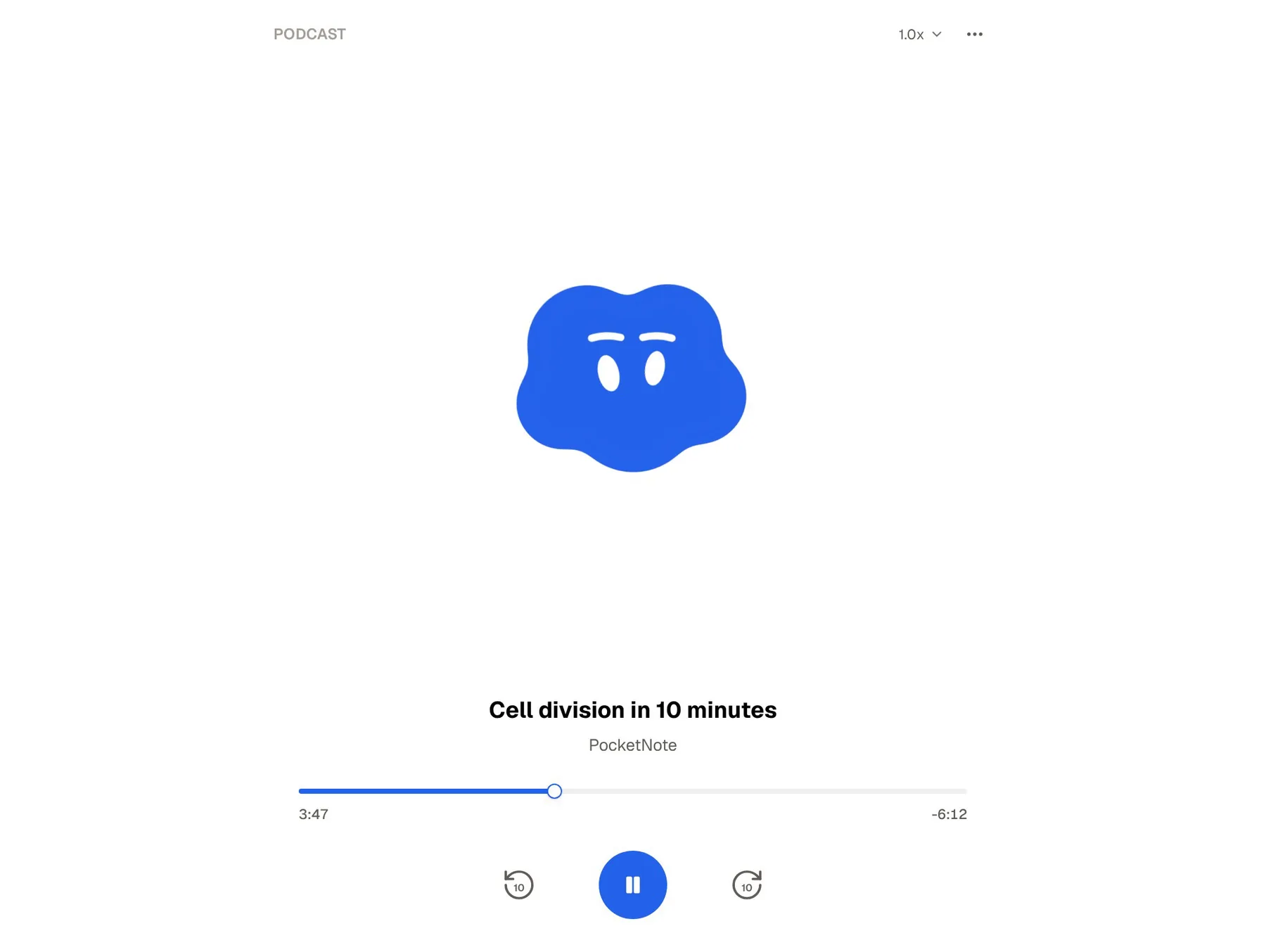
PocketNote turns your material into podcast-style audio reviews, with captions that follow the voices, so you can listen and glance at a word you did not catch. You can record a lecture in the app and get a transcript, summary and notes, and on paid plans you can talk to Poki out loud and hear its answers.
Handwriting is the other channel. On an iPad with Apple Pencil, PocketNote gives you pens, highlighters, shape snapping, page templates and a lasso that can turn handwriting into text or send a selection to Poki. You can also write and draw directly on lecture PDFs. Algor does not advertise handwriting input beyond uploading photos of your notes.
One chapter, two study sets
Take one textbook chapter on cell division. In Algor, you upload the PDF, choose the style and level of detail, check the outline, and get a Set with notes and an editable map. You spend your effort shaping the map until it matches your understanding, then run flashcards and a quiz from the same Set.
In PocketNote, you import the same PDF, highlight and annotate it as you read, and ask Poki about the parts that do not make sense; it answers from the chapter with citations. Then you generate flashcards, a quiz, a mind map and perhaps an audio review, and add the chapter to your study plan. Your effort goes into answering questions rather than drawing.
Language is handled in both. Algor lets you choose the language of a Set when you generate it, and its schools page says it supports books, maps and documents in 8 languages. PocketNote produces study material in more than 50 languages, including from material written in another language, which helps if your course readings are in English but you revise in your first language.
Neither route is wrong. The question is which effort helps you more: organizing the material yourself, or testing yourself on it repeatedly. Many students benefit from both, in that order.
Plans and pricing
Algor has a free plan and three paid tiers, Beginner, Base and Pro, priced in euros, with billing periods from one month to a year and a discount for paying yearly. Every AI generation uses credits, and paid plans give you more credits and longer uploads; printing and sharing are among the paid features. The credits a generation uses depend on the length and complexity of what you upload, so a long textbook chapter costs more than a short handout, which is worth knowing before you load a whole book on the free plan. There are also offers for schools and institutions. Check its pricing page for the current figures.
PocketNote is free to start. Its paid plans are Basic (live voice, premium AI models and connectors) and Plus (unlimited notebooks and apps, the longest podcasts and all models). See pocketnote.app for current prices.
Where Algor is the better choice
Algor is the better pick for several kinds of student and teacher.
- You learn by building diagrams. Algor's map editor, with media on nodes and multiple layouts, is built for shaping the diagram yourself.
- You want to print. Printable maps and print-optimized flashcards suit students who revise on paper.
- Accessibility is your priority. Algor Maps was designed and tested with national associations, and inclusive learning has been its focus from the start.
- You are a teacher or school. Algor has school plans and a focus on making inclusive class materials quickly.
- You study in Italian or Spanish, or for oposiciones. Its localized site and exam templates are aimed at you.
Using both together
A practical split is to use Algor while you are first making sense of a topic, building and editing the concept map until the structure is clear, and PocketNote once you need to retain it: flashcards, quizzes and a plan toward the exam date.
Keep the original material, such as the PDF, the Word handout or the lecture recording, as the source in both apps rather than copying outputs between them. PocketNote imports PDF and Word files directly, so the same chapter you mapped in Algor can become flashcards in PocketNote straight away.
Both also work for a study group. Algor shares maps by link or email, and viewers do not need an account. PocketNote lets you share a link to a note, so one person can write up a topic for the group while everyone keeps their own flashcards and review schedule.
The verdict
Which one should you pick?
Pick PocketNote if…
- You want a map to lead into spaced-repetition review, explained quizzes and an oral exam.
- You have an exam date and want a plan, reminders and mastery scores across several topics.
- You take handwritten notes on an iPad or annotate lecture PDFs.
- You want an assistant that cites your own sources when it answers.
Pick Algor Education if…
- You learn best by building and editing concept maps yourself, with images and media on the nodes.
- You want printable maps and flashcards, or accessibility-focused tools tested with national associations.
- You are a teacher or school creating inclusive materials, especially in Italian or Spanish.
Try it yourself
See it with your own notes
PocketNote is an AI study app for the web, iPhone and iPad. Import your PDFs, Word files, recordings, YouTube and web links, or write notes by hand or keyboard, and it generates mind maps, notes, flashcards with spaced repetition, quizzes that explain every answer, oral exams and audio reviews, plus a study plan built around your exam date.
If you like Algor's maps but find your revision drifting, try PocketNote on the same chapter and see whether the review schedule helps. It is free to start.
Frequently asked questions
Sources
Keep reading