
Mindgrasp is an AI tool that turns whatever you give it into a study session: notes, a summary, flashcards, a quiz and an AI tutor that answers questions about it. It accepts PDFs, Word files, PowerPoints, MP3 and MP4 files, article links, and YouTube and Vimeo videos, and it can record a lecture on your phone. A Chrome extension pulls content from Canvas, Blackboard or any website.
PocketNote also turns your material into notes, summaries, flashcards and quizzes, so the first hour in either app feels similar. The gap opens in the weeks after. PocketNote schedules flashcards with spaced repetition, plans your revision backwards from the exam date, and adds an oral exam, handwritten notes and an assistant that cites the source of each answer.
This comparison uses Mindgrasp's own site and App Store listing as of November 2026, and it is specific about where Mindgrasp is the better tool.
At a glance
PocketNote vs Mindgrasp
| Feature | PocketNote | Mindgrasp |
|---|---|---|
| Organised around | Colour-coded folders of notes, files and recordings | One study session per lecture or chapter |
| Inputs | PDF, Word, Excel, CSV, TXT, Markdown, audio, YouTube, web links | PDF, DOCX, PowerPoint, MP3, MP4, article links, YouTube, Vimeo |
| Lecture recording | Yes, in the app | Yes, on your phone |
| Getting files in | Upload, or import from Google Drive, OneDrive, Dropbox | Upload, or a Chrome extension for Canvas, Blackboard and websites |
| Notes and summaries | Yes, in an editor you keep working in | Yes, generated per session |
| Flashcards | Spaced repetition: Again / Hard / Good / Easy | Generated cards with a practice and test mode |
| Quizzes | Every option explained | Generated from your material |
| Exam-date plan | Daily plan, reminders, mastery scores | Per-session progress checklist |
| Speaking practice | Oral exam; live voice on paid plans | Not advertised |
| Handwriting and PDF annotation | Yes, with Apple Pencil | Not advertised |
| Platforms | Web, iPhone, iPad | Web, iPhone and iPad app, Chrome extension |
| Plans | Free to start; Basic and Plus | Free to try; Scholar and Premium |
Checked against Mindgrasp's and PocketNote's own sites and app listings, November 2026. Plans and features change; confirm current details with each product.
What Mindgrasp does well
Mindgrasp is built for getting through material quickly. Its unit of work is the study session: one per lecture, chapter or exam topic, each with its own notes, summary, flashcards, quizzes and tutor, and a checklist of what you've generated so far. That structure keeps a busy week tidy.
It reads a wide range of material. MP4 lecture videos and Vimeo links are on the list along with PDFs, slides and YouTube, and the Chrome extension pulls content straight from Canvas, Blackboard or other websites, which saves downloading and re-uploading every week's readings. The App Store listing adds drag-and-drop uploads and a saved library of your study sessions.
Its FAQ says all plans come with unlimited uploads and no daily usage limits, and the site says it works in 20+ languages. It's also pitched beyond students, at self-learners, educators and professionals who want the same treatment for work content, and the site includes writing tools such as a paraphraser and a grammar checker.
Its website also hosts a long list of single-purpose tools, such as summarisers for PDFs, YouTube videos, audio and PowerPoint files, a transcriber and a note taker for meetings. For a quick one-off summary, that range is convenient.
The part after the summary
Summaries and notes help you understand a lecture. Remembering it three weeks later is a separate problem, and it's where the two apps differ most.
Mindgrasp generates flashcards for active recall. Its flashcard page describes reviewing cards at your own pace, rearranging them and switching to a test mode, and its homepage lists spaced repetition among its learning principles, linked to notes you can revisit any time. Its pages don't describe a scheduler that decides when each flashcard comes back.
PocketNote's flashcards are scheduled. You rate each card Again, Hard, Good or Easy, and the card returns when you are about to forget it. Over a term, that turns a pile of generated cards into a review routine you don't have to plan yourself, which matters most for cumulative exams where week-two material is still on the paper.
Generated cards also need checking. Both apps produce cards automatically, and any AI can phrase a definition loosely or miss what your lecturer stressed. In PocketNote you can check a doubtful card by asking Poki about the topic; it answers from the lecture with a citation, so you can compare the card with the source.

Recording a lecture in each app
Both apps record lectures. In Mindgrasp you hit record in class on your phone, and the recording becomes a study session with notes, a summary and the rest.
In PocketNote, recording a lecture gives you a transcript, a summary and notes in the app. If you also write by hand on iPad, Note Replay records audio while you write; playing it back shows the strokes you were writing at that moment, so you can hear what the lecturer said when you drew that diagram.
Recording quality matters in both. A phone at the back of a large hall picks up less than one near the front, and any transcript is only as good as the audio, so check your first recording before relying on the app for a whole term.
From the same recording you can generate flashcards, a quiz, a mind map or a podcast-style audio review, and ask Poki questions about what was said.
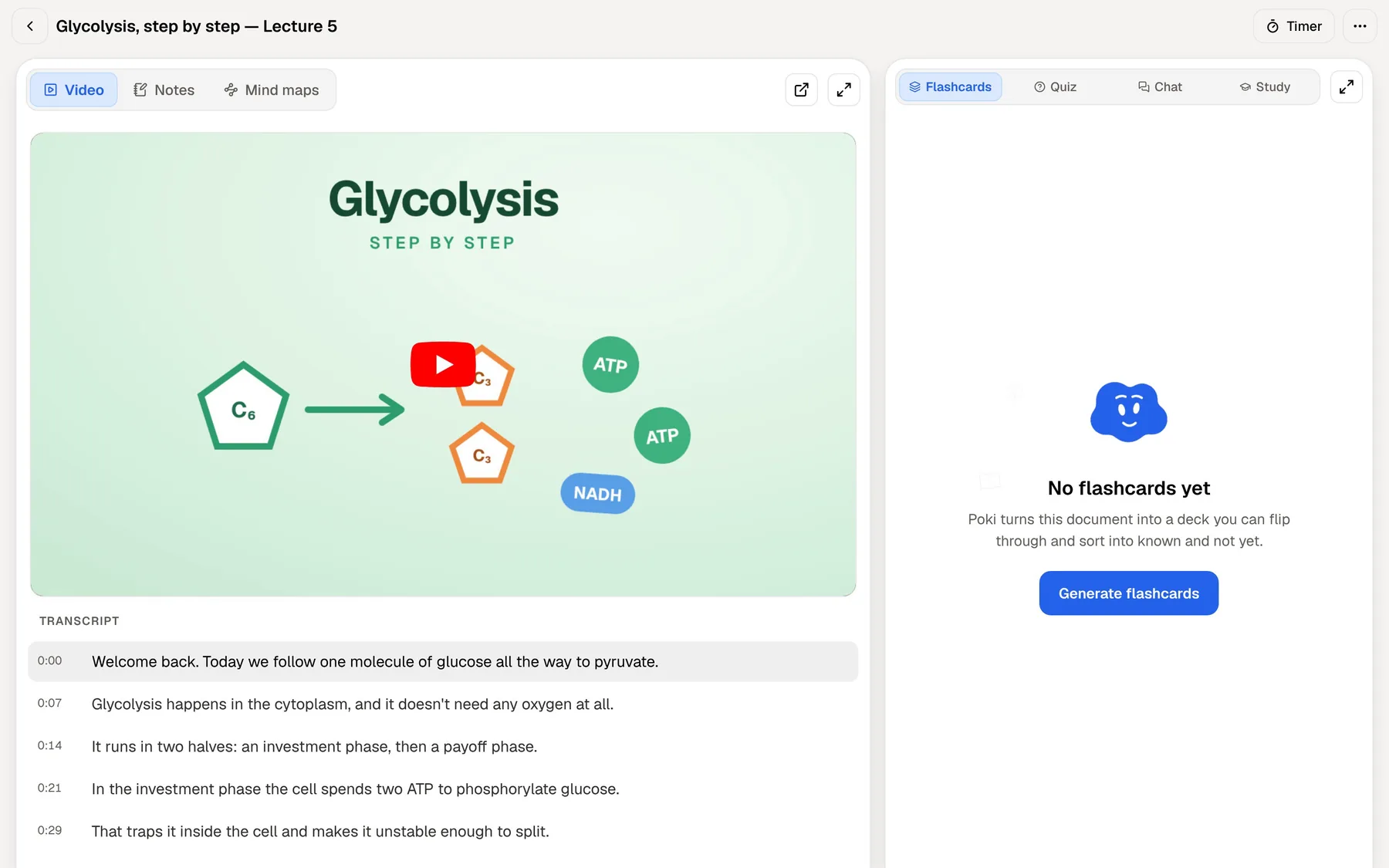
If your lecturer posts recordings on YouTube, both apps can work from the link instead. In PocketNote the transcript comes with the YouTube link, so the lecture becomes searchable material without you recording anything.
Planning the weeks before an exam
Mindgrasp tracks progress per study session: which materials you've generated for it, and what's left to review. That works well lecture by lecture.
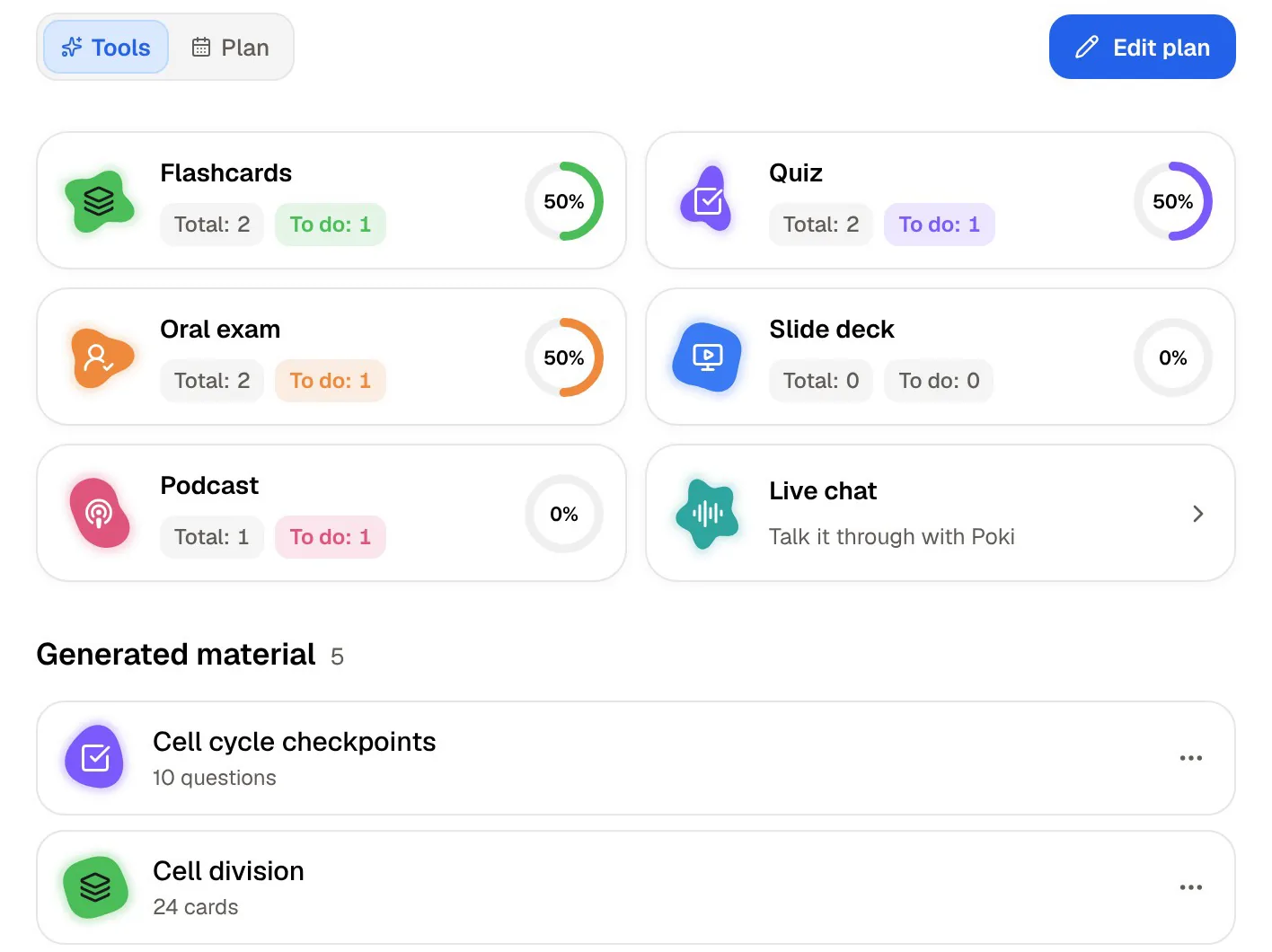
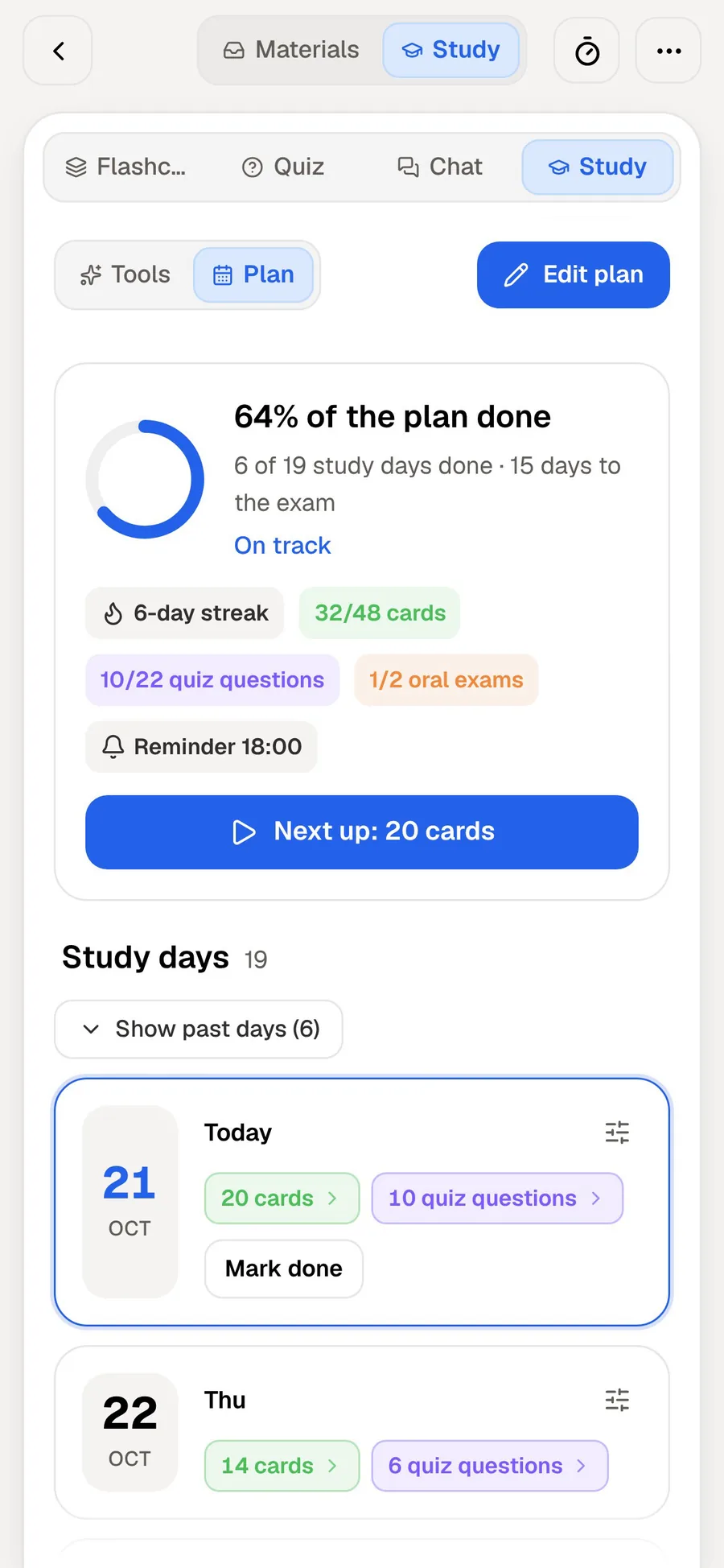
PocketNote's study plan works across everything for a course. Set the exam date and it plans what to cover each day, reminds you, and tracks memory, applied and mastery scores, with progress for flashcards, quizzes, the oral exam, slide decks and audio reviews.
The oral exam belongs here too. Prof. Poki asks questions out loud or in text and keeps probing until you can explain the idea, which is a different test from recognising the right answer on a card. For essay-based or spoken assessments, that is the practice that counts.
The two kinds of tracking answer different questions. Mindgrasp's checklist tells you whether you have generated and reviewed each session's materials. PocketNote's plan tells you what to do today, given the exam date and how your scores look.
Asking questions about the material
Mindgrasp's AI tutor is available at any hour to explain concepts and talk through ideas, and its App Store listing says the assistant answers in 35 languages. That makes it a handy place to ask for a second explanation late at night, when nobody else is around to ask.
Poki, PocketNote's assistant, answers from your own files with citations to the source, and shows its steps as it works, such as searching your notes and reading a specific item. It can look at a PDF page as you see it, including your highlights and handwriting, and highlight, underline or circle passages when you ask. It can also write into your notes from the chat.
On paid plans, Poki connects to Google Drive, Notion, Outlook and other services, and you can talk to it out loud with live voice. You can also choose between leading AI models from several providers, with premium models on paid plans.
For a student worried about accuracy, the citation step is the practical difference. You can check the source behind an answer instead of trusting a fluent explanation, which matters most in subjects where a small wording change alters the meaning.

Where Mindgrasp is the better choice
Mindgrasp has real advantages for some students, especially those whose material arrives through a learning management system or as video files. If these describe you, it may be the better fit.
- Your readings live in Canvas or Blackboard. The Chrome extension pulls them in directly.
- Your lectures are video files. Mindgrasp lists MP4 files and Vimeo links; PocketNote's import list covers YouTube links and audio files.
- You want no daily caps. Mindgrasp says all its plans include unlimited uploads and no daily usage limits.
- You want writing tools in the same product, such as a paraphraser or a grammar checker.
- You use it for work as well as study. Mindgrasp is pitched at professionals and meeting notes as well as students.
- You like one tidy space per lecture. The study-session model keeps each lecture's notes, cards, quiz and tutor together.
Plans and prices
Mindgrasp invites you to start a free study session. Its App Store listing names two paid plans, Scholar and Premium, each billed monthly or annually. Check current prices in the app or on its site before you subscribe.
PocketNote is free to start. Basic adds live voice, premium models and connectors; Plus adds unlimited notebooks and apps, the longest podcasts and all models. See pocketnote.app for current plans and prices.
Because the first steps are free in both, the fairest test is the same lecture in each. Generate the notes and flashcards, then see which app has you reviewing them a week later. If you take several courses at once, judge them in week six rather than on day one; that is when the difference between a library of sessions and a scheduled review shows.
Switching from Mindgrasp to PocketNote
The material that matters is your original files, and most of them move directly. PDFs, Word documents, MP3 recordings and YouTube links import straight into PocketNote. Save PowerPoint slides as PDF first, since PocketNote's import list covers PDF, Word, Excel, CSV, TXT, Markdown and audio.
Notes, summaries and flashcards generated in Mindgrasp don't transfer, so you would generate fresh ones from the same sources in PocketNote. For a course already under way, a practical approach is to start with the lectures still ahead of you and add older ones as you revise them.
If your readings sit in a learning management system, download them as files first, or keep them in Google Drive, OneDrive or Dropbox, which PocketNote imports from.
There is no rush to cancel anything. Running both for a couple of weeks on the same course is the clearest way to see which one you actually open when you sit down to revise.
The verdict
Which one should you pick?
Pick PocketNote if…
- You want reviews on a schedule, with flashcards returning before you forget them.
- You have an exam date and want a day-by-day plan across the whole course.
- You write by hand on iPad and want Note Replay and PDF annotation alongside your recordings.
- You want cited answers and an oral exam that tests whether you can explain the material.
Pick Mindgrasp if…
- Your material is in Canvas or Blackboard and you want a Chrome extension to pull it in.
- Your lectures are MP4 or Vimeo videos.
- You want unlimited uploads and writing tools in the same product.
Try it yourself
See it with your own notes
PocketNote takes the same lectures and readings and carries them through to the exam. Record a lecture or import PDFs, Word files, audio and YouTube links, and it makes notes, summaries, flashcards with spaced repetition, quizzes that explain every answer, mind maps and audio reviews, plus a study plan built around your exam date.
Poki answers from your files with citations. PocketNote is free to start, in the browser at pocketnote.app or on iPhone and iPad.
Frequently asked questions
Sources
Keep reading