
Apple Notes is the app you already have. It comes with every iPhone, iPad and Mac, syncs through iCloud, and over the last few releases it has picked up features students actually use: audio recordings with transcripts, summaries of those transcripts with Apple Intelligence on supported devices, Apple Pencil handwriting, and Markdown import and export in iOS 26.
PocketNote is a separate AI study app for the web, iPhone and iPad. It takes your course material (lecture PDFs, recordings, YouTube lectures, your own typed and handwritten notes) and makes flashcards with spaced repetition, quizzes that explain every answer and a study plan counting down to your exam. Its assistant, Poki, answers questions from those sources and cites them.
You can get through a degree with Apple Notes alone, and for some courses that's the right call. This page sets out what Notes does well, the specific things it leaves to you at revision time, how to bring notes across, and where Apple Notes is the better choice.
At a glance
PocketNote vs Apple Notes
| Feature | PocketNote | Apple Notes |
|---|---|---|
| Built for | Studying your course material | Everyday notes on Apple devices |
| Price | Free to start; paid Basic and Plus | Free with iPhone, iPad and Mac |
| Apps | Web, iPhone, iPad | iPhone, iPad, Mac; iCloud.com in a browser |
| Record a lecture | Transcript, summary and notes | Transcript; summary with Apple Intelligence |
| Handwriting | Apple Pencil, page templates, Note Replay | Apple Pencil drawing and handwriting |
| Course files | Import PDF, Word, Excel, audio, YouTube | Attach files to notes |
| AI | Poki answers from your sources, cited | Apple Intelligence summaries on supported devices |
| Flashcards with spaced repetition | Yes: Again / Hard / Good / Easy | Not advertised |
| Quizzes with explanations | Yes | Not advertised |
| Study plan to an exam date | Yes | Not advertised |
| Markdown | Imports .md files | Import and export (iOS 26 and later) |
Checked against each product's own website and Apple's user guides, November 2026. Plans and features change; confirm current details there.
What Apple Notes already does for a student
Its best feature is that there is nothing to set up. Notes is free, it's already on your devices, and it uses the Apple Account you already have. Folders, pinned notes and search cover most organising needs, and notes sync across iPhone, iPad and Mac through iCloud, with access from a browser on iCloud.com.
For lectures, Notes can record audio inside a note and show a transcript. Apple's Mac guide describes recording a lecture or meeting in Notes and having Apple Intelligence generate a summary of the transcript. It adds two caveats: Apple Intelligence isn't available on every model, language or region, and outputs may vary, so important summaries should be checked.
On iPad, Apple Pencil handwriting and drawings sit inside notes alongside typed text. And with iOS 26, iPadOS 26 or macOS Tahoe 26, you can import Markdown files into Notes and export a note as Markdown, which makes moving notes in and out far easier than it used to be. For a lot of students, that covers note-taking completely; the open question is what happens at revision time.
Recording a lecture in each app
Both apps can record a lecture and give you text. In Notes, the recording lives inside a note with its transcript and, where Apple Intelligence is available, a summary. That's a real step up from a voice memo: you can scroll the text instead of scrubbing through audio.
In PocketNote, the recording becomes a study item: the audio, a transcript, a summary and notes, which then feed flashcards, a quiz, a mind map or a podcast-style audio review. You can also import a recording made elsewhere as MP3, WAV, M4A or OGG, or paste a YouTube link to bring in a recorded lecture with its transcript.
Device support differs too. Apple's summary feature depends on Apple Intelligence, which needs a supported device, language and region. PocketNote's transcript and summary don't depend on Apple Intelligence, so the device you record on doesn't need to support it.
A week later the difference is clear. The Notes transcript is still text to reread, while the PocketNote lecture has already produced the cards you should be answering.

Handwriting on iPad
Apple Notes handles Apple Pencil well for what most people need: quick sketches, a diagram in the middle of typed notes, a page of handwriting during class. It's always there and it's free, and for a student who mostly types, that's plenty.
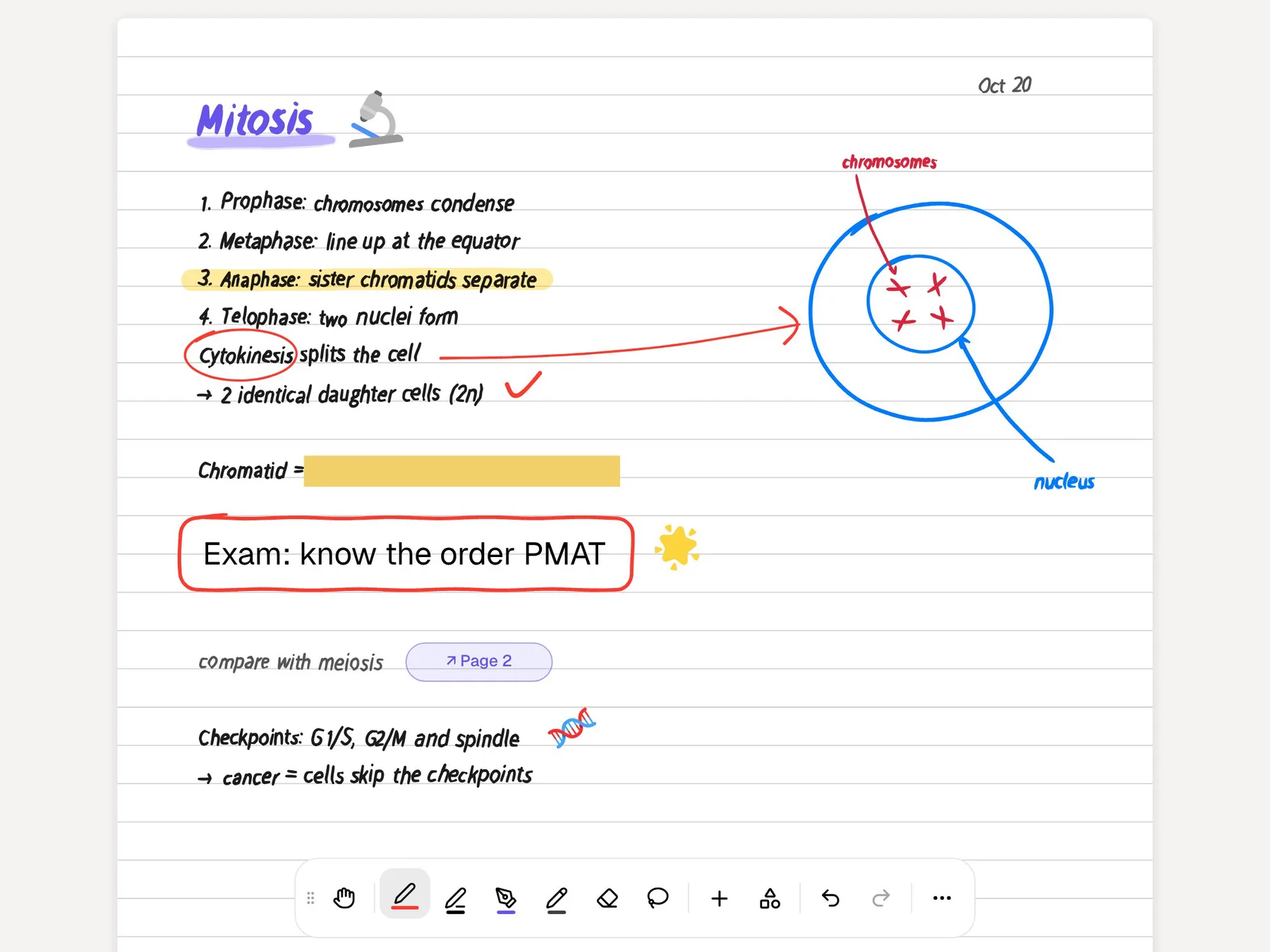
PocketNote's handwriting is aimed at study pages. It has page templates (lined, grid, Cornell, planners and more), pens, highlighters and inks including fountain pen, watercolour and crayon, shape snapping, a zoom window for small writing and an infinite whiteboard. The lasso can turn handwriting into text, recolour it, or send a selection to Poki with a question. Strips of 'tape' cover answers so you can test yourself on a page, and your handwriting is searchable afterwards.
Note Replay records audio while you write; playing it back shows the strokes you were writing at that moment. Most importantly for revision, a handwritten page is also a source, so it can be turned into flashcards and a quiz like any PDF.
The revision step Notes leaves to you
Apple Notes is a place to write things down. It doesn't advertise flashcards, quizzes, spaced repetition or a study plan, so the revision system is whatever you build around it: rereading, writing questions into a note, or copying notes into a separate flashcard app card by card.
Rereading is the weak spot. It is well established in learning research that retrieval practice (trying to recall an answer before you see it) and spacing reviews out over time help long-term memory more than reading the same notes again. A notes app makes rereading easy, which is exactly why it is tempting.
That's the part PocketNote takes over. From the notes and lecture files you give it, it builds:
- Flashcards you rate Again, Hard, Good or Easy, which come back when you're about to forget them.
- Quizzes where each option is explained, right or wrong.
- An oral exam with Prof. Poki, who asks out loud or in text and follows up until you can explain the idea.
- A study plan that sets what to cover each day up to the exam, reminds you and tracks memory, applied and mastery scores.
- Audio reviews: your lecture as a podcast-style episode, with captions that track whoever is speaking.
Asking questions about your own notes
Apple Intelligence's part in a Notes recording is the summary: it condenses the transcript, and only where Apple Intelligence is supported. That's handy for getting the gist of a long recording, but it isn't a tutor you can question about a whole course.
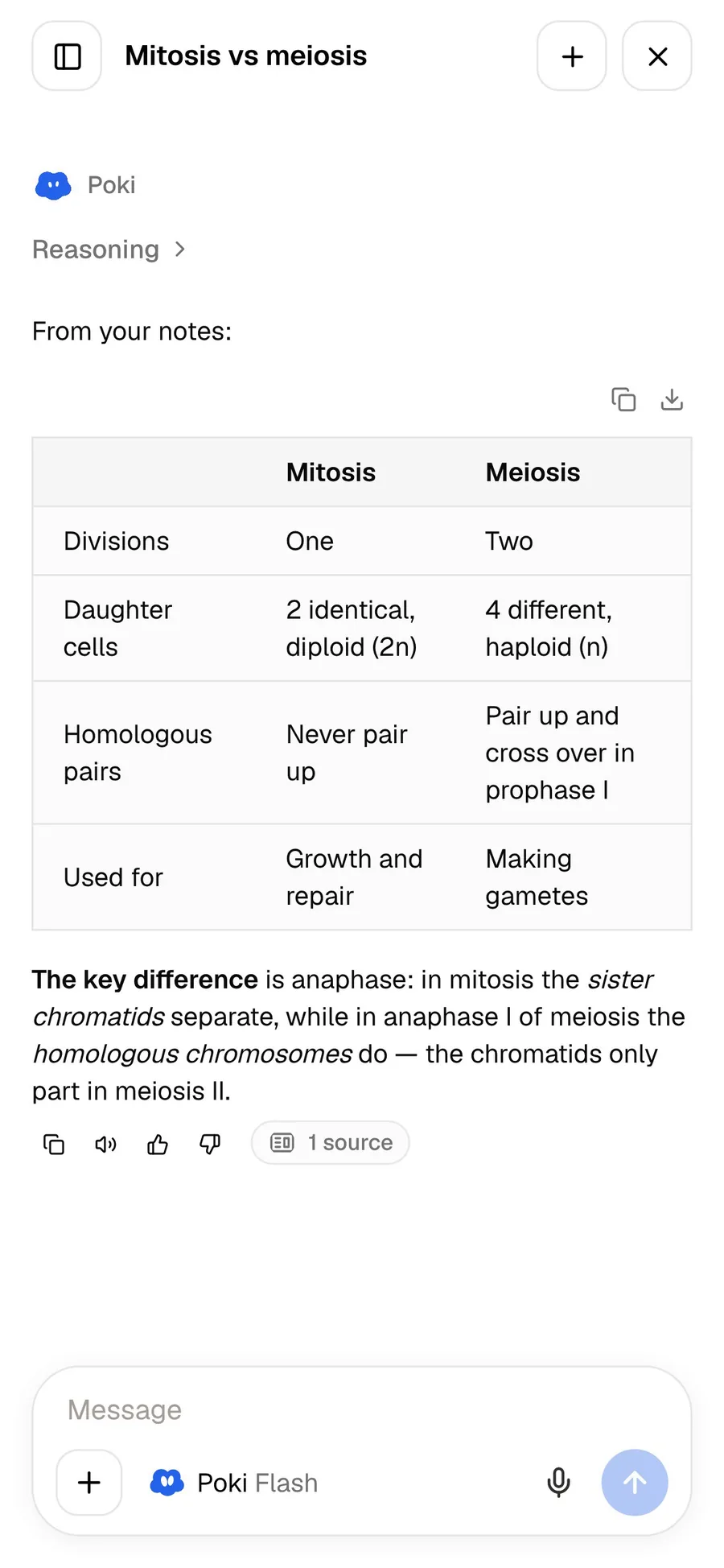
Poki is built for that. Ask it to compare two processes from your lectures and put the answer in a table, and it answers from your own notes and files, labelled as coming from your material, with citations to the source instead of the open web. It shows its steps as it works (searched your notes, read the item) and can write the answer into one of your notes from the chat.
It also reads PDFs the way you see them. Poki can look at a page including your highlights and handwriting, and highlight, underline or circle passages when you ask, with one-tap undo. You can pick between leading AI models from several providers, with premium models on paid plans.
Revising with your voice
Notes is good for reading on a phone. PocketNote adds a way to revise without reading at all. On paid plans, live voice lets you talk to Poki out loud: ask it to quiz you on a topic, answer back, and hear the next question.
This is closer to how you'll be tested in a viva, an oral or a tutorial, and it works when your eyes are busy, such as on a walk or while cooking. The audio reviews cover the passive side of the same idea: a short episode of your own lecture material to play on the way to campus.
When Apple Notes is enough on its own
Apple Notes wins on convenience and cost, and for a lot of daily note-taking that's what matters most. If your courses are assessed through coursework, a tidy notes app may be all you need.
It's also the lower-commitment option. There's no new app to learn, no plan to compare and no library to build. A first-year student who isn't sure yet how they like to study loses nothing by starting in Notes and adding a study app later, when the first exams make the need concrete.
- Free and already installed on iPhone, iPad and Mac, with no new account to create.
- Quick capture: built into the system, it's the shortest path from an idea to a note on Apple devices.
- A native Mac app: on a Mac, PocketNote means the web app in a browser.
- Everything else in your life: shopping lists, recipes and reminders don't belong in a study app, and Notes handles them well.
- One less account: your notes stay in the iCloud account you already use, rather than with another service.
Bringing Apple Notes into PocketNote
On iOS 26, iPadOS 26 or macOS Tahoe 26, open a note, tap Share and choose Export as Markdown. The exported file keeps the note's structure and formatting as standard Markdown, and PocketNote imports Markdown files directly. On earlier versions, copy the text into a typed note in PocketNote instead. Because the export starts from inside a note, begin with the notes for whichever exam comes first rather than trying to move a whole folder in one evening.
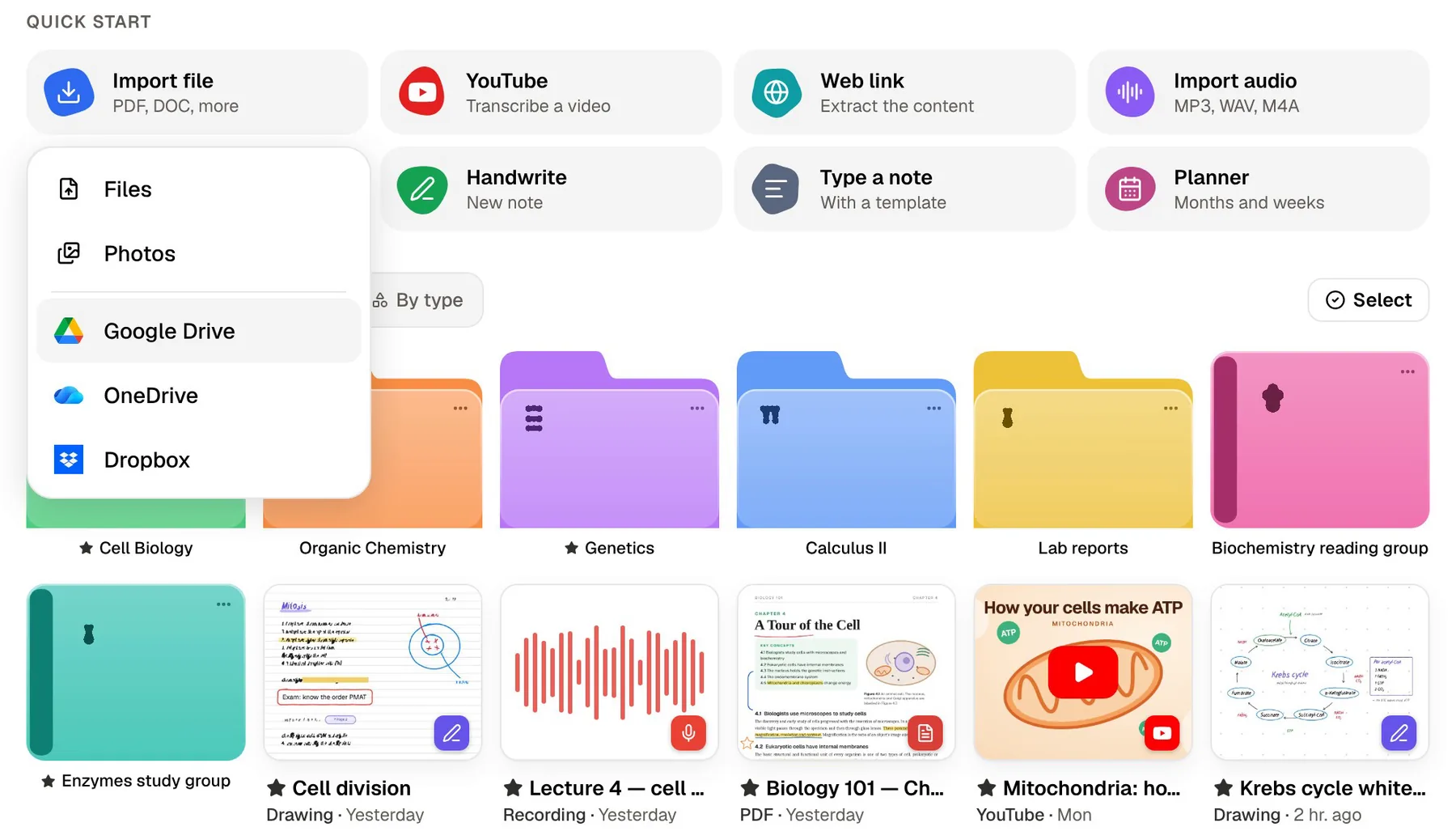
Attachments travel separately. Save a lecture PDF from a note to Files and import it, or import files straight from Google Drive, OneDrive or Dropbox if that's where your course lives. Bringing across one course at a time, as its exams get close, is easier than moving everything at once.
Once a note is in PocketNote, you can keep editing it in the block editor, which handles headings, toggles, callouts, tables and LaTeX maths, and ask Poki questions inside the note. Then generate the flashcards and quiz from that note together with the lecture slides.
After that, the two apps can share the work: Notes for the quick stuff during the day, PocketNote for the course material and the review sessions.
The verdict
Which one should you pick?
Pick PocketNote if…
- You want flashcards, quizzes and a study plan made from your lectures, not just a place to keep them.
- You record lectures and want each one turned into study material.
- You handwrite on iPad and want templates, tape to hide answers and Note Replay.
- You want to revise by listening or talking, with audio reviews and live voice (paid plans).
Pick Apple Notes if…
- You want a free, built-in notes app with no setup.
- Your courses are coursework-based and you mostly need quick, tidy notes.
- You want a native Mac app, or notes that stay inside iCloud.
Try it yourself
See it with your own notes
PocketNote is free to start on the web, iPhone and iPad. Export one course's notes from Apple Notes as Markdown, add the lecture PDFs, and see what the flashcards and quiz look like before committing. Paid plans, Basic and Plus, add live voice, premium models and connectors; see pocketnote.app for current plans.
Keeping Apple Notes is the sensible default. Use it for everything that isn't coursework, and use PocketNote for the material you'll be examined on.
Frequently asked questions
Sources
Keep reading