
OneNote is Microsoft's digital binder. Notebooks hold sections, sections hold pages, and each page is an open canvas where typed text, ink, images and audio can sit wherever you put them. The web version is free with a Microsoft account, and if your school runs on Microsoft 365, OneNote is probably already in your account.
PocketNote is an AI study app for the stage after note-taking. It takes your lecture PDFs, recordings, YouTube lectures and your own notes, and builds flashcards with spaced repetition, quizzes that explain each answer, oral-exam practice and a study plan for the exam date. Its assistant, Poki, answers from that material and cites it.
This page compares the two for a student who has real exams to sit: how each handles handwriting and lecture audio, what Copilot in OneNote does and which licences it needs, how to get OneNote pages into PocketNote, and where Microsoft OneNote is simply the better tool.
At a glance
PocketNote vs OneNote
| Feature | PocketNote | OneNote |
|---|---|---|
| Built for | Studying your course material | Freeform digital notebooks |
| Price | Free to start; paid Basic and Plus | Free; Copilot needs a qualifying licence |
| Organisation | Colour-coded folders, stars, search | Notebooks, sections and pages |
| Handwriting | iPad with Apple Pencil; drawing in the browser | Ink anywhere on freeform pages |
| Audio | Lecture recording with transcript; Note Replay | Audio recording linked to typed notes |
| AI | Poki answers from your sources, cited | Copilot: summaries, task lists, rewrites |
| Flashcards with spaced repetition | Yes: Again / Hard / Good / Easy | Not advertised |
| Quizzes and oral exam | Yes | Not advertised |
| Study plan to an exam date | Yes, with reminders and mastery scores | Not advertised |
| Export | Handwritten notes to PDF; share a link | Pages and sections to PDF or Word (Windows) |
| Apps | Web, iPhone, iPad | Windows, Mac, iOS, Android, web |
Checked against each product's own website and Microsoft's support pages, November 2026. Plans and features change; confirm current details there.
Why OneNote is the default for so many students
Price and familiarity do most of the work. OneNote for the web is free with a Microsoft account, and Microsoft's education page says students with an eligible school email can get Office 365 A1 free, which includes the web versions of Outlook, Word, Excel, PowerPoint and OneNote. Often the first time you open OneNote is because a course already uses it.
The structure suits school, too. A notebook per year, a section per course and a page per lecture mirrors a ring binder, and because pages are freeform you can put a typed paragraph next to a diagram drawn with a stylus and a screenshot from the slides. Notebooks sync through your Microsoft account, so the same binder opens on a laptop, a tablet and a phone.
And it records. Microsoft's support pages describe recording audio straight into a page from the desktop app. If you take notes during the recording, OneNote links them to the audio, so when you play it back, OneNote moves the cursor to what you were writing at that point. You can also search your notes to find the relevant part of a recording. Microsoft lists this for OneNote for Microsoft 365 and the 2024, 2021 and 2016 desktop versions.
Ink, audio and replay compared
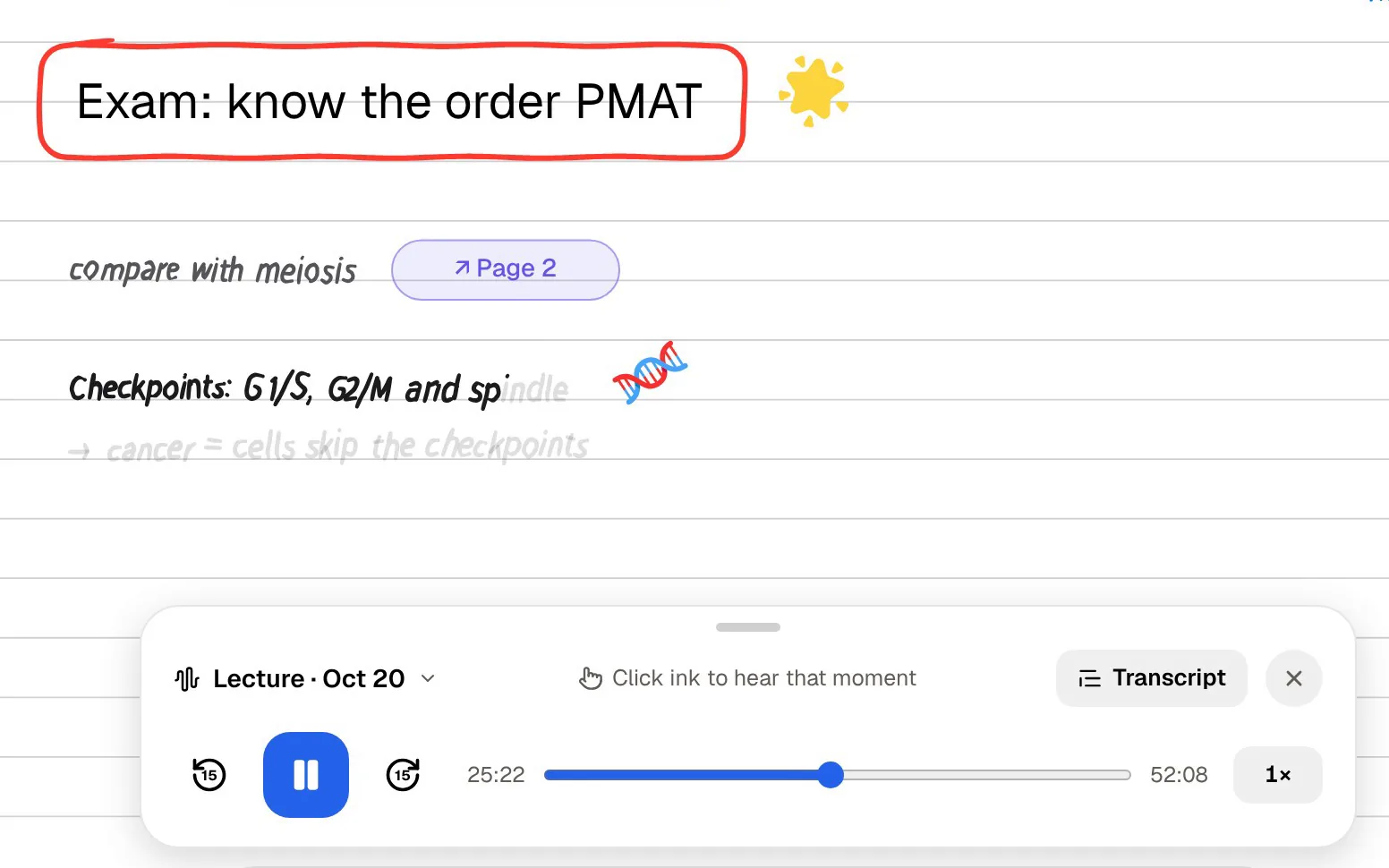
If you write by hand, both apps take it seriously, in different ways. OneNote's canvas is open-ended: ink anywhere on an endless page, mixed freely with typed text and images. It is a sketchbook and a binder at the same time.
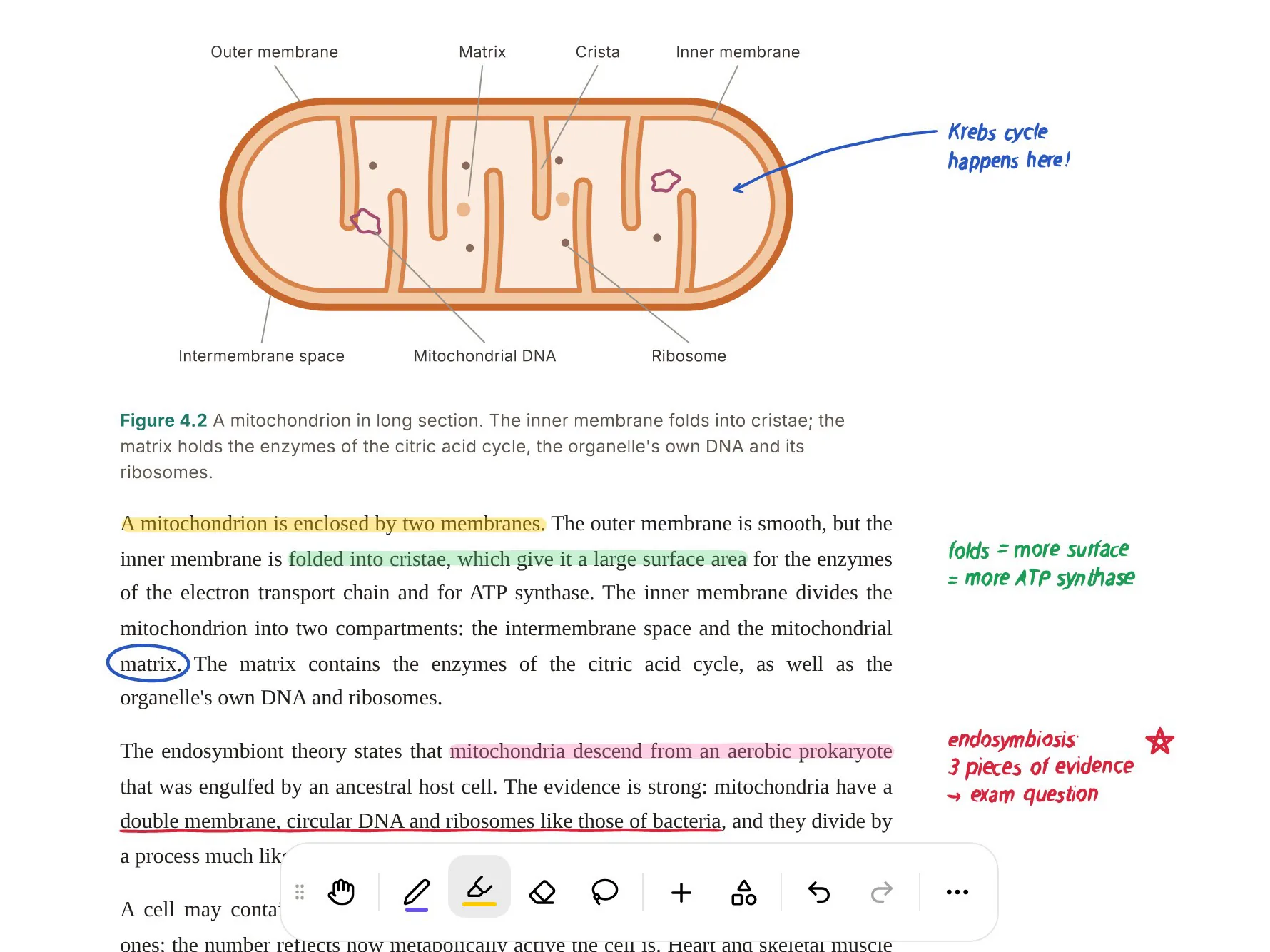
PocketNote's handwriting on iPad with Apple Pencil (and drawing in the browser) is organised around studying. You get page templates including lined, grid and Cornell; pens, highlighters and inks such as fountain pen, watercolour and crayon; shape snapping; a zoom window for small writing; and a lasso that turns handwriting into text, recolours it, or sends a selection to Poki with a question. You can lay 'tape' over answers to hide them while you test yourself, and search through your handwriting later.
Audio looks similar on the surface. OneNote links typed notes to a recording. PocketNote's Note Replay records audio while you handwrite, and playing it back shows the strokes you were writing at that moment. PocketNote also records whole lectures as their own items, with a transcript, a summary and notes.
To be fair about maturity: OneNote's inking has been part of the product for many years, and PocketNote's handwriting tools are newer than those of the long-established handwriting apps. If ink is your main way of working, try both with your own writing before you decide.
Copilot in OneNote: what it does and what it requires
Microsoft's support page says Copilot in OneNote can summarise a section, a selection of text or the details of a topic, create task lists, analyse ideas, rewrite notes for clarity, draft new content such as outlines, and chat. That's useful for tidying a messy page of lecture notes.
Access depends on your licence and your device. At the time of writing (November 2026), the same page says Copilot in OneNote on Windows is available with a Microsoft Copilot (Work) licence or an eligible Microsoft 365 subscription, while on Mac, iPad, the web and Teams it requires a Microsoft Copilot Business subscription. A free school account with the web apps may not include it, so check what your institution provides before counting on it.
The support page doesn't mention quizzes or study features. Copilot helps you understand and rewrite your notes; it doesn't turn them into a review schedule.
Poki works differently. It answers from the material in your PocketNote library, with citations to the source, and shows its steps as it goes: searched your notes, read the item, started a quiz. It can write into your notes from the chat, and it can highlight, underline or circle passages on a PDF when you ask, which you can undo in one tap. You can choose between leading AI models from several providers, with premium models on paid plans.
Turning a OneNote section into exam practice
This is the step OneNote leaves to you. Before an exam you need to test yourself on a section's worth of lecture pages. In OneNote that means writing questions yourself, hiding the answers somehow, and keeping track of which topics you got wrong.
In PocketNote, bring the section in (the export steps are below) alongside the original lecture slides. PocketNote generates flashcards with spaced repetition, a quiz that explains every answer, and an oral exam where Prof. Poki asks questions out loud or in text and keeps probing until you can explain the idea in your own words. Set the exam date and the study plan spreads the topics across the days you have left, with reminders.
The same source can also become a mind map, a summary, a slide deck or a podcast-style audio review, and the material can be produced in more than 50 languages if you study in one language and were taught in another.

Revising when you can't look at a page
A binder is something you read. Some of the most useful revision happens when you can't: on a bus, walking to campus, or after hours of screen time. PocketNote has two ways to study without reading.
Audio reviews turn your material into a podcast-style episode with captions that follow the voices, so a unit's worth of OneNote pages and slides can become something you listen to. On paid plans, live voice lets you talk to Poki out loud: ask it to quiz you on a topic, answer out loud, and hear its follow-up. For desk sessions, there's a study timer with ambient sounds.
Where OneNote wins
OneNote is hard to argue with when what you need is a free, flexible notebook that your school already supports. If your courses are assessed through coursework and you mostly need somewhere organised to keep notes, OneNote will serve you well without costing anything.
- Cost: the web app is free, and eligible students get it through Office 365 A1 at no charge.
- Freeform pages: anything can go anywhere on an open canvas, which suits diagram-heavy subjects.
- Platforms: Windows and Mac desktop apps, mobile apps including Android, and the web. PocketNote has no desktop or Android app; its web app runs in any browser.
- Microsoft 365 fit: notebooks sit in the same Microsoft account as your Word and PowerPoint files.
- Audio linked to typed notes in the desktop app, for students who type during lectures.
Getting OneNote pages into PocketNote
OneNote's export options are strongest in the Windows desktop app, where you can export a page or a section as a PDF or a Word document. PocketNote imports both PDF and Word (.docx) files directly. If you save the export to OneDrive, you can pull it into PocketNote from there.
Lecture slides and readings usually exist as files already, so import the originals rather than OneNote copies of them; the flashcards will be better for it. A page exported as PDF keeps its layout, and once it's in PocketNote you can keep annotating it, and Poki can look at the page as you see it, including the handwriting on it.
There's no need to move a whole notebook. Export the sections for the exam you're preparing for, and leave the rest of the binder where it is.
A sensible split for the term
OneNote during the term and PocketNote before exams is a practical split if you already have a OneNote binder. Take notes where your class and teachers expect them. At the end of each unit, export that section and the original slides into PocketNote, and let the flashcards and the study plan carry the revision.
It helps to set OneNote up with that hand-off in mind: one section per unit, named the way your syllabus names the topics. At the end of a unit you export one section, import one file into that course's colour-coded folder in PocketNote, and the course folder grows with the term instead of in a rush before the exam.
If you're starting fresh and take notes on an iPad, you can also write directly in PocketNote, so the notes and the study tools live in one place from the first lecture. Either way, the decision rests on one question: do you need a place to keep notes, or a way to learn them? OneNote answers the first very well.
The verdict
Which one should you pick?
Pick PocketNote if…
- You need to revise for exams, and want flashcards, quizzes and oral-exam practice made from your notes.
- You write on iPad and want handwriting, recordings and PDFs feeding the same study tools.
- You want an assistant that answers from your own material with citations.
- Your school account doesn't include Copilot and you want AI help with studying.
Pick OneNote if…
- You want a free notebook that your school already provides.
- You need desktop apps on Windows or Mac, or an Android app.
- You like freeform pages where anything goes anywhere.
- Your classes and files already live in Microsoft 365.
Try it yourself
See it with your own notes
You can try PocketNote free on the web or on iPhone and iPad. Export one OneNote section as a PDF, import it with the lecture slides, and see what the flashcards, quiz and study plan look like. Paid plans, Basic and Plus, add live voice, premium models and connectors including OneDrive and Outlook; see pocketnote.app for current plans.
There's no pressure to give up OneNote. It is a very good free binder, and PocketNote fits in next to it for the weeks before an exam.
Frequently asked questions
Sources
Keep reading