
Evernote is one of the original capture apps. Clip an article, photograph a handout, save a PDF or record a conversation, and it all lands in notebooks you can search later, including the text inside images and PDFs. Since its version 11 update in October 2025 it also has an AI Assistant that works with your notes, semantic search, and AI meeting notes that record, transcribe and summarise.
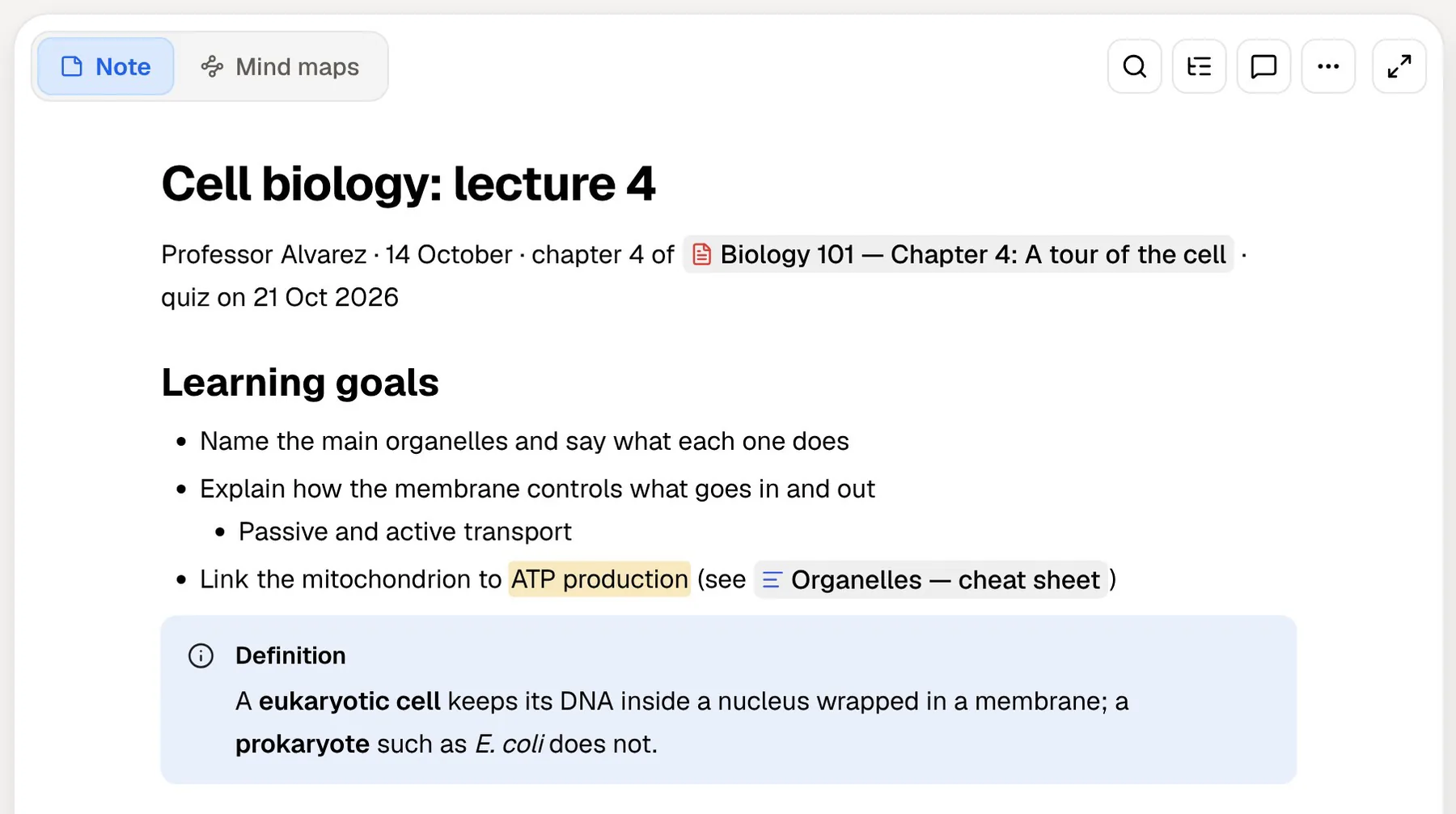
PocketNote starts from the other end of the semester. It takes the material you need to learn (lecture PDFs, recordings, YouTube lectures, your typed and handwritten notes) and turns it into flashcards with spaced repetition, quizzes that explain every answer and a study plan for the exam date. Poki, the built-in assistant, answers questions using those sources and shows where each answer came from.
If you are weighing the two, the useful question is whether your problem is finding notes or remembering them. This comparison covers Evernote's reshaped plans and their limits as listed in November 2026, what each app does with the same lecture, how to move material out of Evernote, and where Evernote remains the better pick.
At a glance
PocketNote vs Evernote
| Feature | PocketNote | Evernote |
|---|---|---|
| Built for | Studying your course material | Capturing and finding everything |
| Free plan | Free to start | 50 notes, 1 notebook, 1 synced device |
| What you can bring in | PDF, Word, Excel, CSV, TXT, Markdown, audio | Notes, PDFs, photos, emails, voice memos |
| Web pages | Paste a link; the article is extracted | Web clipper, ad-free and searchable |
| Search | Library search, including handwriting | Includes text inside images and PDFs |
| Record a lecture | Transcript, summary and notes | AI Meeting Notes: transcript and summary |
| AI chat | Poki answers from your sources, cited | AI Assistant across your notes |
| Flashcards with spaced repetition | Yes: Again / Hard / Good / Easy | Not advertised |
| Quizzes with explanations | Yes | Not advertised |
| Planning | Study plan built from your exam date | Tasks and calendar next to notes |
| Apps | Web, iPhone, iPad | Web, desktop and mobile |
| Student pricing | See pocketnote.app | 40% off a year of Advanced |
Checked against each product's own website, November 2026. Plans and features change; confirm current details there.
What Evernote is still very good at
Capture is Evernote's home ground. Its web clipper saves pages, articles and PDFs without the ads and keeps them searchable. Search reaches inside images and documents, so a photo of a whiteboard or a scanned handout can turn up when you search for a word in it. Notes, tasks and your schedule sit together, and Evernote connects to Google Calendar.
The AI added in version 11 builds on that archive. According to Engadget's coverage of the launch, the AI Assistant, built with OpenAI, searches your notes and notebooks, answers follow-up questions about your documents and drafts content into existing notes. Semantic search finds notes by meaning rather than exact wording. AI Meeting Notes record in-person and online meetings, then transcribe and summarise them.
For a student who keeps everything (reading lists, placement paperwork, scanned forms, lecture handouts), that combination of capture and search is hard to beat. You save first and organise later, and search does most of the organising for you.
Evernote's plans in 2026, and what a student actually gets
Evernote has replaced its old Personal and Professional tiers. Its compare-plans page now lists Free, Starter and Advanced, alongside Flexible and Unlimited plans. For a student, the limits matter more than the names:
- Free: 50 notes, 1 notebook, 1 synced device and 1 GB of storage.
- Starter: 1,000 notes, 20 notebooks, 3 synced devices and 5 GB.
- Advanced: unlimited notes, notebooks, devices and storage, subject to Evernote's safeguard limits.
- Students: Evernote's pricing page says eligible college students can get 40% off a one-year Advanced subscription.
What those limits mean for a semester
Fifty notes and one notebook won't hold a full semester of lectures across several courses, and one synced device means your phone and laptop can't both stay current on the free plan. In practice the free tier works as a trial, and a student who wants Evernote for coursework is choosing between Starter and the discounted Advanced plan.
Starter fixes most of that for a single student: 1,000 notes and 20 notebooks is room for a year of lectures if you keep one note per session, and three devices covers a phone, a tablet and a laptop. Advanced matters if you already have years of material in Evernote and want to keep it all in one place.
The plan pages we checked didn't show prices, and Evernote has been rolling its new plans out gradually, so check the price in your own account before you commit. PocketNote is free to start, with paid Basic and Plus plans; see pocketnote.app for current plans.
Searching your notes versus being tested on them
Evernote is designed to help you find what you saved. That's valuable in week 3. In week 11, the job changes: you need to recall the material without looking at it. Evernote's features page and App Store listing describe capture, search, tasks, and AI help with writing and transcription. They don't mention flashcards, quizzes or spaced repetition.
You can still ask the AI Assistant to draft practice questions into a note. What you don't get is a review loop: cards that come back on a schedule, a score for each topic, or an explanation when you pick the wrong answer.
That matters because of how memory works. It is well established in learning research that trying to recall an answer before you see it, and spacing those attempts out over days, does more for long-term retention than reading the same notes again. A searchable archive makes rereading easy; it doesn't, on its own, make you practise recall.
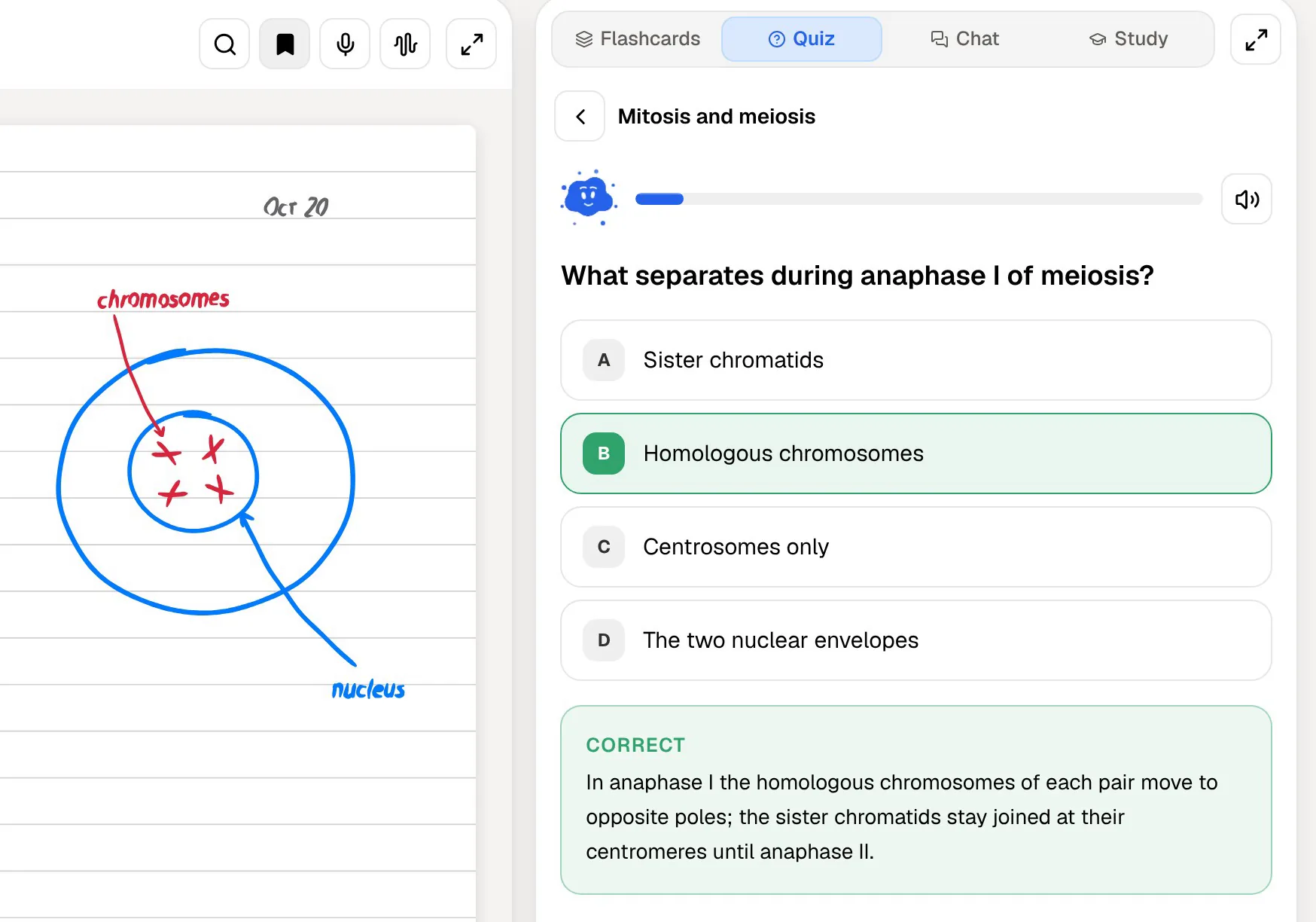
That loop is what PocketNote is for. Every quiz question comes with the reasoning for the right option and the wrong ones. Flashcards return based on how you rated them, Again, Hard, Good or Easy. The study plan tracks memory, applied and mastery scores until the exam.
The same lecture in each app
Say you record a lecture. In Evernote, AI Meeting Notes records it and gives you a transcript and a summary. From there the transcript is a note like any other: searchable, taggable, and yours to rewrite into study notes.
In PocketNote, a recorded lecture becomes an item with the audio, a transcript, a summary and notes. That item is also a source. You can generate flashcards and a quiz from it, ask Poki what the lecturer said about checkpoints, or turn it into a podcast-style audio review to play on the way to the exam.
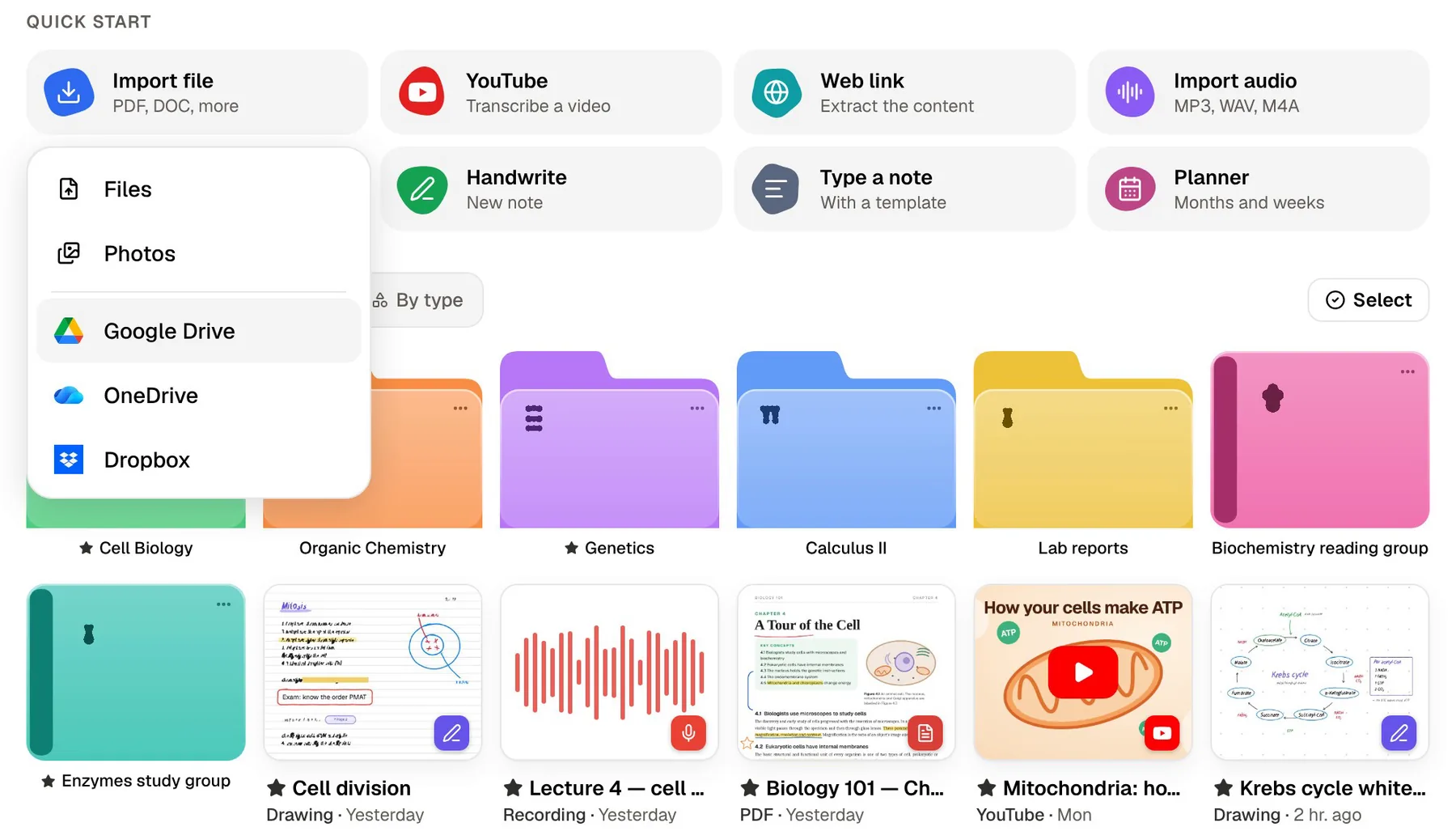
You can also import audio you recorded elsewhere (MP3, WAV, M4A or OGG), paste a YouTube link to bring in the transcript, or add the lecture slides as a PDF so the flashcards draw on the slides and the talk together.
The two outputs suit different moments. Evernote's transcript is what you want when you need to check exactly what was said, months later, alongside everything else you saved. PocketNote's version is what you want the week before the exam, when the lecture should already be a set of questions waiting for you.

Two assistants with different jobs
Both apps have an AI you can chat with, and both work from your notes. The difference is the target. Evernote's AI Assistant is built for working with an archive: find the note, answer a question about it, write something new into it.
Poki is built for studying a course. It answers from your own material with citations to the source rather than the open web, and it shows its steps as it works: searched your notes, read the item, started a quiz. It can look at a PDF page as you see it, including your own highlights and handwriting, and mark up the PDF when you ask ("highlight the key definitions on page 3"), with one-tap undo. It can also write into your notes from the chat.
On paid PocketNote plans you can talk to Poki out loud with live voice, and pick between leading AI models from several providers.
Both companies address the training question. Engadget reported that, according to Evernote's owner Bending Spoons, OpenAI cannot train on Evernote user data. PocketNote says your files are not used to train public AI models. Either way, read each product's privacy policy if your notes include anything sensitive, such as research data or personal information.

When Evernote is the right app
Evernote is the stronger app when your notes are an archive of everything, not just coursework. If you mostly need a reliable place to keep things and find them again, and your courses are assessed through essays or projects rather than exams, Evernote may be all you need.
It also has a much longer track record as a general notebook. Years of clipped articles, scanned documents and meeting notes are exactly the kind of collection it was built to hold, and PocketNote isn't designed to replace that.
- Web clipping: saving articles and pages for research, without ads and fully searchable.
- Search inside images and PDFs across years of saved material.
- Tasks and a calendar next to your notes, with Google Calendar connected.
- Integrations with Google Drive, Slack and Microsoft Teams.
- Desktop apps: Evernote runs on Mac and Windows as well as the web and mobile; PocketNote has no desktop app (its web app runs in any browser) and no Android app yet.
Moving material from Evernote into PocketNote
Evernote's help centre says the desktop app (not Evernote Web) can export notes and notebooks as ENEX or HTML files, and that free users can export too. PocketNote doesn't read ENEX or HTML, so for studying, move the material rather than the archive.
The practical route is to save the original attachments (lecture PDFs, audio files, Word documents) from your Evernote notes and import them into PocketNote, which supports PDF, Word, Excel, CSV, TXT and Markdown files and MP3, WAV, M4A or OGG audio. For a note you typed yourself, print it to PDF from your computer's print dialog and import the PDF, or start a typed note in PocketNote and paste the text in.
If the lecture files already live in Google Drive, OneDrive or Dropbox, skip Evernote altogether and import them straight from there; PocketNote connects to all three from its Add Sources dialog.
You don't need to empty Evernote to do this. Keeping it as the archive and copying each module's material into PocketNote when revision starts works perfectly well.
The verdict
Which one should you pick?
Pick PocketNote if…
- Your bottleneck is remembering course material, not storing it.
- You want flashcards, quizzes and a study plan generated from your lectures and PDFs.
- You'd like answers cited to your own sources while you revise.
- You handwrite on iPad and want those notes to feed flashcards too.
Pick Evernote if…
- You clip web pages and need search across years of material, including text in images and PDFs.
- You want tasks, a calendar and notes in one app.
- You need a desktop app on Mac or Windows, or an Android app.
Try it yourself
See it with your own notes
PocketNote has a free starting point on the web, iPhone and iPad. Import one module's PDFs or a lecture recording and try the flashcards, the quiz and the study plan it builds; paid Basic and Plus plans add live voice, premium models and connectors to Google Drive, Notion, OneDrive and others (see pocketnote.app for current plans).
It isn't an archive for everything you have ever saved, and it doesn't try to be. If Evernote already holds your life admin and research clippings, keep it for that, and use PocketNote for the courses you'll be examined on.
Frequently asked questions
Sources
Keep reading