

AudioPen is a voice-to-text writing tool. You talk, as loosely as you like, and it hands back a tidy version: the transcript, rewritten into clear prose, an email, a memo or bullet points, in a style you choose. Its site describes the job as turning rambling voice notes into text that is ready to share.
PocketNote also listens, but for a different reason. It is an AI study app: you record a lecture or bring in your course material, and it produces a transcript, a summary and notes, then flashcards, quizzes, an oral exam and an audio review from them. Your voice comes in when you talk to Poki, its AI, or answer an oral exam out loud.
So this is less a head-to-head than a question of which job you have. AudioPen is for getting your own thoughts into writing. PocketNote is for learning material someone else taught you. Plenty of students have both jobs, and the last section covers how the two fit together.
At a glance
PocketNote vs AudioPen
| Feature | PocketNote | AudioPen |
|---|---|---|
| Main job | Studying from course material | Turning voice notes into finished text |
| Recording | Record a lecture in the app | Free: 3 min; Prime: 15 min each |
| What a recording becomes | Transcript, summary, notes | Rewritten text plus the transcript |
| Writing styles | Note templates; Poki writes into notes | Style library and custom styles |
| Languages | Study material in 50+ languages | Speak one language, write in another |
| Bring in other material | PDF, Word, Excel, audio, YouTube, links | Audio uploads on Prime |
| Flashcards with spaced repetition | Yes: Again / Hard / Good / Easy | Not advertised |
| Quizzes and oral exams | Yes, both | Not advertised |
| Integrations | Google Drive, Notion, Outlook and more (paid) | Notion, Obsidian, Zapier, webhooks |
| Apps | Web, iPhone, iPad | Web, Mac, Windows, iOS, Android, Watch |
| Price | Free to start; see pocketnote.app | Free plan; Prime from $33 per 3 months |
Checked against each product's own website, November 2026. Plans and features change; confirm current details there.
What AudioPen does well
AudioPen's skill is the rewrite. Plain dictation gives you your words exactly as you said them, with every false start. AudioPen restructures them, and you control how much: a rewrite level of low, medium or high, an output length from shorter to longer, and a library of styles that includes Clear and Simple, Formal Email, Casual Email, Business Memo and Bullet Points. The original transcript stays attached if you want it.
You can teach it your own voice. A custom style can be described in a sentence or given as a writing sample, and its site says custom styles are available on the free plan. You can also speak in one language and have the text written in another.
It is available almost everywhere you might have an idea: the web, Mac, Windows, iPhone, iPad, Android, Apple Watch and a Chrome extension. Notes can be sent on to Notion or Obsidian, through Zapier on Prime, or to your own tools with webhooks.
Where AudioPen fits in a student's week
The obvious uses are the ones where the hard part is starting to write: talking through an essay argument on a walk and getting back a structured outline, turning a rambling reflection for a placement log into a clean paragraph, or drafting a polite email to a tutor about an extension in the Formal Email style. If the writing is assessed, check your course's rules on AI-assisted drafting first.
It also suits the few minutes after a lecture, when you remember what confused you. A two-minute voice note becomes a short written list of questions to take to office hours. That is a good habit, and AudioPen makes it quick.
What these have in common is that the words are yours. AudioPen is built to shape your thinking into writing, not to record and teach you someone else's material.
Language students get a specific benefit. Because you can speak in one language and have the text written in another, you can think aloud in your first language and get a draft in the language you are writing the assignment in, then edit it yourself.
Why AudioPen is not a lecture recorder
AudioPen's pricing page sets the limits plainly. On the free plan each recording can be up to 3 minutes. On Prime, recordings can be up to 15 minutes each, with unlimited recordings, and you can upload audio files of up to 100MB each, up to 100 files every four weeks. Those caps suit thoughts and memos; a full lecture runs well past them.
The rewrite itself is the other reason. A rewritten version of a lecture would be a summary of someone else's argument in a style you picked, which is not what you need for an exam. For revision you want the lecture as it was given, a summary you can check against it, and ways to test yourself.
AudioPen does not advertise flashcards, quizzes or spaced repetition, which is consistent with what it is for. It is a writing tool, and it does that job without pretending to be a study system.
There is a study-skills point here too. Explaining a topic in your own words is good practice, and an AudioPen note is a record of one such explanation. Memory, though, depends on coming back to material over days and weeks, and a single note does not schedule that for you. Flashcards with spaced repetition exist to handle exactly that part.
How PocketNote uses your voice
In PocketNote, the main use of a microphone is recording the lecture. Tap Record when class starts, and when you stop, the item holds the audio, a transcript, a summary and written notes. If you recorded on your phone's own recorder, you can import the MP3, WAV, M4A or OGG file instead.
The second use is talking to Poki. On paid plans, live voice lets you ask a question out loud and hear the answer, which is useful when you are revising away from a desk. Ask it to quiz you on a topic and it asks you questions back, drawing on your own material rather than the open web.
The third is the oral exam. Prof. Poki asks you questions out loud or in text and keeps probing until you can explain the idea. Saying an explanation out loud is a different test from recognising the right option in a quiz, and it shows you quickly what you only half understand.
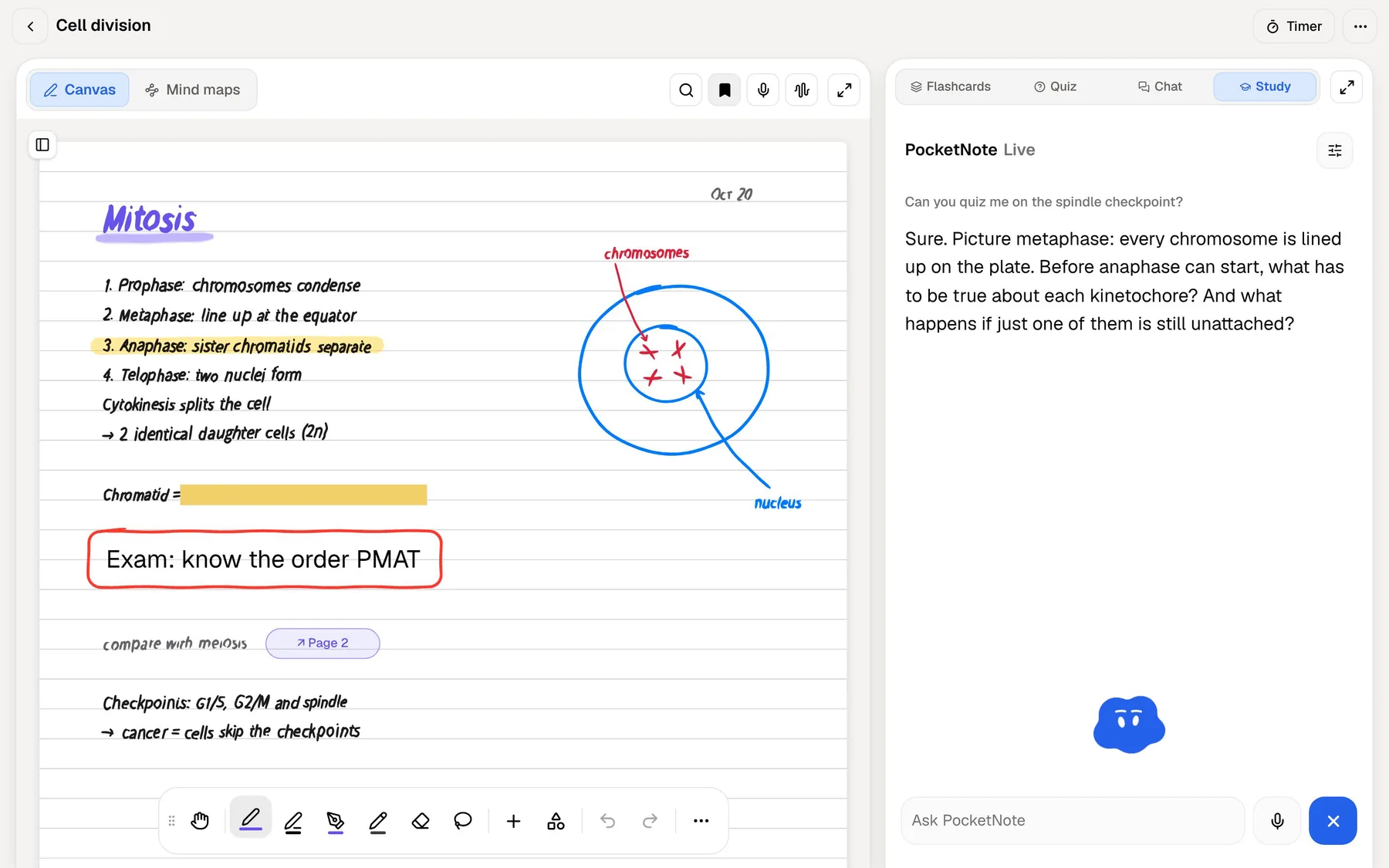
From something you said to something you can be tested on
There is a useful overlap between the two apps: your own spoken notes. Suppose you use AudioPen to talk through a chapter after reading it, and it gives you a clean bullet-point summary in your own words. That text can come into PocketNote, pasted into a typed note or imported as a TXT or Markdown file.
Once it is there, it becomes study material like anything else. PocketNote can generate flashcards from it, rated Again, Hard, Good or Easy so they come back just before you would forget them, and a quiz that explains why each answer is right or wrong. Add the chapter itself as a PDF and Poki's answers can cite both your summary and the source.
PocketNote also has its own writing tools for this stage. Typed notes use a block editor with headings, lists, tables, toggles, callouts and LaTeX maths, and Poki can write into your notes from the chat when you ask it to.
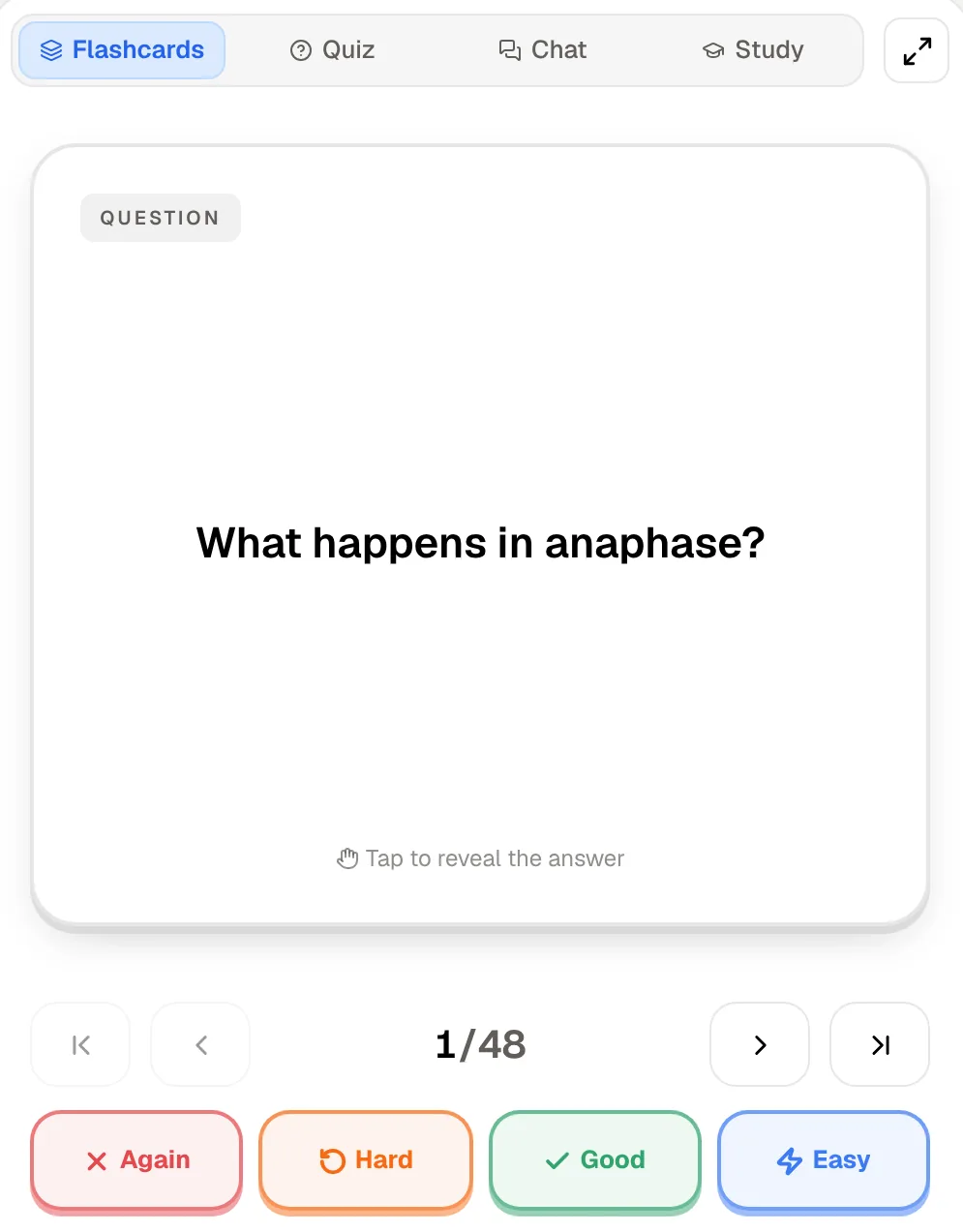
AudioPen and PocketNote pricing
AudioPen's pricing page lists Prime at $33 for three months, $99 for a year or $159 for two years at the time of writing (November 2026), which works out to between $11 and $6.63 a month depending on the term. The free plan needs no card and includes writing styles, custom styles and webhooks, with recordings capped at 3 minutes. The page does not mention a student discount.
PocketNote is free to start. Basic adds live voice with Poki, premium AI models and connectors; Plus adds unlimited notebooks and apps, the longest podcasts and all models. See pocketnote.app for current prices.
If you only want to pay for one, decide which job costs you more time. A student who mostly struggles to get drafts written gets more from AudioPen Prime; one who mostly struggles to remember lecture content gets more from a study app. Both have free tiers, so test each on a real task from this week before paying.
Where AudioPen wins
Pick AudioPen if your problem is writing, not memorising. For essays, reflections, cover letters, emails and journal entries, its rewrite levels and custom styles produce a usable draft from a few minutes of talking, which is not what PocketNote is built for.
Pick AudioPen if you capture ideas on the move and want them in one place: it runs on Android, Apple Watch, Mac and Windows as well as iPhone and the web, and it can push each note to Notion, Obsidian or anything Zapier reaches. Speaking in one language and getting the text in another is handy for bilingual students too.
And pick it if you like its simplicity: you press one button, speak, and get text back. A study app has more on screen because it does more, and if you only need clean notes from your own voice, that is extra weight you do not need.
Using AudioPen and PocketNote together
The two divide the work neatly. Use AudioPen for your own thinking: essay plans, reflections, questions after class. Use PocketNote for course material: recorded lectures, slides, readings and the flashcards, quizzes and audio reviews built from them.
There are two easy bridges. The simple one is copy and paste: an AudioPen note goes into a PocketNote typed note in seconds. The other runs through Notion. AudioPen can send notes to Notion, and on PocketNote's paid plans the Notion connector lets Poki use those pages as context, or add a summary to a Notion page you name.
Either way, keep the roles clear. AudioPen polishes what you said; PocketNote checks whether you know what you were taught. A week using both might look like this:
- Lecture: record it in PocketNote and get a transcript, a summary and notes from it.
- Walking home: talk through what confused you in AudioPen and get back a short list of questions.
- Evening: paste those questions into the lecture's notes and ask Poki each one; the answers cite the lecture and your slides.
- Weekend: review the flashcards that are due and take the quiz, and let the study plan schedule the rest.
The verdict
Which one should you pick?
Pick PocketNote if…
- Pick PocketNote if you need to record full lectures and turn them into a transcript, a summary and notes.
- You want flashcards with spaced repetition, explained quizzes and an oral exam from your own course material.
- You want to revise out loud with Poki and have answers that cite your notes and slides.
- You study on iPhone, iPad or in a browser and want everything for a module in one place.
Pick AudioPen if…
- Pick AudioPen if you think best out loud and want your ideas back as clean writing in a style you choose.
- You draft essays, emails and reflections by voice, often in short bursts on the move.
- You want an app on Android, Apple Watch, Mac or Windows that sends notes on to Notion, Obsidian or Zapier.
Try it yourself
See it with your own notes
PocketNote is built for the studying half of the job, on the web, iPhone and iPad. Record a lecture, import audio, upload PDFs and Word files, or paste a YouTube or web link, and Poki answers from that material with citations. The same sources become flashcards with spaced repetition, quizzes that explain every answer, oral exams with Prof. Poki, mind maps and podcast-style audio reviews.
Starting is free, and your uploads are not used to train public AI models. If AudioPen is where your ideas become writing, PocketNote can be where your lectures become revision.
Frequently asked questions
Sources
Keep reading