
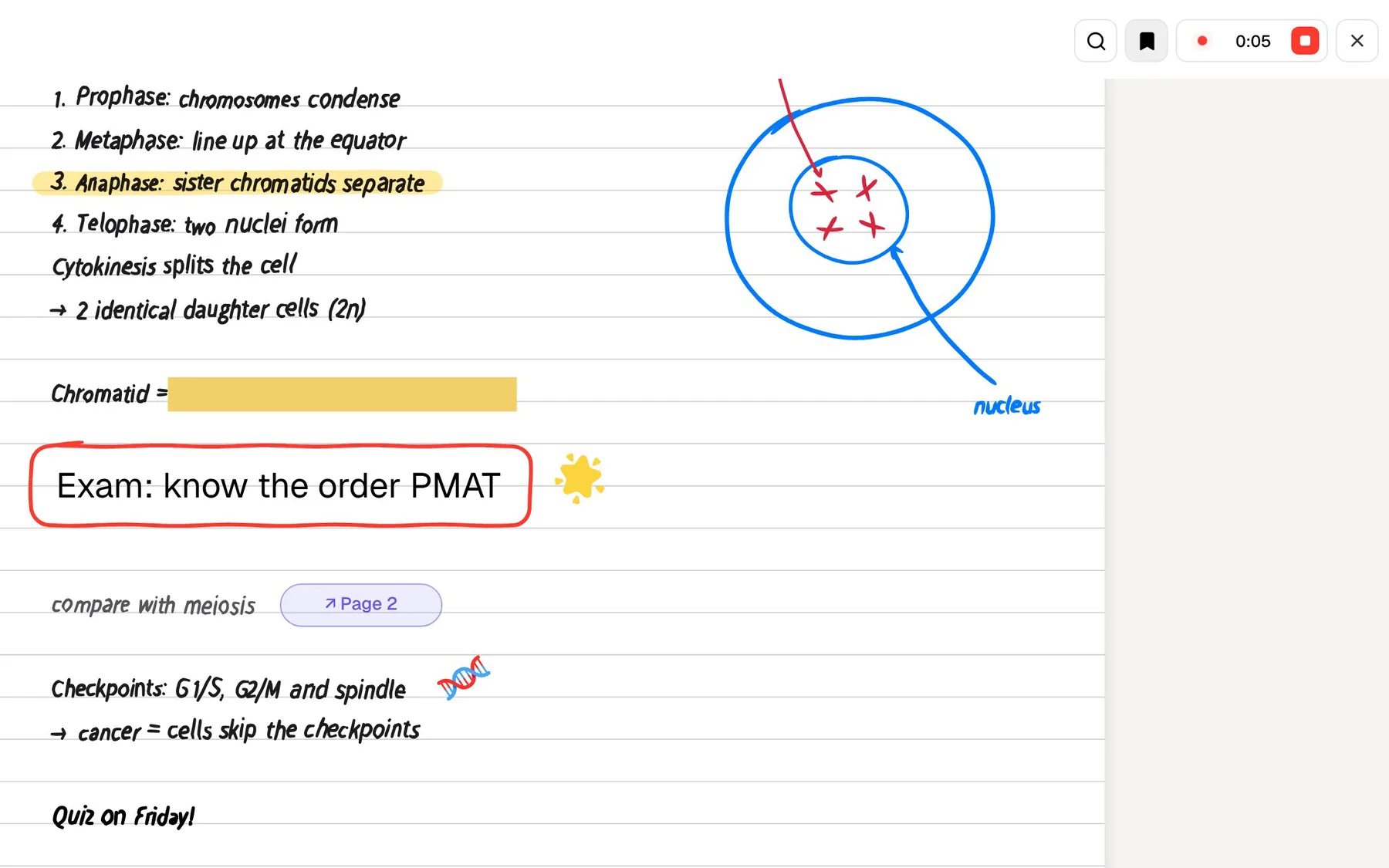
Voicenotes is an AI notetaker built around your voice. You record a meeting or a quick thought, it transcribes and summarises it, and later you ask its AI to recall anything you have said, across every note. Its homepage now leads with meetings, calling it the notetaker for your confidential meetings, but the voice-memo roots are still there.
PocketNote works on a similar promise, aimed at a different body of material. You put your course into it: recorded lectures, PDFs, slides, YouTube lessons and your own notes. Poki, its AI, answers questions from that material with citations, and then the app turns the same sources into flashcards, quizzes, an oral exam and an audio review.
Both let you ask an AI about what you have captured. The difference is what you are trying to do with the answer. Voicenotes helps you remember conversations and ideas. PocketNote helps you learn a course well enough to be examined on it. This page compares them using Voicenotes' own site as of November 2026.
At a glance
PocketNote vs Voicenotes
| Feature | PocketNote | Voicenotes |
|---|---|---|
| Main job | Studying from course material | Capturing meetings and voice notes |
| Recording | Lectures: transcript, summary, notes | Meetings without a bot; voice memos |
| Ask AI across your notes | Poki, with citations to the source | Ask AI across notes and meetings |
| Material you can add | PDF, Word, Excel, audio, YouTube, links | Voice and text notes; audio imports |
| Languages | Study material in 50+ languages | More than 60, detected automatically |
| Summaries | Summary and notes per lecture | Summaries and action items |
| Flashcards with spaced repetition | Yes: Again / Hard / Good / Easy | Not advertised |
| Quizzes and oral exams | Yes | Not advertised |
| Your data and AI training | Not used to train public AI models | Never used to train AI |
| Apps | Web, iPhone, iPad | Web, iOS, Android, Mac, Windows, watches |
| Free plan | Free to start | 100 min a week; 30-day history |
| Paid plan | Basic and Plus; see pocketnote.app | Pro, $9 per user a month |
Checked against each product's own website, November 2026. Plans and features change; confirm current details there.
What Voicenotes is today
Voicenotes went public in 2024 as an AI voice-note app; TechCrunch reported that spring that it was built by Buy Me a Coffee's founder, Jijo Sunny, and his wife Aleesha. The idea was simple: talk instead of type, and let AI turn the recording into something you can read and search.
The current homepage has moved toward meetings. It records Zoom, Teams, Google Meet, Webex and Slack calls without a bot joining, handles in-person meetings, and has summaries ready when the meeting ends, which you can export as a PDF, share to Slack, or turn into follow-up emails and to-do lists. It advertises SOC 2 Type II and GDPR compliance and says your data is never used to train AI.
It runs almost everywhere: iOS, Android, macOS, Windows, the web, Apple Watch, Wear OS and a Chrome extension. Its site lists more than 60 languages with automatic detection, including switching language mid-sentence.
Ask AI: searching what you have said
Ask AI is what sets Voicenotes apart from a plain recorder. Its help centre describes it as a built-in assistant that retrieves information from your text and voice notes, with two modes, Ask and Create, and a history of past questions. The pitch is that the AI remembers every conversation, so an idea from months ago is one question away. You might ask what you said about a topic three weeks ago, or what a group agreed in a meeting, and get an answer drawn from your own recordings.
For a student that can be useful in its own way. If you record your thoughts after seminars, talk through essay plans or keep a voice journal, Ask AI turns that pile of recordings into something you can query. Voicenotes also offers an MCP connection on Pro so other AI tools can reach your notes.
What Ask AI draws on is what you recorded or wrote in Voicenotes. That is a strength for personal memory. It is a limit for coursework, where most of what you need to know is in someone else's slides, readings and lectures.
Poki: searching what you are studying
Poki, PocketNote's AI, is built for that second kind of material. It answers from your course: lectures you recorded in the app, PDFs and Word files, lecture slides, YouTube transcripts, web articles, and your own typed or handwritten notes. Answers carry citations to the source, and Poki shows its steps as it works, such as searching your notes and reading a specific lecture.
It can also do things with the material. Ask for the difference between two concepts in a table and you get a table from your notes. Ask it to highlight the key definitions on page 3 of a PDF and it marks them on the page, which you can undo in one tap. It can write into your notes from the chat or start a quiz on a topic.
On paid plans, connectors let Poki use context from Google Drive, Notion, Outlook and other services, for example adding a summary to a Notion page you name.

The free plan and a semester of notes
Voicenotes' pricing page lists the free Basic plan at the time of writing (November 2026) as unlimited recordings with 100 transcription minutes a week, shared across meetings, memos and dictation, and a 30-day history. Pro, at $9 per user per month, removes the transcription cap, adds real-time notes and live transcription, unlimited history, unlimited audio imports and storage, and advanced integrations.
The 30-day history is the detail students should notice. Course material needs to last until the exam, often months after the lecture, so a free plan that shows the last month of notes works for capturing ideas but not as a course archive. If Voicenotes is where your notes will live all term, budget for Pro.
The weekly transcription allowance is easier to judge. A few short memos a day fit comfortably in 100 minutes a week; hour-long sessions use it up after one or two.
PocketNote is free to start. Of its paid plans, Basic brings live voice with Poki, premium AI models and connectors, and Plus brings unlimited notebooks and apps, the longest podcasts and all models. See pocketnote.app for current plans and prices.
From remembering to being tested
Being able to find something is not the same as knowing it. In an exam you cannot ask an AI, so revision has to move material from your notes into your memory, and the reliable way to do that is to practise recalling it, spaced out over time. Recall also shows you what you do not know yet, which is the most useful thing to find out a week before an exam rather than during it.
Voicenotes does not advertise flashcards, quizzes or spaced repetition; it is built for capture and recall of notes. PocketNote is built for the second step. From a lecture, a PDF or your own notes it generates flashcards that you rate Again, Hard, Good or Easy, so each card returns when you are about to forget it, and quizzes that explain why each option is right or wrong.
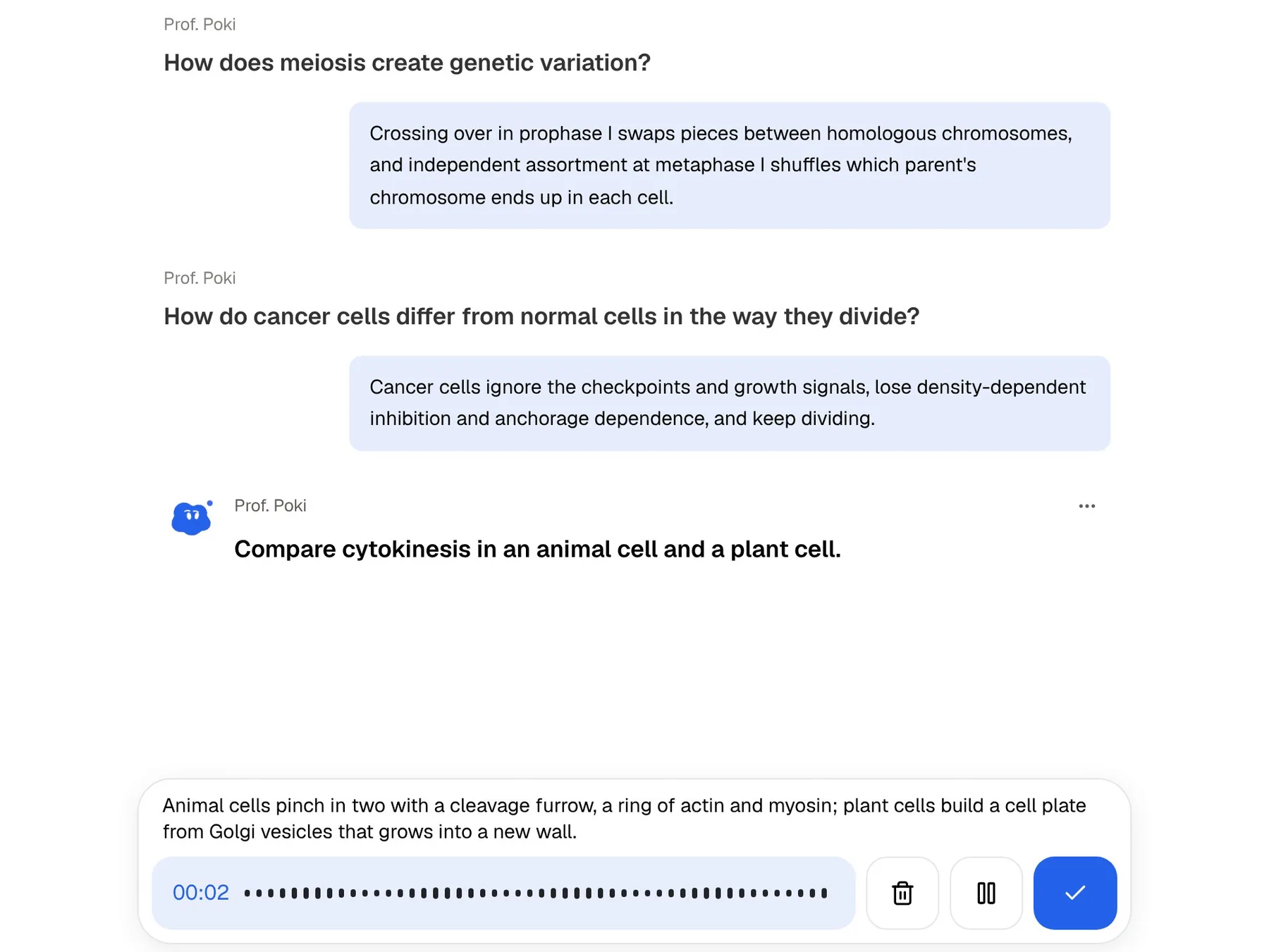
Prof. Poki's oral exam goes further: it asks you to explain an idea out loud or in text and keeps following up until you can. A study plan works back from the exam date, spreads the material across the days you have, and tracks memory, applied and mastery scores.

Talking to your notes, both ways
Voicenotes is voice-first for input: you speak, it writes. PocketNote uses voice in three places. You record lectures in the app and get a transcript, a summary and notes. On paid plans, live voice lets you ask Poki a question out loud and hear the answer. And the oral exam can be taken by voice.
The effect is that PocketNote's voice features point at practice. Asking Poki to quiz you on a topic while you walk turns a commute into a revision session, with questions drawn from your own lectures and slides rather than general knowledge.
What a recording turns into differs as well. In Voicenotes, a recording becomes a note with a transcript and a summary, ready to search. In PocketNote, a lecture becomes an item with the audio, a transcript, a summary and notes, and it is also the starting point for flashcards, a quiz and a podcast-style audio review with captions that follow the voices.
Where Voicenotes fits better
Pick Voicenotes if most of what you capture is your own thinking or your meetings. For a voice journal, ideas on the move, group-project calls, a part-time job or research interviews, a recorder with summaries, action items and an AI that recalls everything is exactly right.
Pick Voicenotes if you want it on every device: Android, Windows, Mac, Apple Watch, Wear OS and the browser. It is also a good fit if meetings are confidential and you want bot-free recording with the compliance claims it advertises, or if you switch languages mid-sentence.
And pick it if you want your notes available to other AI tools through its MCP connection. PocketNote's Poki is strongest on your own course material inside PocketNote.
Running Voicenotes and PocketNote side by side
The two cover different halves of student life, so running both is reasonable. Keep Voicenotes for thoughts, meetings and reflections. Put your courses in PocketNote: record lectures there, add slides and readings, and let it build the study tools.
When a Voicenotes recording belongs with a course, move it across. Voicenotes exports summaries as PDF, and PocketNote imports PDF files; for shorter notes, copy the text into a PocketNote typed note. Once it is there, Poki can cite it alongside the lecture, and the flashcards and quizzes can include it.
The rule of thumb is to ask where the answer needs to end up. If it is something you want to find again, Voicenotes is a good home. If it is something you will be examined on, it belongs in PocketNote. A workable split looks like this:
- Voicenotes: ideas after a seminar, essay brainstorms, group-project meetings, notes from a part-time job.
- PocketNote: lectures, slides, readings, YouTube lessons and anything you will be tested on.
- Both: a spoken explanation of a course concept in your own words, captured in Voicenotes and moved into PocketNote so it can become flashcards.
The verdict
Which one should you pick?
Pick PocketNote if…
- Pick PocketNote if your notes are course material and you need to be examined on them.
- You want an AI that answers from lectures, PDFs, slides and YouTube with citations, not only from recordings.
- You want flashcards with spaced repetition, explained quizzes, an oral exam and a study plan.
- You want to revise out loud with Poki on your own material.
Pick Voicenotes if…
- Pick Voicenotes if you capture thoughts, journals and meetings by voice and want an AI that recalls all of it.
- You need bot-free meeting recording and apps on Android, Windows, Mac and smartwatches.
- You want your notes available to other AI tools through its MCP connection.
Try it yourself
See it with your own notes
PocketNote is an AI study app for the web, iPhone and iPad. Record a lecture, import audio, upload PDFs and Word files, or paste a YouTube or web link, and Poki answers from that material with citations. The same sources become flashcards with spaced repetition, quizzes with explanations, oral exams, mind maps and podcast-style audio reviews.
It is free to start, and your files are not used to train public AI models. Voicenotes can remember what you said; PocketNote can check that you remember what you were taught.
Frequently asked questions
Sources
Keep reading