
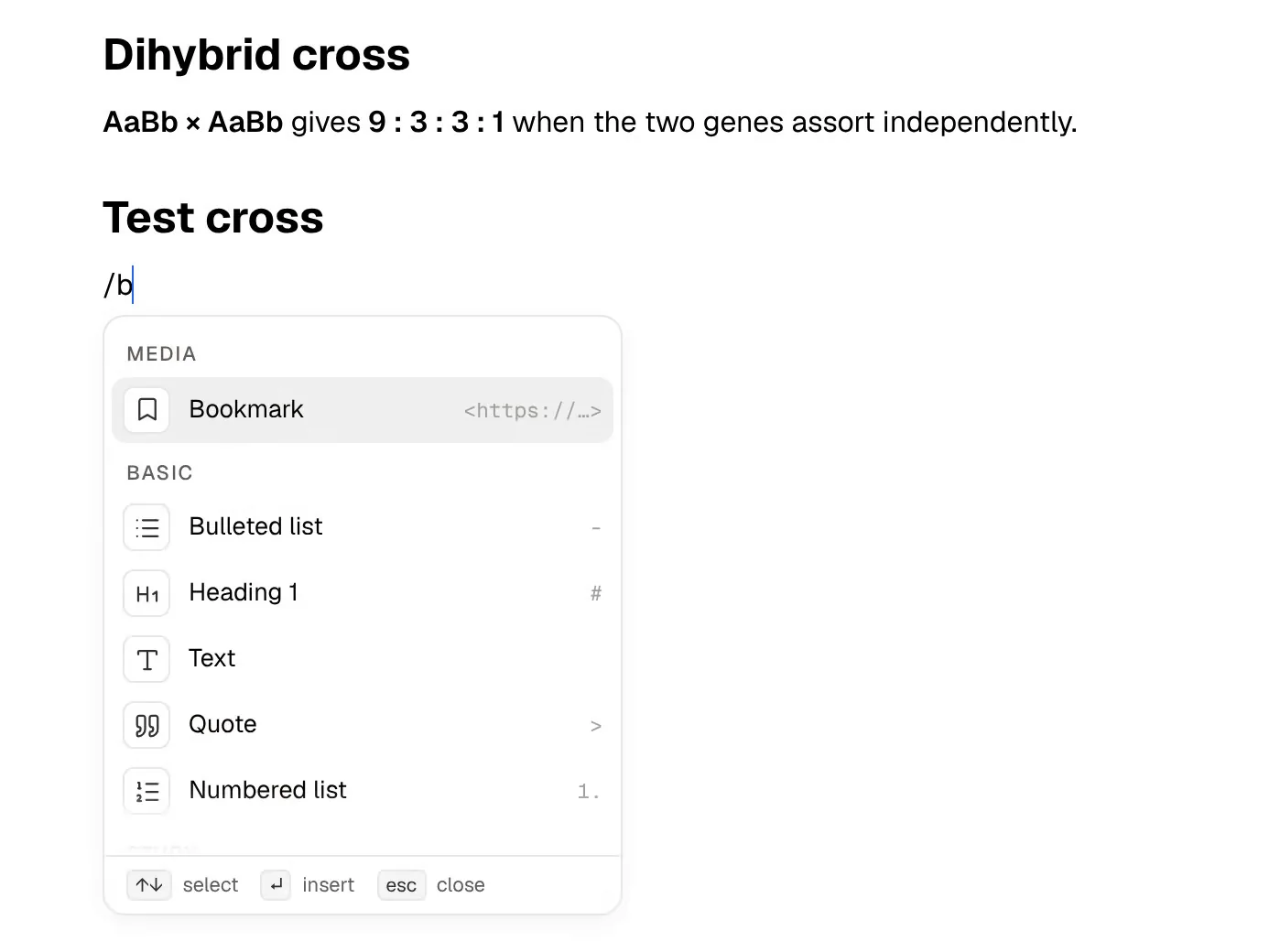
Craft is a notes and documents app known for how good its pages look. Documents are built from blocks and cards, can be published as a web page and shared with one link, and are organised into spaces, folders and tags, so a whole course can live in one tidy space. Alongside docs it has tasks, a calendar with daily notes, whiteboards, database-style collections and an AI assistant, with native apps on Apple devices, Windows and Android plus the web.
PocketNote, by contrast, is built for studying. It turns your course material (lecture PDFs, recordings, YouTube lectures, typed and handwritten notes) into flashcards with spaced repetition, quizzes with explained answers, mind maps, slide decks, audio reviews and a study plan. Its assistant, Poki, answers your questions from those sources with citations.
Craft is worth a look for any student because its student offer is generous. This page covers what that offer includes and what the free plan doesn't, where Craft's AI fits, what PocketNote generates that a documents app doesn't, and where Craft is the better choice.
At a glance
PocketNote vs Craft
| Feature | PocketNote | Craft |
|---|---|---|
| Built for | Studying your course material | Notes, documents, tasks and planning |
| Student offer | Free to start; see pocketnote.app | Plus free, school email checked yearly |
| Free plan | Free to start | 1,500 blocks, 1 GB, about 20 AI sessions in total |
| Apps | Web, iPhone, iPad | Mac, iPhone, iPad, Windows, Android, web |
| AI | Poki answers from your sources, cited | Write with AI and smart search |
| Flashcards with spaced repetition | Yes: Again / Hard / Good / Easy | Not advertised |
| Quizzes and oral exam | Yes | Not advertised |
| Visual tools | Generated mind maps and slide decks | Whiteboards you build |
| Record a lecture | Transcript, summary and notes | Not advertised |
| Sharing | Share a link to a note | Publish a document as a web page |
| Planning | Study plan built from your exam date | Tasks, calendar and daily notes |
Checked against each product's own website, November 2026. Plans and features change; confirm current details there.
What Craft does beautifully
Craft's documents are designed to be read. Cards, styles and themes make a page of lecture notes look finished, and any document can be published as a web page to share with a study group or a tutor. Paid plans add publishing controls such as password protection and expiry dates.
It also covers planning. Tasks are embedded in documents, a calendar view and daily notes keep the week together, whiteboards give you room to brainstorm, and collections act as structured databases for things like a reading list. Smart search, which finds notes by meaning in natural language, is included on every plan.
And it reaches beyond itself. Craft's homepage lists MCP connections so assistants such as Claude or ChatGPT can work with your Craft content, plus integrations through Apple Shortcuts and Zapier. Its apps are native on macOS, iOS, iPadOS, Windows and Android, with a web version as well, and Craft lists offline support among its features.
Craft's student plan, and the free plan's limits
Craft's pricing page has an education offer headed 'Plus, on us': everything in Plus, free while you study, verified with your school email once a year. For a student that's the plan to be on, because the free plan has firm limits. At the time of writing (November 2026), Craft's pricing page lists Free as including:
- 1,500 blocks in total, 1 GB of storage and a 25 MB media upload limit.
- One personal space and 7-day version history.
- About 20 AI sessions for the lifetime of the account, using the Core and Fast models but not Max.
- No shared spaces, password protection, or Print and TextBundle export.
What the student plan changes
Plus removes the content and storage caps, raises version history to 30 days, adds the Max model and lists roughly 250 to 500 AI sessions a year, along with the extra publishing controls. Craft notes that its prices vary by country, since it sets them in local currencies.
Blocks are the units a Craft document is built from, so a 1,500-block cap can fill quickly over a term of lecture notes. If you use Craft for coursework, verifying your student status early saves a mid-semester surprise. Craft also says that if you drop from Plus to Free, existing documents stay viewable and editable, but new content has to fit the free limits.
Student verification is renewed once a year, so it's worth putting the date in your calendar alongside your course deadlines.
PocketNote is free to start, with paid Basic and Plus plans; see pocketnote.app for current plans.
Craft's AI and Poki do different jobs
Craft's AI is built around writing: Write with AI drafts and refines text in your documents, and smart search finds things by meaning. With MCP connections you can also point an outside assistant at your Craft space, which is useful if you already pay for one.
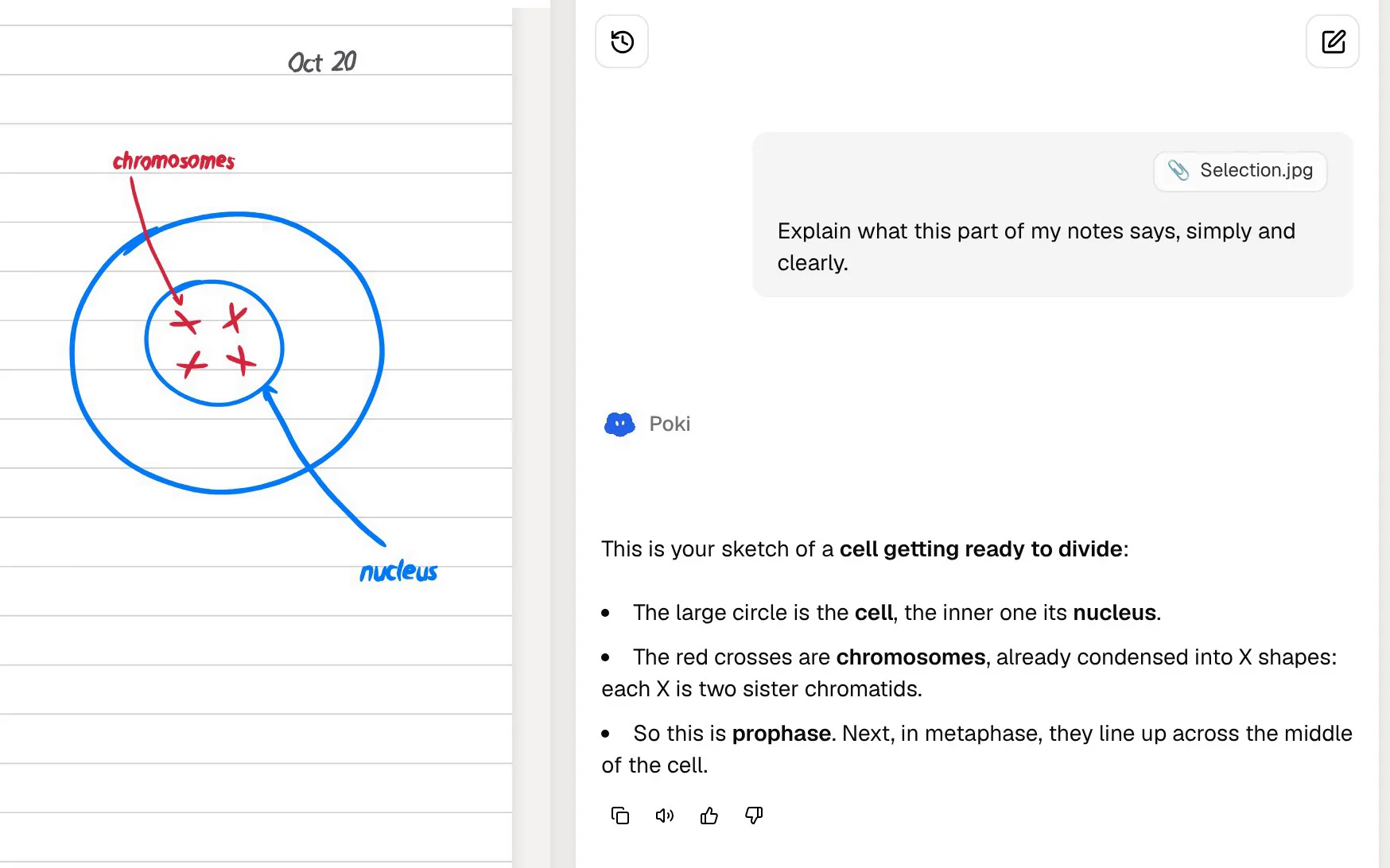
Poki is built around studying. It answers from your own material with citations, shows its steps as it searches your notes and reads an item, and can start a quiz for you. Give it a PDF and it sees the page as you do, your highlights and handwriting included, and it can mark passages for you on request, with a one-tap undo. It can also write into your notes from the chat.
The session counts matter here. Craft's AI allowance is measured in sessions, which is a sensible model for drafting help. A revision week looks different: many short questions, quizzes and follow-ups on the same material. If you plan to lean on Craft's AI for revision, check how far its allowance stretches for that kind of use.
PocketNote's tools are built for that pattern. The quiz, the flashcards and the oral exam are separate study tools rather than chat prompts, so a revision session is mostly you answering questions, with Poki there for the explanations.
On paid plans you can talk to Poki out loud with live voice, choose premium models from several providers, and connect Google Drive, Notion, Outlook, OneDrive and other services so Poki can use that context.
Pages you design versus material that's generated
In Craft, a good study page is something you build: headings, cards, a toggle for each question, maybe a whiteboard for the big picture. That's satisfying and the result looks great, but it's still your time, and a page doesn't quiz you, however well it's laid out. The work of turning notes into questions stays with you.
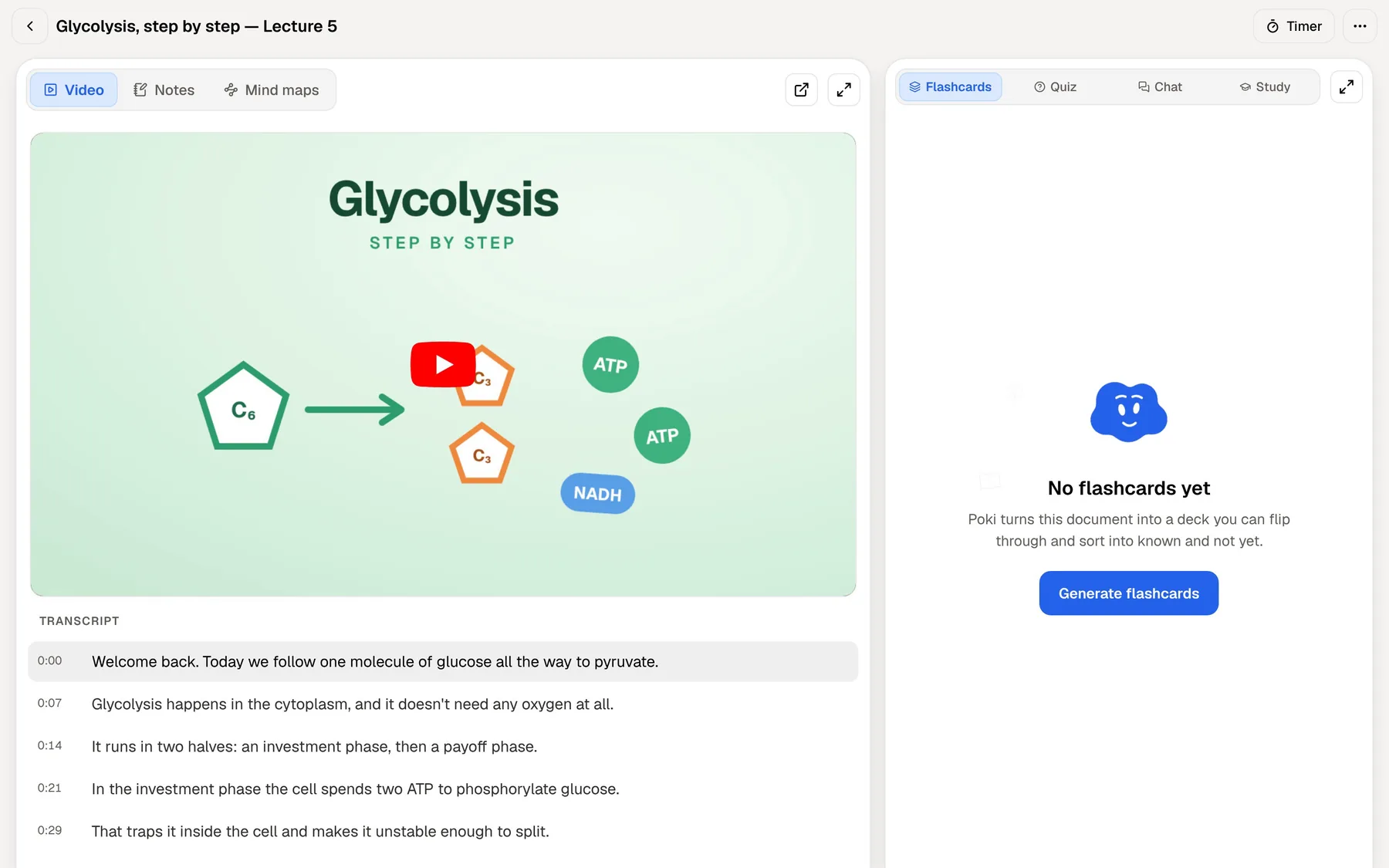
Lecture videos show the gap clearly. Paste a YouTube link into PocketNote and the transcript comes with it; from there it can generate flashcards that sit beside the timed transcript, so the card and the lecture it came from are on screen together. Recorded lectures and imported audio work the same way.
Handwriting is another difference. Craft's homepage doesn't mention Apple Pencil handwriting. PocketNote has full handwritten notes on iPad, with lined, grid and Cornell templates, a lasso that turns handwriting into text, tape to hide answers while you test yourself, and Note Replay, which plays your strokes back in time with audio recorded as you wrote.
Then there's what PocketNote generates, formats you'd otherwise build by hand, all from the same source:
- Mind maps with colour-coded branches for each topic and its parts.
- Slide decks that lay out a finding with charts and a takeaway.
- Summaries and written notes you can edit.
- Data tables pulled from the material.
- Flashcards with spaced repetition and quizzes with explained answers.
- Audio reviews and short explainer videos.
- An oral exam where Prof. Poki asks questions and follows up until you can explain the idea.
Where Craft has the edge
If you mainly write and present (seminar papers, project documents, a society's handbook), Craft is the better fit, and PocketNote doesn't try to match its documents.
Craft is also the stronger pick for collaboration. Shared spaces, roles and permissions on its team plans make it a real option for a group project or a student society, while PocketNote's sharing stops at a link to a note.
- Polished documents you want to share or publish as a web page.
- Free Plus for students, with a yearly school-email check.
- Planning in one app: tasks, a calendar, daily notes and collections.
- More platforms: native apps on Windows and Android as well as Apple devices; PocketNote has no Android or desktop app, though its web app runs in any browser.
- Shared spaces on the Family and Team plans.
Moving documents from Craft to PocketNote
Craft's help centre lists export to PDF, image, Markdown and TextBundle on every platform, plus Word on Mac, iOS and the web (Word isn't listed for Windows). Bulk export of several documents is available on Mac and iPad, in Markdown, TextBundle or PDF.
PocketNote imports PDF, Markdown and Word files, so export a course's documents as Markdown or PDF and import them with the original lecture files. From there, generate the flashcards, quiz and study plan, or ask Poki a question across everything in the folder.
For tables, Craft's own tip is to export the document to Word and copy the table from there. PocketNote reads Word files, so a table-heavy page can come across that way too.
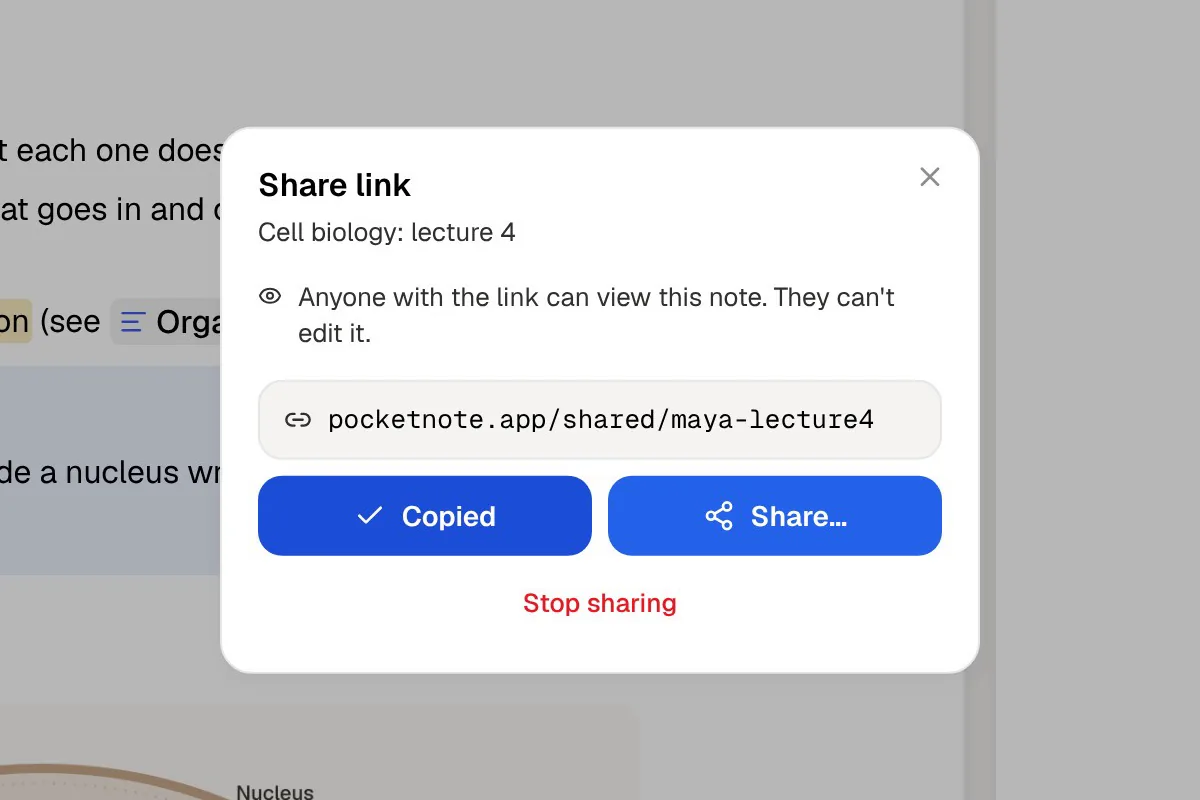
Going the other way is more limited. PocketNote's handwritten notes export to PDF, and any note can be shared as a link, which you can paste into a Craft document so your course page points to the study material.
Using both through the semester
Craft and PocketNote overlap less than their feature lists suggest. Craft is where you write, plan and share; PocketNote is where you get tested on what you wrote. Keeping course pages and a calendar in Craft, then moving each unit's material into PocketNote when revision starts, is a natural split.
Set the exam date in PocketNote and the study plan schedules the topics day by day, reminds you, and tracks memory, applied and mastery scores as you work through flashcards, quizzes and oral exams. Your Craft documents stay as they are, polished and shareable, while PocketNote does the drilling.
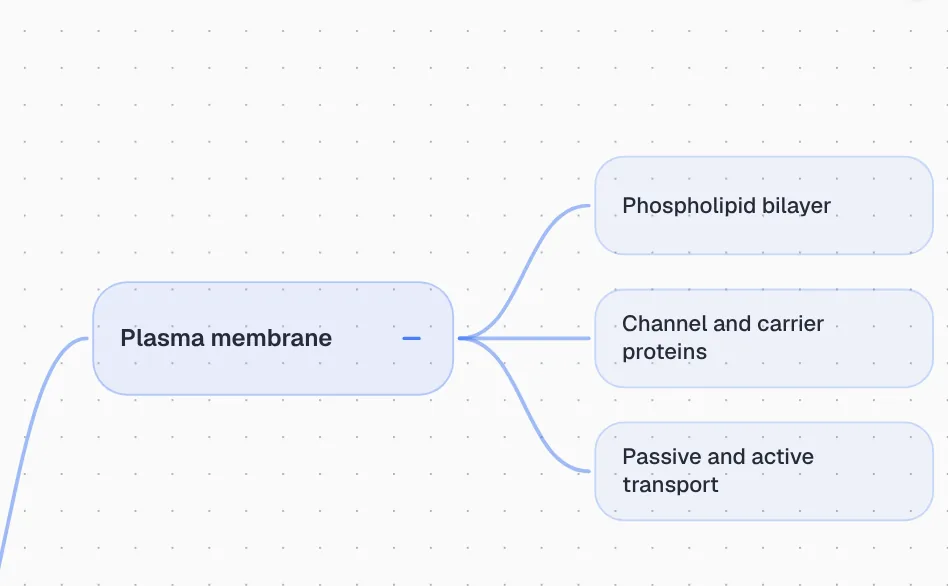
Before an exam, a generated mind map is a quick way to see whether the whole unit hangs together. A branch you can't explain without looking is a sign that topic deserves another round of flashcards, and a good place to start the next session.
The verdict
Which one should you pick?
Pick PocketNote if…
- You want flashcards, quizzes and a study plan generated from lectures and PDFs.
- You want an AI that answers from your course material with citations, not just writing help.
- You revise by listening or talking: audio reviews and live voice (paid plans).
- You handwrite on iPad and want those pages in your study tools.
Pick Craft if…
- You want beautiful documents and one-click web publishing.
- You qualify for free Plus as a student and mostly write and plan.
- You need native apps on Windows or Android.
Try it yourself
See it with your own notes
PocketNote can be tried free on the web, iPhone and iPad. Export one Craft document as Markdown, import it with the lecture slides, and see the flashcards, quiz and mind map it produces. The paid Basic and Plus plans bring live voice, premium models and connectors (current details at pocketnote.app).
If Craft is where your semester looks its best, leave it there. PocketNote is for the hours when the material has to go from a nice page into your memory.
Frequently asked questions
Sources
Keep reading