
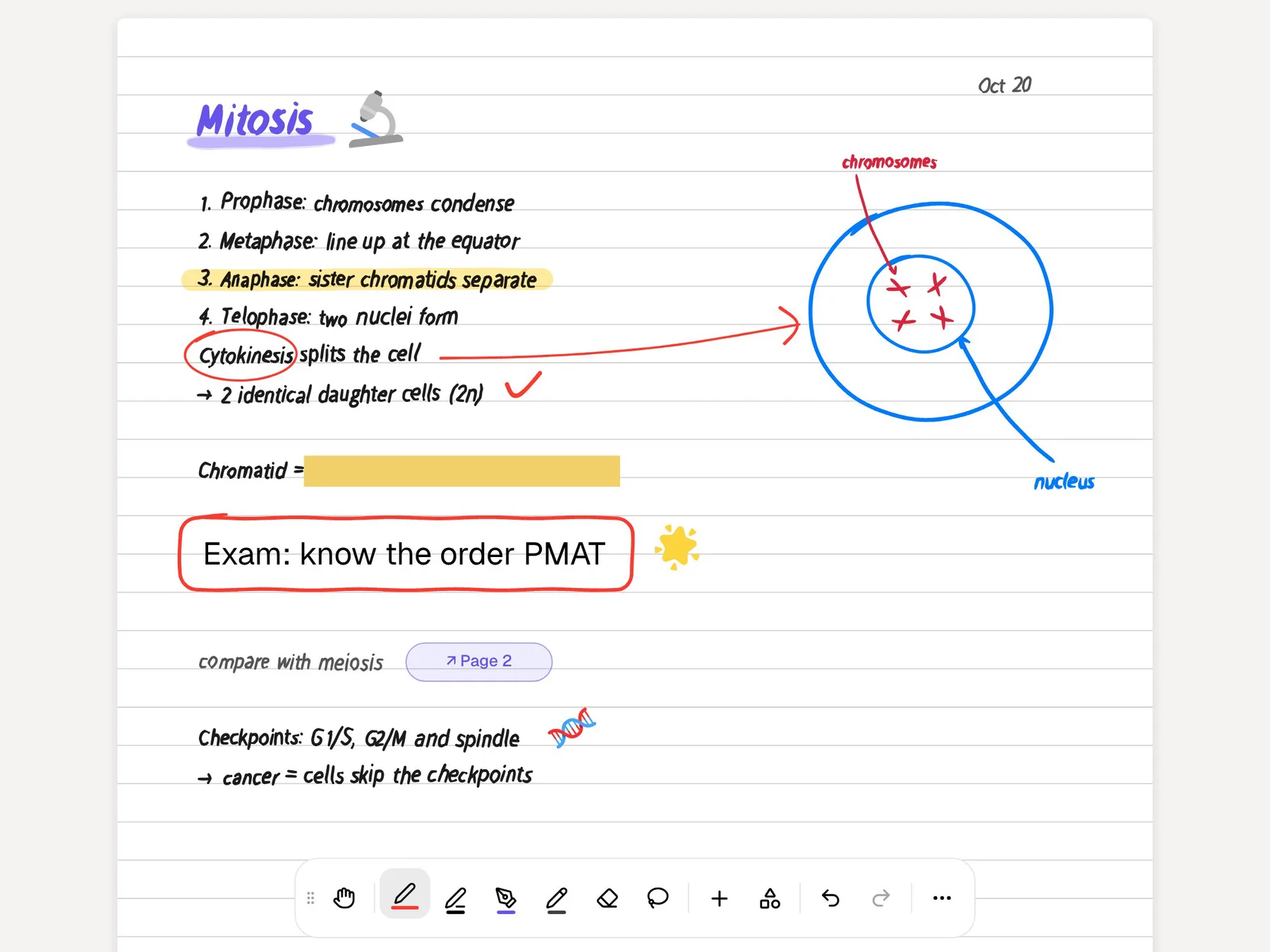
Flexcil is built for the student whose course lives in PDFs. It puts a PDF reader, a notebook and a reference manager on one screen, lets you mark up text with pen gestures, links passages across documents, and has a masking pen that hides content so you can test yourself and track which answers you got right. It runs on iPad, iPhone, Android and Mac, and now in a web viewer.
PocketNote comes at the same pile of PDFs with AI. Poki reads a page as you see it, including your highlights and handwriting, answers questions with citations to the source, and can highlight or circle passages when you ask. From the same PDF, PocketNote generates flashcards with spaced repetition, quizzes that explain every option, an oral exam, mind maps and audio reviews, and a study plan ties them to your exam date.
Both are good at different halves of the job: reading the material and learning it. This page compares them on a textbook-heavy course, says where Flexcil is the better reader, and suggests how to use the two together. Flexcil details come from its official site and App Store listing in November 2026.
At a glance
PocketNote vs Flexcil
| Feature | PocketNote | Flexcil |
|---|---|---|
| Built for | Learning your sources with AI | Reading and annotating PDFs beside notes |
| PDF reading | Source viewer; annotate on the page | 1, 2 or 4-page views, outlines, bookmarks |
| PDF editing | Highlight, write and draw on pages | Merge PDFs, edit pages and outlines |
| Notes beside a PDF | Notebook with sources, chat and study panel | PDF and notebook on one screen, with gestures |
| Links between documents | Page links in handwritten notes | Reference links across documents |
| Hide-and-recall | Tape hides answers on the page | Masking pen, tracks right and wrong |
| Audio synced to writing | Note Replay | Audio record with handwriting sync |
| AI | Poki reads the page, cites, marks it | No built-in assistant; external AI web view |
| Flashcards and quizzes | Generated; spaced repetition; explained | Not advertised |
| Find papers | arXiv and SSRN search in the app | Not advertised |
| Apps | Web, iPhone, iPad | iPad, iPhone, Android, Mac, web viewer |
| How you pay | Free to start; Basic and Plus plans | Free download; paid upgrades in the app |
Checked against each product's own website and App Store listing, November 2026. Plans and features change; confirm current details there.
Why PDF-heavy students like Flexcil
Flexcil's core idea is that reading and note-taking should happen on one page. You open a PDF and a notebook side by side, drag a passage from the textbook into your notes, and Flexcil keeps a reference link back to where it came from. Its site describes this as linking scattered information across documents, which is useful when one topic spans a textbook, lecture slides and a paper.
The PDF tools go well beyond basic markup. You can read in single-page, two-page or four-page view, merge PDFs, edit pages, outlines and bookmarks, and mark up with a squared or round highlighter that doesn't blur the text underneath. Pen gestures handle a lot of the markup, so you are not constantly switching tools. Cloud storage connects to Box, Google Drive, iCloud, Dropbox and OneDrive.
It also covers the everyday note-taking basics: a fountain pen, dotted and straight-line pens, a shape tool, sticky notes for quick memos on a document, stickers, and planners and templates that are updated regularly. Handwritten notes sync automatically, so you can write on a tablet and review on your phone.
Flexcil's education page adds a Popup Viewer for writing while a document stays open in a separate window, dictionary lookup, a laser pointer and shape correction. Much of the app is designed around reading, which is exactly what a textbook course needs.
The masking pen and PocketNote's tape
Flexcil's most study-minded feature is the masking pen. You cover content in a document, recall what is underneath, and mark whether you got it right, so Flexcil can show your weak areas at a glance. It is a digital version of the old trick of covering a page with a hand, and it works well for definitions, diagrams with labels and vocabulary lists. In subjects like anatomy or geography, where hiding a label is the natural question, it fits especially well.
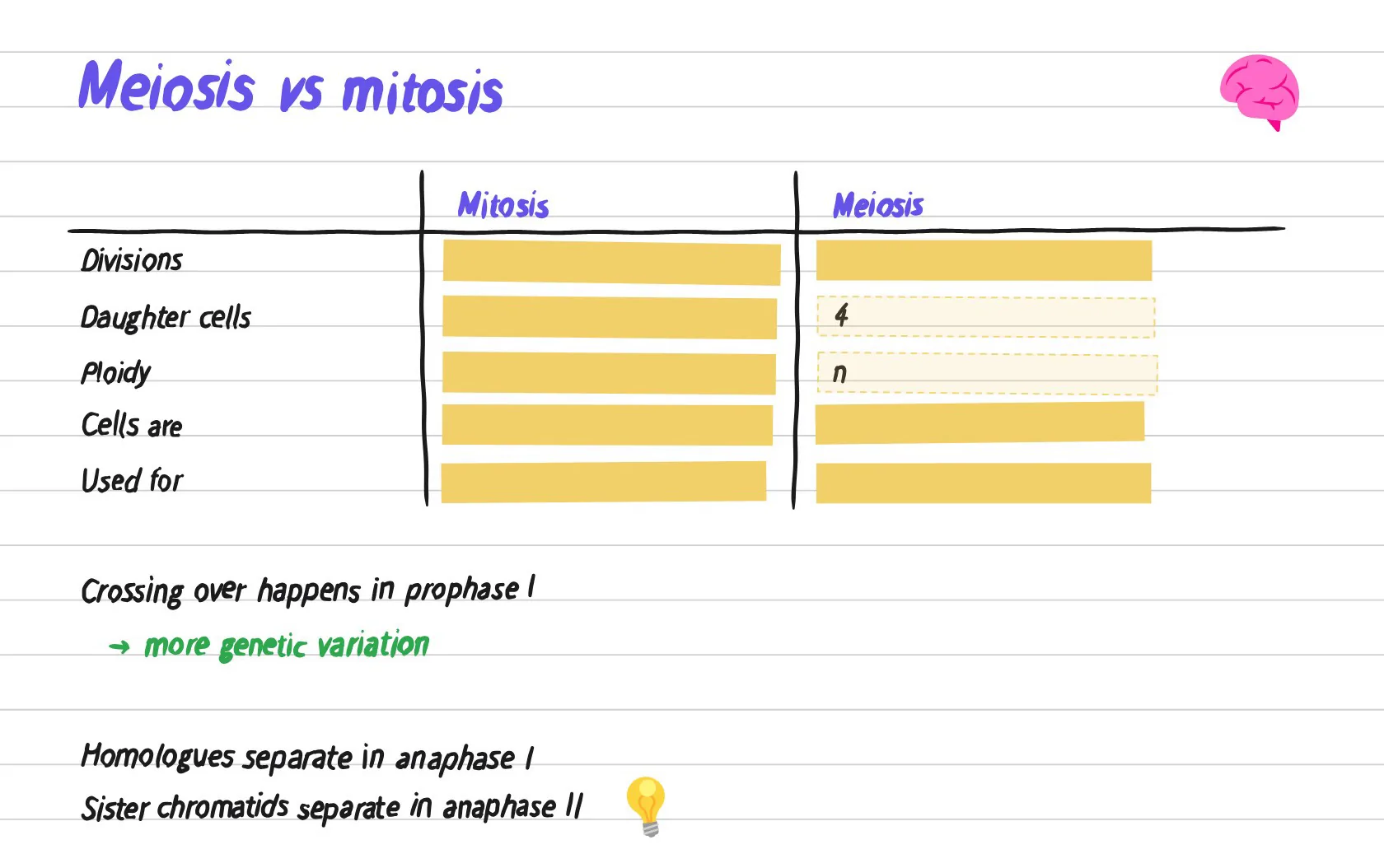
PocketNote's handwriting canvas has a similar tool called tape, which hides answers on a page for self-testing. Beyond that, PocketNote moves the self-testing into generated material: flashcards scheduled by spaced repetition, where you rate each card Again, Hard, Good or Easy and it returns when you are about to forget it, and quizzes that explain why each option is right or wrong.
The difference is who does the preparation. With a masking pen you decide what to hide on each page, which is careful work and a form of study in itself. PocketNote builds the questions from the PDF you import, which is faster when the reading list is long.
When the PDF needs explaining: Poki on the page
Flexcil doesn't have its own AI assistant. Its App Store listing mentions an external AI web view for capturing and working with an outside AI service, so you can bring a chatbot alongside the document, but the reading and the AI live in separate places.
In PocketNote the AI works on the page itself. Poki can look at a PDF page as you see it, including your highlights and handwriting, and answer questions about it from your material with citations rather than from the open web. Ask it to highlight the key definitions on page 3, underline a method or circle the terms you keep forgetting, and it marks your PDF; one tap undoes its marks. Poki also shows its steps as it works, such as searching your notes and reading an item, so you can see where an answer came from, and it can write a summary straight into your notes from the chat.
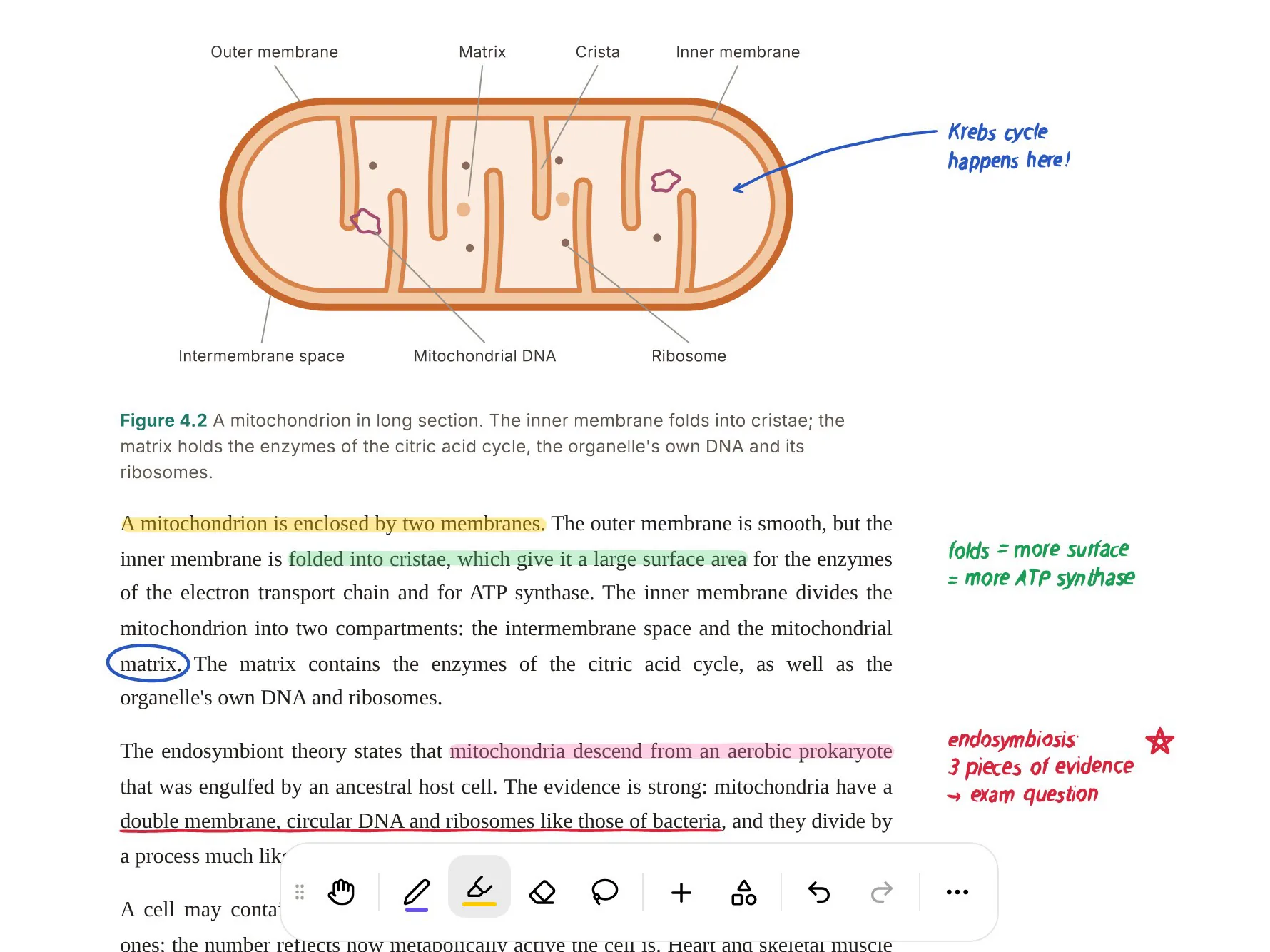
You can still annotate by hand in PocketNote: highlight, write and draw directly on the page. The screenshot below shows a textbook page with highlights, margin notes and a circled word.
From a chapter to cards, questions and answers
A typical PDF-heavy week looks like this in PocketNote. Import the chapter, the lecture slides and any papers into one notebook. Ask Poki for the main arguments and it answers in structured points with a citation chip showing which sources it used. Generate flashcards from the chapter, a quiz that explains each answer, and a mind map if you need the overview first. The same chapter can also become written notes, a slide deck or a data table, and study material can be produced in more than 50 languages if you study in a second language.
When the chapter is long, a podcast-style audio review covers it while you are away from the screen, with captions that follow the voices. And when the exam date is set, the study plan works out what to cover each day, sends reminders and tracks memory, applied and mastery scores.
Flexcil's equivalent is careful manual work: reading, linking, masking and recording your own results. Some students learn best that way, and Flexcil supports it well.

Finding the paper in the first place
Upper-year and graduate courses often add papers to the reading list, or ask you to find your own. PocketNote has academic search built in: search arXiv and SSRN from inside the app, open a result or its PDF, and save it to your library, where it becomes a source like any other. Saved papers sit in colour-coded folders with the rest of the course, and you can star the ones you keep returning to.
Flexcil doesn't advertise paper search, but it connects to the cloud services where you might already keep downloaded papers, so the two approaches meet in the middle: find a paper in PocketNote, or read it in Flexcil and bring the same file across from your drive when you want to study it.
Recording a class next to the slides
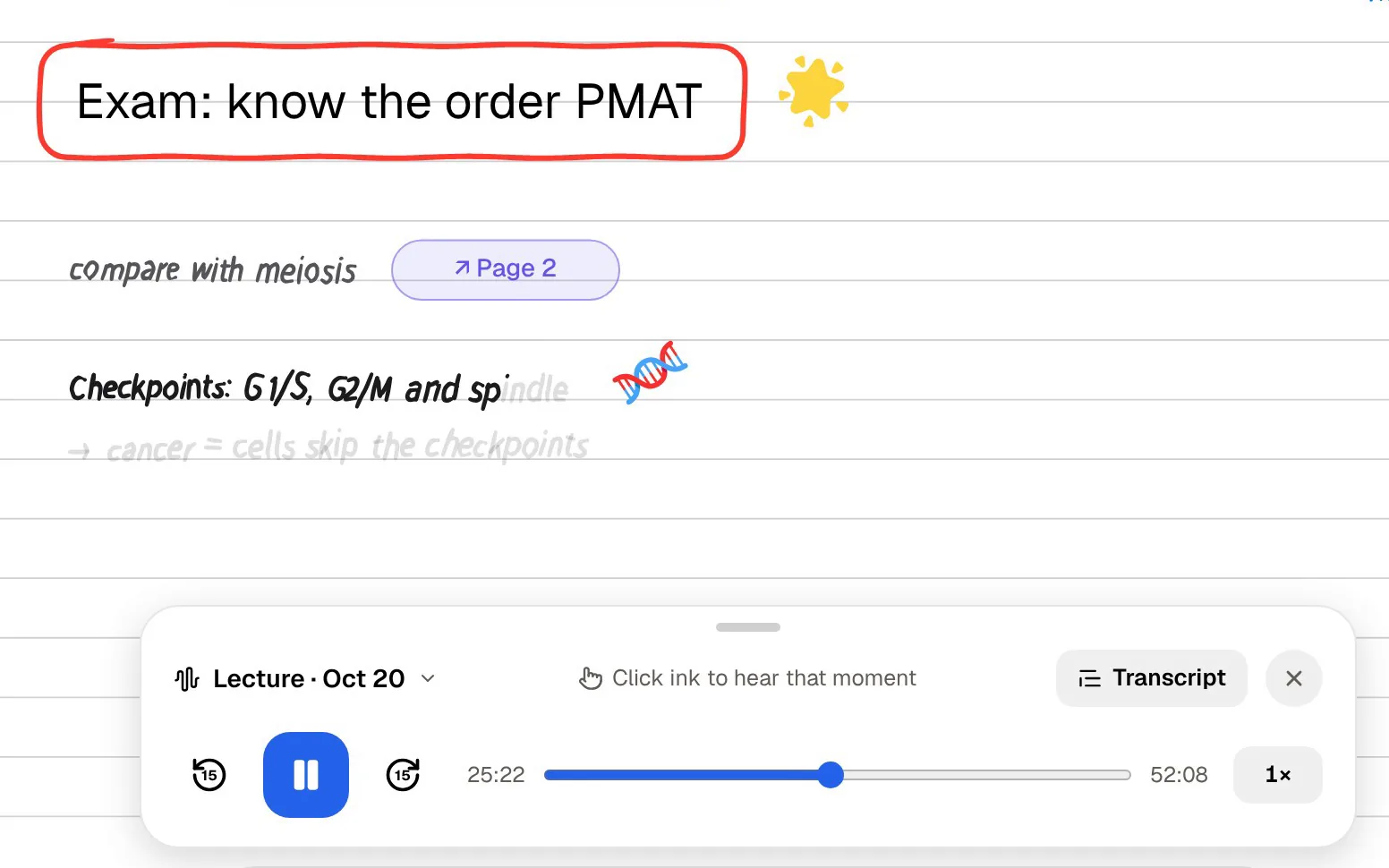
Both apps sync audio to what you write. Flexcil records what you hear while you take class notes, and you tap a note to hear what was said at that moment; its site calls this Audio Record and Note Replay, and its education page says annotations made during a recording are synced automatically. PocketNote's Note Replay records while you write on iPad and shows the strokes you were writing as the audio plays back.
PocketNote also has a dedicated lecture recorder that turns a class into audio, a transcript, a summary and notes, which then feed flashcards, quizzes and audio reviews. If you want the recording to become study material, that is the difference. When a lecturer posts recordings instead, PocketNote imports MP3, WAV, M4A and OGG files, and a YouTube lecture link brings its transcript with it.
Where Flexcil is the better choice
Flexcil is the better reading tool for a lot of PDF-heavy students, and PocketNote's PDF handling is aimed at studying the material rather than managing it. If you spend more hours reading than reviewing, start with Flexcil.
- You want to read a PDF and write notes on the same screen, dragging passages across with links back to the source.
- You need real PDF editing: merging files and editing pages, outlines and bookmarks.
- You like the masking pen and want to test yourself page by page, marking right and wrong.
- You need the app on Android or a Mac as well as an iPad.
- You would rather have no built-in AI and prefer to bring your own chatbot when you want one.
Using Flexcil to read and PocketNote to revise
Flexcil is a free download with paid upgrades sold inside the app; the App Store lists Standard and Premium options, and prices vary by region. Schools can apply for free K-12 licences through Flexcil's education programme. PocketNote is free to start, with Basic (live voice, premium models and connectors) and Plus (unlimited notebooks, the longest podcasts and all models) plans; see pocketnote.app for current prices.
A good split for a textbook-heavy course: read and annotate in Flexcil, where the side-by-side view and reference links shine. Keep the original PDFs in Google Drive, OneDrive or Dropbox, and import them into PocketNote from there when it is time to revise. PocketNote then builds the flashcards, quizzes and audio reviews, and the study plan schedules them against the exam date. Your Flexcil annotations stay in Flexcil; PocketNote works from the clean originals, and you can add fresh highlights there if you want Poki to see them.
The verdict
Which one should you pick?
Pick PocketNote if…
- You want an AI that reads your PDF pages, answers with citations and marks passages when you ask.
- You want flashcards with spaced repetition, explained quizzes and an oral exam generated from your readings.
- You want audio reviews and a study plan to your exam date, plus academic paper search.
Pick Flexcil if…
- You want the best side-by-side PDF reading and note-taking with reference links.
- You need PDF editing and the masking pen for page-by-page self-testing.
- You want apps on Android and Mac, without built-in AI.
Try it yourself
See it with your own notes
PocketNote is an AI study app for iPhone, iPad and the web. Import your textbook chapters, slides, papers and recordings, and Poki answers from them with citations, reads your annotated pages and marks them when you ask. PocketNote also generates flashcards with spaced repetition, quizzes with explanations, an oral exam, mind maps, audio reviews and a study plan to your exam date.
Keep Flexcil for reading if you like it, and bring the same PDFs into PocketNote when it is time to learn them. It is free to start.
Frequently asked questions
Sources
Keep reading