
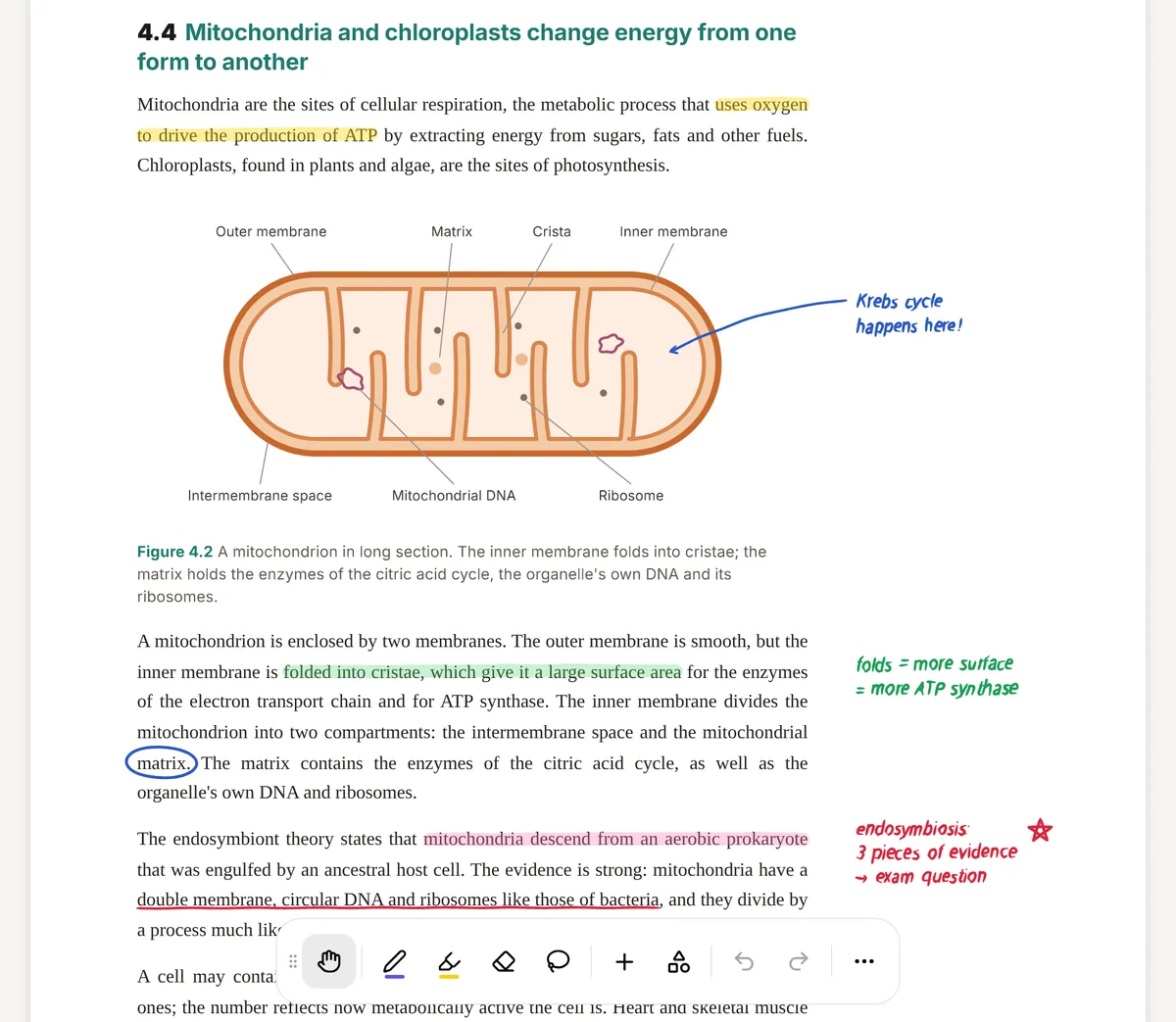
LiquidText is a PDF reader built around one idea: pull the important parts of a document out into a workspace beside it, connect them, and never lose the link back to the page. Pinch a long document and it collapses around your search terms. Drag a sentence out and it becomes an excerpt you can group, comment on and link to excerpts from other files. Its own site has pages for legal, medical, engineering and academic work, and that is where it shines.
PocketNote is aimed at a later step. Once you have read the material, you still have to remember it in an exam. PocketNote takes your readings, slide PDFs and lectures, and Poki, its AI, generates flashcards with spaced repetition, quizzes with explained answers, mind maps and notes, and answers questions with citations to your files.
So this is less a contest than a question of which job you need done. Below: what LiquidText does better than other PDF apps, where it stops for exam revision, how each handles a stack of readings, what each costs as of November 2026, and how some students use both.
At a glance
PocketNote vs LiquidText
| Feature | PocketNote | LiquidText |
|---|---|---|
| Main job | Turning course material into revision | Active reading across documents |
| Platforms | Web app, iPhone and iPad | iPad, Mac and Windows |
| Linking back to the source | Answers cite the source file | Every excerpt links to its page |
| Many documents at once | Several sources in one notebook | Multi-document projects (Pro and LIVE) |
| Handwriting and ink | Apple Pencil on iPad; drawing in the browser | Full inking and ink links (Pro and LIVE) |
| Flashcards with spaced repetition | Yes, built in | Not advertised |
| Quizzes | Yes, every answer explained | Not advertised |
| AI questions on your files | Poki, with citations | Not listed in its plans |
| Lectures and video | Record lectures; import audio and YouTube | Not advertised |
| Collaboration | Share a link to a note | Real-time with one colleague (LIVE) |
| Export | Handwritten notes to PDF | Projects to PDF or Word |
| Price model | Free to start; Basic and Plus plans | Free Basic; Pro one-time; LIVE yearly |
Checked against each product's own website, November 2026. Plans and features change; confirm current details there.
What LiquidText does better than other PDF apps
LiquidText treats a document as something you take apart. Select text and drag it into the workspace: it becomes an excerpt that stays linked to its source, so one tap jumps back to the page. Excerpts can be grouped and commented on. On the paid versions you can also tag them and draw ink links between any two things (a page, an excerpt, a comment); the link stays live as you move them around.
Two gestures make it unusual. Pinching a document collapses it so distant pages sit next to each other, or so every search hit appears together with as much context as you want. And on the paid versions you can view up to three documents in parallel (five on a PC) and pull excerpts from all of them into one workspace. For a literature review, a case bundle or a comparison of three papers, this is genuinely faster than flipping between tabs.
Every version exports your notes in standard formats, and documents can come in from Dropbox, Box, OneDrive or, on Apple devices, iCloud. The paid versions add the practical extras: OCR on scanned documents, search across all your files, and Zotero and Mendeley integration. It runs on iPad, Mac and Windows.
Where it stops short for exam revision
LiquidText is built for analysis: finding, comparing and connecting what documents say. Revising for an exam is a different activity. It depends on retrieval practice, testing yourself again and again, ideally spread out over days. LiquidText's pricing and feature pages don't list flashcards, quizzes or a review schedule, so the excerpts you collect have to become study material somewhere else.
It also starts and ends with documents. Recorded lectures, YouTube explainers and audio reviews aren't part of what it advertises. Its current plans focus on reading, inking, linking, syncing and collaboration; they don't list AI-generated summaries, questions or study sets. None of that is a flaw in a reading tool. It just means the remembering happens elsewhere.
The same reading pack, two approaches
Say your seminar gives you four papers and a lecture recording for one week's topic. In PocketNote you put them in one notebook: import the PDFs from your device, Google Drive, OneDrive or Dropbox (or search arXiv and SSRN inside the app and save a paper straight to your library), and add the recording as an audio file, or record the next lecture in the app.
Then you ask Poki. A question like "where do these four papers disagree about the mechanism?" gets an answer drawn from your files, with a citation chip that shows which sources it used. Poki shows its steps as it works, so you can see that it searched your notes and read a specific item, rather than answering from the open web.
From the same notebook you generate the revision material: flashcards, a quiz, a mind map, a written summary, or a podcast-style audio review with captions that follow the voices. That is the part LiquidText leaves to you.
Do the same week in LiquidText and the work looks different. Its workspace is a canvas you arrange, and its value is spatial: you can see that an excerpt from paper A contradicts one from paper B because you put them side by side and drew the line between them. Nothing is generated. Everything on the workspace is something you chose.
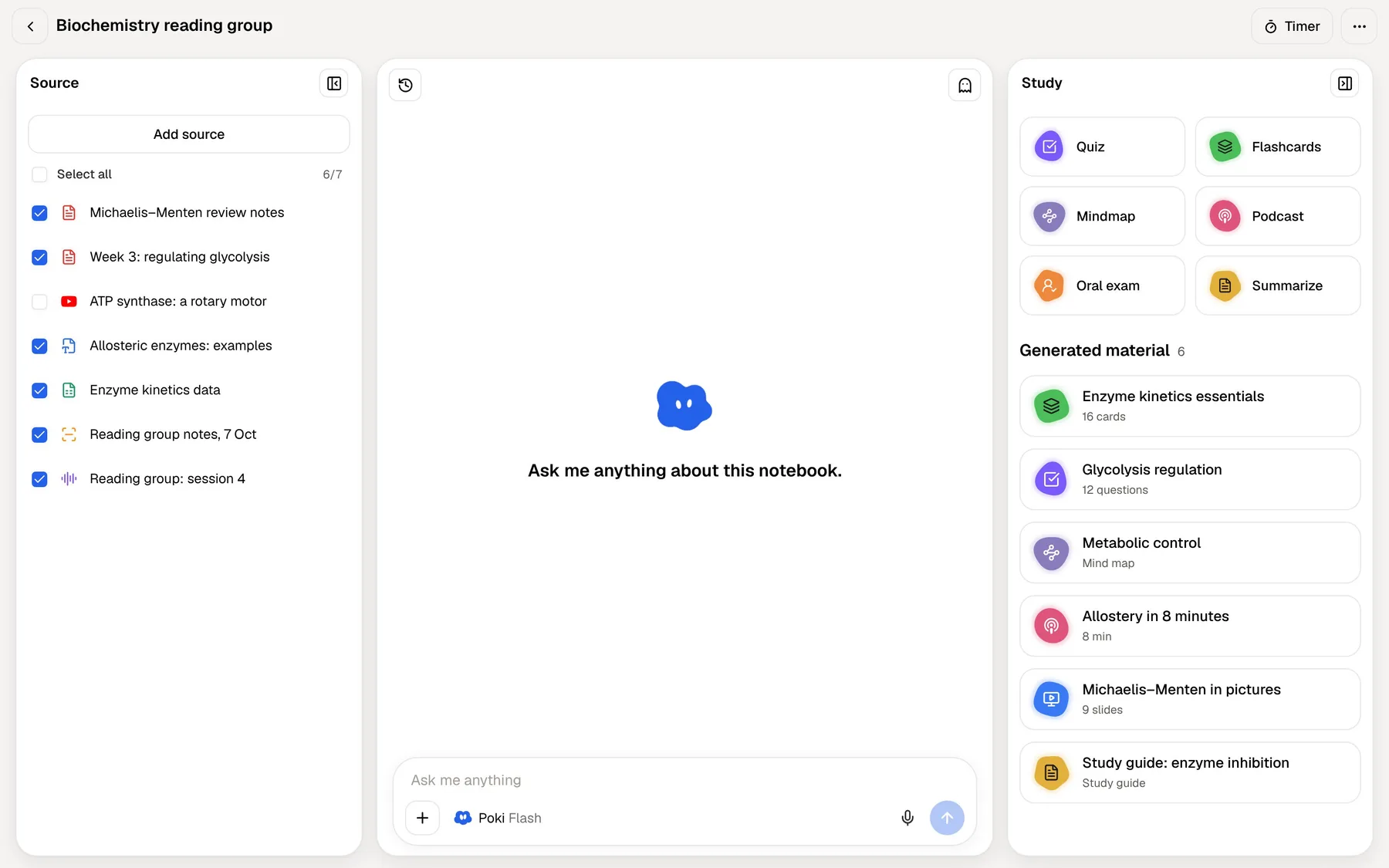
PocketNote's notebook is a list of sources with a chat and a study panel beside it. Its value is in what comes out: an answer that draws on all four papers at once, or a deck of cards that covers all of them. You arrange less and ask more.
Neither is better in general. For writing an essay or building an argument, LiquidText's hands-on arrangement is hard to beat. For learning a body of material well enough to recall it under time pressure, a notebook that produces tests is closer to the task.
Testing yourself on what you read
This is where the two apps differ most. In PocketNote, a seminar's readings become a deck you review with spaced repetition: each card asks one thing, you rate it Again, Hard, Good or Easy, and the schedule brings it back just before you would forget it. Quizzes test the same material from another angle and explain why each option is right or wrong, which helps most when you chose a wrong answer for a plausible reason.
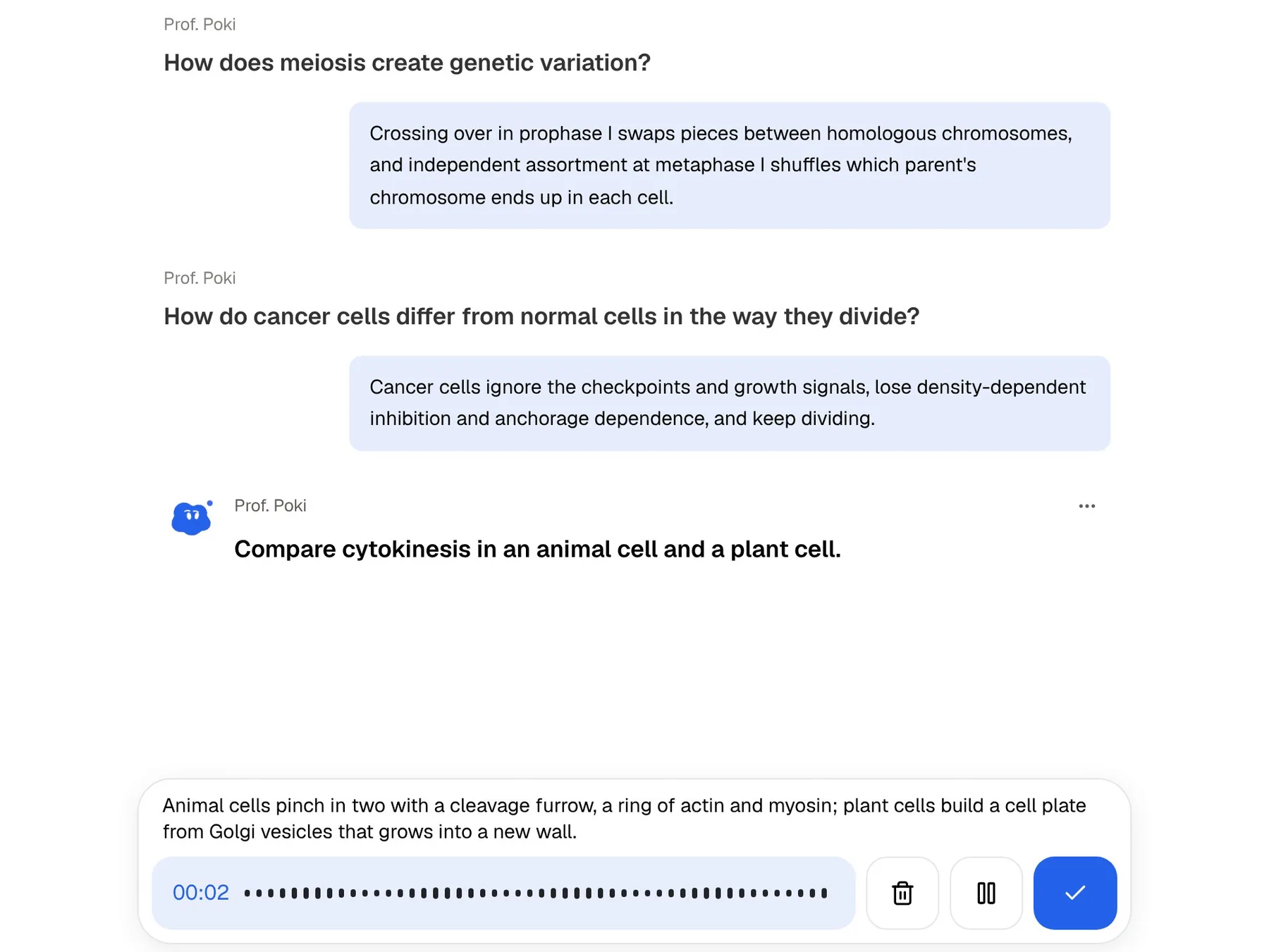
For essay-based subjects, the oral exam is closer to the real thing. Prof. Poki asks you a question out loud or in text, listens to your answer in your own words and follows up on the weak spot, much as a tutor would in a seminar. If you have an exam date, the study plan spreads all of this across the days you have left and reminds you when it is time.
In LiquidText the equivalent is manual: copy key excerpts into a separate flashcard app, or write your own questions into the workspace. Both work, but they take time you could spend reviewing.
Ink, margins and handwriting
On its paid versions LiquidText has full inking: write on the document, on excerpts, on comments and on the workspace itself, with a pen, a highlighter and saved colours. Drawing a circle around a region creates a freeform excerpt, which is a tidy way to clip a diagram into your notes.
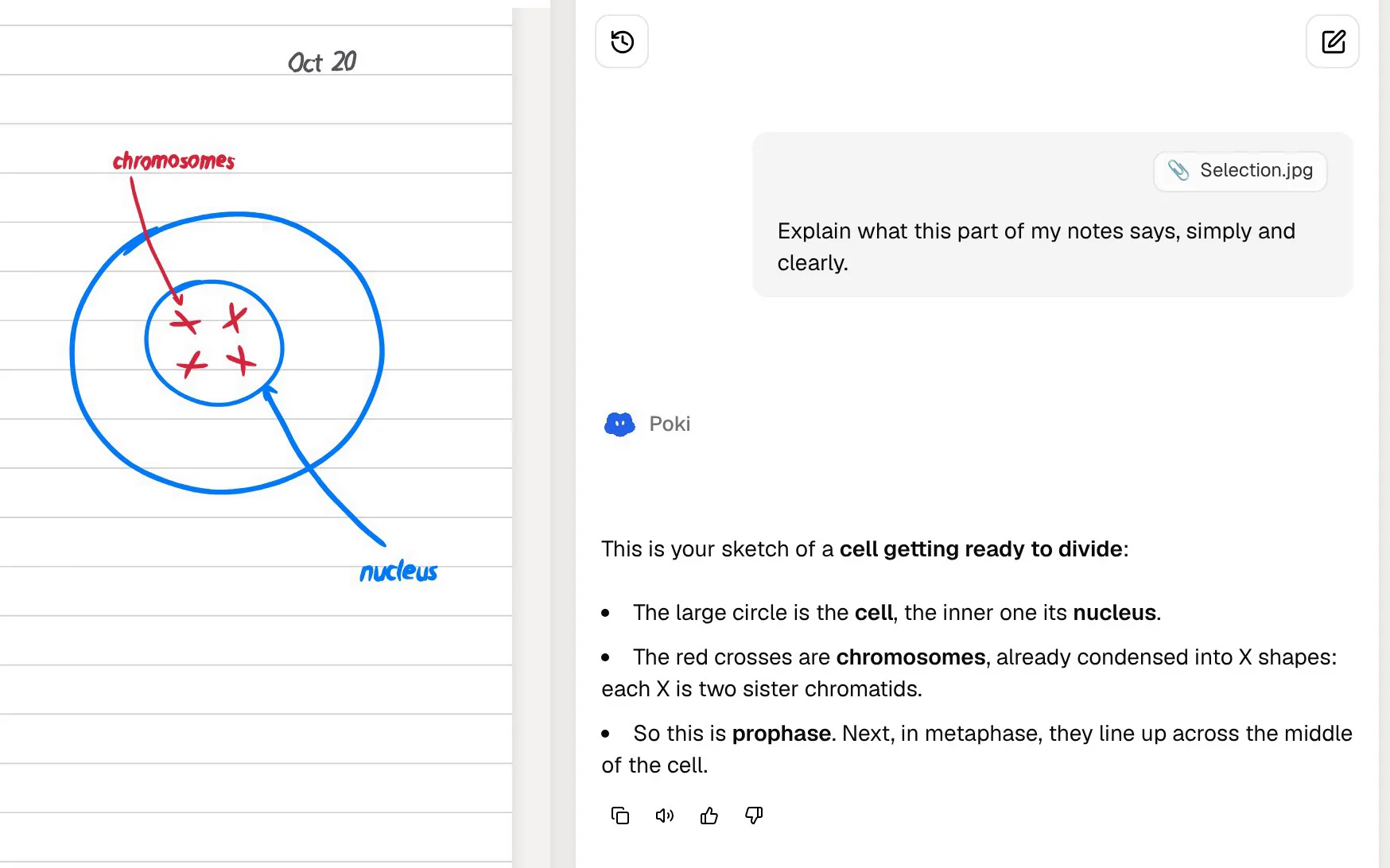
PocketNote lets you highlight, write and draw directly on a PDF, with Apple Pencil on iPad. Poki can look at a page the way you see it, including your highlights and handwriting, so you can circle a paragraph and ask what it means. It can also mark the PDF for you: ask it to underline every definition in a section, and undo its marks in one tap if you don't want them. For notes of your own, PocketNote has handwritten notebooks with page templates such as lined, grid and Cornell, a lasso that turns handwriting into text, and search through your handwriting.
Plans and pricing
LiquidText's pricing page shows four tiers. Basic is free and covers excerpts, linking excerpts to notes, pinch search, mind maps and export. Pro 2023 is a one-time purchase for one platform that adds inking, multi-document projects, tagging and OCR. LIVE and LIVE Unlimited are yearly subscriptions that add sync across devices, cloud storage and real-time collaboration with one colleague. LiquidText shows current prices at checkout rather than on that page, says student pricing is available when you upgrade inside the app, and offers a one-week free trial on LIVE.
PocketNote is free to start, with paid Basic and Plus plans; Basic adds live voice, premium AI models and connectors, and Plus adds unlimited notebooks and apps and all models. See pocketnote.app for current plans.
Where LiquidText is the better choice
Pick LiquidText, or keep it, if any of these describe you:
- You write from sources. Essays, theses, legal briefs and literature reviews benefit from its excerpt-and-connect workspace.
- You compare documents closely. Parallel viewing and pinch-to-collapse make cross-checking fast.
- You need a Windows or Mac app. LiquidText runs natively on iPad, Mac and Windows; on a computer, PocketNote is a web app.
- You use Zotero or Mendeley. The paid versions integrate with both.
- You work with a partner in the same document. LIVE includes real-time collaboration with one colleague. PocketNote can share a link to a note but doesn't offer real-time co-editing.
Using both in a reading-heavy course
A workflow that suits a postgraduate reading load: read and argue in LiquidText, revise in PocketNote. LiquidText can export a project as a PDF that includes your workspace and documents, or as a Word file. Import that into PocketNote alongside the original papers, and Poki can quiz you on the material while your flashcards come back on a spaced schedule.
For an undergraduate with lectures, slides and a textbook, the balance usually tips the other way. PocketNote covers most of the week-to-week work, and LiquidText earns its place when an assignment needs close reading of several sources at once.
If you combine them, give each one a clear role so notes don't split across both. A simple rule: anything you are building an argument from lives in LiquidText; anything you will be examined on goes into a PocketNote notebook per module, where the flashcards, quizzes and study plan can see it.
The verdict
Which one should you pick?
Pick PocketNote if…
- Your goal is to remember material for exams, not only to analyse it.
- Your course includes lectures, recordings and videos as well as PDFs.
- You want flashcards, quizzes and an exam-date study plan generated from your readings.
- You want answers about your readings with citations to the exact files.
Pick LiquidText if…
- You read across many documents to write essays, briefs or a thesis.
- You want to excerpt, arrange and connect ideas by hand on a workspace.
- You need a native Windows or Mac app, or real-time work with one collaborator.
Try it yourself
See it with your own notes
PocketNote is an AI study app on the web, iPhone and iPad. It takes your PDFs, Word files, audio, YouTube and web links and recorded lectures, and Poki turns them into flashcards with spaced repetition, quizzes with explanations, mind maps, notes and audio reviews, answering questions from your material with citations.
It is free to start. If you already read in LiquidText, import one week's readings into PocketNote and take a quiz on them before your next seminar.
Frequently asked questions
Sources
Keep reading