
Photomath is the best-known math camera app: point your phone at a problem, printed, handwritten or on a screen, and it shows the solution broken into steps, often with more than one method. The step-by-step explanations are free; Photomath Plus adds animated tutorials, textbook solutions, extra visual aids and more "how" and "why" tips. It has been part of Google since 2023.
PocketNote is not a math solver, and this post will not pretend otherwise. It cannot photograph a problem and solve it. It is a study app: you bring your course material and it turns it into flashcards with spaced repetition, quizzes that explain every answer, oral exams and a study plan for the exam date. For a math course, it is where you keep notes (typed with LaTeX, or handwritten on an iPad), annotate the lecture PDFs, and practise the definitions, formulas and methods you will be tested on.
So the honest question is not which app is better, but which job each should do. This post sets out what each one does, where Photomath is clearly the right tool, and a routine that uses both without letting the solver do your thinking. Photomath's details were checked on its website and app listings in November 2026.
At a glance
PocketNote vs Photomath
| Feature | PocketNote | Photomath |
|---|---|---|
| What it is for | Studying your course material | Solving a specific math problem |
| Scan a problem with the camera | Not a photo solver | Yes: printed, handwritten or on screen |
| Explanations | Quiz explanations; Poki answers from your notes | Step-by-step, free in Basic |
| Subjects | Any subject you bring | Math, elementary through college |
| Writing math | LaTeX in typed notes; Apple Pencil handwriting | Smart calculator input |
| Textbook solutions | No solutions library | With Photomath Plus |
| Flashcards with spaced repetition | Yes, rate Again/Hard/Good/Easy | Not advertised |
| Lecture recording | Yes, with transcript and notes | Not advertised |
| Exam-date study plan | Yes, with reminders and mastery scores | Not advertised |
| Platforms | Web, iPhone, iPad | iOS and Android apps |
| Price | Free to start; Basic and Plus plans | Free Basic; Plus $9.99/mo or $69.99/yr (USD) |
Checked against each product's own website and Photomath's Google Play listing, November 2026. Plans and features change; confirm current details there.
What Photomath does, step by step
Photomath's loop is scan, solve, learn. You scan the problem with the camera (word problems included) or type it into its smart calculator, and a solution for your exact problem appears, sometimes with several methods to choose from. Each step can be opened to see what was done and why, and its newer Animated Steps show how a single step progresses.
It covers math from elementary arithmetic through algebra, geometry, trigonometry, statistics and calculus, and its Google Play listing adds interactive graphs, video learning, word problem instructions and an advanced scientific calculator. Photomath says its methods are developed by its own team of mathematicians and former math teachers.
Its origin story is a parent's: Photomath's about page says it was created by Damir Sabol, an engineer looking for a way to help his three children with their math homework. That shows in the product, which is as much for parents checking a child's work as for students.
Photomath presents itself as designed for learning, and its site suggests checking each step to make sure you understand the solution. Used that way, opening the step you could not do yourself and reading why it works, it is a genuinely good tutor for a single problem.
Where a solver stops helping
A solver is excellent at the problem you give it. Math courses, though, test more than computation. They ask you to recognize which technique a problem needs, to state definitions and theorems precisely, to write proofs, and to apply methods in unfamiliar settings, such as a related-rates problem disguised as a story about a ladder.
Those skills come from practice spread over time: attempting problems, recalling formulas without looking them up, and explaining why a method works. When a method is brand new, a worked example is a good way to see it. After that, a correct solution helps most once you have tried, because it shows exactly where your attempt went wrong. Read it first every time, and the method can feel familiar without becoming yours.
Proof-based courses make the gap wider. A linear algebra or real analysis exam asks you to construct an argument, and there is no problem to photograph until you have written one. What helps there is knowing the definitions exactly and having practised explaining why each step of a standard proof is allowed.
Graded work is the other boundary. Course rules differ: some allow solvers for checking practice problems, some forbid them on homework that counts, and tests generally rule them out. Your syllabus decides, so read it.
A math course in PocketNote
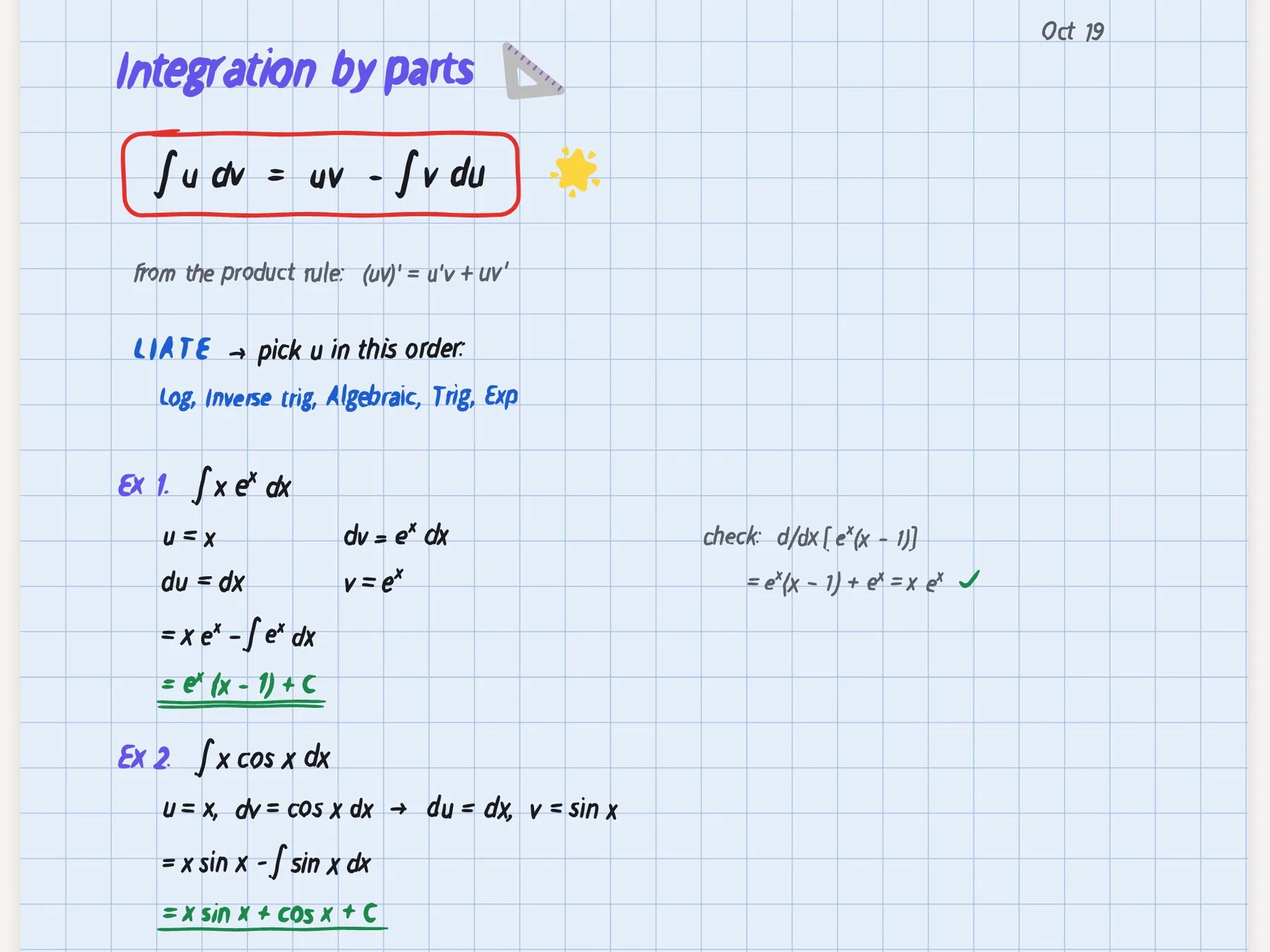
Here is what PocketNote does with a calculus course. You import the lecture notes and problem sheets as PDFs, and write on them directly: highlight the theorem, circle the condition everyone forgets, sketch a graph in the margin. If lectures are recorded, you import the audio or record in the app and get a transcript, summary and notes.
Your own notes go alongside. Typed notes support LaTeX, so a summary sheet of rules and worked methods stays readable. On an iPad with Apple Pencil, you can work problems by hand on a grid template, use the lasso to select a line of working and ask Poki about it, or turn handwriting into text. The "tape" tool hides a worked answer so you can redo the problem a week later.
Poki can look at a PDF page as you see it, including your handwriting on it, and answers from your course material with citations, so an explanation of a step uses your lecturer's notation and refers you to the page it came from.
Math lectures often happen at the board, with derivations that move faster than you can copy. If your lecturer allows recording, Note Replay records audio while you write by hand, and playing it back shows the strokes you were writing at each moment, so you can hear the explanation that went with each line of a derivation.
Formulas, definitions and theorems that stay put
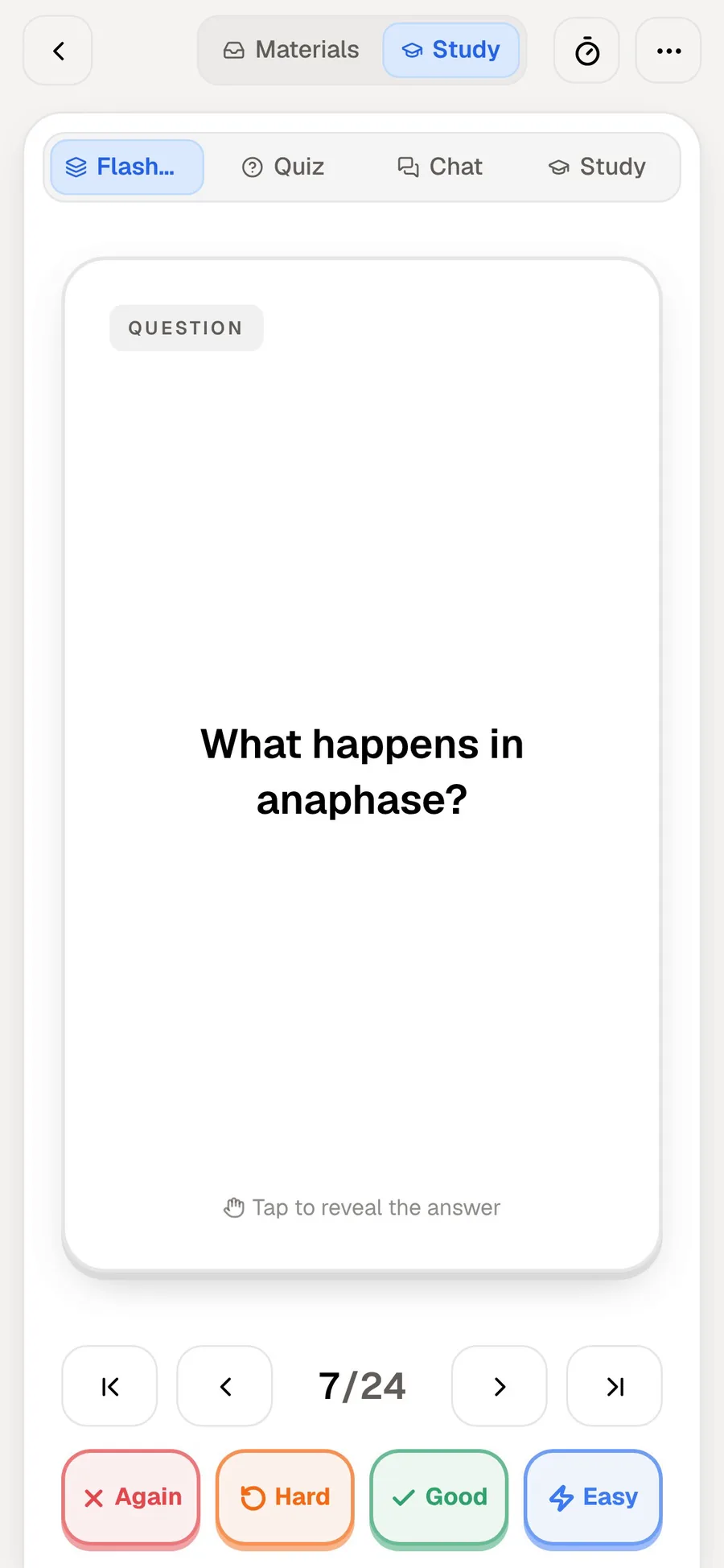
Much of a math exam depends on things you either remember or do not: the quotient rule, the definition of continuity, the conditions of the mean value theorem. PocketNote generates flashcards from your notes, and you rate each one Again, Hard, Good or Easy. Cards you miss come back sooner; cards you know move further out, so your review time goes to what you are closest to forgetting.
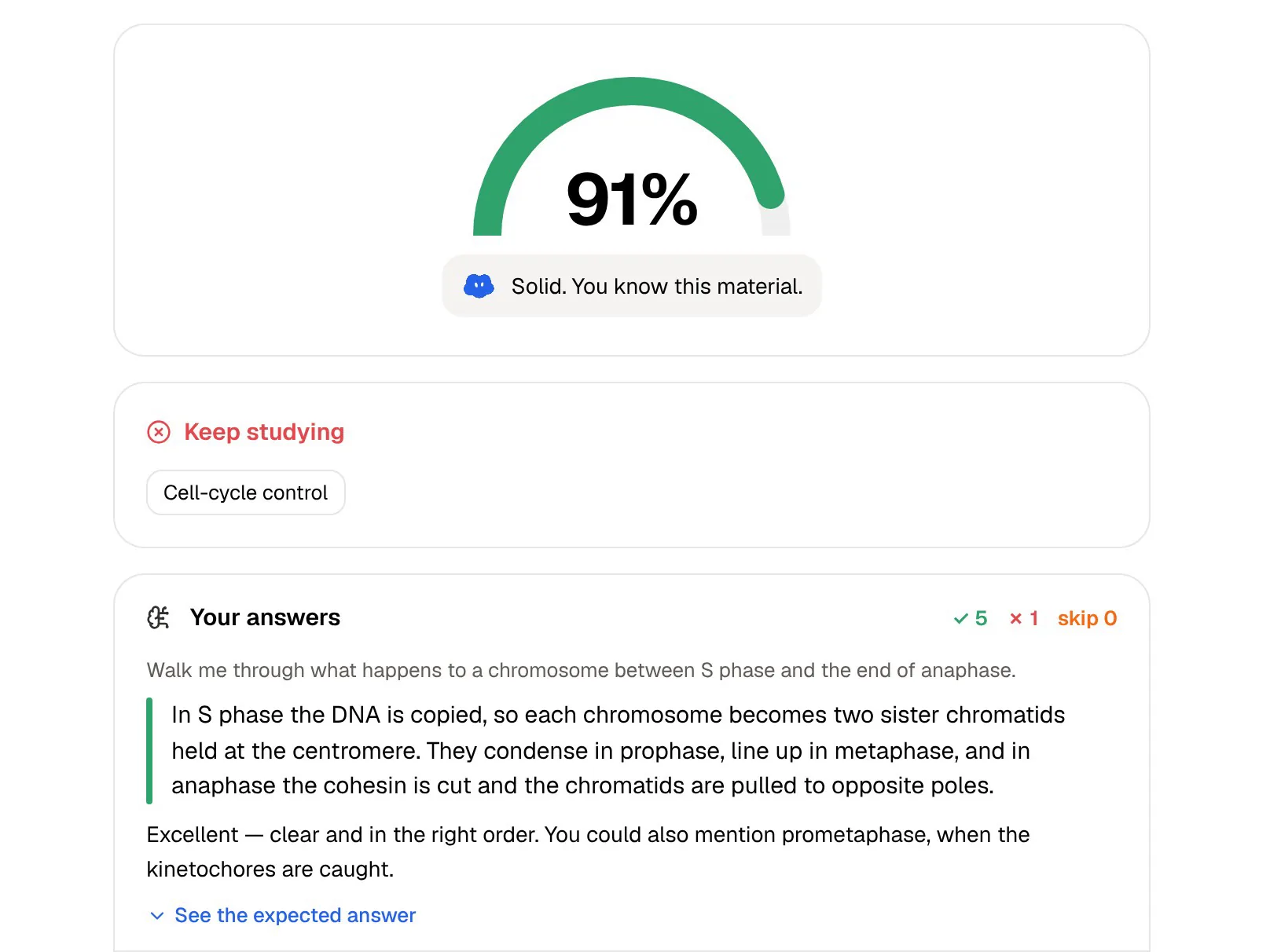
Quizzes test the conceptual side, and every option is explained, so choosing the wrong condition for a theorem shows you why it is wrong. The oral exam goes further: Prof. Poki asks you to explain an idea, such as why a function must be continuous on a closed interval for a theorem to apply, and follows up until the explanation is complete.
Then the study plan ties it together. Set the exam date, and PocketNote spreads the topics across the remaining days, sends reminders, and tracks memory, applied and mastery scores, so you can see that you know the definitions but are weak at applying them.
Math in courses that are not math
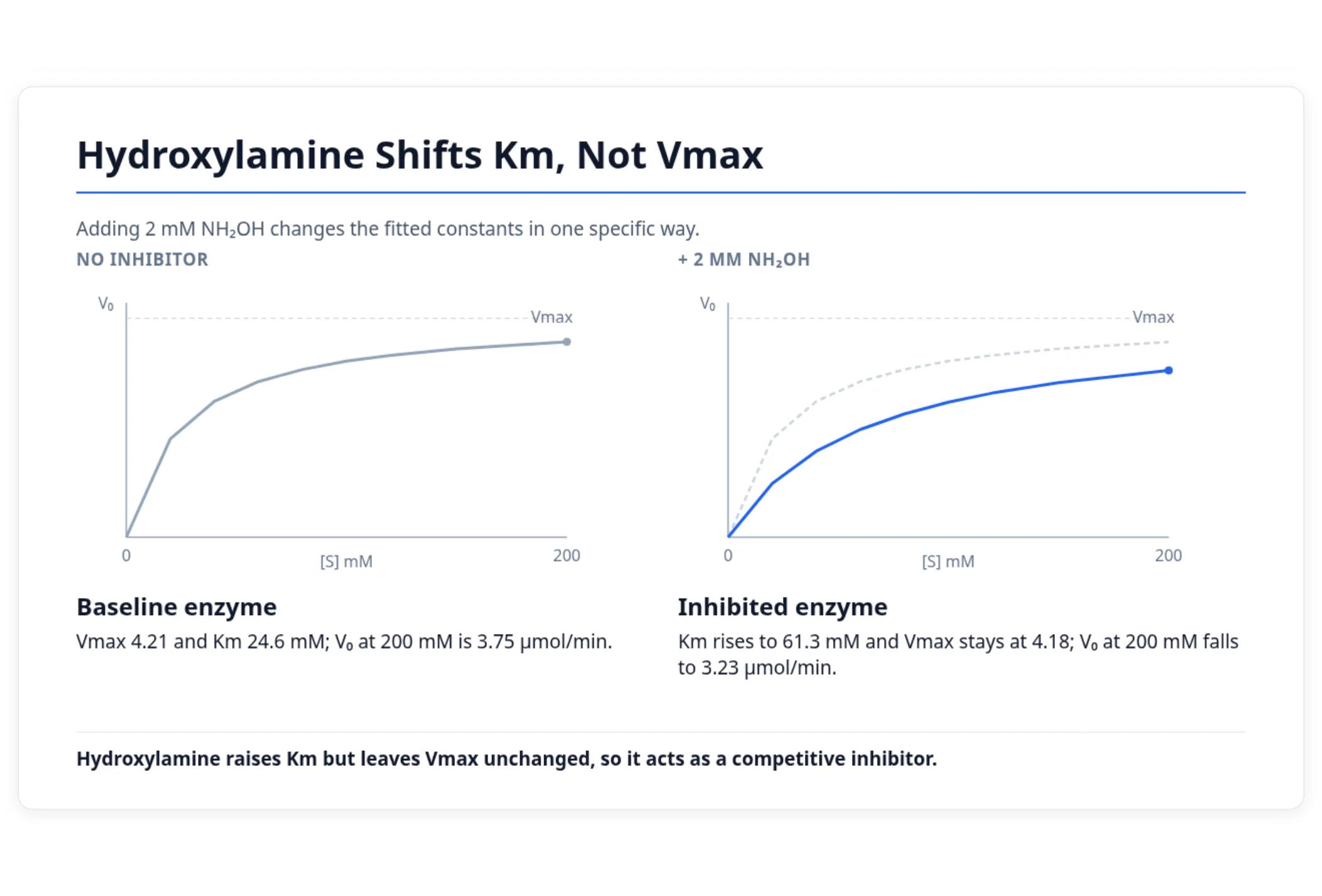
Many students meet math inside another subject: kinetics in biochemistry, elasticity in economics, statistics in psychology. There, the hard part is usually not the algebra but knowing what a result means. Photomath can solve the equation; it cannot tell you why your lecturer cares that an inhibitor changes one constant and not another.
PocketNote works on the course as a whole. From a biochemistry lecture it can generate a slide deck, notes or a quiz that connect the numbers to the idea, and Poki answers questions from your lecture material with citations.
Plans and price
Photomath's website lists Basic at $0, with step-by-step explanations. Photomath Plus, which adds custom visual aids and extra "how" and "why" tips (and, per its app listing, animated tutorials and textbook solutions), costs $9.99 a month or $69.99 a year in US dollars at the time of writing (November 2026). Both paid options start with a trial, and subscriptions are billed through the App Store or Google Play.
PocketNote is free to start. Its paid plans are Basic (live voice, premium AI models and connectors) and Plus (unlimited notebooks and apps, the longest podcasts and all models). See pocketnote.app for current prices.
Because both have free starting points, most students can try the routine below for a few weeks before paying for anything.
Where Photomath is the better choice
For some jobs Photomath is simply the right tool, and PocketNote is not a substitute.
- You want to check a worked answer quickly. Scan it and compare, step by step.
- You are stuck on a single problem and need to see one way through. Multiple methods and animated steps show the path.
- You are a parent helping with homework. Photomath was built for exactly this.
- You need textbook solutions for a common math textbook. That is part of Photomath Plus; PocketNote has no solutions library.
- You use Android. Photomath has an Android app; PocketNote runs on the web, iPhone and iPad.
A routine that uses both
A simple weekly routine keeps each app in its lane. Attempt the problem set first, by hand or in PocketNote on an iPad. Then, where your course allows it, check finished answers in Photomath and find the exact step where yours differs.
Each mistake becomes study material. If you forgot a rule, add a flashcard for it. If you chose the wrong method, write a one-line note on how to recognize when the right one applies, and keep it in the course folder so the next quiz can draw on it. Before the exam, the flashcard schedule and the study plan keep those topics in rotation, and the mastery scores show when they are solid.
In the last week, switch from solving to explaining. Ask Prof. Poki for an oral exam on the unit and talk through why each method works, or, on paid plans, have Poki quiz you out loud. If you can explain when to use integration by parts without looking anything up, you have practised the skill the exam actually tests.
The verdict
Which one should you pick?
Pick PocketNote if…
- You need to remember definitions, formulas and methods for an exam and recognize when each applies.
- You want to annotate lecture PDFs, write math in LaTeX or by hand, and ask questions about your own working.
- You want spaced-repetition flashcards, explained quizzes and an oral exam, plus a plan for the exam date.
- Your math lives inside another subject and you need the course, not just the equation.
Pick Photomath if…
- You want to scan a problem and see the solution in steps, with more than one method.
- You are checking homework, as a student or a parent, and want a fast, clear walkthrough.
- You want textbook solutions for a common math textbook, or you use Android.
Try it yourself
See it with your own notes
PocketNote is an AI study app for the web, iPhone and iPad. Import your lecture PDFs, problem sheets and recordings, or write notes in LaTeX or by hand, and it builds flashcards with spaced repetition, quizzes that explain every answer, oral exams with Prof. Poki and a study plan for your exam date. Poki answers from your own course material, with citations. It is not a math solver.
Keep Photomath for checking answers, and use PocketNote to make the methods and definitions stick before the exam. It is free to start.
Frequently asked questions
Sources
Keep reading