

Rev is a transcription company. It offers AI transcripts that come back in minutes and human-verified transcripts with an accuracy guarantee, along with captions, subtitles in other languages, a mobile recording app and an AI notetaker for online meetings. Much of its current site is aimed at legal and investigative work, where a reliable record matters most.
PocketNote is an AI study app. It records lectures too, and gives you a transcript, a summary and notes, but its purpose is what you do with them: flashcards with spaced repetition, quizzes that explain each answer, an oral exam and an audio review, all built from your own course material.
For students the two meet in a few specific places: research interviews, accessibility, and lectures you need word for word. This page uses Rev's own pages from November 2026 to compare them, works through what Rev costs for an hour of audio, and says where each one is the right call.
At a glance
PocketNote vs Rev
| Feature | PocketNote | Rev |
|---|---|---|
| Core job | Studying from your course material | Transcripts, captions and subtitles |
| Transcripts | From lectures you record or import | AI, or human-verified for a fee |
| Human-verified transcripts | Not offered | Yes, from $1.99 a minute |
| Record on your phone | Yes, in the app | Yes, Rev mobile app |
| Online meetings | Record in the app or import the audio | AI Notetaker for Meet, Zoom, Teams |
| Caption and subtitle files | Not offered | AI and human captions; subtitles |
| Questions across your files | Poki, with citations, across all material | AI analysis with links to the source |
| Flashcards with spaced repetition | Yes: Again / Hard / Good / Easy | Not advertised |
| Quizzes | Yes, every answer explained | Not advertised |
| Your data and AI training | Not used to train public AI models | Not used to train external AI models |
| Free plan | Free to start | 45 AI minutes a month |
| Paid plans | Basic and Plus; see pocketnote.app | From $25.49 a seat a month, annual |
Checked against each product's own website, November 2026. Plans and features change; confirm current details there.
What Rev is known for
Rev is best known for transcription, and its homepage describes two routes. AI transcription is included with every subscription and, by Rev's account, returns a transcript that is 96% or more accurate in minutes. Human transcription is checked by people and carries Rev's guarantee of 99% or more accuracy, delivered in 12 hours or less.
Around that sit captions and subtitles. Rev offers human captions in English and Spanish, AI captions in 37 or more languages, and subtitles translated into 17 or more languages. There is a mobile app for recording and transcribing on a phone or tablet, and its education page describes an AI Notetaker that records Google Meet, Zoom and Teams sessions and produces timestamped summaries and action items.
Rev also says your data is never used to train external AI models such as those from OpenAI, Anthropic or Google. For anyone transcribing interviews with real participants, that is a statement worth having in writing.
AI or human: what the accuracy figures mean for you
The gap between 96% and 99% sounds small until you count words. An hour of speech runs to thousands of words, so a few percent is a lot of corrections, and mistakes tend to land on the hard parts: names, technical terms and people talking over each other. Rev itself recommends human transcription for difficult audio, strong accents, or when accuracy must be guaranteed. Its human service is English only.
Whether that gap matters depends on what the transcript is for. If you will quote a research participant in a dissertation, or need an exact record for a legal clinic or a journalism assignment, a verified transcript is worth paying for. If you want to revise a lecture, an AI transcript plus the recording is usually enough, because you are learning ideas rather than quoting sentences.
Price follows the same line. Human transcription starts at $1.99 a minute on Rev's pricing page at the time of writing (November 2026), so a one-hour recording starts at about $119. That is manageable for a handful of research interviews, and a lot for every lecture of a semester.
Turnaround is the other trade-off. AI transcripts come back in minutes; human ones within 12 hours on Rev's stated terms. For a lecture you want to revise tonight, that difference can matter more than the last few percent of accuracy.
Rev for student research
Rev's education page describes features aimed at universities: transcripts of lectures and research interviews, captions for accessibility, and AI analysis that lets you ask questions across recordings and documents, with answers that link back to the source. It also mentions pre-built academic templates.
For a dissertation built on interviews, that combination is useful, and speaker-labelled transcripts keep track of who said what. Before you upload interviews anywhere, check what your ethics approval says about third-party transcription services; that applies to every tool on this page, PocketNote included. With that settled, a typical sequence looks like this:
- Record: use Rev's mobile app or your own recorder, with each participant's consent.
- Transcribe: AI first for speed, then human-verified for the interviews or passages you will quote.
- Analyse: ask questions across the transcripts and follow the links back to the source passage, looking for where participants raised the same theme.
- Write up: quote only from text you have checked against the recording.
A lecture transcript is where revision starts
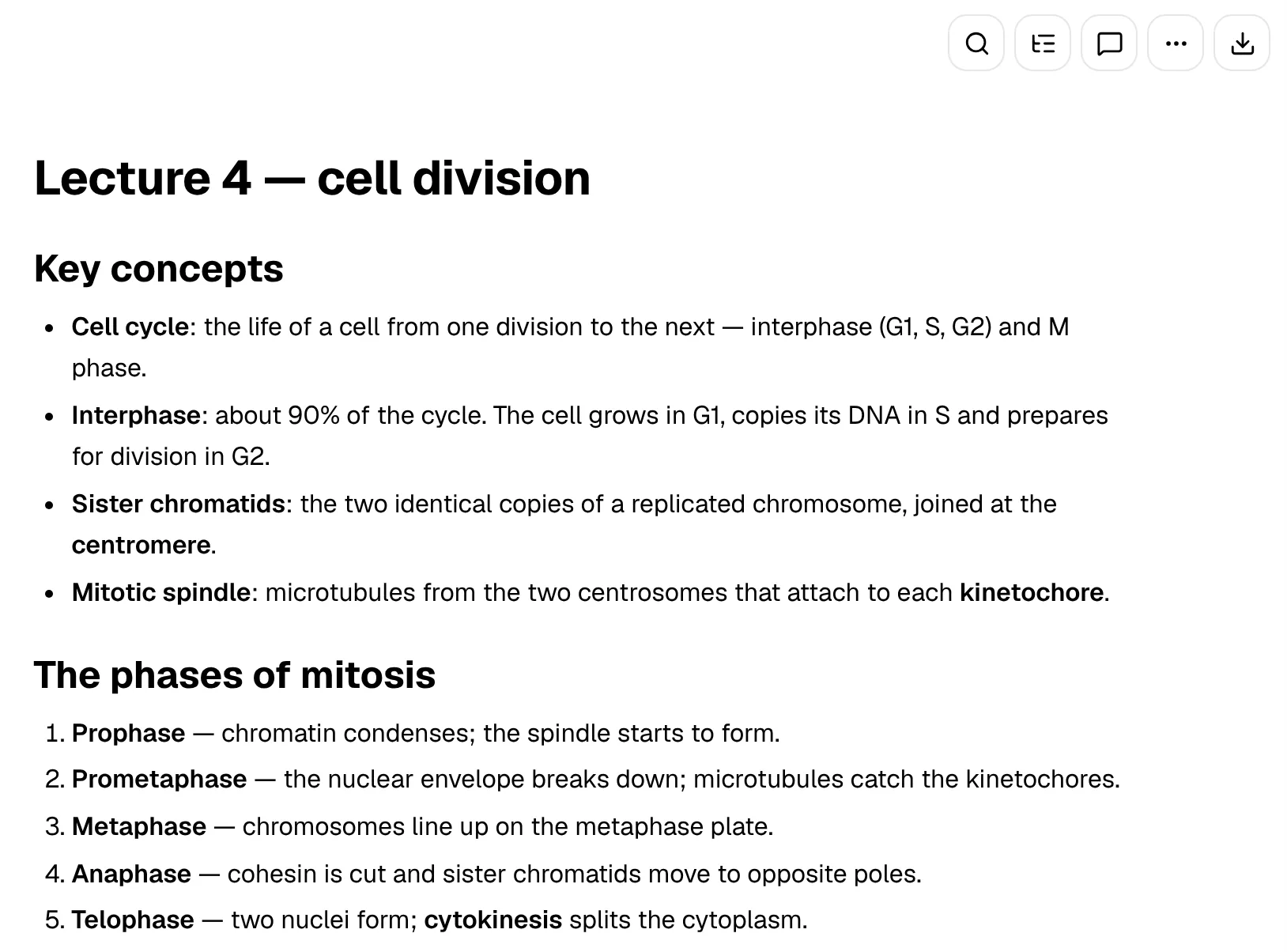
For coursework rather than research, the transcript is a means to an end. In PocketNote you record the lecture in the app, or import the audio as MP3, WAV, M4A or OGG, and get a transcript, a summary and written notes together in one item. You can edit the notes, add the lecture slides as a PDF next to them, and bring in the week's readings. If you type notes during the lecture as well, they can live in the same place: the block editor handles headings, tables, callouts and LaTeX maths, and Poki can draw on your typed notes as well as the transcript.
Then the study tools take over. Flashcards come from the lecture and slides, and you rate each card Again, Hard, Good or Easy so it comes back just before you would forget it. Quizzes explain why the right answer is right and why the others are not. Prof. Poki's oral exam asks you to explain a topic in your own words and follows up until you can.
A podcast-style audio review turns the material into an episode with captions that follow the voices, and a study plan works back from your exam date, reminding you what to cover each day and tracking memory, applied and mastery scores.
Two kinds of cited answers
Rev and PocketNote both let you question your material and trace an answer back to its source, which is the right instinct for anything academic. The difference is the material each one is built around.
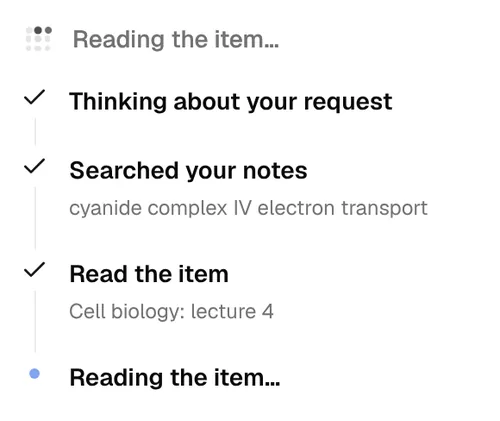
Rev's AI analysis works across your recordings and documents in Rev, which suits a research project or a case file. Poki, PocketNote's AI, works across a course: recorded lectures, PDFs, Word files, slides, YouTube transcripts, web articles and your own typed or handwritten notes. It answers with citations and shows its steps as it goes, such as searching your notes and reading a specific lecture.
Poki can also act on what it finds. It can write into your notes from the chat, start a quiz on a topic, or highlight, underline or circle passages on a PDF when you ask, and you can undo its marks in one tap.
What Rev costs, plan by plan
Rev's pricing page lists these plans at the time of writing (November 2026). Free includes 45 AI minutes a month. Essentials is $29.99 a seat a month, or $25.49 billed annually, with 5,000 AI minutes per user a month. Pro is $59.99 a seat a month, or $47.99 billed annually, with 10,000 AI minutes. Paid plans include a discount on human transcription, and the page does not list a student discount. The 45 free minutes are enough to test accuracy on a recording from your own course, with your lecturer's accent and vocabulary, before you pay for anything.
Human services are priced per minute on top: human transcription and human captions from $1.99 a minute, and global subtitles from $6.49 to $15.99 a minute depending on the language.
PocketNote is free to start. Basic adds live voice with Poki, premium AI models and connectors; Plus adds unlimited notebooks and apps, the longest podcasts and all models. See pocketnote.app for current prices.
Where Rev is the better choice
Pick Rev when accuracy is the deliverable. Research interviews you will quote, a recorded hearing for a law clinic, an oral history project, a source for a journalism piece: these need a transcript you can stand behind, and Rev's human-verified option with a stated guarantee is built for exactly that.
Pick Rev if you need caption or subtitle files. A student film, a recorded presentation for an accessible course, a video for a society or a lab: Rev produces captions in English and Spanish by human, in more languages by AI, and translated subtitles. PocketNote does not make caption files.
Pick Rev if your recordings are meetings and interviews more than lectures, and you want an AI notetaker and an archive you can question. It is a professional transcription tool, and it suits students doing professional-style work.
Rev for exact text, PocketNote for revision
The two rarely compete for the same recording. A natural split is Rev for research and PocketNote for courses: interviews go to Rev for verified transcripts, and lectures, slides and readings go to PocketNote to become flashcards, quizzes and audio reviews.
There is also a middle path for a lecture you cannot afford to get wrong, such as a guest talk with heavy terminology. Order a verified transcript from Rev, download it as a document, and import it into PocketNote, which accepts PDF, Word and TXT files. The study tools then work from the cleanest possible text.
Keep the original audio too. If a flashcard ever looks wrong, the recording is the final word on what was actually said, and you can import it into PocketNote alongside the transcript as an MP3, WAV, M4A or OGG file.
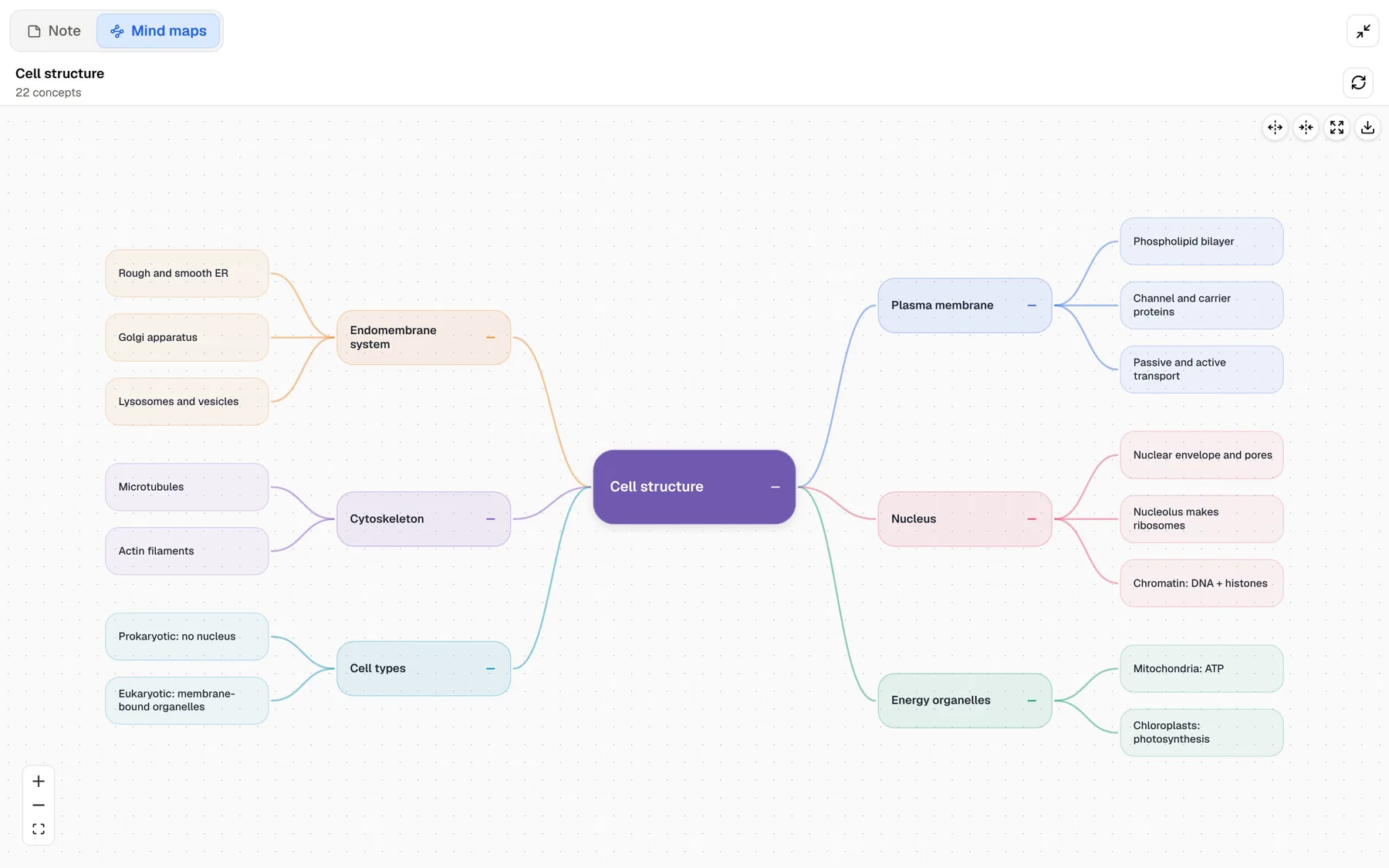
A mind map of the module is a good place to finish. Generate one from a notebook holding the module's lectures and you can see how the topics connect before you start testing yourself on the details.
The verdict
Which one should you pick?
Pick PocketNote if…
- Pick PocketNote if you record lectures to learn from them and want notes, flashcards, quizzes and an audio review from each one.
- You want an AI that answers across all your course material with citations, and can quiz you on it.
- You want a study plan that schedules review up to your exam date.
- An AI transcript plus the recording is accurate enough for revision.
Pick Rev if…
- Pick Rev if you need human-verified accuracy, for research interviews, legal or journalism work.
- You need caption or subtitle files for video.
- You record meetings and interviews more than lectures and want an archive you can analyse with linked sources.
Try it yourself
See it with your own notes
PocketNote is a study app for the web, iPhone and iPad, with an AI, Poki, that works from your own course material. Record a lecture or import its audio, add slides, readings and YouTube links, and Poki answers from that material with citations. From the same sources it builds flashcards with spaced repetition, quizzes with explanations, oral exams, mind maps and podcast-style audio reviews.
PocketNote is free to start and does not use your files to train public AI models. Keep Rev for transcripts that must be exact, and use PocketNote for the lectures you need to learn.
Frequently asked questions
Sources
Keep reading