

Revisely is a set of AI generators on the web: a flashcard generator, a quiz generator, a notes generator and a video summariser. You upload a PDF, a Word file, a PowerPoint or a photo, and it produces a deck or a quiz you can practise, print, share or export, including straight to Anki. It is aimed at students, teachers and professionals, and it also publishes A-Level, AS and GCSE content.
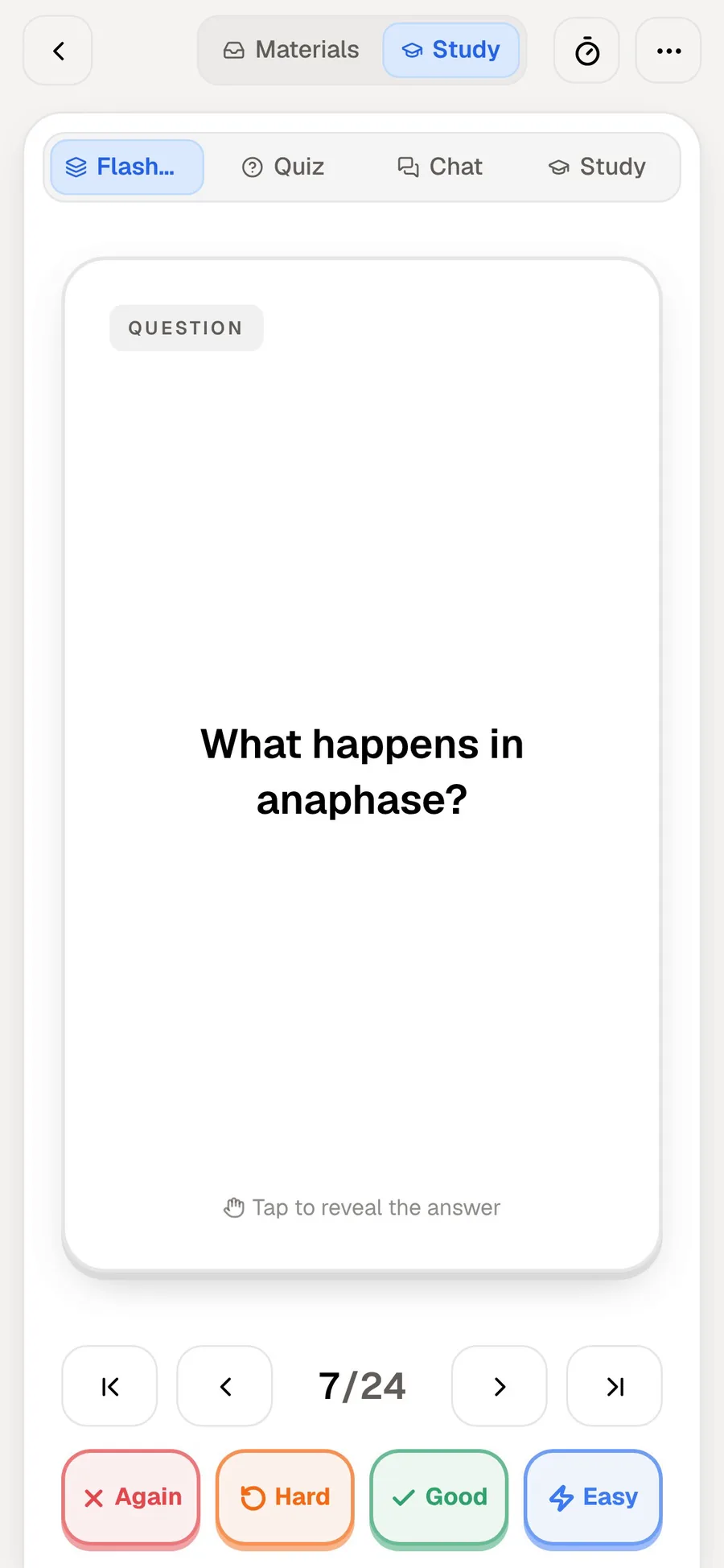
PocketNote also generates flashcards and quizzes from your files, but it doesn't stop at the deck. You review cards with spaced repetition, rating each one Again, Hard, Good or Easy, and the same material feeds an oral exam, audio reviews and a study plan to your exam date.
The difference is generator versus study app. This comparison covers what each does with your material, the limits on Revisely's free plan, pricing, and when a generator plus Anki is the smarter setup. Both are free to start, so the comparison is cheap to test.
At a glance
PocketNote vs Revisely
| Feature | PocketNote | Revisely |
|---|---|---|
| What it is | Study app with a review schedule | Web generators for cards, quizzes, notes |
| Uploads | PDF, Word, Excel, CSV, TXT, MD, audio, links | PDF, Word, PowerPoint, images, text |
| Free plan | Free to start | Up to 5 pages per document upload |
| Spaced repetition | Yes: Again, Hard, Good, Easy | Not advertised; exports to Anki |
| Quizzes | Explanations for every option | Quiz generator; exam mode with AI feedback |
| Oral exam | Prof. Poki, voice or text | Not advertised |
| Exam-date study plan | Yes, with mastery scores | Not advertised |
| AI chat | Poki, with citations | AI chat (5 messages a day free) |
| Lectures and video | Record lectures; YouTube transcripts | Video summariser |
| Printable cards and LMS export | Not a classroom tool | Print; Moodle, Canvas, Blackboard (higher plans) |
| Languages | Study material in 50+ languages | Material in 50+ languages |
| Price | Free to start; Basic and Plus plans | Free; $4.99/mo yearly or $11.99 monthly |
Checked against each product's own website and help centre, November 2026. Plans and features change; confirm current details there.
What Revisely is built for
Revisely's four tools each do one job. The flashcard generator turns a document, pasted text, an image or a video into cards. The quiz generator makes questions. The notes generator writes structured notes and summaries, which is handy before you generate cards, and the video summariser condenses a video. Its help centre lists images (PNG, JPG), PDFs, Word documents and PowerPoints as supported uploads, plus pasted or typed text, and on a phone or tablet you can take a photo directly, which suits printed worksheets.
After generating, you practise the cards, share them, print them single- or double-sided, or export them. An exam mode then tests you and gives AI feedback. Revisely says you can create content from material in more than 50 languages; generated content usually comes out in the language you provide, and translation options are available.
The tools are separate pages rather than one workspace, which keeps each one simple. For a teacher who needs a quiz from a chapter, or a student who wants a printable deck from a handout, that is quick and focused.
Generator versus study app
A generator's job ends when the deck exists, which is a real difference from PocketNote, where review is the point of the app. Revisely's own pages, as we read them, don't describe a spaced-repetition schedule. Instead they offer export to Anki, or to other apps in a text format, so the scheduled reviewing happens elsewhere. Revisely to make the cards and Anki to review them is a reasonable setup, and Anki is free on desktop and Android.
There is a real argument for that split. Anki's scheduler is one of the most configurable available, and a generator that feeds it lets you keep that control while skipping the typing. The cost is a second app, and an export step every time the material changes.
PocketNote keeps the deck where it was made. Cards come back when you're about to forget them, based on your Again, Hard, Good or Easy rating, and the sources stay attached, so you can ask Poki about a confusing card and get an answer from your material with a citation. A weak card can lead straight to a quiz or an explanation on the same topic.
If you already have an Anki routine you like, a generator that exports to it may be all you need. If you don't, keeping generation and review in one place saves a step every week.
From handout to test day, in each
Take a GCSE chemistry student with a 10-page handout on bonding and a test in three weeks.
With Revisely on the free plan, the handout is over the 5-page limit for one upload, so the student splits it or pastes the text, which the free plan allows up to 25,000 characters. The generator produces a deck; the student practises it, tries exam mode for AI feedback, and exports the cards to Anki to review on a schedule for the next three weeks. A printed double-sided set goes in the bag for the bus.
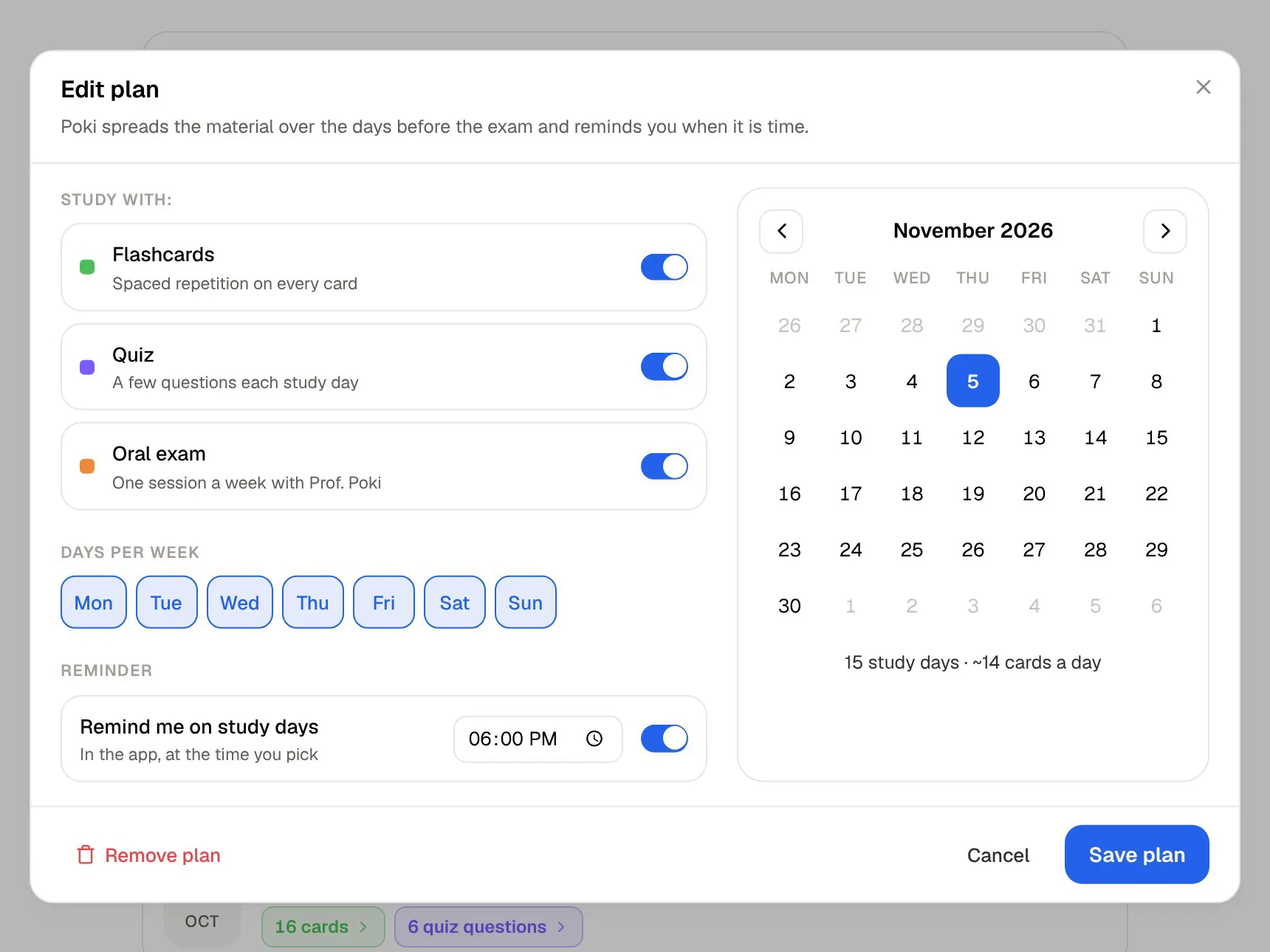
With PocketNote, the handout goes in as a PDF. The student generates flashcards and a quiz, reviews the cards with Again, Hard, Good and Easy as they come due, and sets the test date in the study plan, which spreads the work over the three weeks and sends reminders. A week before the test, the oral exam asks for an explanation of why ionic compounds conduct when molten, and Poki answers follow-up questions from the handout with citations.
Both routes get the student there. The first is two tools and a printer; the second is one app. The choice often comes down to whether the student already uses Anki.
Inputs and limits
Revisely's free Basic plan caps document uploads at 5 pages and text uploads at 25,000 characters; the paid plans raise that to 200 pages and 150,000 characters. Free accounts can make unlimited non-AI flashcards, quizzes and notes, and get 5 AI chat messages a day; paid plans include unlimited AI flashcards, quizzes, notes and chat. The page cap is likely to be the first limit you notice: a 30-page lecture PDF needs a paid plan or several uploads.
PocketNote's import covers PDF, Word, Excel, CSV, TXT and Markdown files, MP3, WAV, M4A and OGG audio, YouTube links (with the transcript), web articles, and files from Google Drive, OneDrive or Dropbox. You can also record a lecture in the app for a transcript, summary and notes, handwrite on iPad, or search arXiv and SSRN for papers. That includes material Revisely's generator doesn't list, such as Excel and CSV files for data-heavy courses, audio files and web articles.
Revisely's generator, for its part, takes photos and video uploads as well as PowerPoint. That last one is a practical difference: PowerPoint isn't on PocketNote's import list, so export your slides as a PDF first. Revisely takes .pptx files directly.
Quizzes, exam mode and the oral exam
Revisely's quiz generator builds questions from your upload, and exam mode tests you with AI feedback on your answers. The quiz generator is also aimed at teachers, with LMS exports on higher plans, so its quizzes are built to be handed out as well as taken.
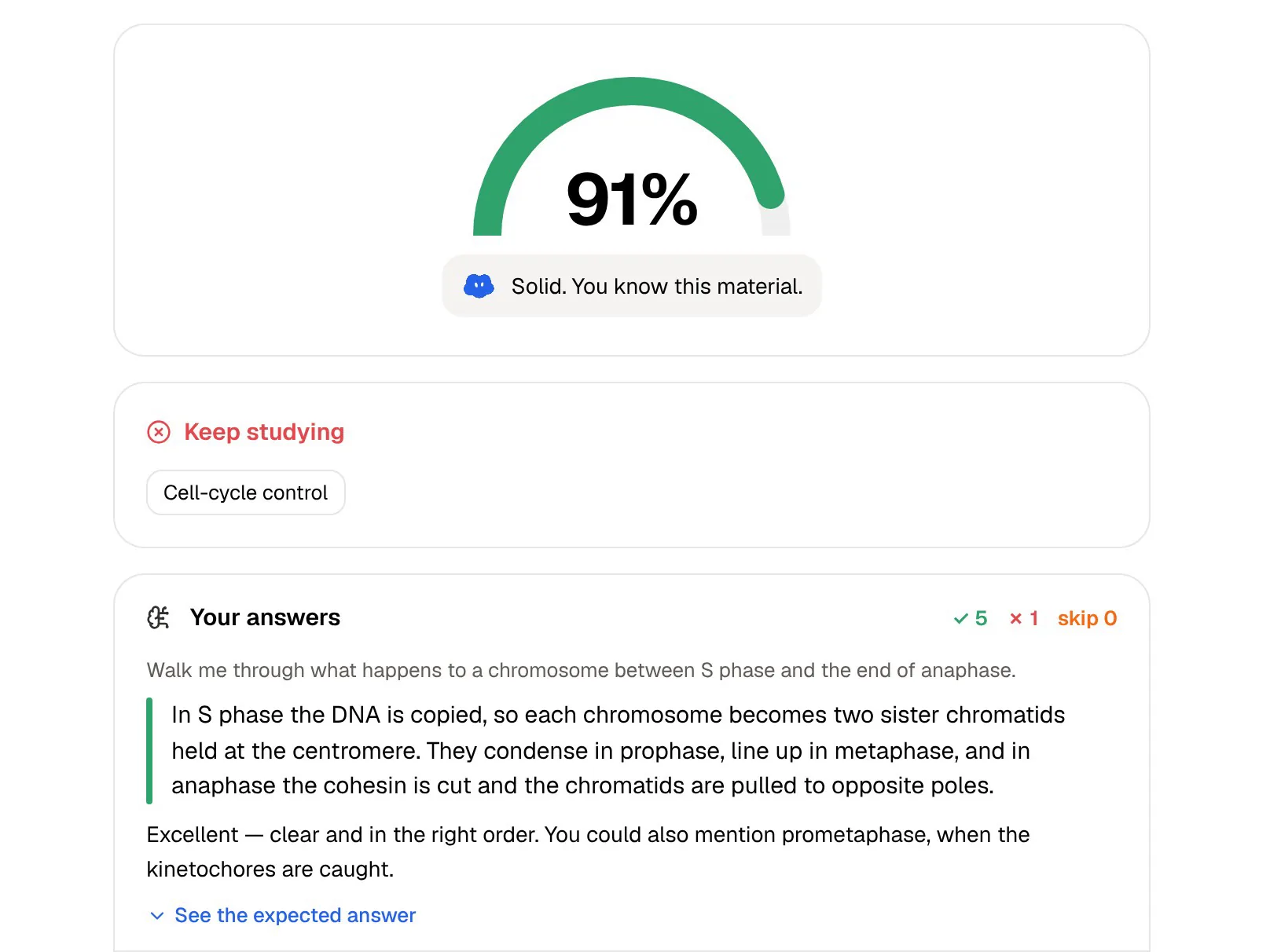
PocketNote's quizzes explain every option: why the right answer is right and why each wrong one is wrong. Its oral exam adds a different kind of test. Prof. Poki asks a question out loud or in text and keeps probing until you can explain the idea, which practises the long-answer side of exams that multiple choice doesn't reach. Because it also works in text, you can do it in a library.
PocketNote also turns the same material into mind maps, summaries, slide decks, data tables and podcast-style audio reviews with captions.
For teachers and printed cards
Revisely has features PocketNote doesn't aim at. Printing is a genuinely useful one, since some students revise better from paper cards they can sort into piles. Cards print single-sided for cutting out, or double-sided with the backs aligned automatically. According to its help centre, quizzes can be exported to Moodle, Canvas or Blackboard on the professional or business plans.
PocketNote is a study app for the person doing the studying. It isn't a classroom quiz host or an LMS tool, and its sharing is a link to a note. If you are a teacher building assessments, Revisely is the closer fit, and its A-Level, AS and GCSE content gives a ready starting point for those courses.
PocketNote's personal tools point the other way. Tape hides answers on your own handwritten notes so you can test yourself, and the study timer with ambient sounds is for your own sessions. If you teach and also study, the two can sit side by side: Revisely for the class, PocketNote for your own course.
Pricing at the time of writing
At the time of writing (November 2026), Revisely's flashcard generator page lists a free Basic plan, an Annual plan at $4.99 a month billed annually, and a Monthly plan at $11.99 a month. Its help centre says both monthly and annual options are available and that subscriptions are generally non-refundable, so start on the free plan first.
PocketNote is free to start, with paid Basic (live voice, premium models, connectors) and Plus (unlimited notebooks and apps, the longest podcasts, all models). See pocketnote.app for current prices.
Compare like with like: Revisely's paid plans add page and character allowances and unlimited AI generation, while PocketNote's paid plans add live voice, premium models, connectors and, on Plus, unlimited notebooks.
Where Revisely is the better choice
Revisely is lighter and more focused, and that is the right trade in several cases. If you only need decks now and then, its free plan plus an Anki install covers a lot of ground for nothing.
- You already review in Anki and want AI to draft cards from a handout, then export them.
- You want printed flashcards for a class or for studying on paper.
- You're a teacher making quizzes, especially for Moodle, Canvas or Blackboard.
- Your slides are PowerPoint files and you want to upload them as they are.
- You need short, one-off decks from documents within the free plan's page limit.
- You want separate, simple tools rather than one app that does many things.
The verdict
Which one should you pick?
Pick PocketNote if…
- You want generation and spaced-repetition review in one app, with no export step.
- You want quizzes with explanations, an oral exam and an exam-date study plan.
- Your material includes lecture recordings, YouTube classes or handwritten notes.
- You want answers cited to your sources when a card looks wrong.
Pick Revisely if…
- You already review in Anki and only need cards drafted.
- You want printable cards or LMS quiz exports for teaching.
- You upload PowerPoint files directly, or want a low-cost single-purpose tool.
Try it yourself
See it with your own notes
PocketNote covers the whole loop: bring in a PDF, a recording or your handwritten notes, and it generates flashcards you rate Again, Hard, Good or Easy, quizzes that explain every option, an oral exam with Prof. Poki and a study plan counted down to your exam date.
It is free to start on the web and on iPhone and iPad. If Revisely already feeds an Anki routine that works, keep it, and try PocketNote on a course where you want the review, the quizzes and the plan in one place.
Frequently asked questions
Sources
Keep reading