
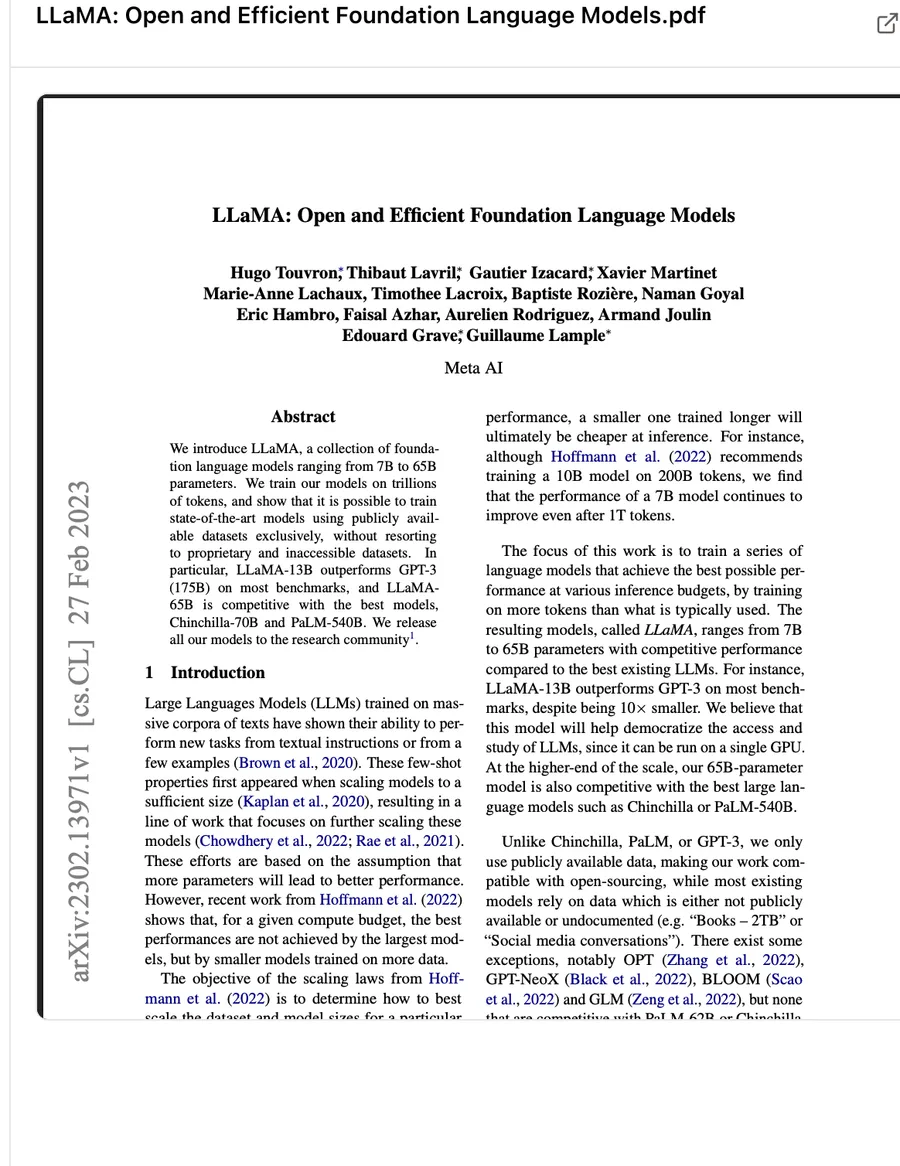
Scholarcy reads a document, usually a research paper, and turns it into what it calls a Summary Flashcard: the key concepts, a structured summary, the main findings, the tables and figures pulled out of the PDF, and the reference list. It is built for reading at volume. Researchers, PhD students and anyone with a long reading list use it to decide which papers deserve a full read, and to keep the ones that do in an organised library.
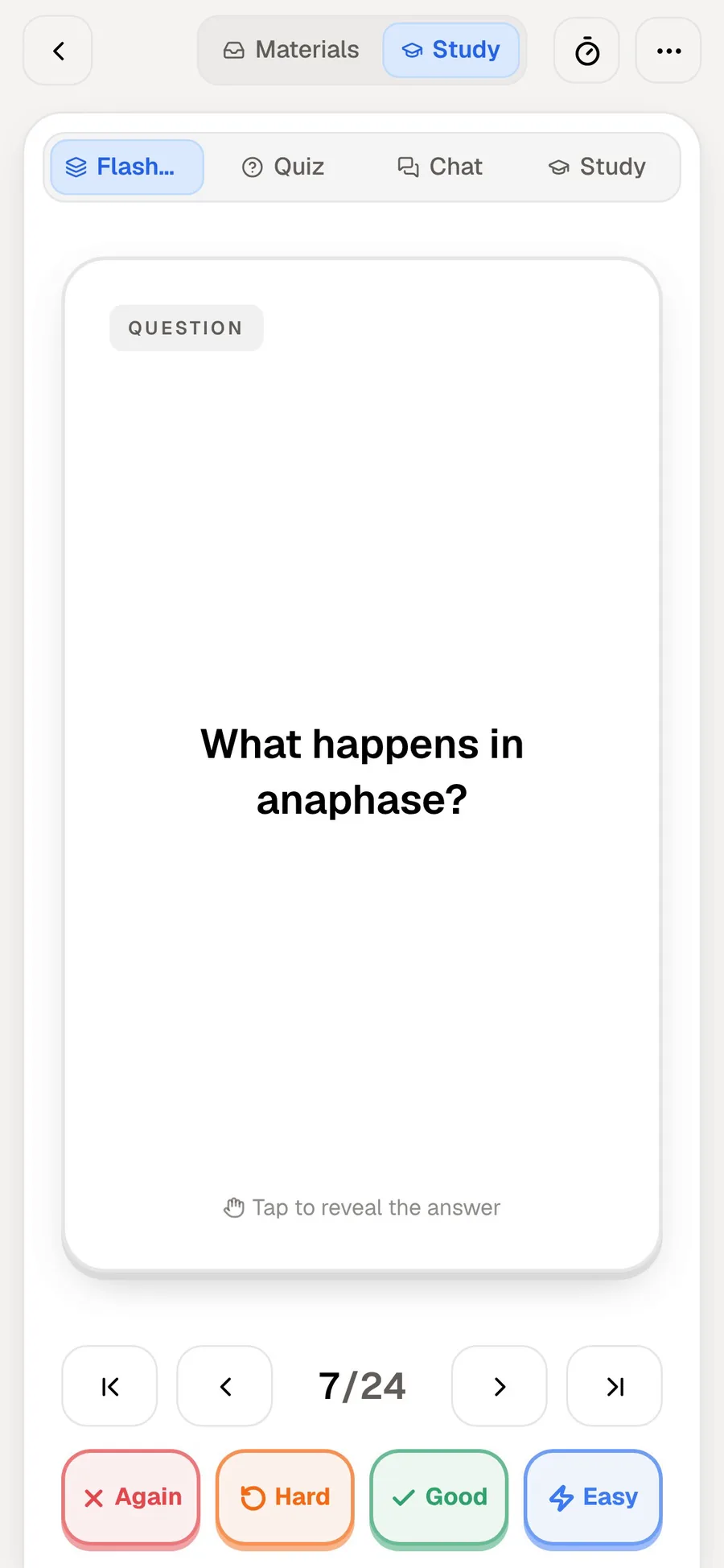
PocketNote also takes in papers, but its flashcards are a different object. A PocketNote flashcard is a question you answer from memory, then rate Again, Hard, Good or Easy, and it comes back when you are about to forget it. The two products share a word but use it for different jobs, which is exactly why students searching for one keep running into the other.
This page sets out what each does with the same paper, where Scholarcy is the better tool (reference work and literature reviews, mostly), and how to use both when you have a dissertation and exams in the same term.
At a glance
PocketNote vs Scholarcy
| Feature | PocketNote | Scholarcy |
|---|---|---|
| Built for | Studying your course material | Reading and triaging research papers |
| What a flashcard is | A question you answer and rate | A structured summary of one document |
| Spaced repetition | Yes: Again / Hard / Good / Easy | Not advertised |
| Quizzes | Yes, every answer explained | Not advertised |
| File types | PDF, Word, Excel, CSV, TXT, Markdown, audio | PDF, Word, PowerPoint, HTML, XML, LaTeX, text |
| Other ways in | YouTube, web links, lecture recording | YouTube, web articles, RSS, browser extensions |
| Cloud and library imports | Google Drive, OneDrive, Dropbox | Google Drive, OneDrive, Dropbox, Zotero |
| Finding papers | Search arXiv and SSRN in the app | Save papers while browsing, e.g. Google Scholar |
| References and bibliographies | Not a reference manager | Extracts references; RIS and BibTeX export |
| Ask questions in a chat | Poki, cited to your files | Not described in its help guide |
| Your own notes | Typed notes and handwriting on iPad | Highlights, annotations and notes on each card |
| Free plan | Free to start | Free tier with a limited number of summaries |
Checked against each product's own website and help pages, November 2026. Plans and features change; confirm current details there.
What Scholarcy is good at
Scholarcy's strength is turning a dense paper into something you can scan in a minute. Its help guide describes each Summary Flashcard as a structured breakdown of the document: key concepts with definitions you can click, a structured summary, an Important Points sidebar that jumps to the right section, the tables and figures extracted from the paper, the full text, and the references.
Two features stand out for anyone writing a literature review. The research comparison section shows how a study differs from, builds on, challenges or confirms earlier work. And each cited article can show Scite citation data: how many later papers support it, mention it or dispute it. Neither replaces reading the paper, but both help you see where it sits in its field.
Getting material in is flexible. The import guide lists PDF, Word, PowerPoint, HTML, XML, LaTeX and plain text files, plus links to open-access or news articles, YouTube videos, Dropbox, Google Drive, OneDrive and your Zotero library, with up to 64 documents in one import. Browser extensions for Chrome, Edge and Firefox save papers as you browse sites such as Google Scholar, and an RSS option summarises each new article in a feed you follow.
You can also rewrite a summary for a different reader. The Enhance button offers seven styles, from a one-liner or a school-level version to an undergraduate or researcher version, or a summary focused on your own question.
Two products, two meanings of flashcard
A Scholarcy flashcard is a summary. It holds what the paper says, arranged so you can find it again. That is useful when you are reading thirty papers for an essay and need to remember which one used which method, and which one disagreed with the rest.
A PocketNote flashcard is a prompt. The front asks a question, such as "What happens in anaphase?", and you answer before you flip it. You then rate it Again, Hard, Good or Easy, and PocketNote brings the card back when you are about to forget it. Testing yourself and spacing reviews out over time are two of the best-established findings about memory, and that is what this card format is for.
Scholarcy's help guide has a section called "Learn efficiently", but at the time of writing (November 2026) it reads "coming soon". Scholarcy does not advertise question-and-answer cards, quizzes or a review schedule. So if a paper is on your exam rather than in your bibliography, its summary is a good starting point and the recall practice has to happen somewhere else.
Reading a summary versus asking a question
Scholarcy gives every paper the same structure, which is its appeal: you always know where the concepts, findings and references will be. When the standard summary isn't what you need, you reshape it with Enhance, choosing a reading level or typing your own question or topic for it to focus on. Its help guide doesn't describe a chat for follow-up questions.
PocketNote works the other way round. You start with a question and Poki answers from your sources, citing where each part of the answer came from. Because it searches your notes and sources together, the question can span several papers and your lecture notes at once: "compare the methods of these two studies in a table", or "which of my readings disagrees with the lecture on this point".
If an answer is worth keeping, Poki can write it straight into one of your notes, where you edit it like anything else you wrote. Over a term those notes become your own summary of the course, built from questions you actually had rather than a template.

Where Scholarcy stops short for exam revision
Scholarcy is built around documents, and mostly around research papers. Its summaries pick out findings, methods and references, which is what a researcher wants from a paper. A first-year student revising cell biology from lecture slides wants something else: the definitions, processes and diagrams that come up in the exam, tested until they stick.
A lot of course material also arrives in forms Scholarcy isn't designed around. It accepts YouTube links and slide files, but it doesn't advertise a lecture recorder or handwritten notes, and your own notes live as annotations on each card rather than as study notes you build up over a term. Its outputs are designed to go to other tools: Word, Excel, PowerPoint, Markdown for Obsidian, Roam and Notion, and RIS for reference managers.
None of that is a flaw for its audience. It does mean that a student who uses only Scholarcy still needs a separate flashcard app, somewhere to keep lecture notes and some way of testing themselves before the exam.
The same paper in PocketNote
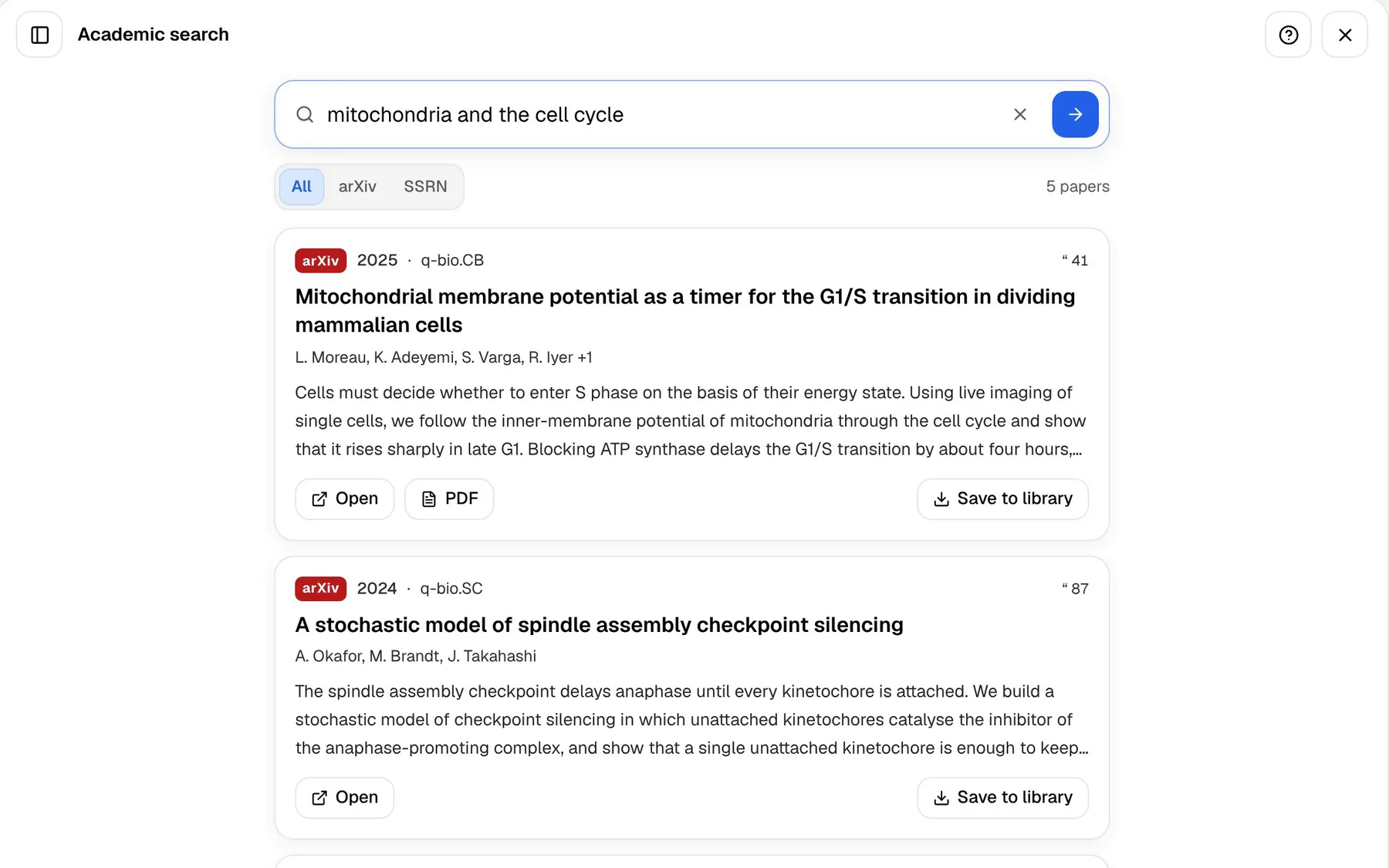
Say your module reading includes a paper on mitochondria and the cell cycle. In PocketNote you can find it with the built-in academic search and save it to your library in one tap. If it lives somewhere else, such as a journal behind your university login, download the PDF and import it, or pull it in from Google Drive, OneDrive or Dropbox.
Then ask Poki about it. Poki answers from the paper with citations to the source and shows its steps as it works. Ask it to "highlight the key definitions on page 3" and it marks them on your PDF; if you disagree with its choices, one tap undoes its marks.
From the same paper you can generate flashcards, a quiz in which every option comes with an explanation, a mind map, or a podcast-style audio review for the walk to campus. If the paper will come up in a seminar or a viva, the oral exam has Prof. Poki ask you about it, out loud or in text, and keep following up until you can explain it in your own words.
One honest limit: PocketNote's paper search covers arXiv and SSRN only. It is not a database of the whole scholarly literature, so for most biomedical, humanities or social-science journals you will be importing PDFs you found elsewhere.
Where Scholarcy is the better choice
If your main job this term is a dissertation chapter rather than an exam, Scholarcy fits that job more closely than PocketNote does. These are the places it is clearly ahead.
- Literature reviews. It can generate a literature matrix as an Excel sheet from many papers at once, which is slow to build by hand.
- References. Each card lists the paper's references with key findings, and you can export a bibliography as RIS or BibTeX for Zotero or EndNote.
- Reading at volume. Imports of up to 64 documents, RSS summaries and browser extensions suit someone screening dozens of papers a week.
- Writing workflows. Exports to Word, PowerPoint and Markdown slot into a thesis draft, a presentation or an Obsidian vault.
- PowerPoint and LaTeX files. Scholarcy imports both; PocketNote's import list doesn't include them, so slides need saving as PDF first.
Pricing and plans
Scholarcy has a free tier, described on its pricing page as a free Article Summarizer with a limited number of summaries, and a paid plan that removes the limit and adds more features. Prices change and differ between monthly and yearly billing, so check Scholarcy's pricing page for the current figure before you subscribe.
PocketNote is free to start. Its paid plans are Basic, which adds live voice, premium AI models and connectors, and Plus, which adds unlimited notebooks and apps, the longest podcasts and every model. See pocketnote.app for current plans.
Paying for both only makes sense if you do both kinds of work. A taught-course student will rarely need Scholarcy's reference tools, and a researcher with no exams may never need spaced repetition.
Using Scholarcy and PocketNote together
The two fit at different points of the same workflow. Use Scholarcy to triage: import the reading list, skim the summary cards, check how each study relates to earlier research, and export the references into your reference manager.
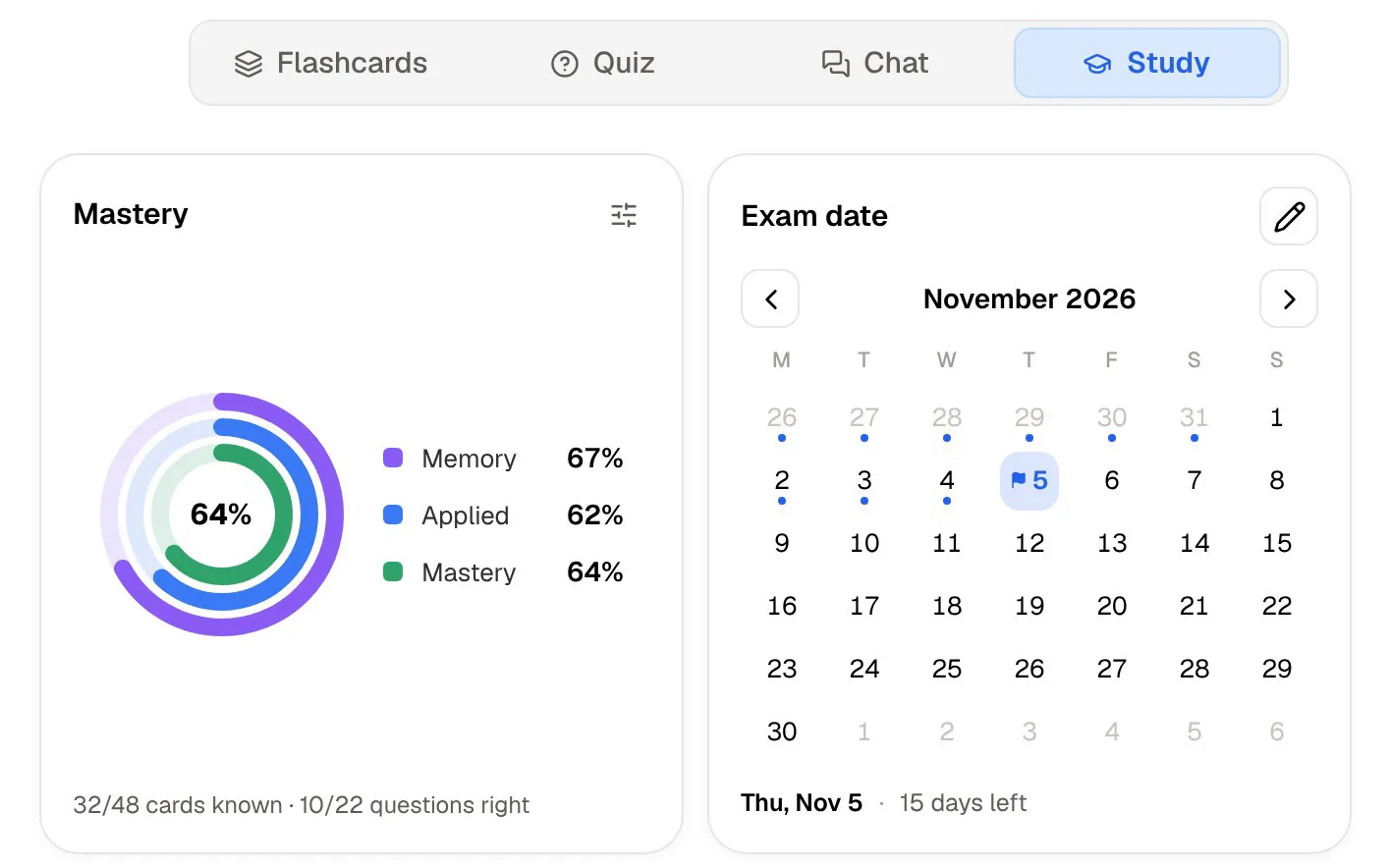
Then take the handful of papers you actually need to know, the ones your seminar, viva or exam will test, and import those PDFs into PocketNote. Generate cards and a quiz from them, set the exam date in the study plan, and let PocketNote spread the reviews over the weeks you have left. The plan reminds you each day and tracks memory, applied and mastery scores, so you can see which papers still need work.
The verdict
Which one should you pick?
Pick PocketNote if…
- You have exams on the material and want flashcards you answer, rated Again, Hard, Good or Easy and spaced out for you.
- Your course is lectures, slides and videos as much as papers, and you want one library for all of it.
- You want to ask questions and get answers cited to your own files, with Poki marking up the PDF when you ask.
- You want quizzes with explanations, an oral exam and a study plan built around your exam date.
Pick Scholarcy if…
- You read research papers in bulk and want a structured summary of each one you can scan in a minute.
- You are writing a literature review or thesis and need references, RIS or BibTeX export and a literature matrix.
- You work from PowerPoint, LaTeX or RSS feeds, or keep your library in Zotero.
Try it yourself
See it with your own notes
PocketNote is an AI study app for your own course material. Import PDFs, Word and Excel files, audio, YouTube and web links, or record a lecture, and Poki answers from that material with citations. From the same sources it makes spaced-repetition flashcards, quizzes that explain every answer, an oral exam, mind maps and audio reviews, and the study plan keeps you on schedule for the exam date.
It runs on the web and on iPhone and iPad, and it is free to start. If Scholarcy already handles your reading list, PocketNote is the place for the papers you need to remember.
Frequently asked questions
Sources
Keep reading