
SciSpace, made by PubGenius (the company previously known as Typeset), is a research workspace. Its literature review tool searches what its App Store listing describes as more than 270 million papers, its reading assistant explains jargon, equations and tables inside a paper, and its agent strings together dozens of academic tools and databases for multi-step research tasks. Writing, citation and Zotero tools round it out.
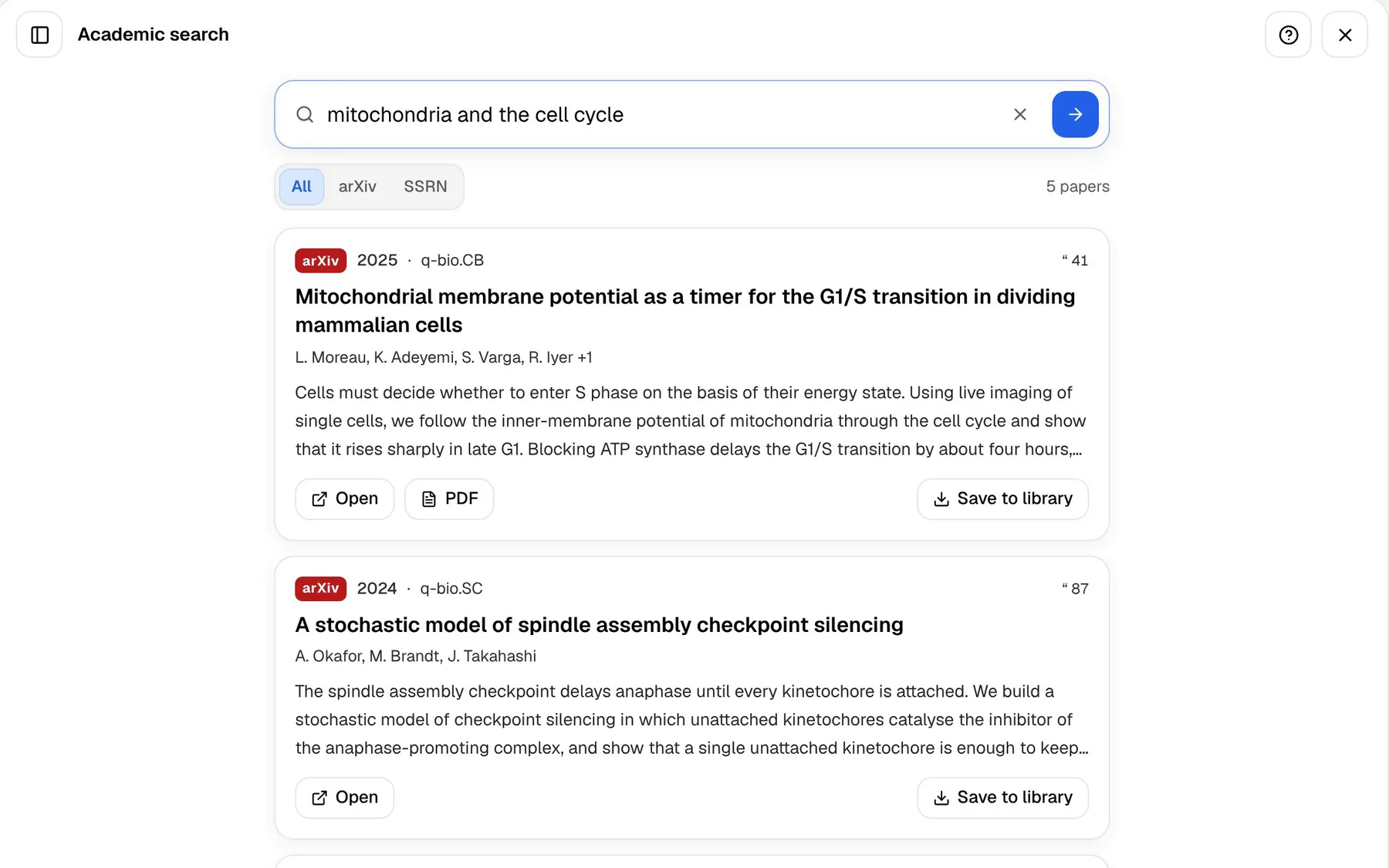
PocketNote is a study app. It takes in your course material, answers from it with citations, and turns it into flashcards, quizzes, an oral exam and a study plan. It does have an academic paper search, but a deliberately narrow one: arXiv and SSRN.
Graduate students often need both kinds of help in the same week, one for the thesis and one for the taught modules or the viva. This comparison sets out what each does, where SciSpace is clearly ahead, and how the two can divide the work.
At a glance
PocketNote vs SciSpace
| Feature | PocketNote | SciSpace |
|---|---|---|
| Built for | Learning course material | Reading and writing research |
| Paper search | arXiv and SSRN | 270M+ papers, by its own count |
| Literature review table | Not offered | Yes: methods, results, conclusions |
| Help reading a paper | Poki, cited; can mark up the PDF | Explains jargon, maths and tables |
| Writing help | Block editor; Poki writes into notes | Writing and citation tools |
| Reference manager | Not a reference manager | Zotero import and export |
| Agent | Poki, with connectors on paid plans | AI agent; 150+ tools at its 2025 launch |
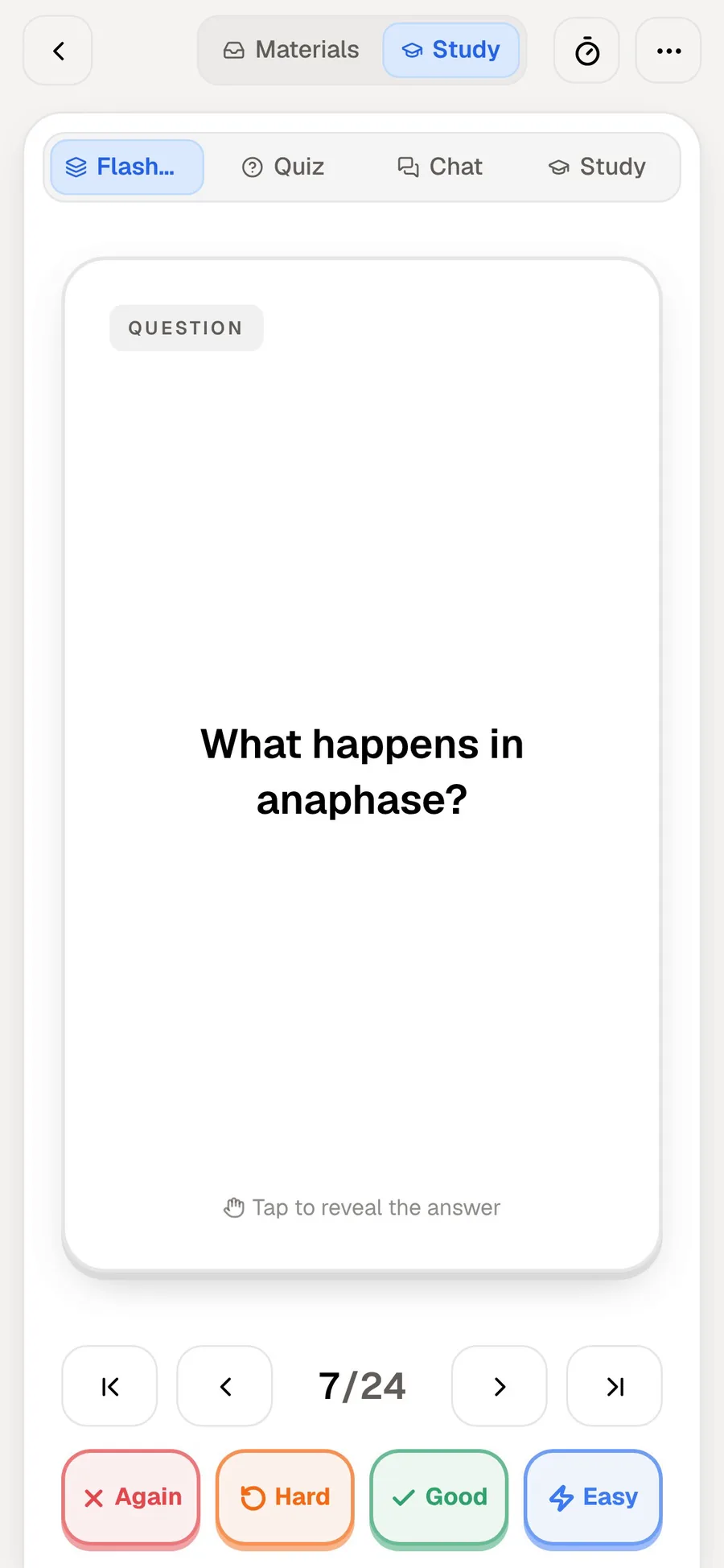
| Flashcards with spaced repetition | Yes: Again / Hard / Good / Easy | Not advertised |
| Quizzes and oral exam | Yes, both | Not advertised |
| Lectures and handwriting | Record lectures; handwrite on iPad | Not advertised |
| Languages | Study material in 50+ languages | Extension works in 13 languages |
| Apps | Web, iPhone, iPad | Web, iOS app, browser extension |
Checked against SciSpace's App Store and Chrome Web Store listings, its launch notes and a university library guide, November 2026, and against PocketNote's own site. Plans and features change; confirm current details on each site.
What SciSpace covers
SciSpace is broad. Its App Store listing leads with the literature review: ask a question in plain language, without hunting for keywords, and it searches its corpus, returns relevant papers with citation-backed answers, and extracts each paper's methodology, results and conclusions so you can compare them side by side.
A guide from the Lucerne universities' library describes the rest of the platform: three research modes for the literature review, a Chat with PDF copilot, an AI agent for tasks such as reports and presentations, writing and citation help, topic brainstorming, and Zotero import and export.
The agent is the newest layer. At its Product Hunt launch in August 2025, SciSpace described it as connecting more than 150 academic tools and 59 databases, with metadata for over 280 million papers and more than 50 million open-access full-text PDFs.
There is also a browser extension. Its Chrome Web Store listing says you can highlight a term or a dense passage to get a plain-language explanation, pick preset questions or ask your own while reading, clip an equation or table to have it explained, save a page or PDF to your SciSpace collection, and use it in 13 languages.
The breadth is the point. Searching, reading, drafting and citing happen in one place, so a thesis project can live inside a single workspace from the first search to the final reference list.
Reading a hard paper: SciSpace's copilot and Poki
Both tools will sit beside a paper and answer questions about it. The difference is what each is tuned for.
SciSpace is tuned for the paper's content. Explaining notation, decoding a results table and putting jargon into plain words are exactly what you need when a paper is outside your field or not in your first language, and its answers point to the location in the source they came from.
That matters more than it sounds. Graduate reading lists often cross disciplines: a biologist meets a statistics method paper, an economist meets a psychology experiment. A tool that explains the unfamiliar parts in context cuts down the time spent hunting for background.
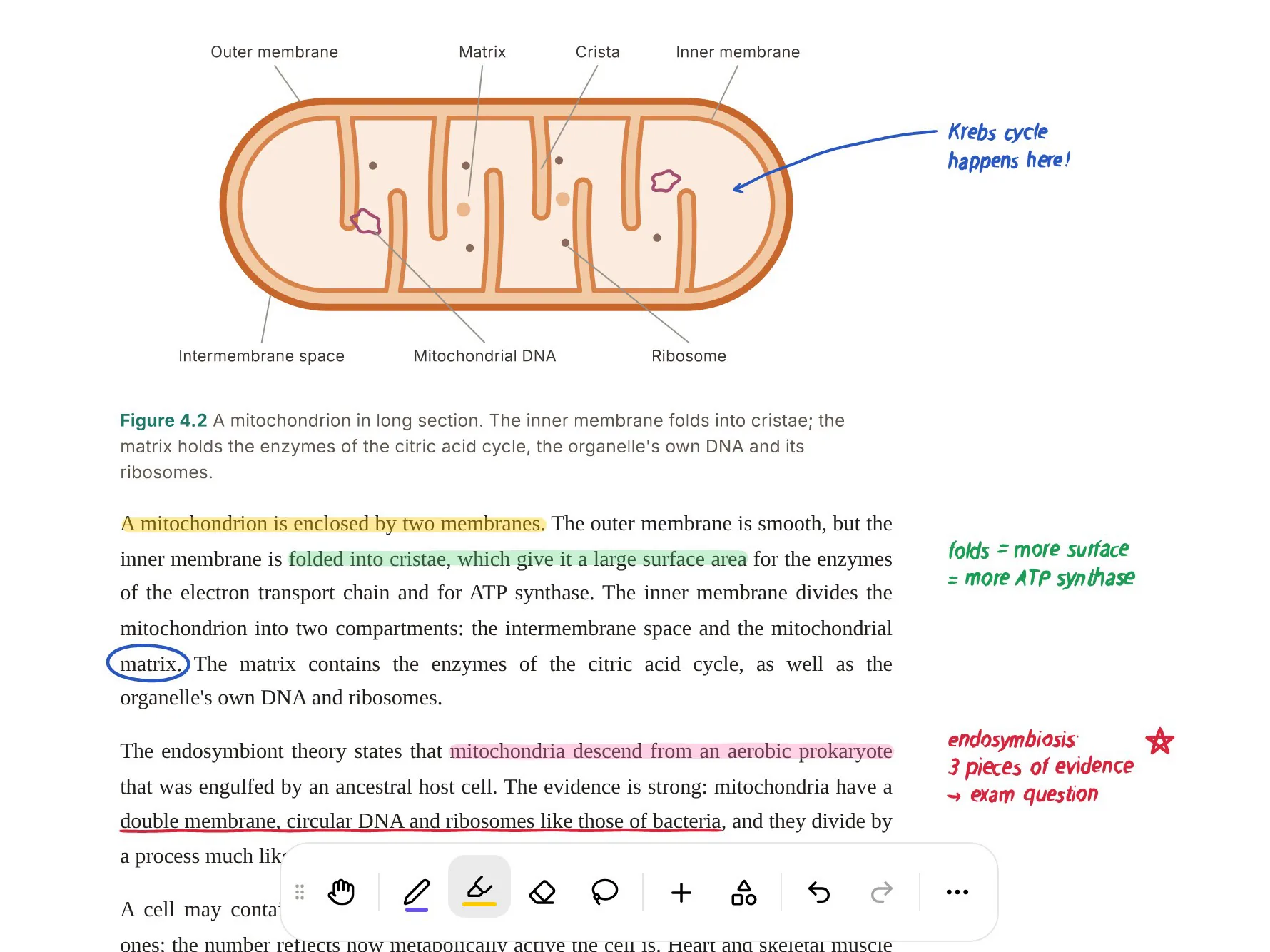
Poki is tuned for your study of the paper. It answers with citations, but it can also look at the page as you see it, including the highlights and handwritten notes you added, and mark the PDF for you. Ask it to underline every claim about ATP yield and it does; one tap undoes its marks if it got something wrong. Then the same paper becomes flashcards, a quiz, a mind map or a slide deck.
In short, SciSpace helps you get through a paper you have not read yet, and PocketNote helps you hold on to one you have.
Where SciSpace stops short for coursework
SciSpace is designed around research outputs: literature reviews, drafts, citations and reports. It doesn't advertise flashcards, quizzes, spaced repetition or exam planning, and it isn't built around lectures. A recorded lecture, a slide deck from your tutor or the notes you took by hand have no obvious home in it.
Its coverage has limits worth knowing, too. The Lucerne library guide warns that SciSpace literature reviews usually don't cover all the scholarly literature on a topic, and that it often lacks the full text of copyrighted publications, so its results can differ from an expert's assessment. The guide recommends using it alongside the library's own catalogue and subject databases.
That caution applies to every AI search tool, and it is not a reason to avoid SciSpace. It is a reason to treat its review as a first pass, check the gaps against a proper database, and read the key papers yourself.
Its outputs also point outward, toward something you will write or submit. Studying points inward: the goal is that the knowledge ends up in your head, available without the tool, which is a different design problem.
PocketNote's research reach, stated plainly
PocketNote's academic search covers arXiv and SSRN, and that is all. It is useful for preprints and working papers in physics, computer science, maths, economics, finance and law, and saving a result to your library takes one tap. It doesn't search a corpus of hundreds of millions of papers, it doesn't write literature reviews, and it isn't a reference manager. If your field publishes mainly in journals that don't post to arXiv or SSRN, as is common in medicine, chemistry or history, the search won't find your papers and you will import the PDFs yourself.
Where PocketNote does help a research student is after the papers are chosen. A dense paper can become a slide deck that pulls out its key result, a mind map of its argument, a podcast-style audio review for the train, or a set of flashcards for the definitions and numbers you keep forgetting. Written notes and summaries from the paper open in the block editor, which handles LaTeX maths, so the equations survive.
On a phone and an iPad
Both products have an iOS app, and they are built for different moments. SciSpace's app, according to its App Store listing, brings its literature review to the phone: plain-language search across its corpus, quick extraction of a paper's methods, results and conclusions, and citation-backed answers. It is a way to keep researching away from the desk.
PocketNote's iPhone and iPad app is built around studying what you already have. On iPad with Apple Pencil, you can annotate a paper directly, with highlights and handwritten margin notes that Poki can then read, or take handwritten notes in a seminar on lined, grid or Cornell templates. A lasso turns handwriting into text or sends a selection to Poki with a question, and search reaches into your handwriting.
On the phone, the useful parts are the short ones: a round of flashcards between lectures, a quiz on the bus, an audio review with captions on the walk home. Your library syncs across the web app, iPhone and iPad by account, so the paper you annotated on the iPad is the same one you are quizzed on later.
Where SciSpace is the better choice
For the research half of a graduate degree, SciSpace does far more than PocketNote. These are the jobs where we would choose it.
- Literature reviews. Searching a corpus of hundreds of millions of papers and extracting methods and results into a table is SciSpace's main job.
- Reading outside your field or language. Explanations of jargon, maths and tables, in 13 languages in the extension, help with papers you can't yet read fluently.
- Writing research. Writing and citation tools, plus Zotero import and export, support a thesis or manuscript.
- Multi-step research tasks. The agent chains search, analysis and drafting across many tools and databases.
- Reading in the browser. The extension works on the pages and PDFs you are already reading in Chrome.
Plans and pricing
SciSpace has a free tier and paid plans, and its iOS app is a free download. We couldn't load its pricing page when checking in November 2026, and third-party listings disagree on the numbers, so confirm the current price on SciSpace's own site. Some universities provide premium access for their students; the Lucerne universities, for example, offer a limited number of premium places on request.
PocketNote is free to start. Paid Basic adds live voice, premium AI models and connectors; Plus adds unlimited notebooks and apps, the longest podcasts and all models. See pocketnote.app for current plans.
Before paying for either, ask your library. Institutional access to research tools is common, and it changes what is worth buying yourself with your own money.
Dividing the work between them
For a master's or PhD student, a sensible split is research in SciSpace and learning in PocketNote. Run the literature review in SciSpace, read the difficult papers with its copilot, and keep drafts and citations there.
Bring the core papers into PocketNote alongside any taught modules you are still examined on. Use the oral exam to practise explaining your key sources before a supervision meeting or viva: Prof. Poki asks, listens and follows up until the explanation holds. On paid plans, live voice lets you talk a topic through with Poki on the walk home.
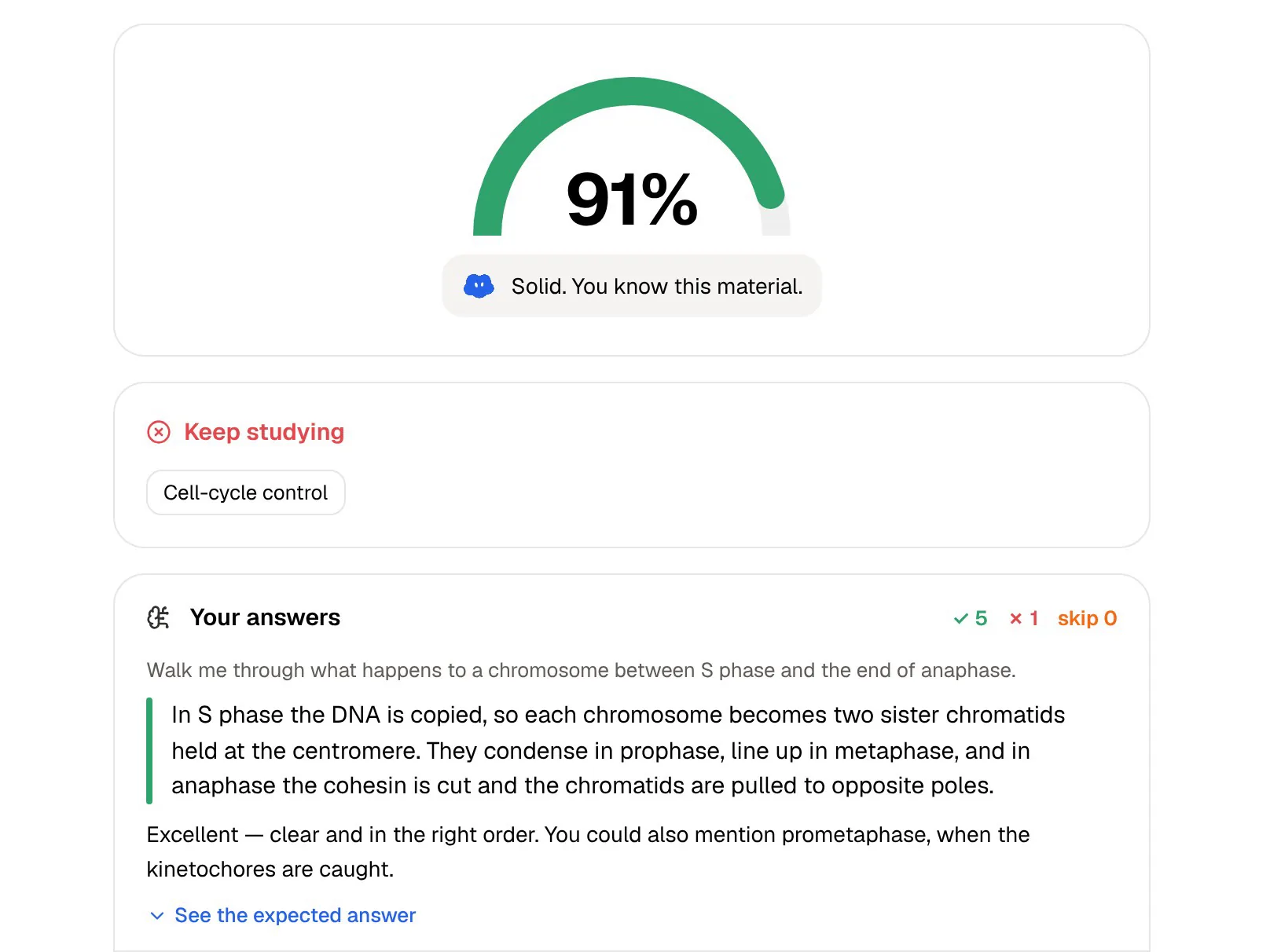
Set the date of the viva or exam in the study plan, and PocketNote will plan what to cover each day, remind you, and track memory, applied and mastery scores for each topic.
The verdict
Which one should you pick?
Pick PocketNote if…
- You have courses and exams, and want your lectures, slides and readings in one place you can study from.
- You want spaced-repetition flashcards, explained quizzes, an oral exam and a study plan.
- You want Poki to mark up your PDFs and read your own annotations.
- You need to practise explaining papers out loud before a viva.
Pick SciSpace if…
- You are doing a literature review and need to search far beyond arXiv and SSRN.
- You need help reading papers outside your field or first language.
- You want writing, citation and Zotero tools in the same workspace as your search.
Try it yourself
See it with your own notes
PocketNote is for learning what you have chosen to read. Import papers, lecture recordings, slides saved as PDF, YouTube links and your own notes, and Poki answers from them with citations. The same sources become flashcards with spaced repetition, explained quizzes, an oral exam with Prof. Poki, mind maps, slide decks and audio reviews.
Start free on the web, iPhone or iPad; PocketNote does not use your files to train public AI models.
Frequently asked questions
Sources
Keep reading