
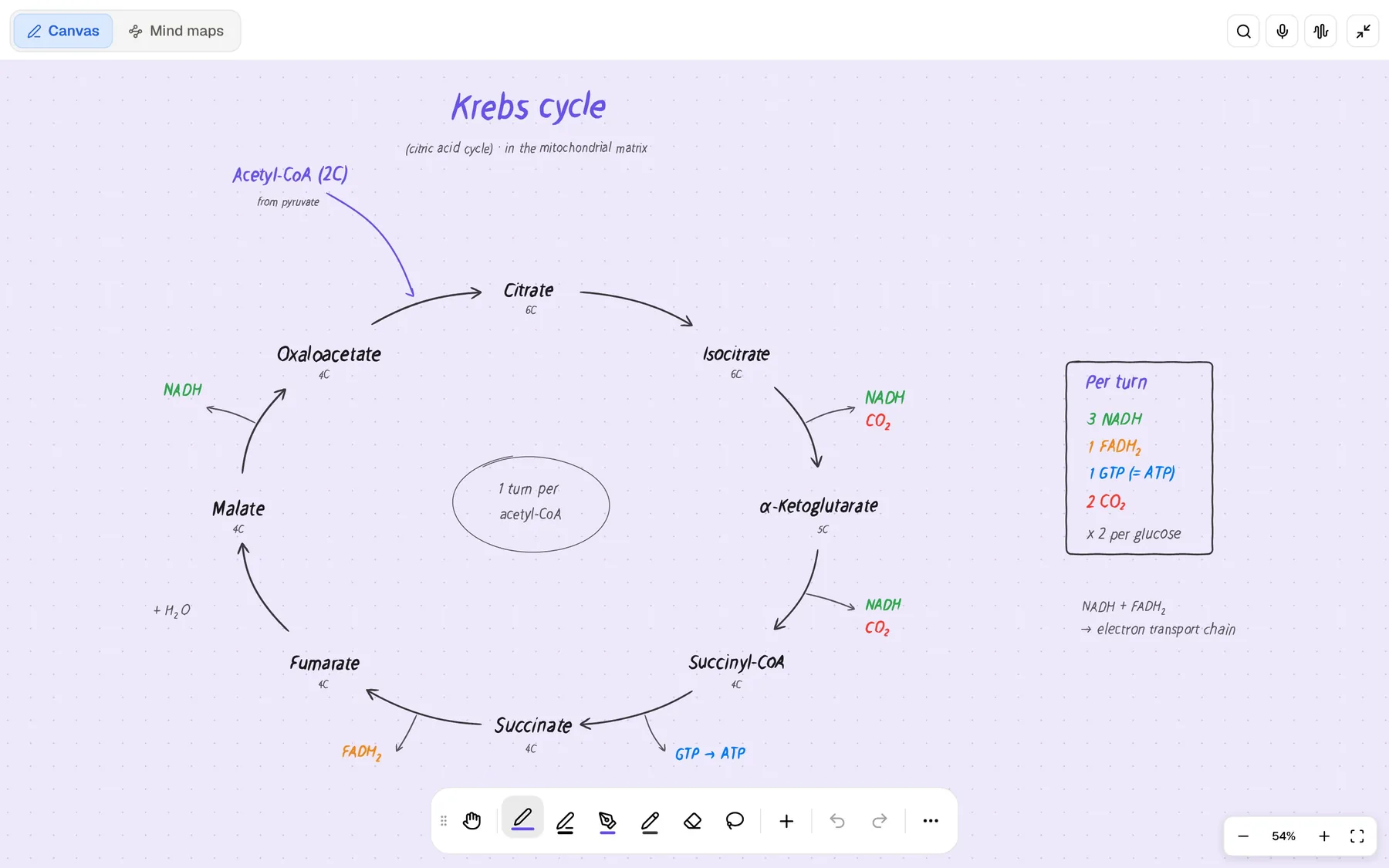
Apple Freeform is the free canvas app that comes with every new iPhone, iPad and Mac. You drop photos, PDFs, web links, sticky notes, shapes, drawings, audio and video onto a flexible board, then invite classmates to work on it with you in real time. For a group project, a mood board or mapping out an essay, it is one of the easiest tools to start with, and it costs nothing.
PocketNote is not a whiteboard app, although it has an infinite whiteboard for handwritten notes. It is an AI study app: you bring your course material, and it builds flashcards with spaced repetition, quizzes that explain every answer, an oral exam, mind maps, slide decks, podcast-style audio reviews and a study plan to your exam date.
Students compare the two because both promise a place to lay out ideas. They do very different jobs, though, and many students will want both. This page covers what Apple Freeform is good at, where a study app takes over, and how to move a board's material into revision. Freeform details come from Apple's App Store listing, user guide and Creator Studio pages, checked in November 2026.
At a glance
PocketNote vs Apple Freeform
| Feature | PocketNote | Apple Freeform |
|---|---|---|
| What it is | AI study app | Free canvas board app from Apple |
| Canvas | Infinite whiteboard for handwriting | Flexible canvas for any kind of content |
| On the canvas | Handwriting, shapes, stickers, templates | Photos, video, audio, PDFs, links, stickies, 700+ shapes |
| Real-time collaboration | Share a link to a note; no co-editing | Up to 100 collaborators on a board |
| Mind maps | Generated from your material | Draw your own with shapes and diagrams |
| Presenting | Presentation mode; generated slide decks | Scenes to save and jump between regions |
| AI | Poki: cited answers and study tools | Intelligence features with Apple Creator Studio |
| Flashcards and quizzes | Generated; spaced repetition; explained | Not advertised |
| Study plan | Exam date, daily plan, reminders | Not advertised |
| Export | Handwritten notes to PDF | Export a board as a PDF |
| Apps | Web, iPhone, iPad | iPhone, iPad, Mac, Apple Vision Pro |
| Price | Free to start; Basic and Plus plans | Free; optional Creator Studio subscription |
Checked against Apple's and PocketNote's own pages, November 2026. Plans and features change; confirm current details there.
What Freeform is good at
Freeform's strength is that almost anything can go on a board. Apple's App Store listing names photos, video, audio, documents, PDFs, web links and sticky notes, and the user guide adds text, tables, diagrams, images and scans, and items dropped in from other apps. A library of more than 700 shapes with alignment guides makes it easy to build a tidy diagram, and you can draw anywhere on the canvas with a range of brushes and colours. Items can carry a description, be locked so nobody moves them by accident, and be aligned and arranged, which keeps a busy group board readable.
Collaboration is built in from the start. You invite people by email, link or Messages, up to 100 collaborators can work on one board, and a single tap opens the board's Messages conversation or a FaceTime call. For a group presentation or a lab report planned by four people, that is exactly what you want, and nobody needs to buy anything.
Boards stay in sync through iCloud on iPhone, iPad, Mac and Apple Vision Pro. You can organise them in folders, search across them, and use Scenes to save particular regions of a large board and jump between them, which also works as a simple way to present. When you are done, a board can be exported as a PDF.
A group project board versus your own revision
The clearest way to choose is to ask who the work is for. Freeform is at its best when several people need to see and change the same space: brainstorming an essay plan, collecting sources for a group project, or laying out a poster. It is a shared table covered in paper, and sticky notes and shapes are easy for anyone in the group to add.
PocketNote is built for one student getting ready for an exam. It is not a team tool and has no real-time co-editing, though you can share a link to a note. What it does instead is read your material and turn it into study sessions. Poki answers questions from your notes, PDFs and recordings with citations, and the study tools test what you remember.
PocketNote's sharing is lighter by design: share a link to a note so a classmate can read it, or export handwritten notes to PDF. On paid plans, connectors let Poki use context from Google Drive, Notion, Outlook and others, for example adding a summary to a Notion page you name.
So most students don't need to pick. Plan the group project on a Freeform board, and revise for the exam in PocketNote.
Handwriting on an endless page
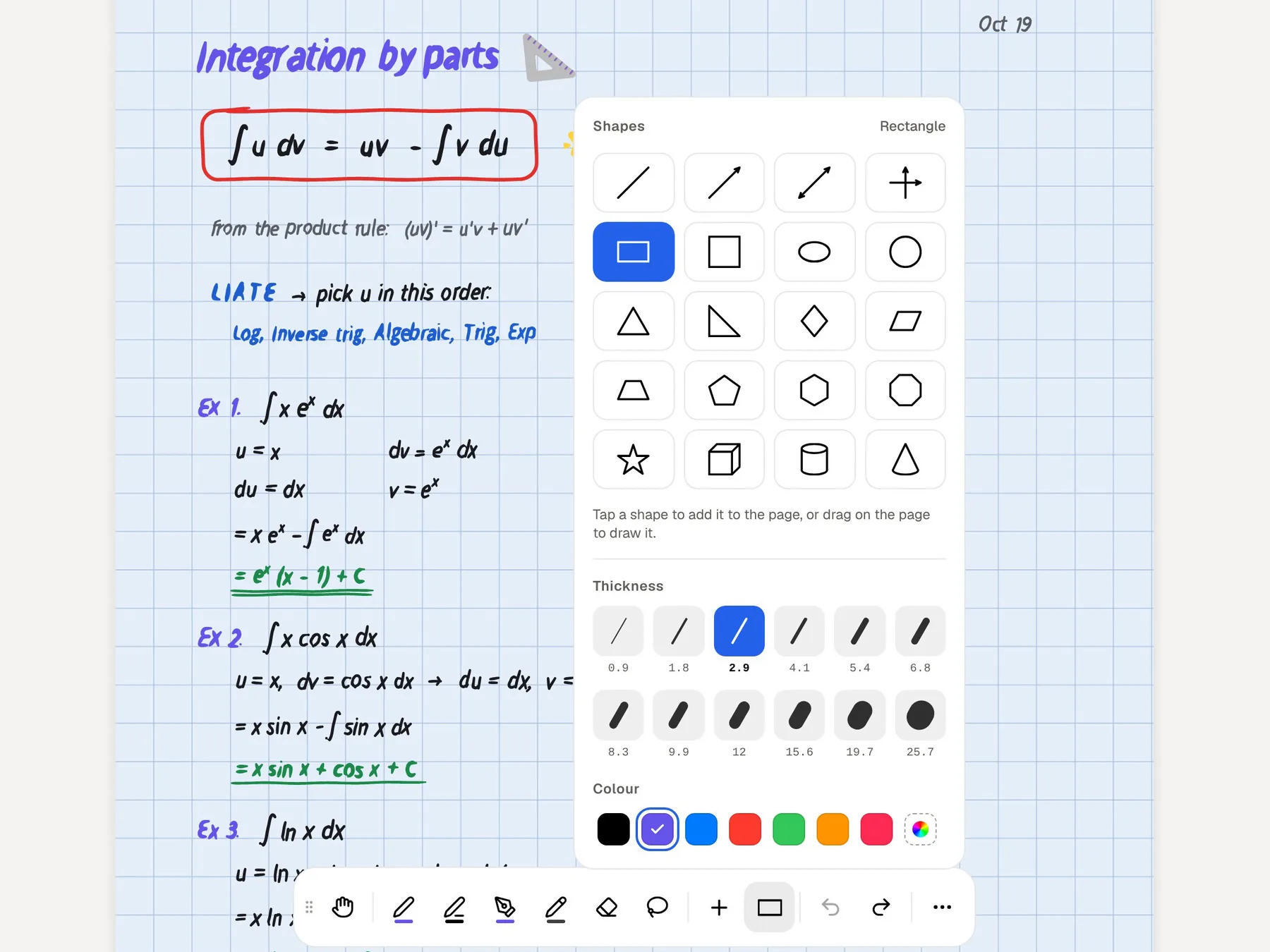
Freeform lets you draw and sketch on the canvas, and you can scan a paper document with an iPhone or iPad and annotate it on the board. It is a good place for quick diagrams among other content, but it doesn't present itself as a note-taking app.
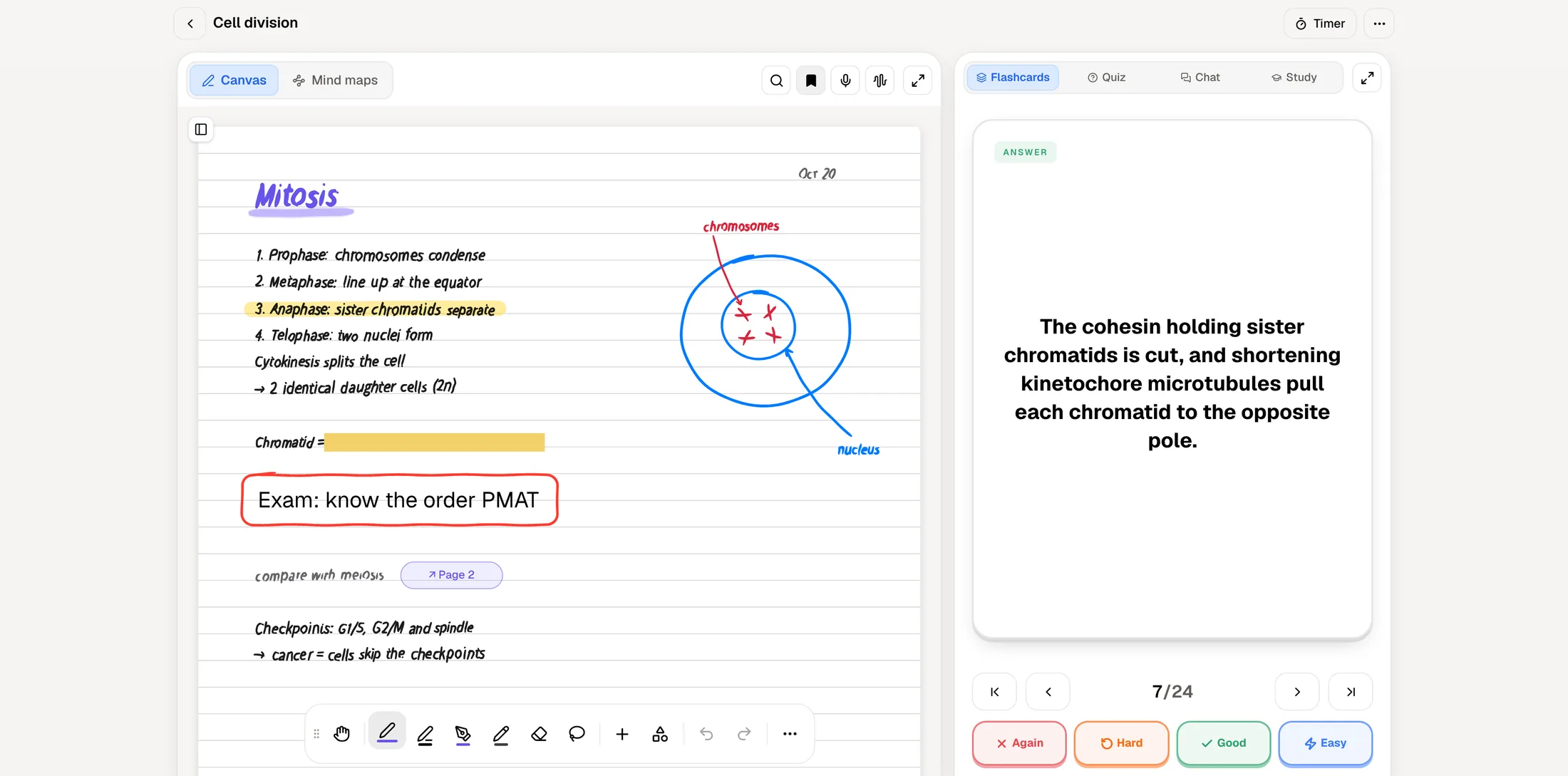
PocketNote's handwriting canvas on iPad is built for lecture notes. You write with the Apple Pencil using pens, highlighters, fountain-pen, watercolour or crayon inks, with shape snapping and a zoom window for small writing. Page templates include lined, grid, Cornell and planner layouts, and there is an infinite whiteboard when a topic doesn't fit on a page. A lasso turns handwriting into text, recolours it or sends a selection to Poki, and PocketNote searches through your handwriting.
Two features are aimed squarely at studying. Tape hides answers on the page so you can test yourself later. Note Replay records audio while you write, and when you play it back it shows the strokes you were writing at that moment. Notes keep saving offline and sync when you are back online, and page links and an outline help you find your way around a long notebook.
Mapping a topic: drawn boards and generated mind maps
On a Freeform board you build a map yourself: shapes, arrows, sticky notes and pictures, arranged however your thinking goes. Doing that is a good way to understand a topic, and Freeform's shape library and diagrams make it quick. Pictures, links and PDFs can sit right next to the shapes, so a map can hold the evidence as well as the structure.
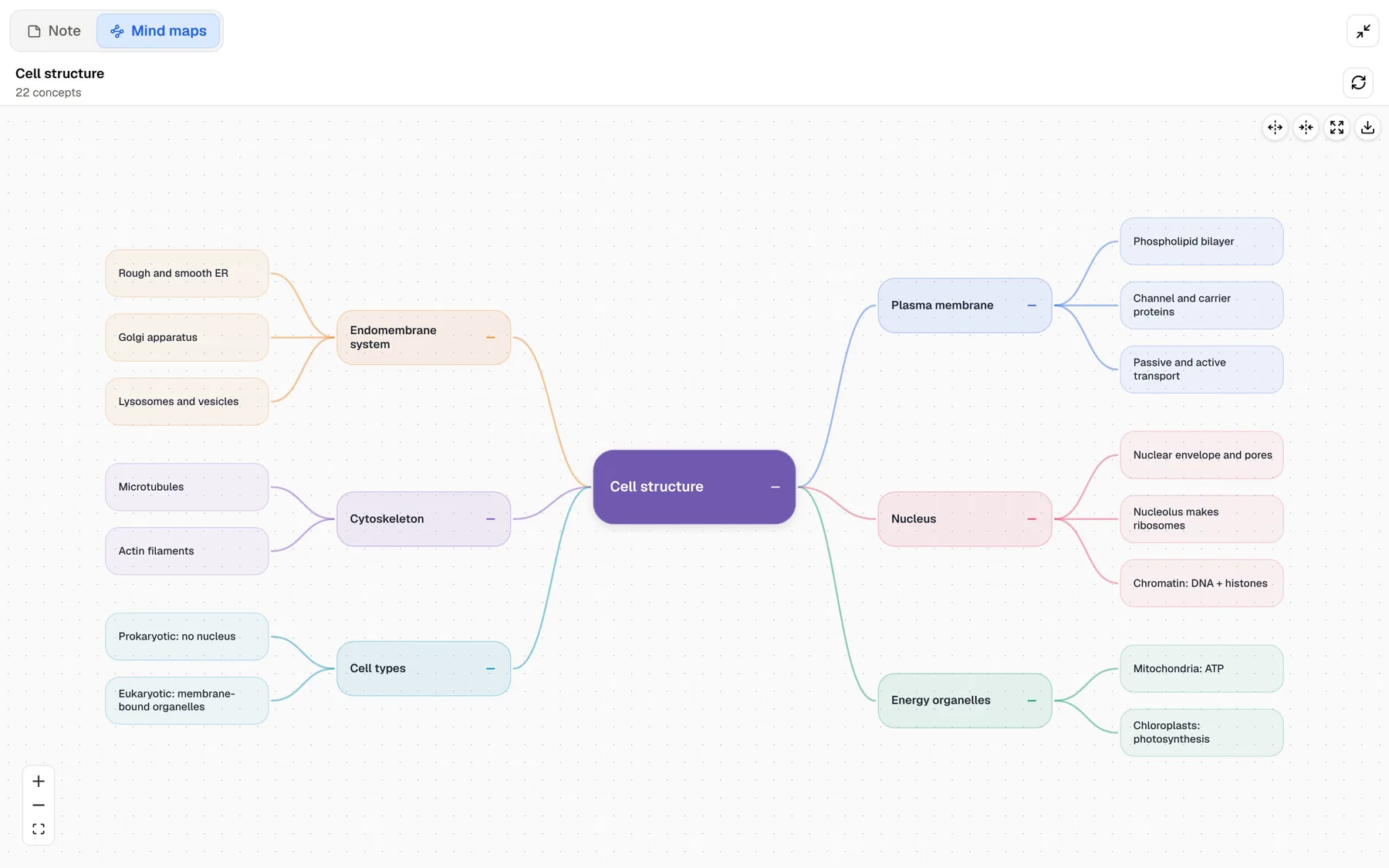
PocketNote takes the other route. From a chapter, a recorded lecture or your own notes it generates a mind map with colour-coded branches, such as membrane, organelles, cytoskeleton and nucleus for a cell-structure topic, which you can follow down to the details. It is useful when you need the overview of material you haven't organised yet, and as a check on a map you drew yourself.
A sensible combination is to sketch your own map in Freeform first, then generate one in PocketNote from the lecture and compare: anything on the generated map that isn't on yours is something to look at again.
Presenting what you know
Freeform's Scenes let you save regions of a board and jump between them, which turns a big board into a walk-through for a seminar or group presentation. PocketNote has a presentation mode for handwritten notes, and it can also generate a slide deck from your material, such as a slide that states its point in the title with charts and the takeaway underneath.
For an exam, presenting matters less than explaining. PocketNote's oral exam has Prof. Poki ask questions out loud or in text and keep probing until you can explain the idea in your own words, which is useful practice before a viva, a seminar or an essay question. Audio reviews add a podcast-style episode about the material, with captions that follow the voices, for revising when you can't look at a screen.
Turning a board's material into revision
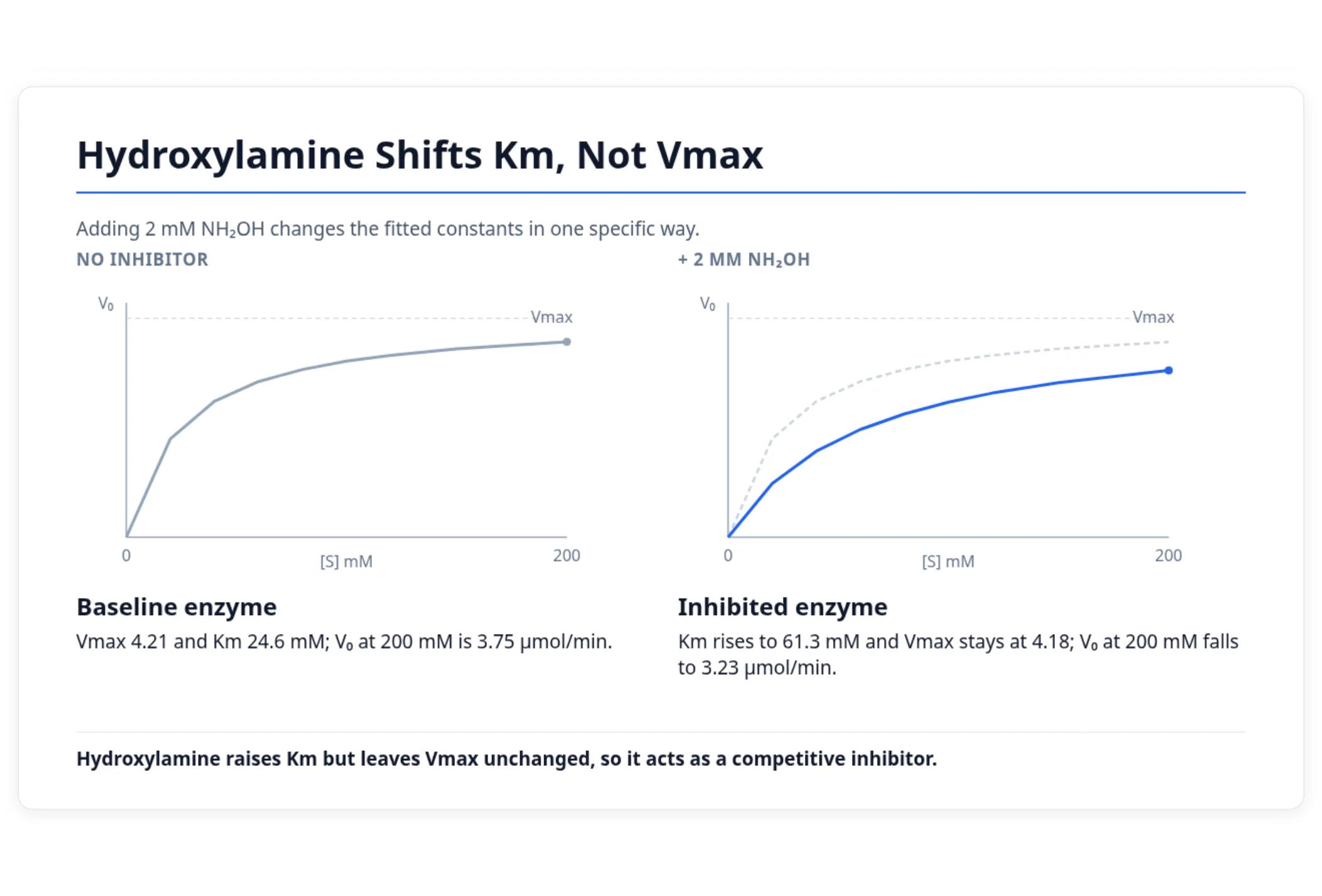
Freeform can export a board as a PDF, and PocketNote imports PDFs. That is the bridge: export the group's board, or the readings you collected on it, and add them to a course notebook in PocketNote alongside lecture slides, recordings and YouTube lectures.
From there PocketNote generates flashcards with spaced repetition (rate each card Again, Hard, Good or Easy and it returns when you are about to forget it), quizzes that explain every option, written summaries and a podcast-style audio review. When the exam date is set, the study plan works out what to cover each day, sends reminders and tracks memory, applied and mastery scores.
Poki reads the exported pages as you see them and answers questions about them with citations. If the board pulled in web articles or YouTube videos, add those links to PocketNote directly: a web link brings in the article text, and a YouTube link brings the transcript.
Where Freeform is the better choice
Freeform does several things PocketNote doesn't attempt, and for those it is clearly the better pick. It is also included with new iPhones, iPads and Macs, which makes it an easy place to start shared work.
- You are working with classmates on the same board at the same time.
- You want a free canvas for any mix of content: photos, video, audio, PDFs, links and sticky notes.
- You like building your own diagrams and maps from a large shape library.
- You use a Mac or Apple Vision Pro as well as an iPhone or iPad.
- You want something already on your device, with no account beyond your Apple Account.
What each costs
Freeform is free, and Apple says creating, viewing and editing boards and collaborating in real time don't need a subscription. An optional Apple Creator Studio subscription adds premium content and intelligence features in Freeform, such as a Content Hub of photos and graphics and AI image tools, alongside Final Cut Pro, Logic Pro and Pixelmator Pro. At the time of writing (November 2026), Apple's Creator Studio page lists $129 a year, with a limited-time $29.99 a year offer for verified college students and educators.
PocketNote is free to start. Paid plans are Basic (live voice, premium AI models and connectors) and Plus (unlimited notebooks, the longest podcasts and all models); see pocketnote.app for current prices. For most students, Freeform for free plus PocketNote's free plan is a reasonable place to begin.
The verdict
Which one should you pick?
Pick PocketNote if…
- You are revising alone for an exam and want flashcards with spaced repetition, explained quizzes and an oral exam.
- You want mind maps, slide decks and audio reviews generated from your course material.
- You want a study plan counted down to your exam date and an AI that answers from your own sources.
Pick Apple Freeform if…
- You are working on a group project and need a shared board with real-time collaboration.
- You want a free canvas for any mix of content, with diagrams you build yourself.
- You use a Mac or Vision Pro alongside your iPhone or iPad.
Try it yourself
See it with your own notes
PocketNote is an AI study app for iPhone, iPad and the web. It takes your slides, PDFs, YouTube lectures, recordings and handwritten notes, answers questions from them with citations, and generates flashcards with spaced repetition, quizzes with explanations, an oral exam, mind maps, slide decks, audio reviews and a study plan to your exam date.
Use Freeform with your group, and bring the exported board into PocketNote when it is time to learn the material yourself. PocketNote is free to start.
Frequently asked questions
Sources
Keep reading