
Joplin is a free, open-source note-taking and to-do app. Notes are written in Markdown or a rich-text editor, sync through a service you pick (Joplin Cloud, Dropbox, OneDrive and others), support end-to-end encryption, and open on Windows, macOS, Linux, Android and iOS. It suits people who want to own their notes outright, and its Evernote importer makes it an easy place to land after leaving Evernote.
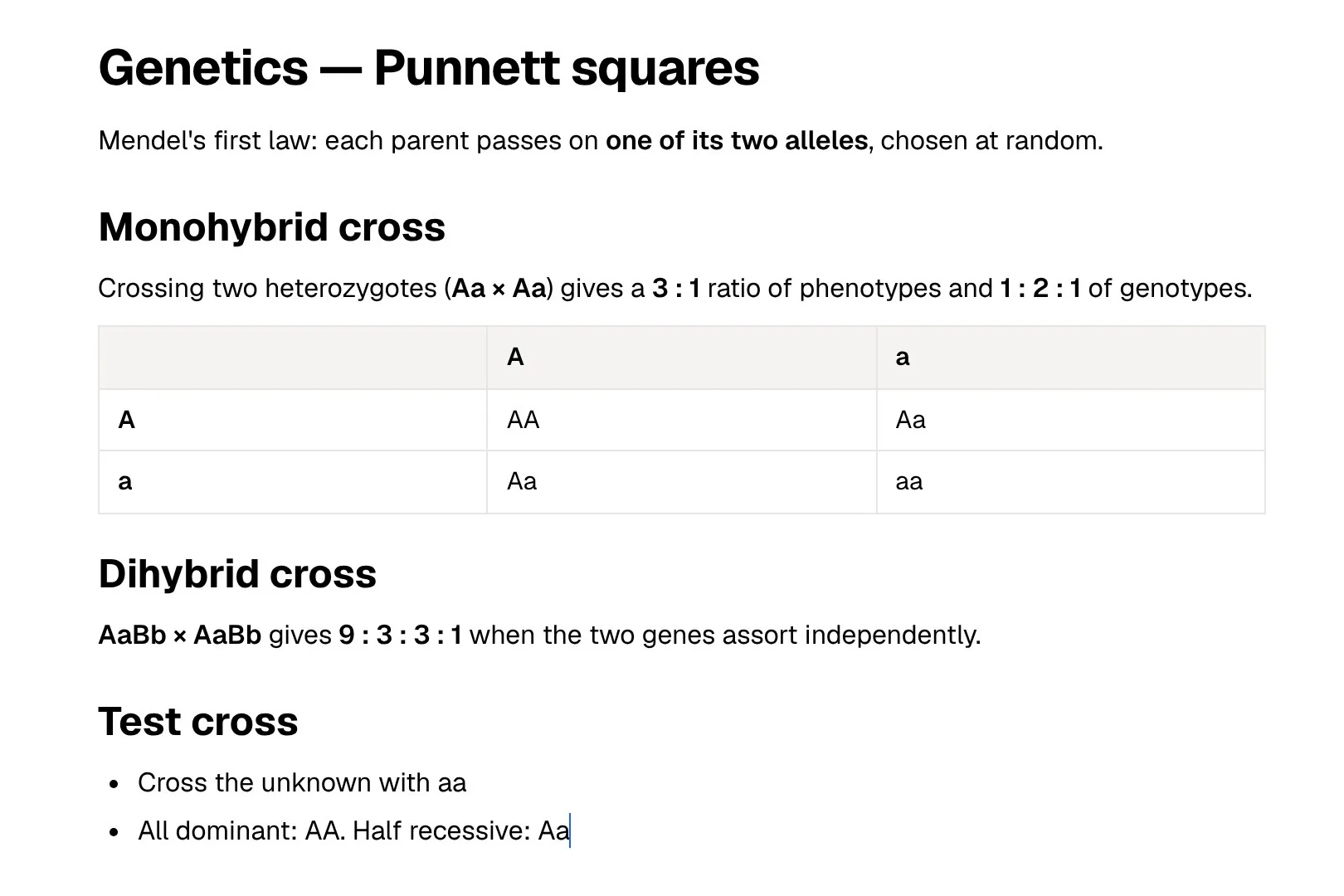
PocketNote is built for a narrower job: getting ready for exams. You bring lecture recordings, PDFs, slides and your own notes, and it makes flashcards with spaced repetition, quizzes that explain every answer, an oral exam and a day-by-day study plan from that material. Its assistant, Poki, answers from your files and cites them.
So the useful question is less which notes app wins and more where each part of your coursework should live. This page covers what Joplin does well, what its new AI features actually do, where it stops short for revision, and how to move a notebook across if you decide to use both.
At a glance
PocketNote vs Joplin
| Feature | PocketNote | Joplin |
|---|---|---|
| Main job | Turning course material into study tools | Writing, storing and syncing notes |
| Price | Free to start; paid Basic and Plus | App free; Joplin Cloud sync from 2.99€/month |
| Platforms | Web, iPhone and iPad | Windows, macOS, Linux, Android, iOS; web via Joplin Cloud |
| Editor | Block editor, plus handwriting | Markdown or rich text |
| AI assistant | Poki, built in, cites your material | Optional AI chat in the desktop app |
| Flashcards with spaced repetition | Built in, made from your material | Not in the core app |
| Quizzes | Every answer explained | Not in the core app |
| Lecture recording | Transcript, summary and notes | Stores audio files as attachments |
| End-to-end encryption | No: Poki reads your files to work | Supported |
| Import | PDF, Word, Excel, CSV, TXT, Markdown, audio, links | Evernote ENEX, Markdown, OneNote |
Checked against each product's own website, November 2026. Plans and features change; confirm current details there.
What Joplin does well
Joplin's main promise is control. The app is free and open source, notes are kept in an open format, and you decide where they sync: Joplin's paid Joplin Cloud service or a provider you already use, such as Dropbox or OneDrive. With end-to-end encryption, the copy on the sync service is readable only on your own devices.
The editor handles Markdown or rich text, maths expressions and diagrams, and attachments such as images, video, PDFs and audio. A web clipper for Chrome and Firefox saves a page or a screenshot as a note, and plugins, custom themes and a scripting API let you reshape the app. It runs on Windows, macOS, Linux, Android and iOS, and there is even a terminal version.
Getting notes in is unusually easy. Joplin imports Evernote ENEX files, folders of Markdown files (on desktop, the folder structure becomes notebooks) and OneNote notebooks downloaded from OneDrive. If you are leaving another app, few free tools make the move this painless.
Joplin Cloud adds a few things the free setup doesn't have: a web app at app.joplincloud.com for working in a browser, publishing a note to the web as a link, and collaborating on notebooks that others share with you. Sharing your own notebooks needs Pro or above.
- Who it suits: people who want notes in an open format, under their own control, for years.
- Strongest on: long-lived reference notes, research logs, personal wikis and to-do lists.
- Costs nothing unless you choose Joplin Cloud for sync, sharing or the web app.
Joplin's AI features, as they stand in November 2026
Joplin now has an AI chat that can summarise notes, rewrite text or answer questions about what you have written. It is switched off by default, and Joplin's own help page says AI features are only available in the desktop app. The chat panel and plugins share one model that you configure in settings.
You choose where that model runs. Joplin Cloud AI is a hosted model on Joplin Cloud plans, labelled beta. You can also point Joplin at any OpenAI-compatible service, including local servers such as Ollama or LM Studio, or use Anthropic with your own key. With a local model, your notes never leave your network, which fits Joplin's privacy-first design well.
There is also a built-in MCP server, off by default and listening only on your own machine, so outside AI tools can search your notes. What the help pages describe is a chat that works on your notes. They don't describe flashcards, quizzes or a review schedule, and that is where the comparison with a study app starts.
In practice, a student could ask Joplin's AI to summarise a long lecture note or turn rough bullet points into cleaner prose. That is useful. Turning the same note into practice questions would mean prompting the chat to write them, copying them somewhere you can test yourself, and tracking what you got wrong by hand.
Where Joplin stops short for exam prep
A notes app is a filing system. You can write excellent notes in Joplin and still reach the exam having read them once. What tends to work for revision is retrieval practice: closing the notes, trying to recall the answer, and coming back to what you missed after a gap. Spaced repetition is the scheduling side of that idea.
Joplin's core app doesn't advertise flashcards, quizzes or spaced repetition. It has an open plugin system, so if you want review tools inside Joplin itself, the plugin directory is where you would look, and you would judge each plugin on how well it is maintained before trusting it in exam season.
Lectures are the other gap. Joplin stores audio files as attachments, but its pages don't describe turning a recording into a transcript, a summary and notes. If your course is mostly spoken, that work stays manual.
Time is the third gap. A note has no idea when your exam is, so deciding what to revise on which day becomes a calendar job. PocketNote's study plan starts from the exam date, spreads the material over the days left, reminds you, and tracks memory, applied and mastery scores as you work through flashcards, quizzes and the oral exam.
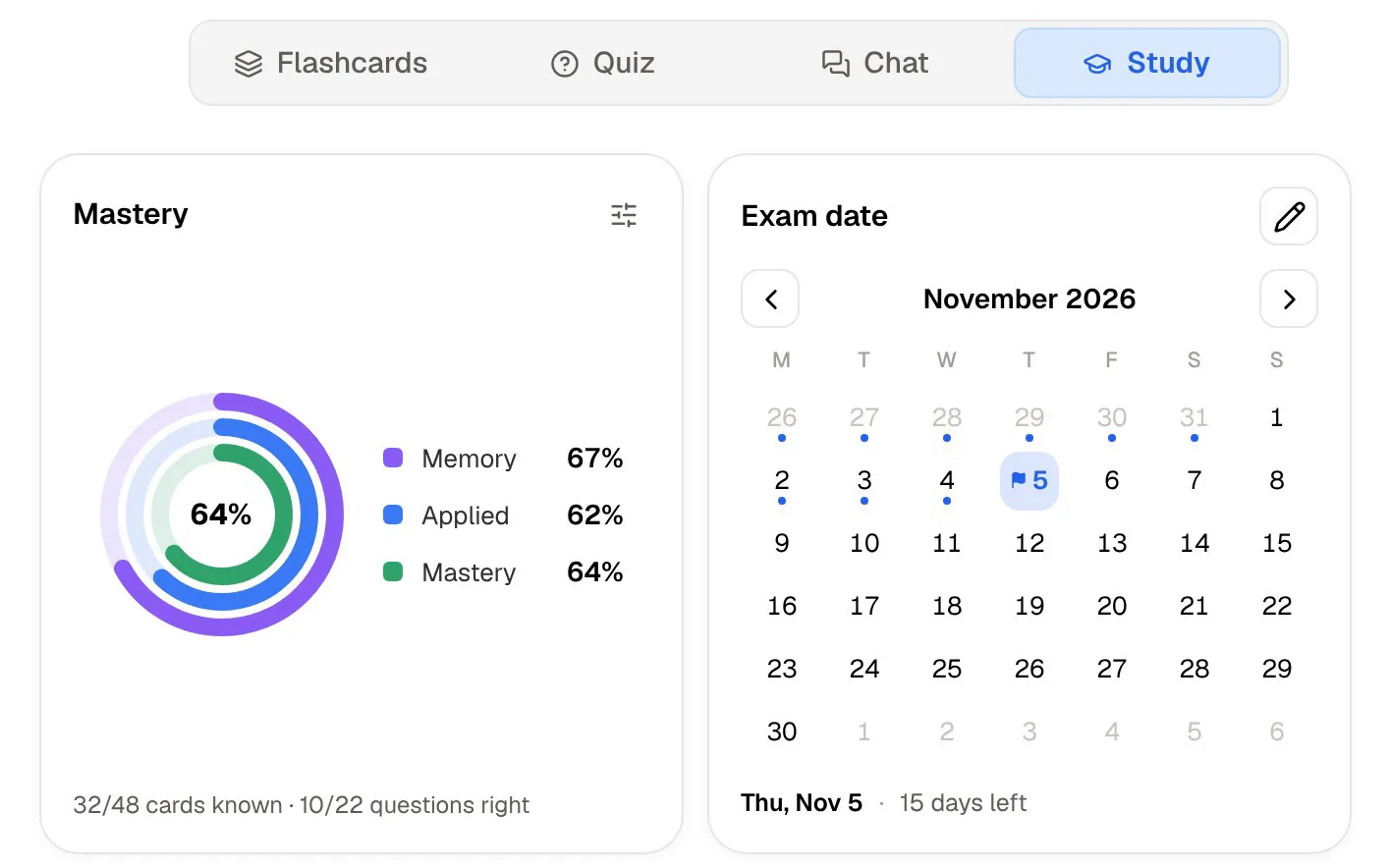
The same week of a course, done in PocketNote
Take one week of a biology module. You record Monday's lecture in the app and get a transcript, a summary and notes. The lecturer's slides go in as a PDF, Thursday's reading goes in as a web link, and the notes you already wrote in Joplin come in as Markdown files.
Ask Poki something like "what's the difference between mitosis and meiosis, in a table" and it answers from those items, citing where each point came from. Then generate flashcards and rate each one Again, Hard, Good or Easy; take a quiz where every option, right or wrong, comes with the reason; and set the exam date so PocketNote plans what to cover each day.
None of this replaces writing your own notes. The typed editor has headings, tables, toggles, callouts and LaTeX, and on iPad you can write by hand. The difference is that the material you collect turns into something that tests you.
Two tools are easy to overlook. In the oral exam, Prof. Poki asks questions out loud or in text and keeps following up until you can explain the idea in your own words. Audio reviews turn the same sources into a podcast-style episode with captions that follow the voices, which suits a commute. Mind maps, summaries and slide decks come from the same material when you need them.

Privacy and control, compared honestly
Joplin is open source, supports end-to-end encryption and lets you pick where your data lives. With a local model, even its AI runs without sending notes anywhere. For anyone who chose Joplin for privacy, that is the point, and a good one.
PocketNote works differently. Poki has to read your material to answer from it and to write flashcards, so PocketNote is not an end-to-end encrypted vault. Your files are not used to train public AI models, and Poki shows the steps it took (which notes it searched and which item it read) so you can see what it used.
A practical split: journals, passwords, health notes and anything private belong in an encrypted app like Joplin. Lecture slides, readings and recordings that you want to be tested on are what PocketNote is for.
Pricing, side by side
The Joplin app is free. You only pay if you want Joplin Cloud. At the time of writing (November 2026), Joplin Cloud Basic costs 2.99€ a month or 28.69€ a year, with 2 GB of storage, the web app and Joplin Cloud AI in beta. Pro costs 5.99€ a month or 57.48€ a year and adds 30 GB, sharing your own notebooks and Email to Note. There is a 14-day free trial, and syncing through Dropbox or OneDrive costs nothing extra on Joplin's side.
PocketNote is free to start. The paid Basic plan adds live voice with Poki, premium AI models and connectors such as Google Drive and Notion; Plus adds unlimited notebooks and apps, the longest audio reviews and all models. See pocketnote.app for current plans and prices.
Moving notes from Joplin into PocketNote
Joplin exports a single note, a notebook or everything as Markdown (with or without front matter), HTML, PDF, or its own JEX archive. PocketNote imports Markdown, PDF, TXT, Word, Excel and CSV, so the Markdown or PDF export is the one to use.
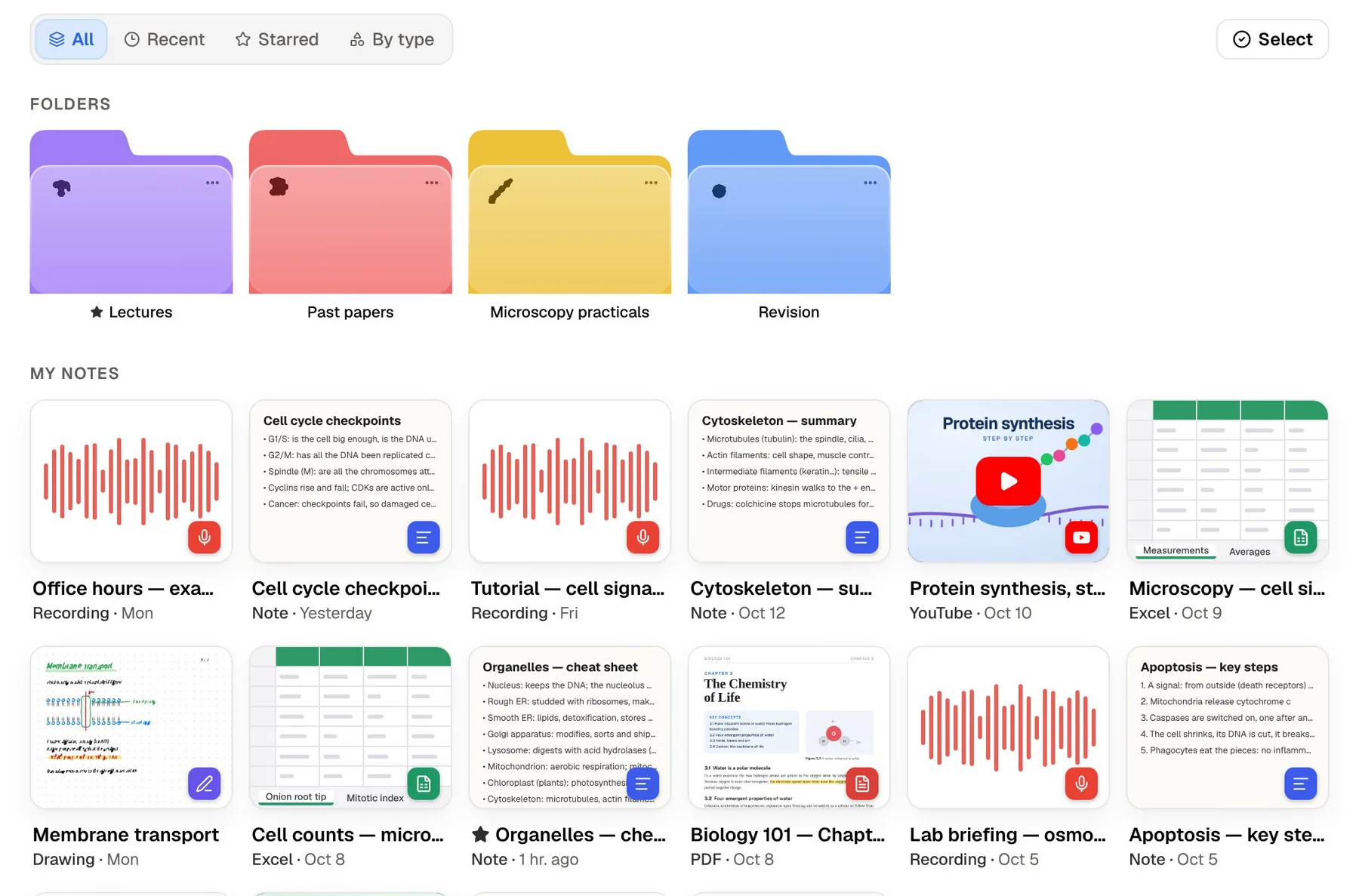
- Export the notebook for one course as Markdown, or as PDF if you want the formatting preserved exactly.
- Create a colour-coded folder for that course in PocketNote and import the files.
- Add the original sources next to them: slides as PDF, YouTube links, lecture recordings.
- Generate flashcards and a quiz for each topic, then set the exam date for a study plan.
- Joplin's tags, to-dos and links between notes are Joplin features. In PocketNote you organise with folders, stars and search instead.
Where Joplin is the better choice
Joplin is the stronger pick when the notes themselves are the point and you plan to keep them for a decade. It also wins on reach: PocketNote runs on the web and on iPhone and iPad, with no desktop or Android app, so on Linux or an Android phone you would be using it in a browser.
Using both is a sensible setup. Joplin works well as the archive for everything you write; PocketNote is where this term's material goes when the exam date is set.
- You want free, open-source notes in an open format, with end-to-end encryption.
- You need native apps on Linux, Windows or Android.
- You would rather run AI on a local model, or keep AI switched off entirely.
- You are moving out of Evernote or OneNote and want a free importer.
The verdict
Which one should you pick?
Pick PocketNote if…
- you want flashcards, quizzes and an oral exam made from your own lectures and readings, not typed up by hand.
- you record lectures and want a transcript, a summary and notes from each one.
- you want a study plan that works back from your exam date and tracks what you have mastered.
- you take handwritten notes on an iPad and want to study from them in the same app.
Pick Joplin if…
- you want free, open-source Markdown notes with end-to-end encryption.
- you need native apps on Linux, Windows or Android.
- you want AI that can run on a local model, or no AI at all.
Try it yourself
See it with your own notes
PocketNote is free to start on the web and on iPhone and iPad. A low-effort way to test it: export one Joplin notebook as Markdown, add the slides for the same topic, and generate a deck of flashcards and a quiz. You will know within a study session whether the review loop suits you.
Your Joplin archive stays exactly where it is. PocketNote only needs the material you are studying right now.
Frequently asked questions
Sources
Keep reading