
Standard Notes is a note-taking app built around one idea: nobody but you should be able to read your notes. Everything is end-to-end encrypted, the code is open, and the free plan covers unlimited notes on unlimited devices. Since April 2024 it has belonged to Proton, the company behind Proton Mail, and it still ships as its own app.
PocketNote starts from the other end. It is an AI study app: you give it lecture slides, readings, recordings and your own notes, and its assistant, Poki, reads them so it can answer questions with citations and build flashcards, quizzes, an oral exam and a study plan from them.
Those two designs pull in different directions, and that is the most useful thing to understand before choosing. An app whose servers cannot read your notes cannot have a server-side AI write practice questions from them. This guide sets out what each app is good at, where that line falls, and how a student can use the two side by side.
At a glance
PocketNote vs Standard Notes
| Feature | PocketNote | Standard Notes |
|---|---|---|
| Core promise | Study tools from your course material | Private, end-to-end encrypted notes |
| End-to-end encryption | No: Poki reads your files to work | Yes, on every plan |
| AI assistant | Poki, with citations to your material | None advertised |
| Free plan | Yes, free to start | Yes: unlimited notes and devices, plain text |
| Paid plans | Basic and Plus (see pocketnote.app) | Productivity $90/year, Professional $120/year |
| Rich text and Markdown | Block editor with tables, toggles, LaTeX | Super notes on paid plans |
| Flashcards with spaced repetition | Built in | Not advertised |
| Lecture recording | Transcript, summary and notes | Not advertised |
| File storage | PDFs, documents and audio you import | 100 GB encrypted on Professional |
| Platforms | Web, iPhone and iPad | Web, macOS, Windows, Linux, iOS, Android |
| Import | PDF, Word, Excel, CSV, TXT, Markdown, audio, links | Evernote, Simplenote, Apple Notes, Google Keep, text files |
Checked against each product's own website, November 2026. Plans and features change; confirm current details there.
What Standard Notes is built to protect
Standard Notes describes its encryption as audited and end-to-end: notes are encrypted on your device, and only you hold the keys to decrypt them. On top of that sit two-factor authentication, password protection for individual notes and daily encrypted backups sent to your email, all on the free plan, plus passcode and Face ID locking in the apps. The homepage pitches it as a place for thoughts that an employer or a government should not be able to read, and calls it "a steel vault for your mind".
The free Standard plan is generous on the things that matter for privacy: unlimited notes, sync across unlimited devices, offline access, tags and a full data export in encrypted or plaintext form. Notes on the free plan are plain text. The paid Productivity plan adds the Super note type (rich text, Markdown, checklists and code), spreadsheets, Daily Notebooks, folders and a web clipper; Professional adds 100 GB of encrypted file storage and unlimited note history.
There are apps for macOS, Windows, Linux, iOS and Android, plus a web app. When Proton bought the company in April 2024, its announcement said Standard Notes would remain open source and freely available, and that prices were not changing.
Why there is no AI tutor inside it
Standard Notes' homepage and plans page don't list any AI features. That is consistent with how the app works: if the company's servers only ever hold notes they cannot read, there is nowhere on the server side for an assistant to read them either.
This is a choice, and for a lot of notes it is the right one. Standard Notes can even act as a two-factor authenticator on paid plans, and people keep passwords, journals and medical notes in it precisely because nothing reads them.
For revision, though, it means the study side is yours to build. Writing practice questions, deciding which ones you keep getting wrong and planning when to come back to them all happen outside the app, by hand or in another tool.
It also makes the app predictable. There is no model that might summarise your notes differently next month, no AI allowance to run out of, and no question about what is sent where. For people who distrust AI in their notes, that steadiness is a feature in its own right.
A study session in PocketNote, start to finish
Say you have a genetics exam in three weeks. You import the lecture PDFs and the textbook chapter, paste in the link to a YouTube lecture your tutor recommended (the transcript comes with it), and add the notes you typed in class.
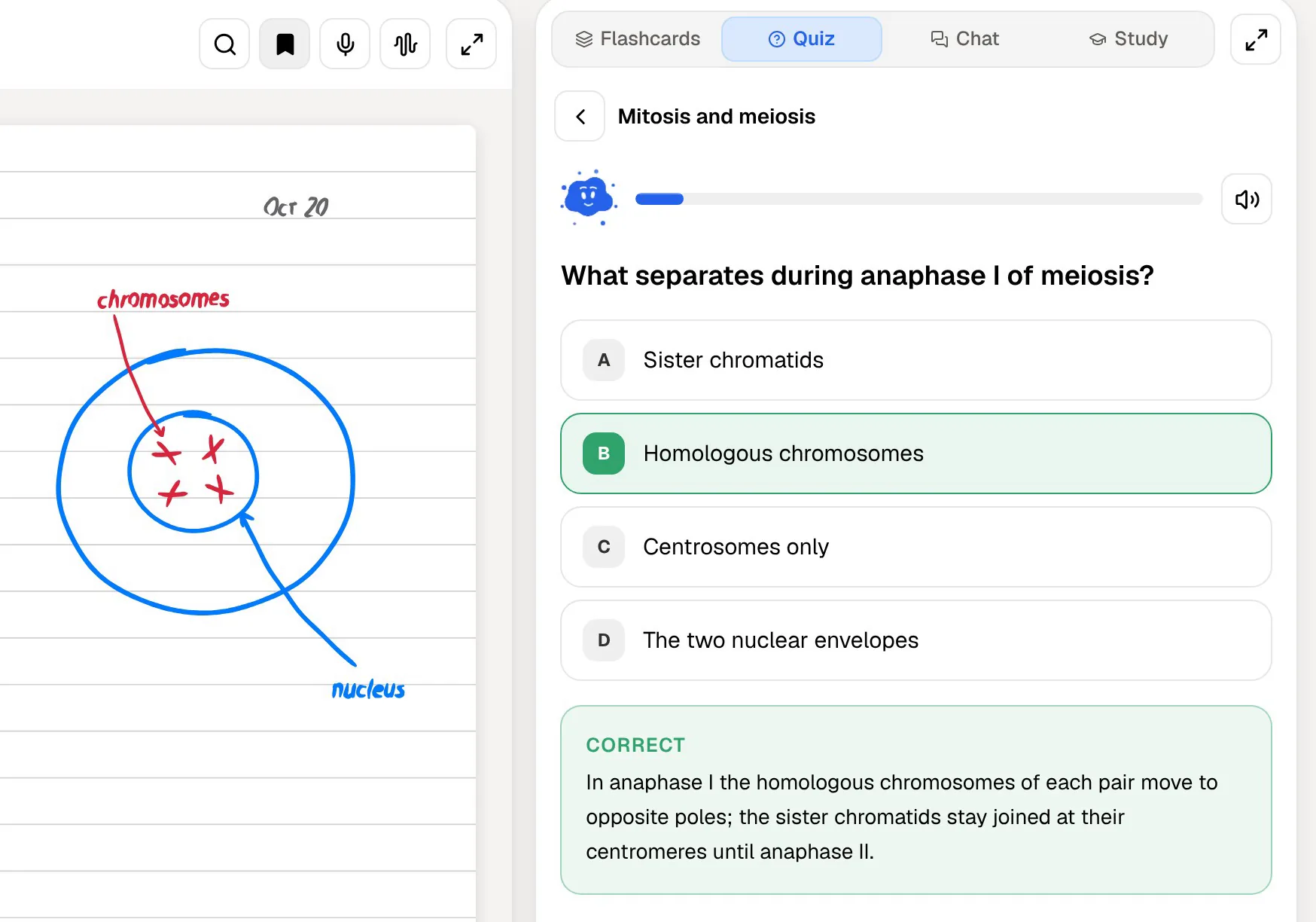
Ask Poki to explain the difference between meiosis I and meiosis II and it answers from those items, citing the source for each point. Then start a quiz: every question comes with the reason the right answer is right and why each wrong option is wrong. Afterwards, generate flashcards from the same material and rate each one Again, Hard, Good or Easy, so the cards you struggle with come back sooner.
The time goes on recalling, not on building tools. If you prefer to talk it through, the oral exam has Prof. Poki ask questions out loud or in text and keep probing until you can explain the idea yourself.
Poki can also look at a PDF page the way you see it, including your own highlights and handwriting, and highlight, underline or circle passages when you ask ("highlight the key definitions on page 3"). You can undo its marks in one tap. When you would rather listen, the same sources become an audio review: a podcast-style episode with captions that follow the voices. Mind maps, summaries, slide decks and data tables come from the same items, in any of 50+ languages.
Writing notes in each app
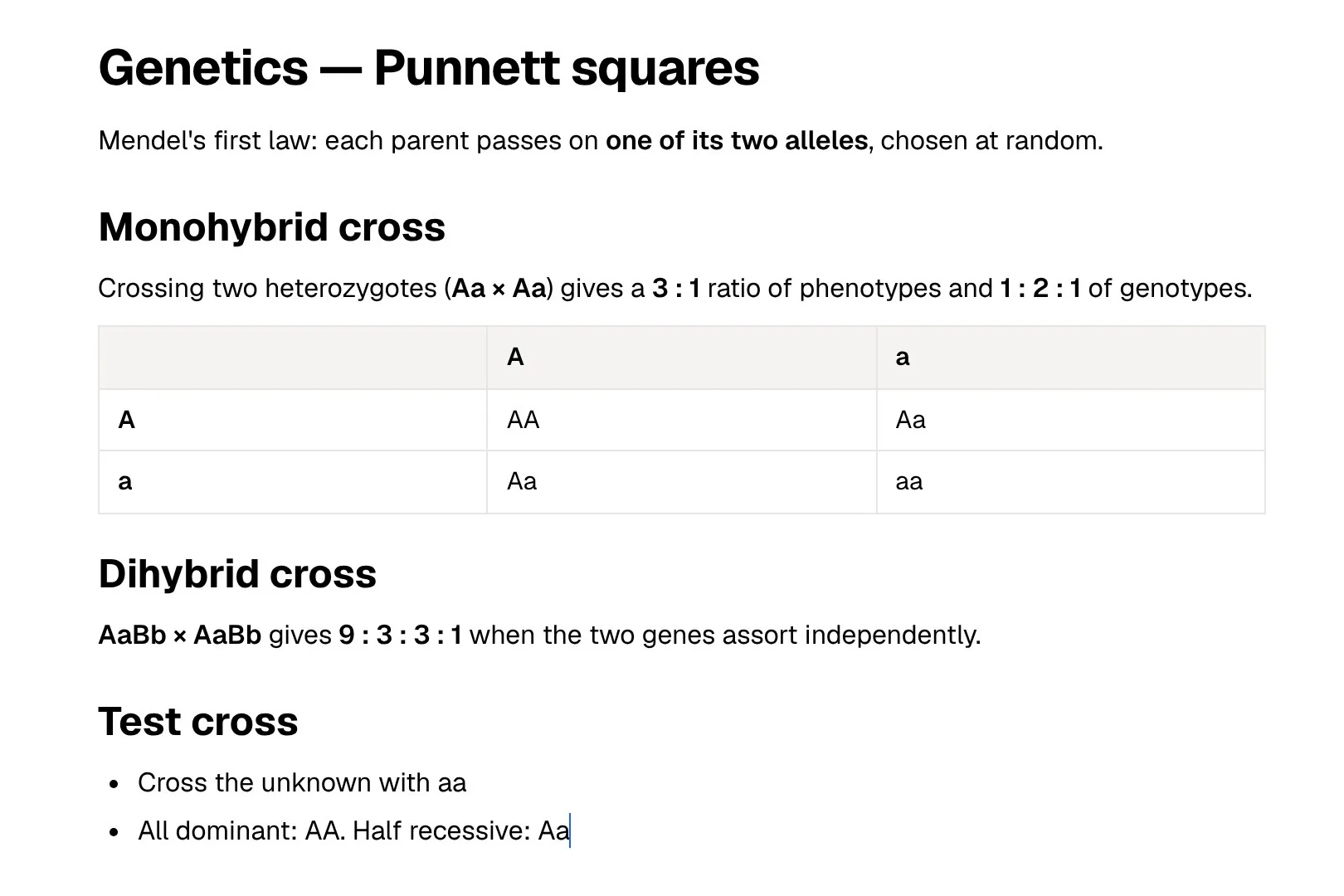
On the free plan, Standard Notes is a clean plain-text editor. Pay for Productivity and the Super note type gives you rich text, Markdown, checklists and code snippets in one editor, with spreadsheets and Daily Notebooks as separate note types. The app works offline, and every edit is encrypted before it syncs. Note history is kept for the current session on the free plan, a year on Productivity and without limit on Professional, which helps when you overwrite a paragraph you needed.
PocketNote's typed notes use a block editor with headings, lists, checklists, tables, toggles, callouts, code, LaTeX maths, images, colours, comments and page mentions, plus find and replace and an outline. You can ask Poki inside a note, and it can write into your notes from the chat. Notes keep saving offline and sync when you are back online.
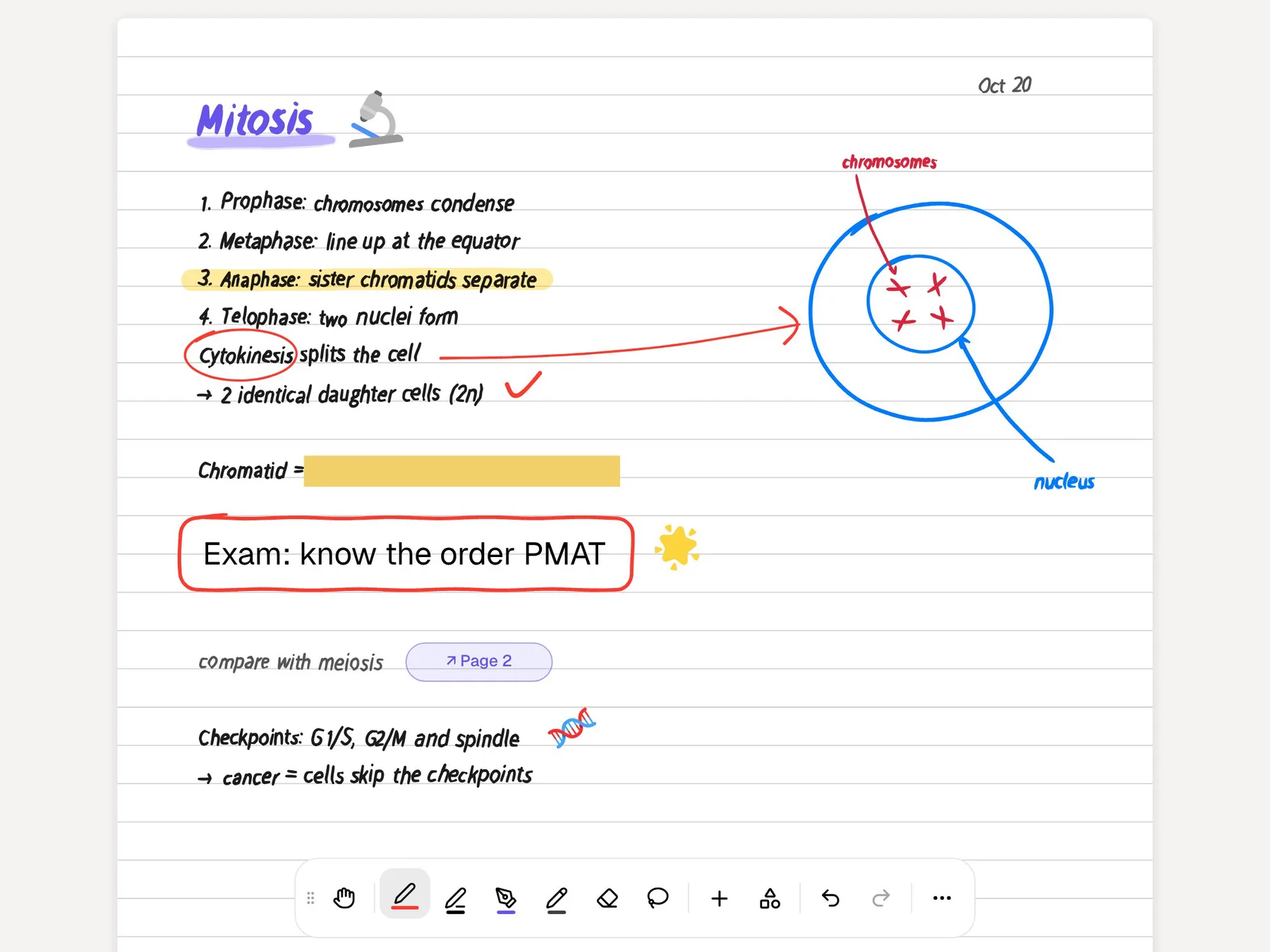
The bigger difference is handwriting. On iPad with Apple Pencil, PocketNote has pens, highlighters, page templates such as Cornell and grid, a lasso that converts handwriting to text, and Note Replay, which records audio while you write and shows the strokes you were making at each moment. Handwritten pages are searchable, export to PDF, and can be shared as a link to a note.
Planning revision to a date
Standard Notes' Daily Notebooks are for journaling and day-by-day notes. They don't plan revision around an exam, and the app doesn't advertise anything that does.
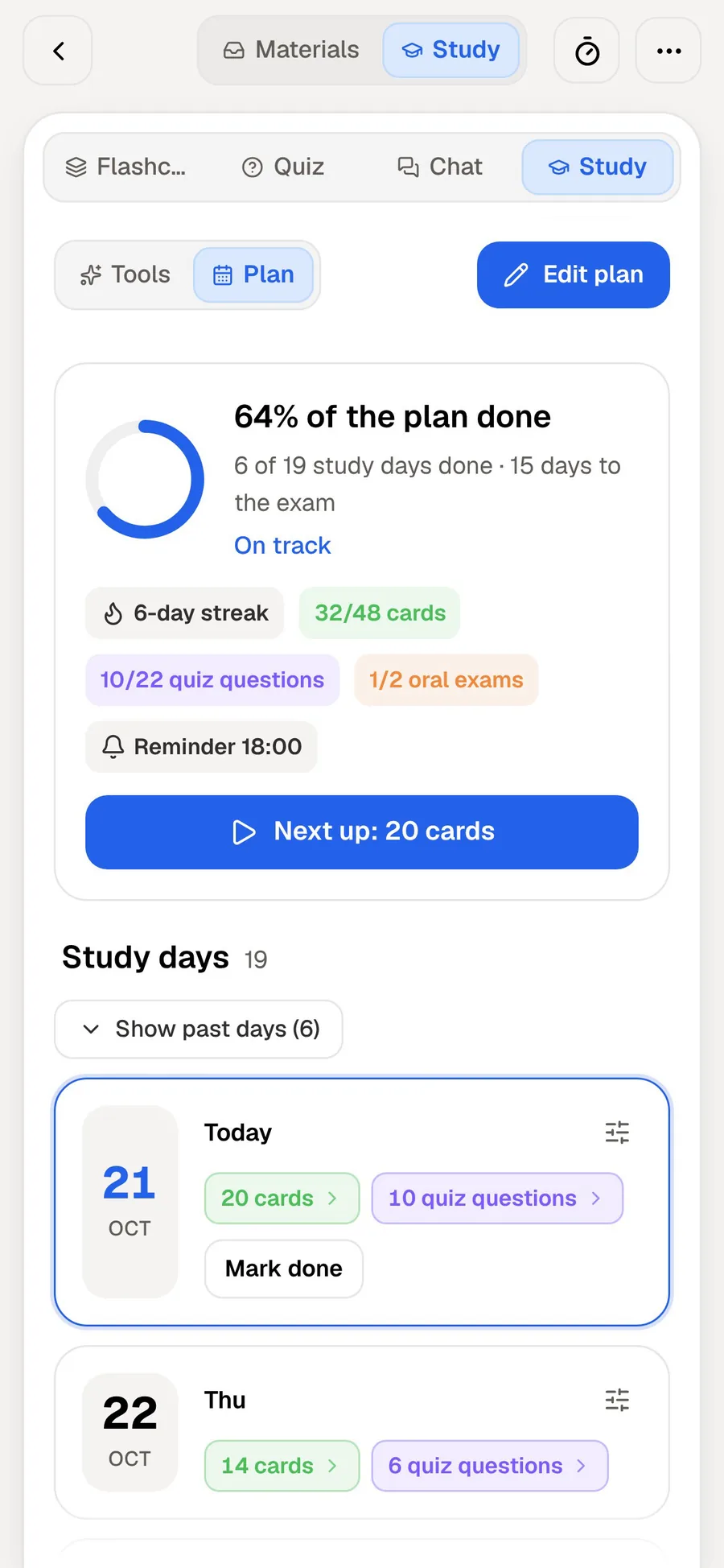
In PocketNote you set the exam date and it plans what to cover each day, sends reminders and tracks three scores as you go: memory, applied and mastery. The plan draws on the tools you actually use, so flashcard reviews, quizzes, the oral exam, slide decks and audio reviews all count towards it.
The reminders are the practical part. On a busy day the app tells you which cards and which quiz are due, instead of you working it out from a list of chapters.
Deciding which notes go where
Most course material is not secret. Lecture slides, textbook chapters and recorded lectures are shared with everyone on the module, so letting an AI read them costs you little in privacy. Your diary, your passwords and your health notes are a different matter.
PocketNote's files are not used to train public AI models, and Poki shows which of your items it searched and read for each answer. It is still not an encrypted vault, and it doesn't claim to be. Sort by sensitivity, not by subject.
One exception to watch: if a module involves confidential material, such as patient case notes on a clinical placement or unpublished research data, follow your institution's rules and keep it out of any AI tool, PocketNote included.
- Standard Notes: passwords and 2FA codes, journals, health and money notes, anything you would not want an AI to read.
- PocketNote: lecture slides, readings, recordings, YouTube lectures and the class notes you want to be tested on.
- Moving a class note across: Standard Notes can export your data in plaintext. Save the note as a TXT or Markdown file and import it, or use Paste Text in PocketNote's Add Sources dialog.
Prices and plans
At the time of writing (November 2026), Standard Notes' Standard plan is free, Productivity costs $90 a year and Professional $120 a year. Productivity comes with a 14-day refund period and Professional with 90 days. Professional also lets you share the subscription with up to five accounts.
For a student, the useful question is which Standard Notes features you would actually pay for. If plain text and encryption are enough, the free plan covers it. If you want rich text, Markdown and folders for class notes, that is Productivity; Professional is mainly about encrypted file storage.
PocketNote is free to start. Basic adds live voice with Poki, premium AI models and connectors such as Google Drive, Notion and Outlook; Plus adds unlimited notebooks and apps, the longest audio reviews and every model. Current prices are on pocketnote.app.
Where Standard Notes is the better choice
If privacy is the deciding factor, Standard Notes is the better app, and nothing in PocketNote is designed to compete with it there. It also covers more devices: PocketNote runs on the web and on iPhone and iPad, with no Android or desktop app, so elsewhere you would use it in a browser.
It is also the calmer option if you just want a notes app. Standard Notes does one job and doesn't ask you to learn study tools, AI models or plans. If your course is light on exams and heavy on essays, an encrypted place to draft and keep notes may be all you need.
- You want every note end-to-end encrypted, with no AI reading it.
- You keep passwords, 2FA codes or journals next to your everyday notes.
- You need native apps on Windows, Linux or Android.
- You want a free plan with unlimited devices and nothing to configure.
- You are importing from Evernote, Simplenote, Apple Notes or Google Keep and want those notes to stay private.
The verdict
Which one should you pick?
Pick PocketNote if…
- you want an AI that reads your lectures and readings and turns them into flashcards, quizzes and an oral exam.
- you study from recordings, PDFs, slides and YouTube lectures rather than only typed notes.
- you want revision planned backwards from an exam date, with progress you can see.
- you write by hand on an iPad and want those notes in the same place as your study tools.
Pick Standard Notes if…
- you want every note end-to-end encrypted, with no AI reading your content.
- you need apps on Windows, Linux or Android as well as the web and iOS.
- you keep personal and sensitive notes that should never leave your devices unencrypted.
Try it yourself
See it with your own notes
You can try PocketNote free in a browser or on an iPhone or iPad without moving anything private out of Standard Notes. Start with one module's slides and recordings: generate a quiz and a deck of flashcards and see how the review loop feels before an exam is close.
Frequently asked questions
Sources
Keep reading