
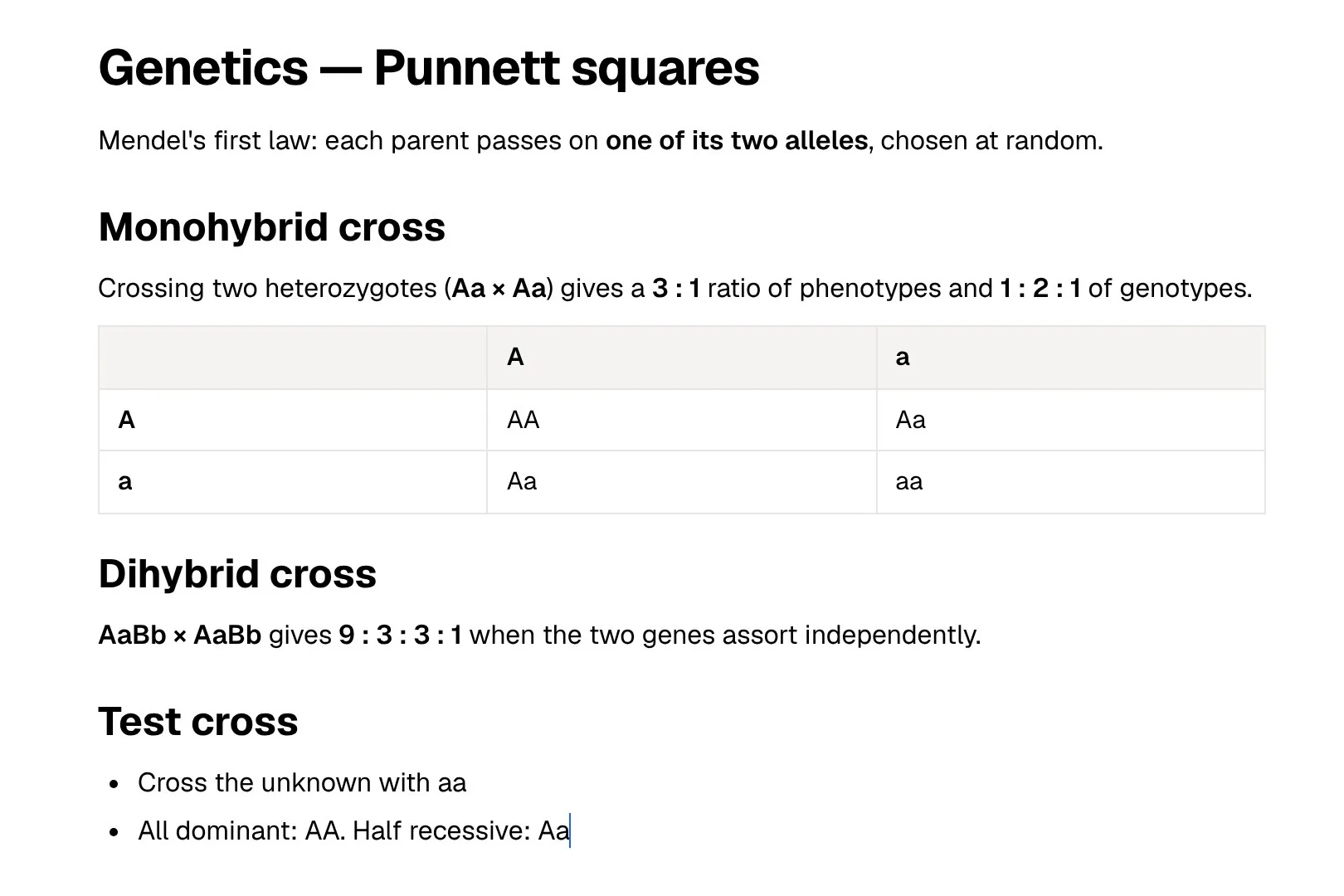
Simplenote does one thing: text notes that sync quickly across iOS, Android, Mac, Windows, Linux and the web. It is made by Automattic, the company behind WordPress.com, and everything in it (the apps, sync, backups and sharing) is free. For a student, it is a quick home for lecture jottings, to-do lists and essay drafts.
PocketNote is built for what happens after the lecture. You bring slides, PDFs, recordings, YouTube lectures and your own notes; it makes flashcards with spaced repetition, quizzes that explain every answer, an oral exam and a study plan from them, and its assistant, Poki, answers questions from that material with citations.
There is also a timing reason to read this now. In 2026, Simplenote's team said the app is no longer in active development, although it remains available. Below: what that means in practice, what Simplenote still does better than most apps, and how to carry your notes across if you want study tools as well.
At a glance
PocketNote vs Simplenote
| Feature | PocketNote | Simplenote |
|---|---|---|
| Price | Free to start; paid Basic and Plus | Free: apps, sync and sharing |
| What a note can hold | Text, handwriting, PDFs, audio, images | Text only |
| Formatting | Block editor with tables, toggles, LaTeX | Optional Markdown, per note |
| Organisation | Colour-coded folders, stars, search | Tags and instant search |
| AI | Poki, built in, cites your material | No assistant advertised; MCP server for outside AI tools |
| Flashcards with spaced repetition | Built in | Not advertised |
| Lecture recording | Transcript, summary and notes | No: notes are text only |
| Sharing | Share a link to a note | Publish a web link; collaborate by email |
| Platforms | Web, iPhone and iPad | iOS, Android, Mac, Windows, Linux, web |
| Import | PDF, Word, Excel, CSV, TXT, Markdown, audio, links | Simplenote JSON, TXT, Markdown, Evernote ENEX |
Checked against each product's own website, November 2026. Plans and features change; confirm current details there.
Why Simplenote still appeals
Simplenote's appeal is that there is almost nothing to learn. You open it, type, and the note syncs to your other devices. Tags and instant search replace folders. Markdown is optional and switched on per note, with headings, lists, checklists, tables, code and links, and a preview to check the result.
A few features go further than the minimal look suggests. Every change is backed up, so you can step back through earlier versions of a note. You can publish a note to a view-only web link, or add someone's email address to collaborate on it, which makes it handy for shared shopping lists or a group's meeting notes. Nested checklists work too.
Search is the other strong point. Simplenote advertises instant search, and tags let one note sit under several subjects at once (the help centre suggests no more than ten per note).
And it is all free, on every platform, with no paid tier to push you towards. For a student who wants a fast scratchpad on a phone and a laptop, that is a strong offer.
- Best at: quick typed notes, lists, drafts and anything you need on every device.
- Platforms: iOS, Android, Mac, Windows, Linux and the browser.
- Cost: nothing, including sync and sharing.
Where Simplenote stands in 2026
Simplenote's blog shows some 2026 activity. In April it released an MCP server that lets AI tools list, search and read your notes, and a May update added Windows and Linux support and an opt-in write mode with safeguards against wiping a note. In July the team shared a pre-release WYSIWYG Markdown editor for the desktop app, built during a company-wide sprint.
In a reply under that July post, though, a member of the team wrote that Simplenote is no longer in active development and that the app remains available. The new editor was described as a one-off project, with a wider release depending on how it is received.
In practice that means the apps and sync still work and are still free, but you shouldn't count on new features. Nothing about a shutdown has been announced. If Simplenote holds notes you care about, keep a recent export somewhere else, which is good practice with any app before exam season.
An app that is maintained rather than developed is also unlikely to gain features a course might need later, such as attachments. That isn't a reason to delete your notes. It is a reason not to build a whole year of studying around it.
Text only is both the feature and the limit
Simplenote's help centre is direct about it: you cannot upload or attach anything to a note other than text. The only way to show an image is to link, in Markdown, to one hosted on the web. It also suggests keeping individual notes under several thousand words.
University courses rarely arrive as text. They come as slide decks, PDF readings, recorded lectures and the odd YouTube video. None of those can live in Simplenote, so you end up keeping the material in one place and your notes about it in another, copying passages across by hand. Copying a slide's text also strips out its diagrams and layout, and a labelled diagram is hard to revise from a paragraph that describes it.
And text, however tidy, doesn't test you. Simplenote doesn't advertise flashcards, quizzes or review scheduling, which is no surprise for an app with this little surface area. If you want to practise recall, that happens somewhere else. Simplenote's tables and checklists help with structure, and you can write good summaries in it; the gap is everything around the summary.
From a recorded lecture to a quiz in PocketNote
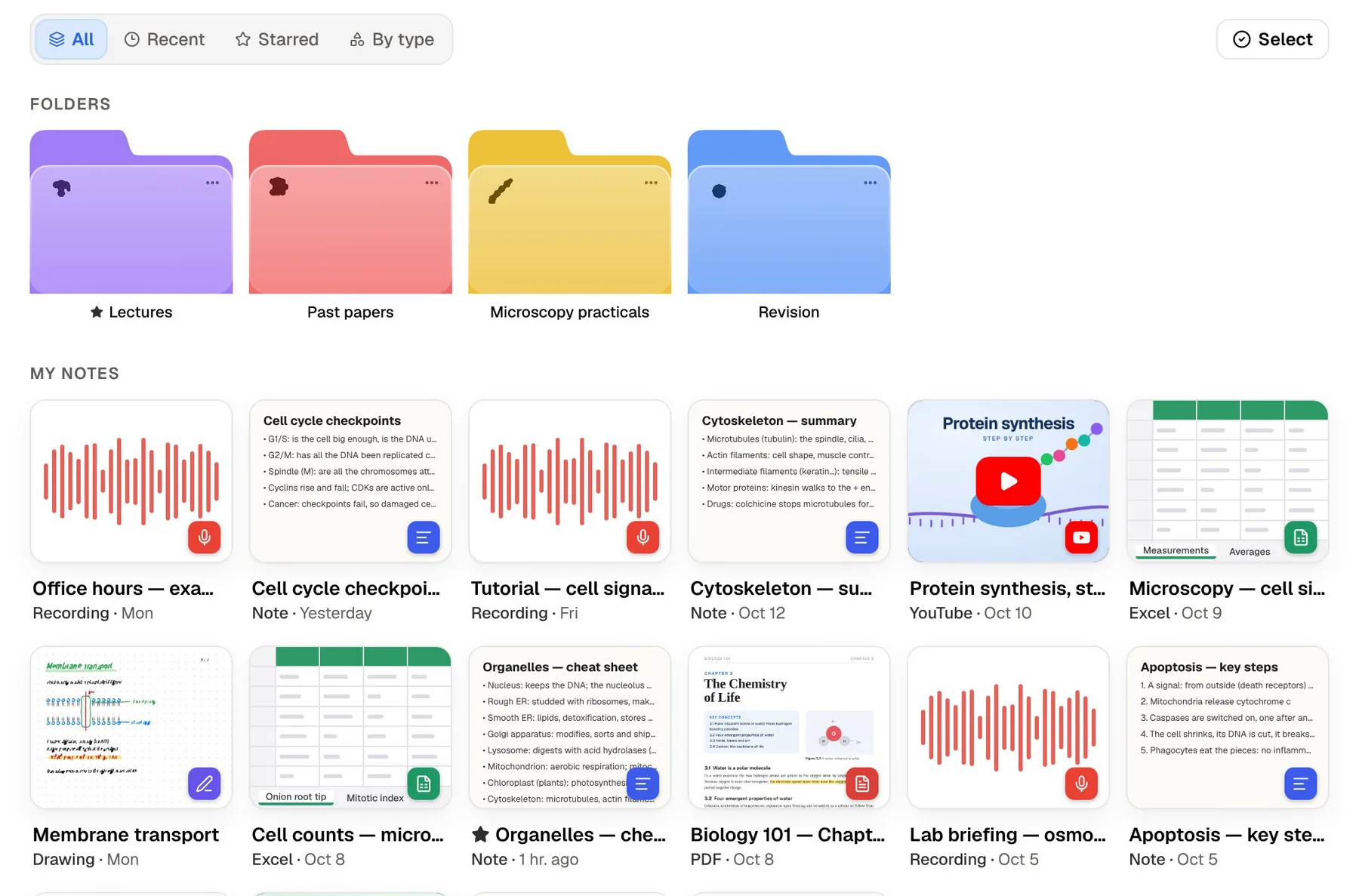
Here is the same Tuesday lecture handled in PocketNote. You tap Record at the start, and afterwards you have the audio, a transcript, a summary and notes on what was covered. The slides go in as a PDF next to it, and the textbook chapter as another. With a slide open, you can ask Poki to look at the page as you see it, including your own highlights and handwriting, and to highlight the key definitions or circle a term. You can undo its marks in one tap.
Ask Poki to compare two ideas from the lecture and it answers from those three items, with citations so you can check the original. Then generate a quiz: every question explains why the right answer is right and why the others are wrong. Flashcards come from the same material, and you rate each Again, Hard, Good or Easy so it returns just before you would forget it.
When the exam date is set, the study plan spreads the topics over the days left, reminds you, and tracks memory, applied and mastery scores. If you prefer listening, an audio review turns the material into a podcast-style episode with captions.
Capturing in class: typing, handwriting or recording
If all you ever do in a lecture is type short notes, Simplenote's single-purpose design is hard to beat. It opens to a blank note and gets out of the way.
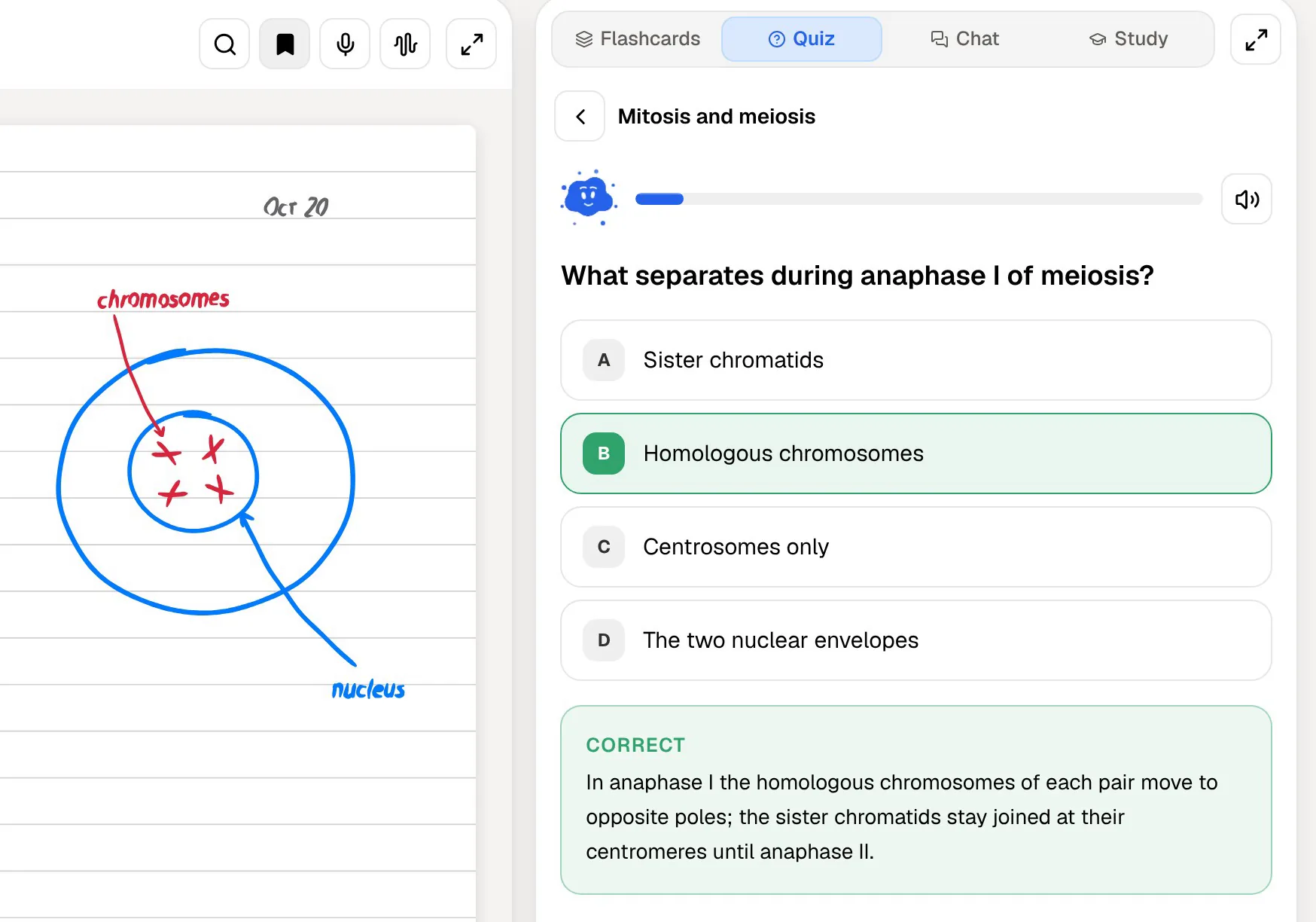
PocketNote gives you more ways in. You can type a note, blank or from a template, in a block editor with headings, tables, toggles, callouts, code and LaTeX maths. On iPad you can write with Apple Pencil, using pens, highlighters, shape snapping and page templates such as lined, grid and Cornell, and a lasso turns handwriting into text. In the browser you can draw too.
Two features are built for studying. Note Replay records audio while you write, and playing it back shows the strokes you were making at that moment. "Tape" hides parts of a page, such as answers or definitions, so you can test yourself on your own notes. Notes keep saving offline and sync when you reconnect.
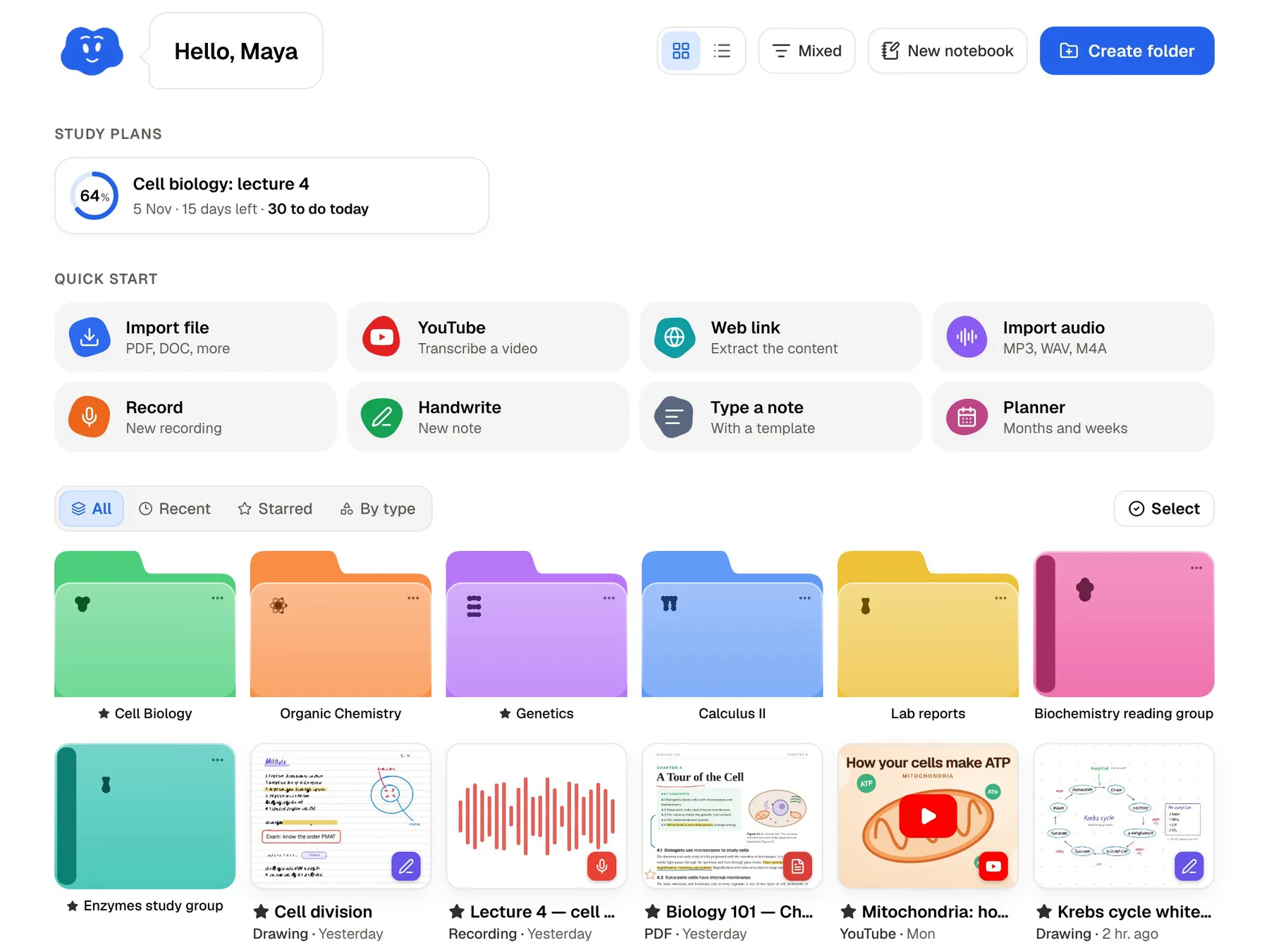
PocketNote also has a study timer with ambient sounds, and a planner you can start from the home screen, so lecture notes, focused study time and the revision schedule sit in one app.
What each one costs
Simplenote is free in full. Its homepage puts it plainly: apps, backups, syncing and sharing are all free, and there is no paid plan.
PocketNote is free to start. The paid Basic plan adds live voice conversations with Poki, premium AI models and connectors such as Google Drive and Notion; Plus adds unlimited notebooks and apps, the longest audio reviews and every model. Current prices are on pocketnote.app.
If cost is the deciding factor and you only need typed notes, Simplenote wins outright. The case for PocketNote is the study work it takes off your hands, not the note-taking alone. Turning a term of plain notes into flashcards and practice questions by hand takes hours, and that is the part PocketNote does for you.
Moving your Simplenote notes into PocketNote
Simplenote exports are plain text, and PocketNote imports TXT and Markdown files, so the move is short. One catch: the Mac App Store version of Simplenote doesn't support import or export, so use the web app or the Electron desktop app for this.
- Web: Settings, then Tools, then Export Notes.
- Desktop app (Windows, Linux, macOS Electron): File, then Export Notes, which gives a zip archive. Each note's file name is its first line.
- Android: Settings, then Export data, which saves a simplenote.json file. The desktop or web export is easier to import from.
- Then in PocketNote: make a colour-coded folder per course, import the text files, and add the slides, PDFs and recordings for the same topics.
- Next: generate flashcards and a quiz from each folder's material and set the exam date. Simplenote tags don't map onto anything in PocketNote, so folders and stars do that job.
Where Simplenote is the better choice
Simplenote covers far more devices than PocketNote, which runs on the web and on iPhone and iPad, with no Android or desktop app. On an Android phone or a Linux laptop you would use PocketNote in a browser, while Simplenote has a native app for each.
It is also the better fit if you don't want AI anywhere near your notes. Simplenote has no built-in assistant; its MCP server only connects outside AI tools if you set one up yourself.
It is the calmer tool, too. There are no study plans to keep up with and no reminders, which for some people is exactly what a notes app should be.
- You want a free, fast, text-only notes app on every platform.
- Your notes are mostly lists, reminders and drafts rather than course material.
- You share lists with someone, or publish a note as a simple web page.
- You are fine with an app that is maintained rather than actively developed.
The verdict
Which one should you pick?
Pick PocketNote if…
- you study from slides, PDFs and recorded lectures, not just typed text.
- you want flashcards, quizzes and an oral exam generated from your own material.
- you write by hand on an iPad, or want a lecture recording turned into notes.
- you want a study plan that counts down to your exam date.
Pick Simplenote if…
- you want a free, fast, text-only notes app on every platform, Android and Linux included.
- you mostly keep lists, quick notes and drafts, and don't want AI involved.
- you share lists with someone or publish a note as a simple web page.
Try it yourself
See it with your own notes
Trying PocketNote costs nothing to start, on the web or on an iPhone or iPad. Export one course's notes from Simplenote, import them with that course's slides, and generate a quiz: it takes a few minutes and shows you whether a study app earns its place next to your quick-notes app.
You don't have to give up Simplenote to try it. A fast scratchpad for lists plus a separate place to study is a perfectly reasonable setup.
Frequently asked questions
Sources
Keep reading