
MindNode is a mind-mapping and outlining app made for Apple devices: Mac, iPad, iPhone, Apple Watch and Vision Pro. It is made by IdeasOnCanvas, which says the app is owned by its founder and supported by its users, and it is known for maps that look good with very little effort, data kept in your own iCloud, and AI features that run on-device, through Apple Intelligence where it is available.
PocketNote is an AI study app on iPhone, iPad and the web. It also produces mind maps, but generated from your lectures and readings rather than drawn by you, alongside flashcards, quizzes, an oral exam, handwritten notes and a study plan.
If you study on an iPad, you might reasonably want both. This comparison explains what each does best, what MindNode's free tier and MindNode Plus include, how the two handle the gap between understanding a topic and remembering it, and how to move work between them.
At a glance
PocketNote vs MindNode
| Feature | PocketNote | MindNode |
|---|---|---|
| Built for | Studying your course material | Mind maps and outlines for thinking |
| How maps are made | Generated from your sources | By you, with optional AI suggestions |
| Freeform map editing | Not a freeform editor | Yes, the core of the app |
| Outline view | Note outline in the editor | Yes (MindNode Plus) |
| AI | Poki, answers from your material with citations | On-device brainstorming and summaries (Plus) |
| Flashcards with spaced repetition | Yes, rated Again/Hard/Good/Easy | Not listed on its features page |
| Quizzes and oral exams | Yes, generated from your sources | Not listed on its features page |
| Handwriting and PDF annotation | Yes, Apple Pencil on iPad | Not listed on its features page |
| Planning and tasks | Study plan to an exam date | Nodes as tasks, synced with Apple Reminders |
| Platforms | Web, iPhone, iPad | Mac, iPad, iPhone, Apple Watch, Vision Pro |
| Price | Free to start; Basic and Plus | Free; Plus $2.99/month or $24.99/year |
Checked against mindnode.com (features and download pages), its App Store listing and PocketNote, November 2026. Prices change; confirm on each site.
What MindNode does well
MindNode is built for thinking on paper without the paper. You add a node, branch off it, and the layout keeps itself tidy as the map grows. Visual tags, connections between distant nodes, notes on nodes, folding and Focus Mode help with larger maps, and LaTeX support covers maths and science notation. Dynamic themes, tapered branches, layout options and node shapes make maps look good without much styling effort.
Outline view shows the same content as a structured list, which is handy when a map needs to become an essay plan. Nodes can turn into tasks that stay in sync with Apple Reminders, Apple Shortcuts can automate repetitive steps, and Live Collaboration lets others edit a map with you in real time.
Its privacy model is simple to explain. MindNode stores your data encrypted in your personal iCloud, and its AI features are described as private and on-device: AI Brainstorming suggests a structure for a new document or expands existing content, and Generate Text and Summarize turns a map into an article or summarises long documents from the document picker.
Smaller touches add up too: images, stickers and emoji on nodes, image background removal, links to documents, multilingual support and accessibility features. On Vision Pro, MindNode offers immersive brainstorming, and Plus adds an Apple Watch app.
Free MindNode or MindNode Plus
MindNode is free to use for mind mapping, import and export. MindNode Plus adds outlining, the AI features, styling, collaboration and the Apple Watch app. At the time of writing (November 2026), MindNode's download page lists Plus at $2.99 a month or $24.99 a year, with a free trial. A Plus subscription also includes MindNode Classic, the previous version of the app, which is still supported.
For a student, the free tier is enough to draw maps and export them in open formats. The subscription matters if you want outline view for essay planning, AI help, the full set of styling options, or to share a live map with a study partner. The free trial is a sensible way to find out whether outline view changes how you plan essays before you pay for it.
MindNode is designed specifically for Apple devices. Its site lists Mac, iPad, iPhone, Apple Watch and Vision Pro, and doesn't mention Windows, Android or a web version. If you ever need to open a map on a university PC, export it first.
Where a map runs out before an exam
A mind map is good for seeing how a topic fits together and for planning an essay. It is less good at telling you whether you can recall what is on it. Looking over a map you made feels like revision, but it is closer to rereading. Retrieval practice and spaced repetition, two of the most consistently supported study techniques, ask you to pull the answer out of memory and to do it again at growing intervals.
MindNode's features page lists brainstorming, outlines, tasks, Focus Mode and AI writing help. It doesn't list flashcards or quizzes. You can still test yourself by folding branches and recalling what is underneath, and MindNode supports folding. It is just manual: you choose what to fold, mark your own answer, and keep track of what you missed.
That is the gap PocketNote is built to fill, and the reason the two apps can sit on the same iPad without stepping on each other.
Maps generated from the lecture
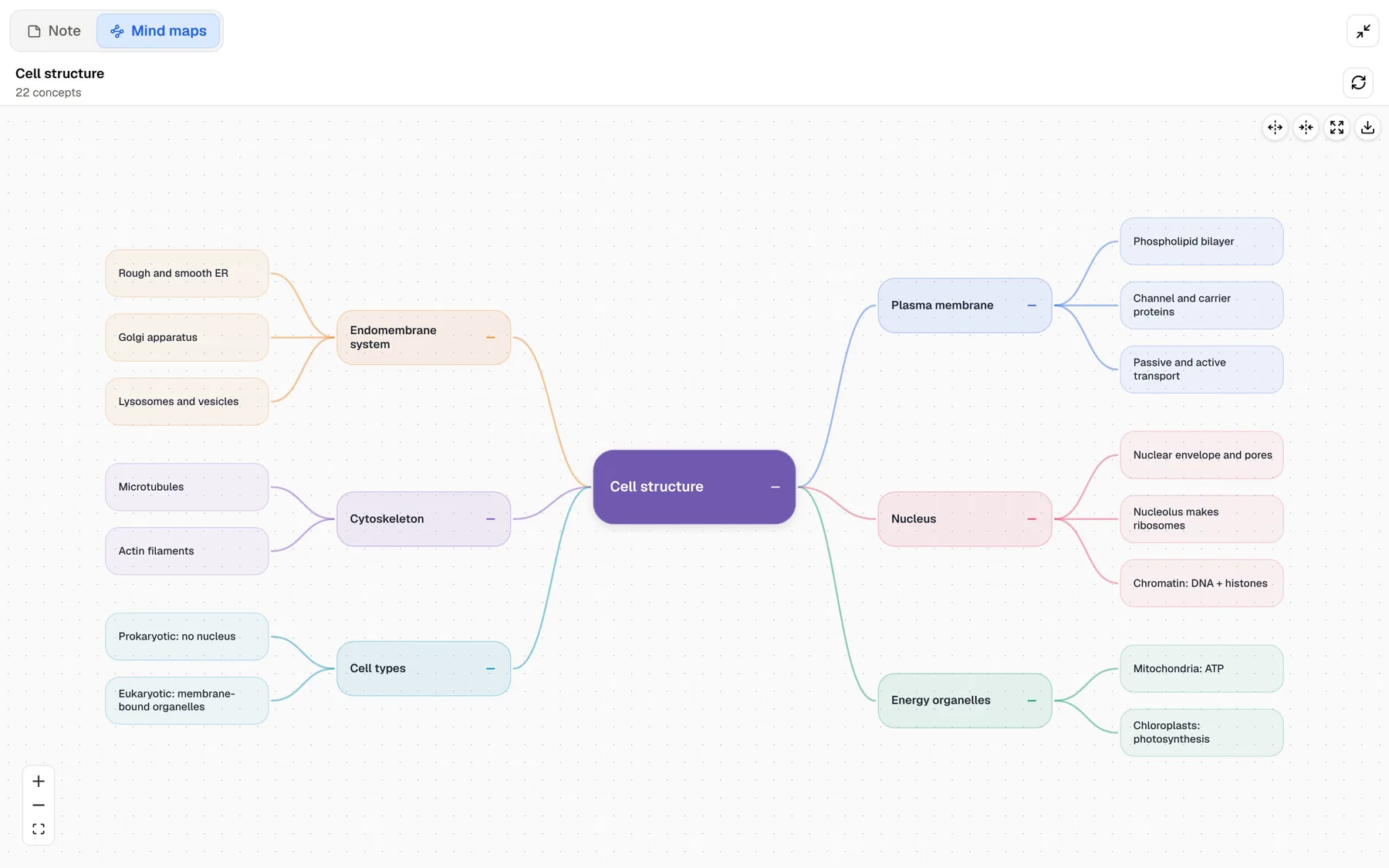
PocketNote's mind maps start from your material. Import the lecture PDF, record the lecture in the app, or paste a YouTube link, then generate a map. For a cell-structure lecture, the map branches into the membrane, organelles, cytoskeleton and nucleus, each in its own colour, with the detail beneath. It is a quick overview of a chapter before you study it, or a check that you have covered every part of a lecture.
PocketNote isn't a freeform mind-mapping editor, and its maps aren't meant to replace one you build. They are one of several outputs from the same source, next to flashcards, quizzes, written notes and summaries, slide decks and podcast-style audio reviews. If you want to drag nodes around and restyle them, that is MindNode's job.
Generated maps are most useful in three situations: before a lecture, to preview the structure of the reading; after a lecture you missed, built from the recording or the slides; and in the final week, as a fast check that no topic has dropped out of your revision.
Handwriting, PDFs and maps on the same iPad
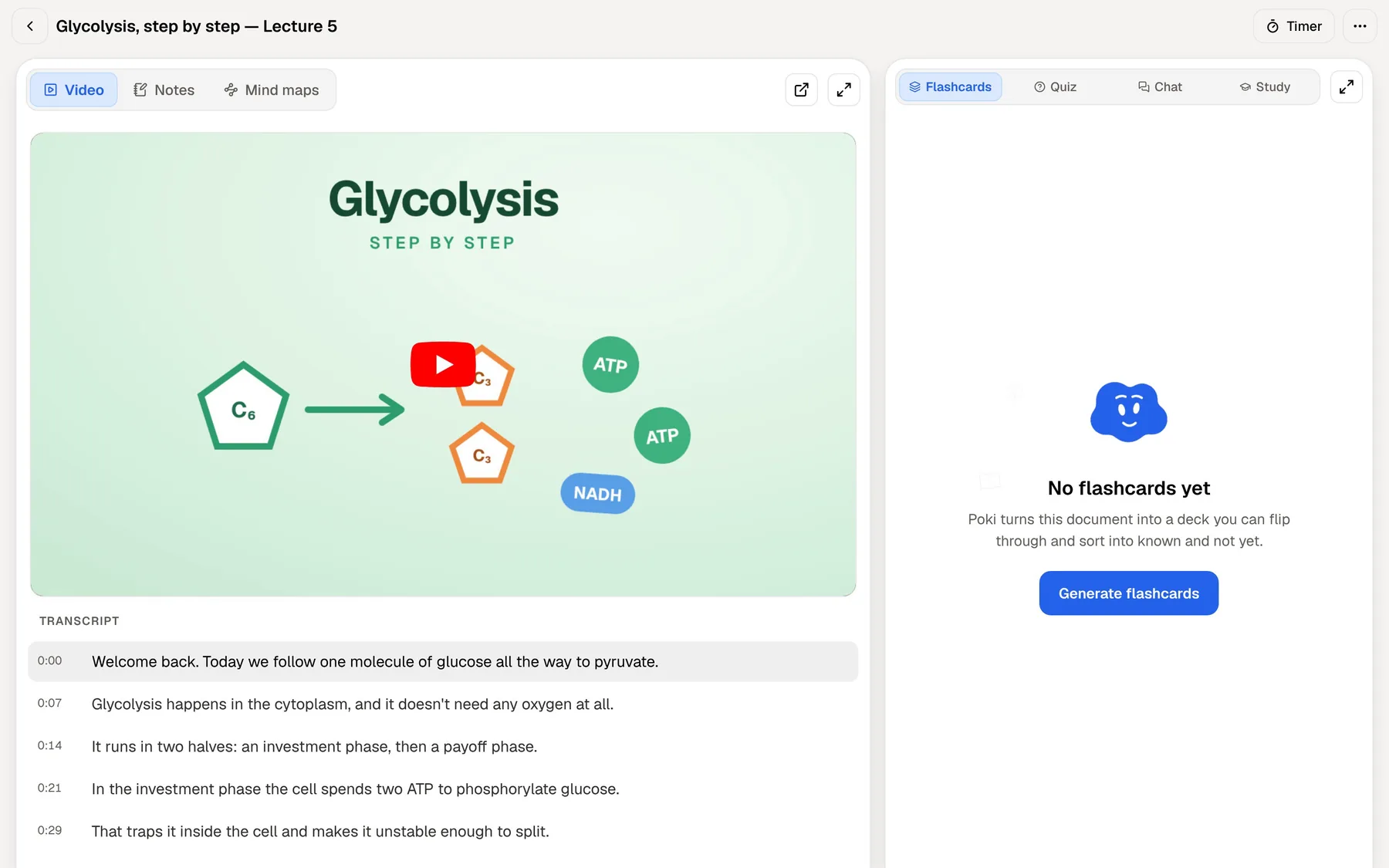
This is where the comparison is most practical for iPad students. MindNode handles maps and outlines, and its features page doesn't list handwriting. PocketNote handles the rest of the page: handwritten notes with Apple Pencil, with pens, highlighters, fountain-pen, watercolour and crayon inks, shape snapping, page templates such as Cornell and grid, a lasso that turns handwriting into text, and search through your handwriting.
You can annotate PDFs directly, highlighting, writing and drawing on the page, and Poki can look at a PDF page as you see it, including your own highlights and handwriting. Ask it to highlight the key definitions on page 3 and it marks them on your PDF; you can undo its marks in one tap. Note Replay records audio while you write and plays back the strokes you were writing at each moment.
For self-testing on paper-style pages, PocketNote's tape hides answers so you can test yourself, a zoom window helps with small writing, and an infinite whiteboard gives big diagrams room. Pages can be exported to PDF, and you can share a link to a note with a classmate.
From overview to practice
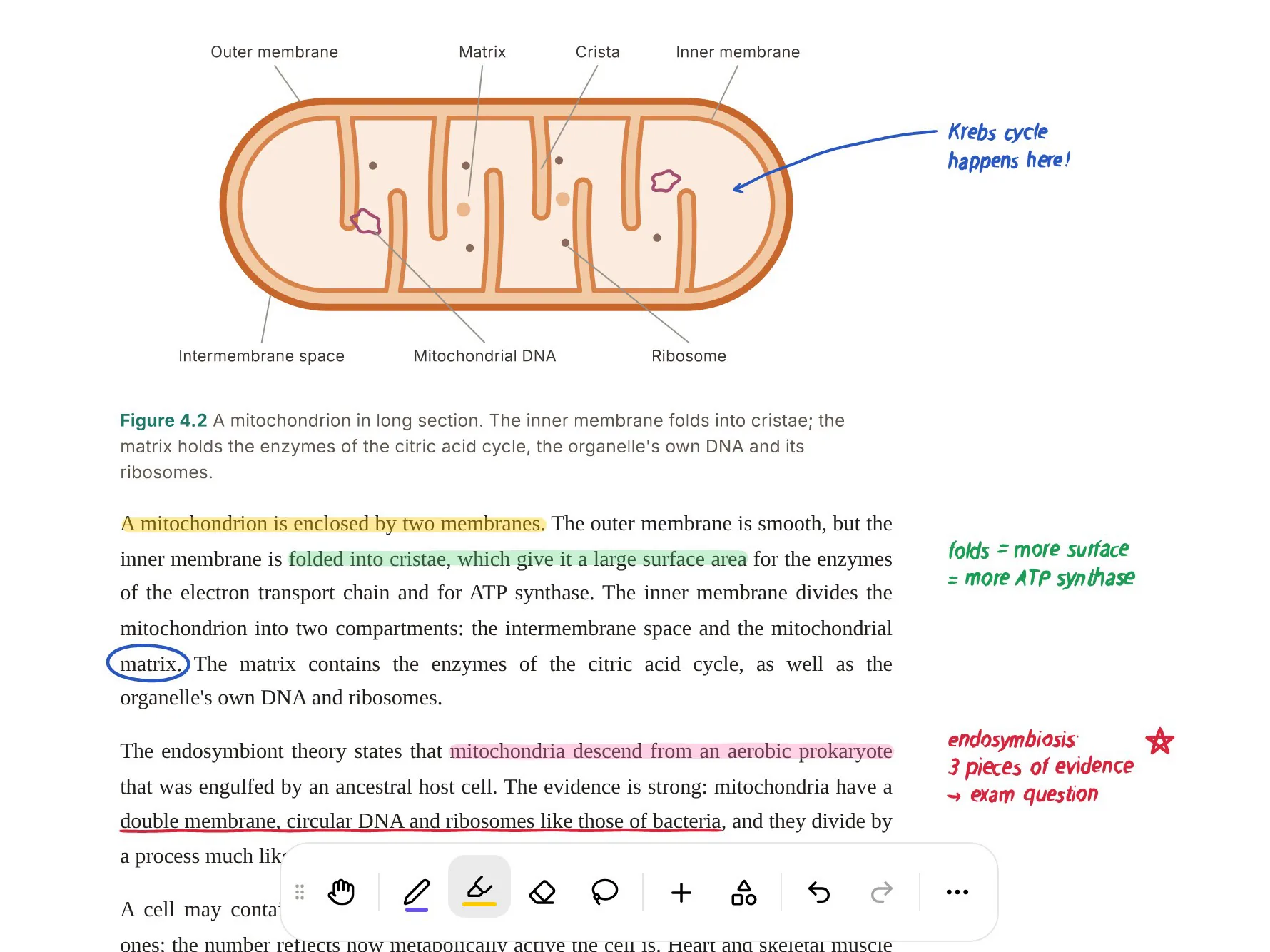
Once you have seen the map, PocketNote moves you into practice on the same material. Flashcards are rated Again, Hard, Good or Easy and come back when you are about to forget them. Each quiz question explains the right answer and the wrong ones. Prof. Poki's oral exam has you explain a topic in your own words, out loud or in text, and follows up where the answer is thin.
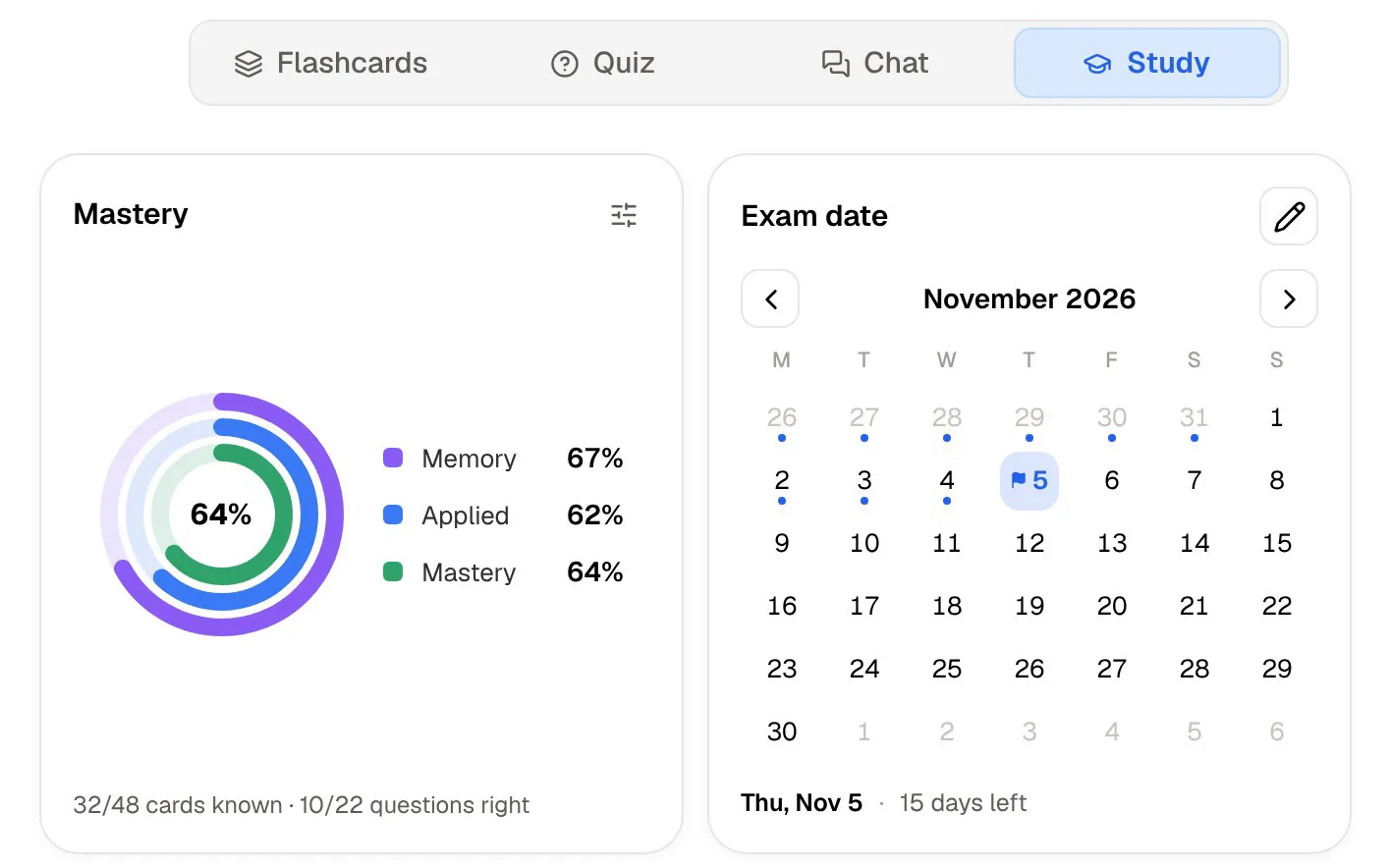
Set your exam date and the study plan spreads this over the days you have, with reminders, and tracks memory, applied and mastery scores. On paid plans you can also talk to Poki out loud and have it quiz you, which suits revising while walking. It is a different kind of tool from MindNode, and it is meant to be.
Where MindNode is the better choice
Choose MindNode when you want to build the map yourself and want it to look good. Essay and dissertation planning, brainstorming a project, organising a reading list or working through an argument visually all suit it, and outline view turns the finished map into a writing plan.
It is also the better fit if you live entirely on Apple devices and value privacy: data in your own iCloud, on-device AI and a free tier that already covers mapping and export. MindNode has a Mac app, a Watch app and a Vision Pro app; PocketNote on a Mac runs in the browser. And at $24.99 a year for Plus, it is an inexpensive tool to keep for thinking work even if you study elsewhere. Its maps also export to FreeMind and OPML, so they open in other mind-map tools if you ever switch, which is reassuring for a degree's worth of work.
Moving work between the two
MindNode exports to PDF, SVG, PNG, FreeMind, OPML, Markdown, TextBundle, plain text and rich text, and imports OPML, Markdown and plain text. PocketNote imports PDF, Markdown and TXT, so a map exported as Markdown or PDF becomes a source you can generate flashcards and quizzes from, or ask Poki about.
Going the other way, copy PocketNote's written notes for a lecture into a Markdown or text file and import it into MindNode as a starting map, then rearrange it yourself. Rebuilding a generated outline as your own map is a useful revision exercise, because it makes you decide how the ideas connect rather than reading someone else's version.
A weekly routine might look like this: record or import each lecture into PocketNote as it happens, generate a map and flashcards, and review the cards daily. At the end of the week, rebuild the week's topics as one MindNode map from memory, then export it as Markdown and import it back into PocketNote, so the next quiz covers your own synthesis as well as the lectures.
The verdict
Which one should you pick?
Pick PocketNote if…
- You want maps generated from your lectures, then flashcards, quizzes and an oral exam from the same source.
- You take handwritten notes and annotate PDFs on iPad and want them in the same place as your study tools.
- You want answers grounded in your own course files, with citations.
- You want a study plan that counts down to your exam date, and access in a browser as well as on iPhone and iPad.
Pick MindNode if…
- You want to draw your own maps and outlines, with themes that look good with little effort.
- You use only Apple devices, including Mac, Watch or Vision Pro.
- You want on-device AI and data kept in your own iCloud.
- You need a map tool for essay planning and brainstorming more than for revision.
Try it yourself
See it with your own notes
PocketNote is an AI study app for iPhone, iPad and the web. Import lecture PDFs, Word files, audio, YouTube and web links, record lectures, or write typed and handwritten notes with Apple Pencil. Poki answers from that material with citations, and the same sources become mind maps, flashcards with spaced repetition, quizzes, oral exams and audio reviews.
It is free to start. Keep MindNode for the maps you design yourself, and use PocketNote for the revision that turns them into recall.
Frequently asked questions
Sources
Keep reading