
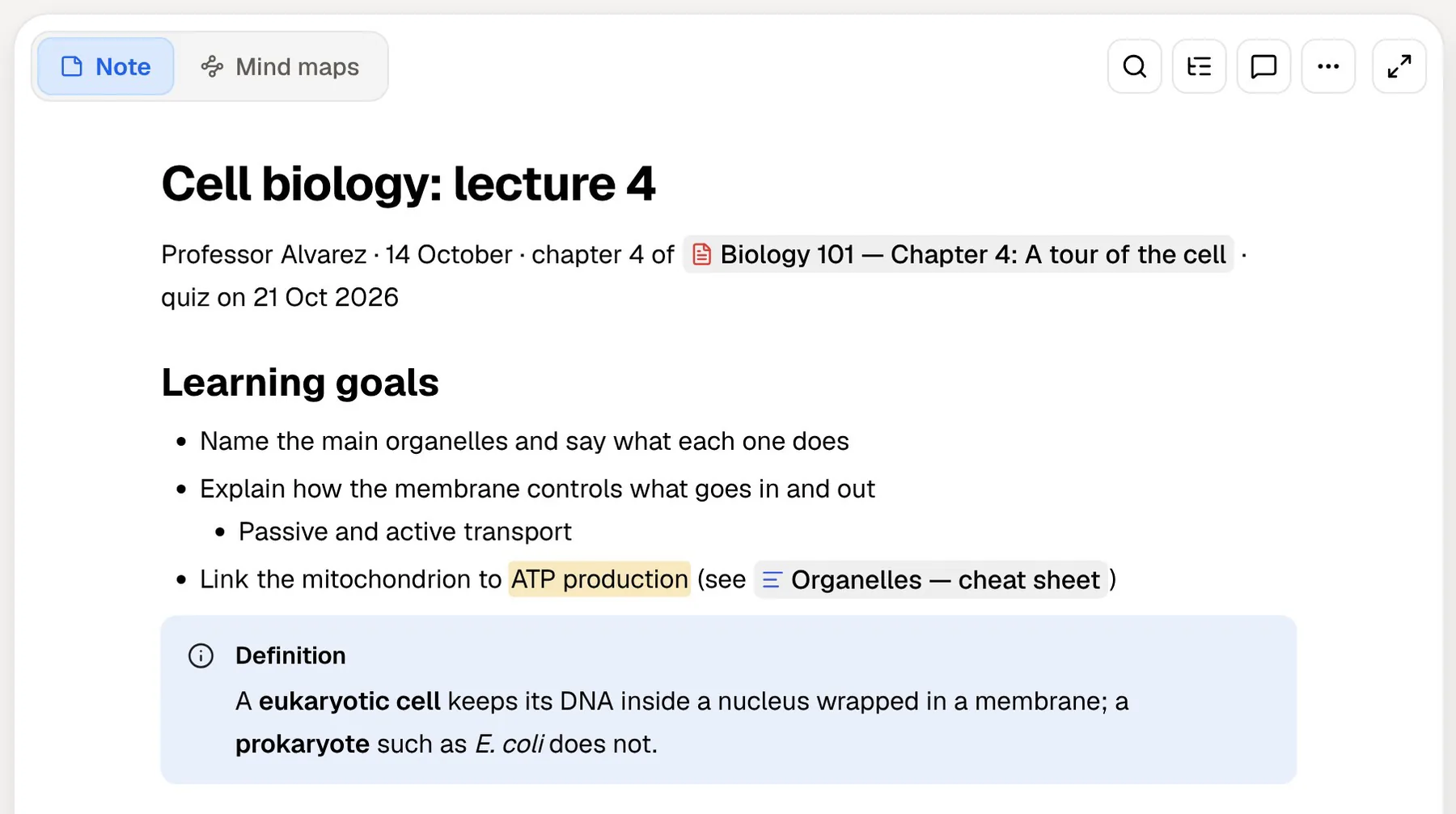
Workflowy is an outliner: one long list of bullets that you nest as deep as you like, zoom into and rearrange. Its homepage pitch is "Stop organizing your notes. Start organizing your thoughts." Over the years it has added boards, tables, dates, tags, mirrors and calendar sync, but the core is still the outline, and for lecture notes and essay plans an outline is hard to beat.
It also has one of the better student offers around. University students can get Workflowy Pro free for the duration of their course, and faculty get it for life.
PocketNote handles the next step. You bring lecture recordings, slides, PDFs and your notes, an exported Workflowy outline included, and it turns them into flashcards with spaced repetition, quizzes that explain every answer, an oral exam and a study plan. Poki, the assistant, answers questions from it with citations. This page compares the two across a term of lectures and shows how they fit together.
At a glance
PocketNote vs Workflowy
| Feature | PocketNote | Workflowy |
|---|---|---|
| Shape of your notes | Typed and handwritten notes, plus your sources | One infinitely nested outline |
| Free plan | Yes, free to start | Yes: 100 nodes a month, 100 MB uploads |
| Paid plans | Basic and Plus (see pocketnote.app) | Pro $6.99/month billed annually; free for university students |
| AI | Poki: cited answers, study tools | Optional AI to generate, edit and summarise |
| Flashcards with spaced repetition | Built in | Not advertised |
| Quizzes and oral exam | Generated from your material | Not advertised |
| Lecture recording | Transcript, summary and notes | Not advertised |
| Handwriting | Apple Pencil on iPad, drawing in the browser | Not advertised |
| Organising | Colour-coded folders, stars, search | Nesting, tags, mirrors, boards, tables |
| Collaboration | Share a link to a note | Real-time collaboration |
| Platforms | Web, iPhone and iPad | Web, Windows, Mac, Linux, iOS, Android |
Checked against each product's own website, November 2026. Plans and features change; confirm current details there.
Why an outliner suits lectures
A typical lecture is hierarchical: a topic, its subtopics, and the details under each. An outline matches that shape. In Workflowy you indent as you listen, collapse the parts you already know, and zoom into one bullet when you want to work on it alone. Moving a point from one section to another is a drag or a keyboard shortcut.
The extras are useful for coursework. Boards turn a list into columns for planning assignments, tables (added in June 2026) give a list rows and cells, and dates, tags and a calendar view, with Google Calendar sync, keep deadlines in the same place. Mirrors put one bullet in two places at once, and links connect related ideas. Since September 2026, panes keep two parts of the outline open side by side in browsers and the desktop apps.
Workflowy's own education page lists the student uses: taking lecture notes, organising sources, planning assignments, drafting papers and exporting them, building study guides, and working together in real time. It runs on the web, Windows, Mac, Linux, iOS and Android, and uploads files with PDF previews. Templates cover common set-ups, and a developer API and integrations connect other tools.
- Best at: fast, structured lecture notes and essay plans.
- Who loves it: people who think in hierarchies and like a keyboard-driven tool.
- Student offer: Pro free for university students for the length of their course.
Free Pro for students: how it works
Workflowy's education programme is straightforward. You apply with your academic email and say whether you are a student or faculty member. Students reply to an email and confirm their status in a short onboarding call; faculty have their profile reviewed. Approved students get Pro free for the duration of their course, and faculty get it for life, plus a portal to give their own students free Pro. That makes a shared outline for a seminar or lab group easy to set up when a lecturer is on board.
That matters because the free Basic plan is tight for coursework. It includes all features but only 100 nodes a month, and every bullet is a node, so a few lectures' worth of notes can reach the limit. It also caps uploads at 100 MB. Pro removes both limits.
If you are at a university, apply before you pay. If you are not, Pro is $6.99 a month billed annually at the time of writing, which is modest for a tool you use every day.
What an outline doesn't do on its own
An outline organises a lecture. It doesn't test you on it. Workflowy doesn't advertise flashcards, quizzes or spaced repetition, and its feature list is about structuring, planning and sharing rather than review.
Workflowy does offer optional AI features that generate, edit, summarise and improve content in your outline. Its AI terms name OpenAI and Anthropic as the model providers and say they may not use your data for training. Summarising a long outline is a fair use of it; a review schedule is not something it advertises.
Outliners do allow one manual trick: collapse a bullet so its details are hidden, try to recall them, then expand it to check. It works, but you have to remember to do it, decide what to review each day, and keep track of what you got wrong. Collapsed bullets are also easy to forget about, which is exactly the problem spaced repetition is designed to solve. Lectures that arrive as recordings or slide decks also need another tool, since Workflowy doesn't advertise lecture recording or transcription.
None of this is a criticism. Workflowy has stayed focused on being a fast outliner, and that focus is a large part of why people like it.
From outline to quiz in PocketNote
Workflowy exports any bullet, or your whole account, as formatted text, Markdown, plain text or OPML. Export a module's outline as Markdown and paste it into PocketNote with Paste Text, or save it as a .md file and import it. Add the lecture slides as PDFs and the recording of the lecture, and Poki now has the outline and the sources behind it.
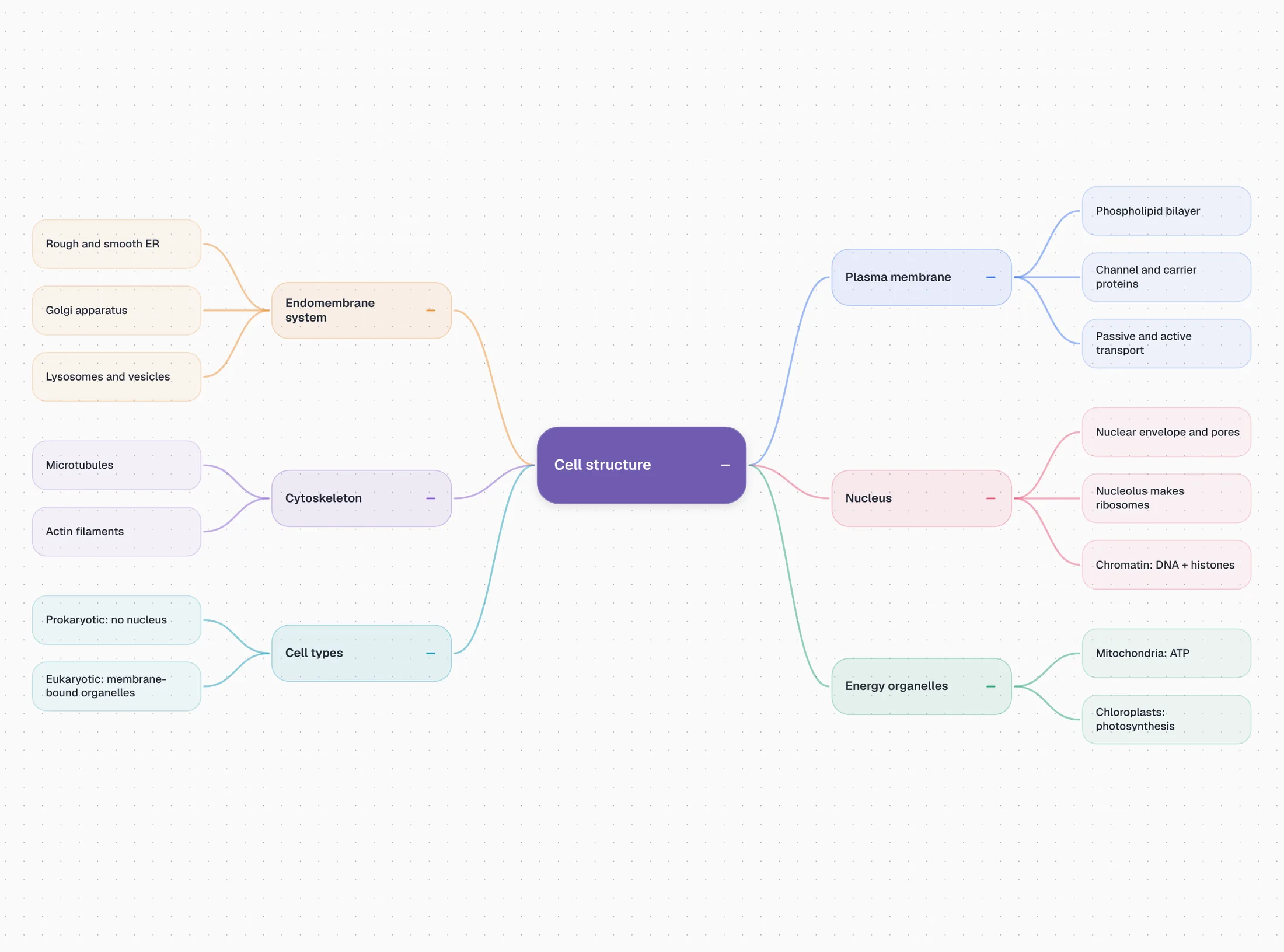
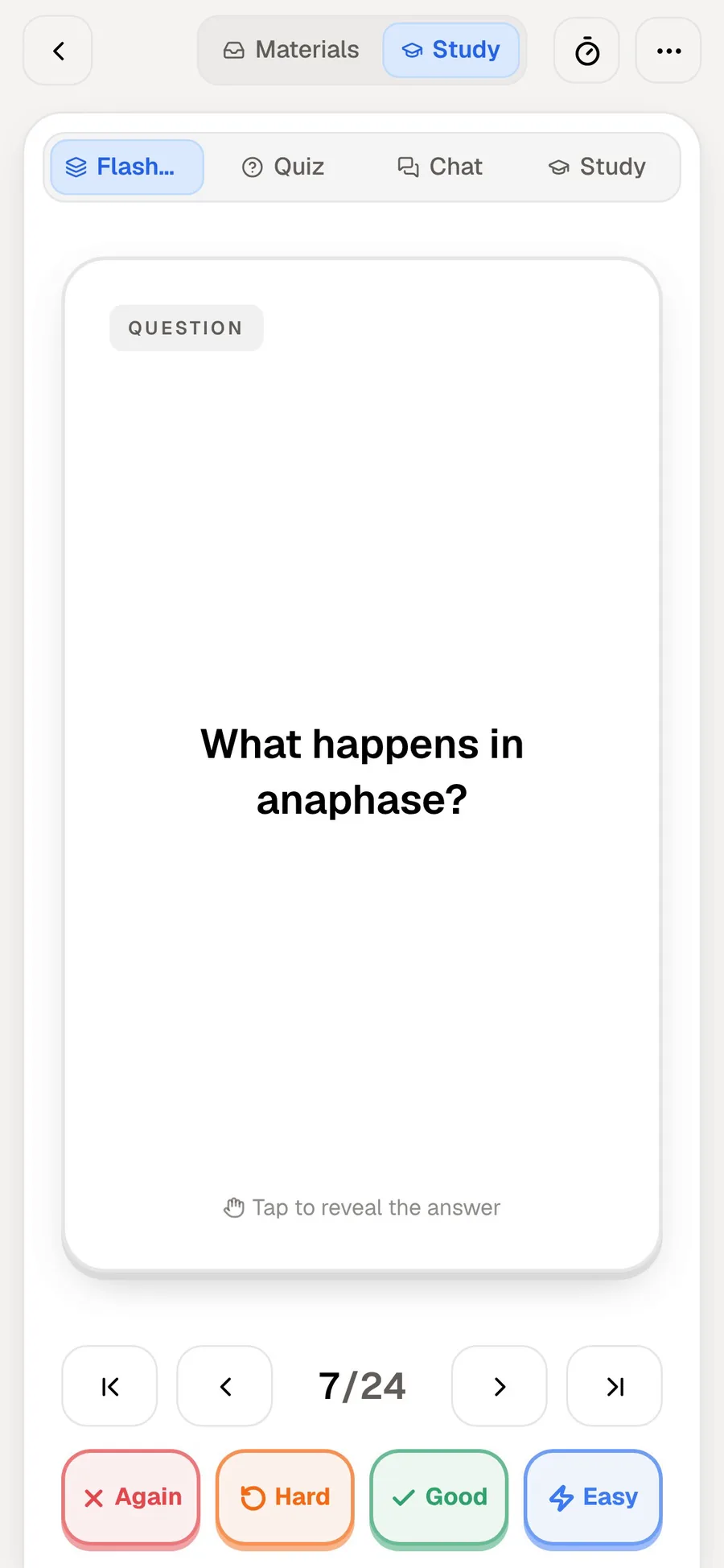
From there you can generate a quiz in which every question explains why the right answer is right and why the others are wrong, and a deck of flashcards you rate Again, Hard, Good or Easy so each card comes back just before you would forget it. Ask Poki a question and it answers from the outline and the slides, with citations, showing which items it read, so you can tell whether a point came from your own notes or from the lecturer's slides.
For the hardest topics, the oral exam has Prof. Poki ask you to explain an idea out loud or in text and keep following up until your explanation holds. Set the exam date and the study plan spreads it all over the days left, with reminders and memory, applied and mastery scores.
Two shapes of structure: outlines and mind maps
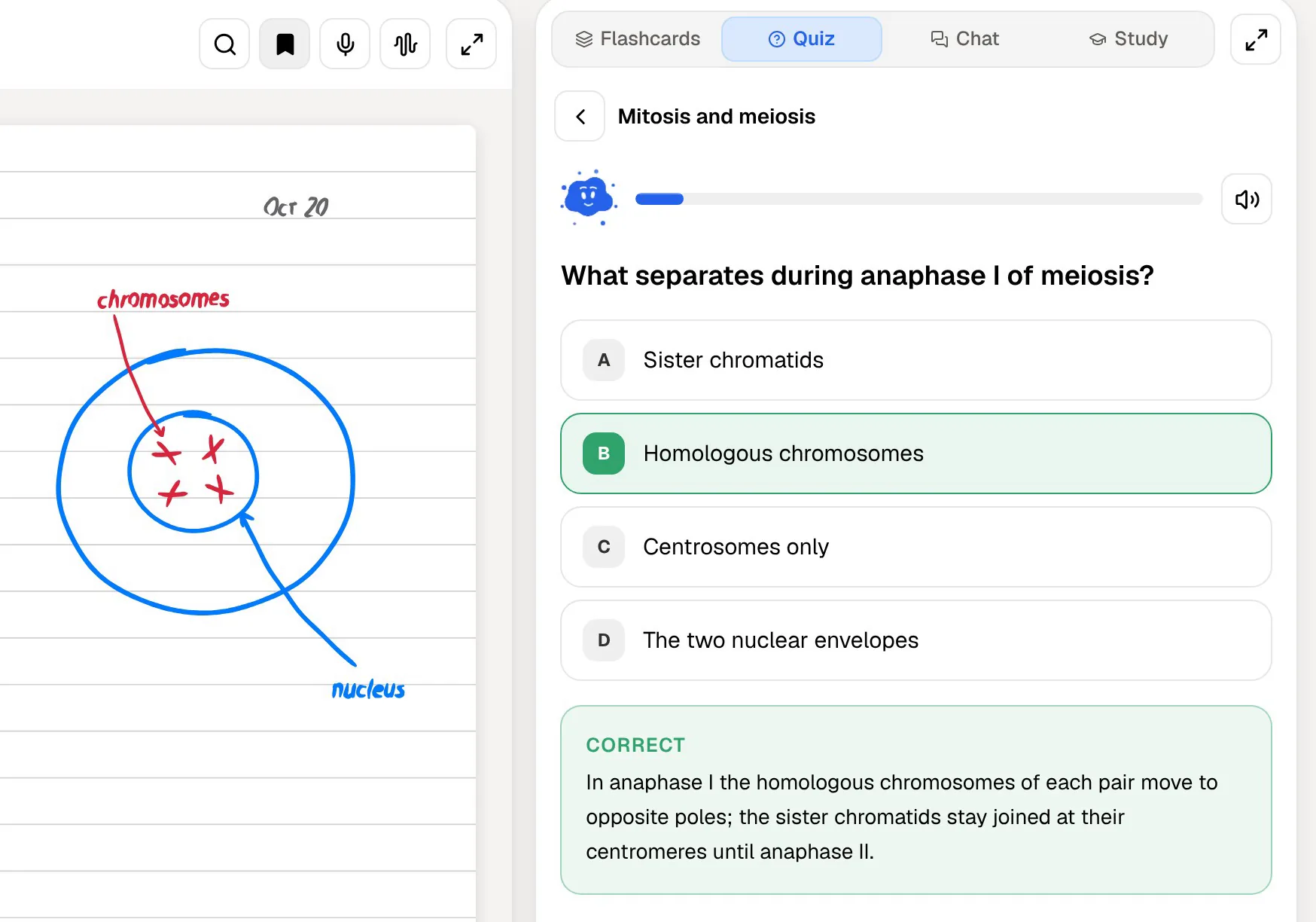
An outline and a mind map hold the same hierarchy in different shapes. Workflowy gives you the outline and lets you build it by hand, which is itself a good way to process a lecture.
PocketNote can generate a mind map from your sources, with colour-coded branches you can check yourself against. Its typed notes have an outline view and toggles, which collapse a section much like a Workflowy bullet, so the hide-and-recall trick works there too. The same sources can also become written notes and summaries, slide decks or data tables; the last two suit topics built on comparisons or numbers, where a table or a chart says more than a list of bullets.
Handwriting is the other difference. On iPad with Apple Pencil, PocketNote has pens, highlighters, page templates such as Cornell, a lasso that turns handwriting into text, and "tape" that hides answers on the page for self-testing. Workflowy doesn't advertise handwriting.
Revising away from the desk
Workflowy's mobile apps make it easy to read an outline on the bus, and that is genuinely useful for a quick look over a topic. The whole outline is there and quick to search.
PocketNote's iPhone app covers the same gaps in the day with review instead of rereading: a few flashcards while you wait, rated as you go, so the schedule stays current.
PocketNote adds two ways to revise without reading. An audio review turns your material into a podcast-style episode with captions that follow the voices. On paid plans, live voice lets you talk to Poki and hear the answer, so you can ask it to quiz you on one topic and answer out loud.
Pricing side by side
At the time of writing (November 2026), Workflowy Basic is free with all features, 100 nodes a month and 100 MB of uploads. Pro costs $6.99 a month billed annually or $8.99 billed monthly, with unlimited nodes and uploads and a 7-day free trial. University students and faculty can get Pro free through the education programme, and non-profits get 50% off.
For a university student who qualifies, the practical comparison is free Workflowy Pro against PocketNote's free start, so price need not decide it. What you need the app to do should.
PocketNote is free to start, with two paid tiers: Basic for live voice, premium models and connectors, and Plus for unlimited notebooks and apps, the longest audio reviews and all models. See pocketnote.app for what they cost today.
Where Workflowy is the better choice, and using both
Workflowy is the better tool for capturing and structuring: taking notes at lecture speed, planning a dissertation, or running a group project's to-do list. It is on more platforms, including Android, Windows and Linux, where PocketNote has no app and you would use the web version in a browser.
The two fit together naturally. Outline in Workflowy during the lecture, then export the module as Markdown or plain text into PocketNote with the slides and recording when it is time to revise. Workflowy's mirrors, tags and boards stay in Workflowy; in PocketNote, folders and stars do the organising.
Workflowy is also the better place to draft essays. Building an argument as an outline, rearranging it and exporting it as formatted text is the job it was made for, while PocketNote's strengths sit on the revision side.
- You think in outlines and want the fastest way to structure lecture notes and essay plans.
- You are a university student and can get Workflowy Pro free for your course.
- You plan assignments with boards, dates and calendar sync on every platform.
- You collaborate on shared outlines in real time.
The verdict
Which one should you pick?
Pick PocketNote if…
- you want your lecture notes, slides and recordings turned into flashcards, quizzes and an oral exam.
- you want revision scheduled to an exam date, with reminders and mastery scores.
- you record lectures or write by hand on an iPad.
- you want answers that point back to the slide or note they came from.
Pick Workflowy if…
- you think in outlines and want the fastest way to structure lecture notes and essay plans.
- you are a university student and want Workflowy Pro free for your course.
- you plan assignments with boards, dates and calendar sync, on Android, Windows or Linux as well.
Try it yourself
See it with your own notes
Judging PocketNote for yourself costs nothing: it is free to start on the web, iPhone and iPad. Take one module's outline from Workflowy, paste it in as Markdown with the slides beside it, and generate a quiz. Keep outlining in Workflowy if that is how you think; PocketNote is for the part where you check what has stuck.
Frequently asked questions
Sources
Keep reading