
Zoho Notebook organises notes as cards inside notebooks: a text card, a checklist, an audio recording, a photo, a sketch, a file. It is free to start with no ads, works offline, syncs across iOS, Android, Mac, Windows and the web, and Zoho's pricing page says students can use the free plan with their institution email.
Zoho has also added Notebook AI, which on the Pro Plus plan summarises notes, answers questions from your saved content, transcribes recordings and generates mind maps. That brings it closer to PocketNote than most note apps. The overlap is real, and so is the gap: PocketNote is built around practising the material, with flashcards on a spaced-repetition schedule, quizzes with explanations, oral exams and a study plan.
This comparison sets out what each app does, where they overlap, where they don't, and which one suits the way you study. It also covers the plan tiers and how to get notes out of Zoho Notebook and into PocketNote.
At a glance
PocketNote vs Zoho Notebook
| Feature | PocketNote | Zoho Notebook |
|---|---|---|
| Built for | Studying your course material | Card-based notes across devices |
| Free plan | Free to start | Essential: 500 MB storage, no ads |
| AI summaries and Q&A on notes | Yes, Poki with citations | Yes, Notebook AI (Pro Plus) |
| AI mind maps | Yes, from any source | Yes (Pro Plus) |
| Lecture transcription | Yes, record in the app | Yes, 30 hours a month (Pro Plus) |
| Flashcards with spaced repetition | Yes, rated Again/Hard/Good/Easy | Not listed in its AI features |
| Quizzes with explained answers | Yes | Not listed in its AI features |
| Study plan to an exam date | Yes, with reminders and mastery | Reminders and checklists |
| Handwriting | Apple Pencil on iPad, drawing in browser | Sketch cards |
| Offline | Notes save offline and sync later | Create and edit offline |
| Apps | Web, iPhone, iPad | iOS, Android, Mac, Windows, web |
Checked against Zoho Notebook's site, pricing page and help centre, and PocketNote, November 2026. Plans and AI features change; confirm on each site.
What Zoho Notebook does well
The card format is Zoho Notebook's signature. Each note is a card with a type: Text, Checklist, Audio, Photo, Smart, Sketch or File. Cards sit in notebooks, carry tags and reminders, and can be grouped into nested collections. It is a visual, tactile way to keep a course: one notebook per module, a card per lecture, a checklist for the reading, a photo card for the whiteboard at the end of class.
The free Essential plan is generous for a notes app. It includes 500 MB of cloud storage, document scanning, tags, reminders, Smart Cards and locking notes with Face ID or Touch ID. Zoho says it neither sells your information nor shows advertisements, and that notes are encrypted at rest and in transit. You can create and edit notes offline and they sync when you reconnect, and the web clipper saves articles and images from Chrome, Firefox, Safari and Edge.
If your devices are a mix, it covers them: Zoho lists iOS, Android, Mac, Windows and the web, and its help centre adds Linux and iPad. On the paid Pro plan, OCR search finds text inside photos and scanned pages, and PDF annotation lets you mark up a handout inside the app.
Notebook AI: summaries, transcripts and mind maps
Notebook AI comes bundled in the Pro Plus plan. Zoho's help pages list what it does with an existing note: summarise it into key points, continue it, improve clarity, fix grammar, simplify, change tone, translate and suggest tags. It can answer questions from your saved notes ("Ask with my content"), generate a new note, checklist, table, template or piece of code from a prompt, and generate mind maps.
Transcription turns an uploaded audio file or an Audio Card recording into text, up to an hour per file, and Pro Plus includes 30 hours of AI transcription a month. Supported transcription languages are English, Spanish, French, German, Italian, Dutch and Russian.
That is a genuine overlap with PocketNote. Both can summarise, both can answer from your notes, both can turn a recording into text and both can produce a mind map. Zoho's help pages for Notebook AI don't mention flashcards or quizzes, and that is where the two apps part ways.
One lecture, two apps
Take a 50-minute lecture. In Zoho Notebook, you would record it on an Audio Card, which records up to 30 minutes on the free plan, 60 on Pro and 180 on Pro Plus. On Pro Plus you can then transcribe it, summarise the transcript and turn it into a mind map. You end up with a well-organised card: the audio, the text and a summary in one place.
In PocketNote, you record the lecture in the app and get a transcript, a summary and notes. From the same recording you can generate flashcards, a quiz, a mind map or a podcast-style audio review, and Poki answers questions about it with citations to your sources. When you set the exam date, the study plan decides what to cover each day.
Zoho Notebook keeps the lecture well organised, while PocketNote also turns it into cards and questions you can practise with. Which you need depends on whether you are building an archive or preparing for an exam next month.
Length matters here too. That 50-minute lecture is already longer than the free plan's 30-minute Audio Card, so on Essential you would split the recording or move to Pro, and a two-hour lab briefing needs Pro Plus. It is worth checking the limit before the lecture starts rather than after.

Mind maps on both sides
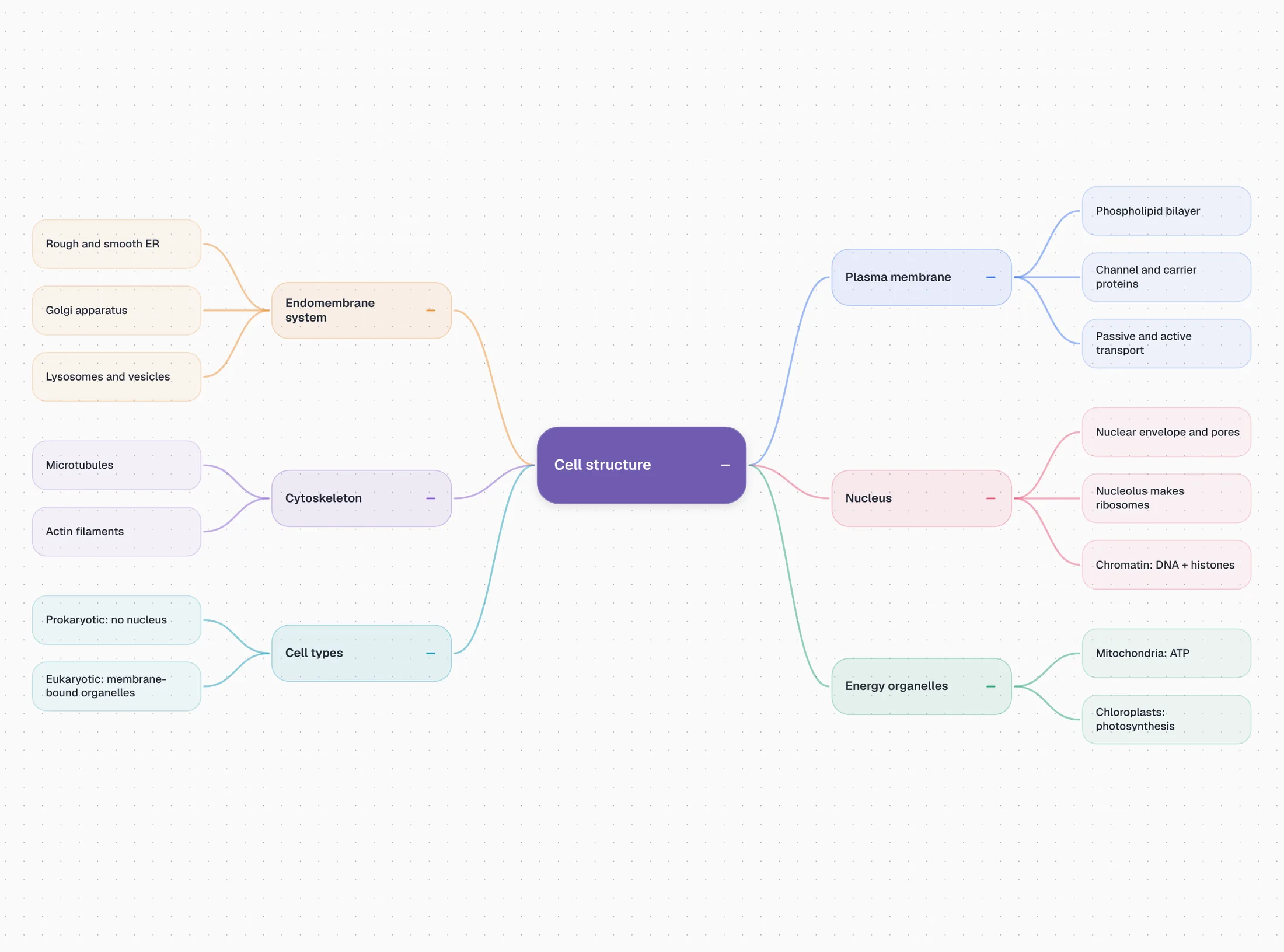
Both apps generate mind maps with AI. Zoho lists AI-generated mind maps as a Pro Plus feature, next to summaries and transcription. PocketNote generates a mind map from any source in your library, whether that is a PDF, a recording or a YouTube video, with colour-coded branches you can follow from the main topic down to the details.
In PocketNote the map is one of several things built from the same source, so after reading the map you can move straight to flashcards or a quiz on the same material. PocketNote's maps are generated from your sources rather than drawn by hand. If you want to build a map branch by branch, a dedicated mind-mapping app is the better tool for that part.
Practising, not just storing
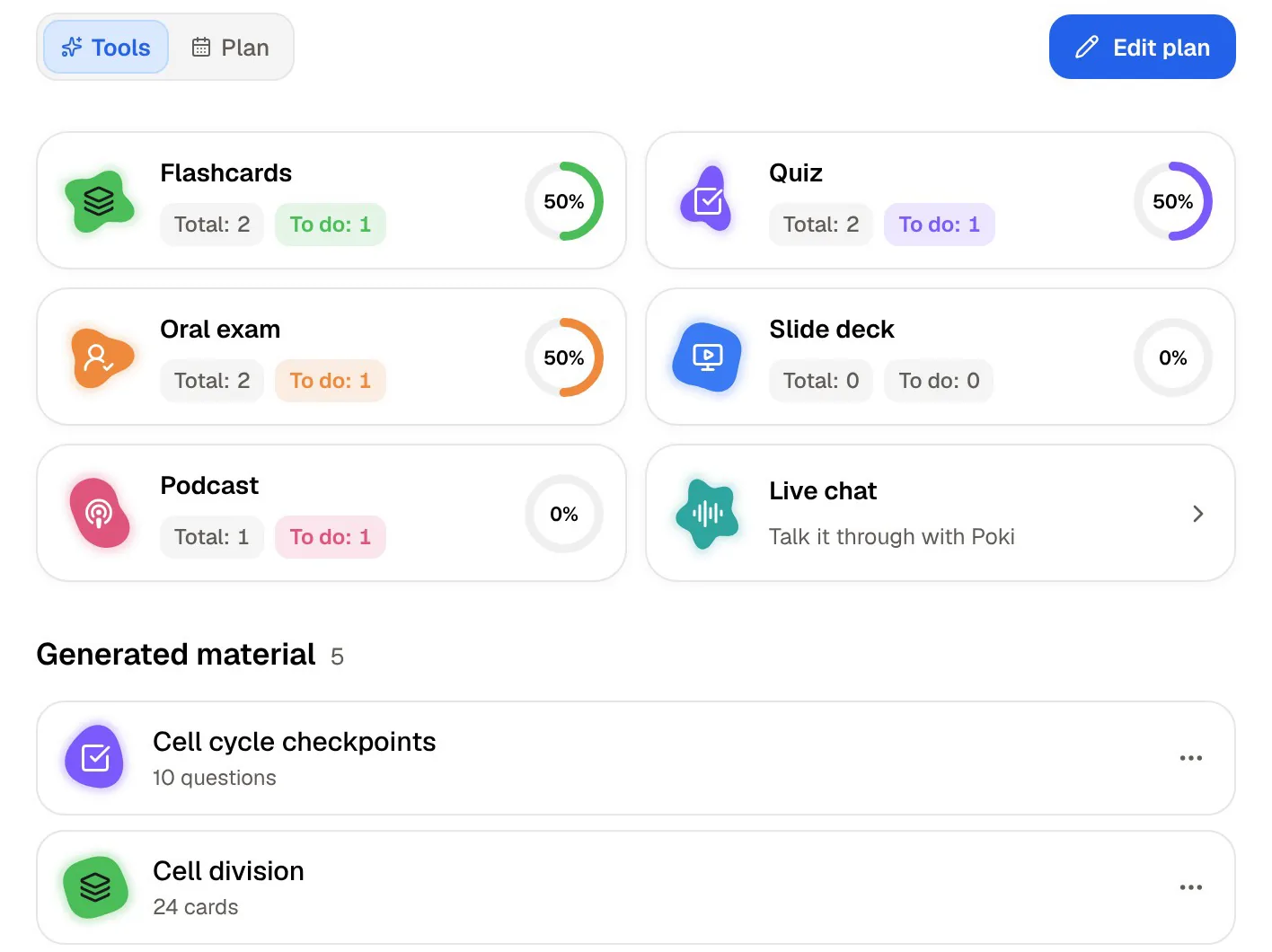
The real gap between the two apps is practice. PocketNote's flashcards use spaced repetition: you rate each card Again, Hard, Good or Easy and it comes back when you are about to forget it. Its quizzes explain every option, right or wrong. Prof. Poki runs an oral exam, out loud or in text, and keeps asking until you can explain the idea. The study plan ties these together and tracks memory, applied and mastery scores.
Zoho Notebook gives you checklists and reminders, which can carry a manual revision routine: a checklist of topics, a reminder every few days to go over them. Its AI could be asked to draft practice questions as a note, but Zoho's help pages describe no quiz or flashcard mode that records your answers or schedules reviews.
If you already have a revision method you like, such as writing your own questions or using a separate flashcard app, Zoho Notebook won't get in the way. If you want the app to do that part, PocketNote does.
Where Zoho Notebook is the better choice
Choose Zoho Notebook if you want a free, ad-free notes app on every device, including Windows and Android, with offline editing and a lot of storage for nothing. It is well suited to mixed material: photos of the whiteboard, voice memos, checklists, scanned handouts and sketches each have their own card type, and the free plan includes document scanning. It also keeps 20 versions of each note and allows read and write sharing, so a shared notebook for a study group works without paying.
It is also the better pick if summaries and transcripts are all the AI you want, and you would rather not have an app that nudges you into quizzes, or if your school or workplace already runs on Zoho. And if you mainly need a tidy archive of a degree's worth of notes, the card-and-notebook layout is pleasant to browse years later.
Plans compared
Zoho Notebook has four tiers. Essential is free, with 500 MB of storage, cards up to 3 MB, file uploads up to 10 MB and 30-minute audio recordings. Pro adds 100 GB of storage, OCR and object-detection search, PDF annotation, 60-minute recordings and more note versions. Pro Plus adds 500 GB of storage, 180-minute recordings and Notebook AI, including summaries, AI mind maps and 30 hours of transcription a month. Business adds team features, whiteboards and admin controls.
Check Zoho's pricing page for current prices; the plan details above come from its comparison table. Its FAQ says students can use the free plan with an educational institution email.
On PocketNote's side there is a free start and two paid plans: Basic, for live voice, premium models and connectors, and Plus, for unlimited notebooks and apps, the longest podcasts and all models. Check pocketnote.app for prices.
Moving notes from Zoho Notebook to PocketNote
Zoho's help centre describes several ways out. A single note can be exported as HTML or as plain text with Export As, and as a PDF from the mobile apps (on desktop, Zoho suggests printing to PDF). From Notebook Settings you can export all your data in ZNote or HTML format, with a download link sent to your email. Zoho notes that a whole notebook can't be exported as one file, so for a single course you export its cards one by one or take the full export.
PocketNote imports TXT and PDF, so the simplest path is to export the lecture cards you need as text or PDF and import them. Plain text loses rich formatting, which doesn't matter for building flashcards; PDF keeps the layout if you want to read the note as it looked.
You don't have to move your whole archive. Keep everyday notes, photos and checklists in Zoho Notebook, and give PocketNote the material you will be examined on: the lecture slides, the reading PDFs, your exported lecture notes and new lectures recorded in PocketNote. Generate flashcards and a quiz from that set, and set the exam date so the study plan can spread it out.
The verdict
Which one should you pick?
Pick PocketNote if…
- You want lectures and notes turned into flashcards with spaced repetition and quizzes with explanations.
- You want an oral exam that checks you can explain a topic, not just recognise it.
- You want a study plan that counts down to your exam date and tracks mastery.
- You take handwritten notes on iPad and want them in the same place as your study tools.
Pick Zoho Notebook if…
- You want a free, ad-free notes app with 500 MB of storage and offline editing on every device.
- You like the card format for mixing text, photos, audio, sketches and scanned handouts.
- Summaries, transcripts and AI mind maps on Pro Plus cover all the AI you need.
- You use Windows or Android, or already work in Zoho's apps.
Try it yourself
See it with your own notes
PocketNote is an AI study app for the material you are examined on. Import PDFs, Word and Excel files, audio, YouTube and web links, record lectures in the app, or write typed and handwritten notes. Poki answers from those sources with citations, and the same material becomes flashcards, quizzes, oral exams, mind maps, summaries and audio reviews.
PocketNote runs on the web at pocketnote.app and on iPhone and iPad, and you can start free. Zoho Notebook can stay your everyday notebook while PocketNote handles revision.
Frequently asked questions
Sources
Keep reading