
Class Schedule Maker
Add each class with its days, times and room, and see your week on one timetable. Download it as an image for your phone, print it, or add every class to your calendar as a weekly event. It is saved in your browser, so it is still here next time.
- No account needed
- Free, no limits
- Saved on your device
How it works
- 01
Add your classes
Type the class name, choose the days it meets, and set the start and end time. Room and teacher are optional. Each class gets its own colour.
- 02
Check the week
Classes appear on the timetable as you add them. Ones that overlap sit side by side and are marked. Select any class to change or delete it.
- 03
Save, print or sync
Download a PNG image, print the timetable on one landscape page, or download an .ics file that adds every class to your calendar as a weekly event.
Plan the week around it
Fixed classes first, study time in the gaps
A class schedule is the part of your week you cannot move. Lectures, labs and seminars happen when the timetable says, so they go in first. Once they are on one page you can see what is left: the free morning on Tuesday, the two hours between classes on Thursday, the evening after a long lab when you will be too tired for anything demanding. Seeing the week as blocks makes those gaps visible, and the gaps are where studying happens.
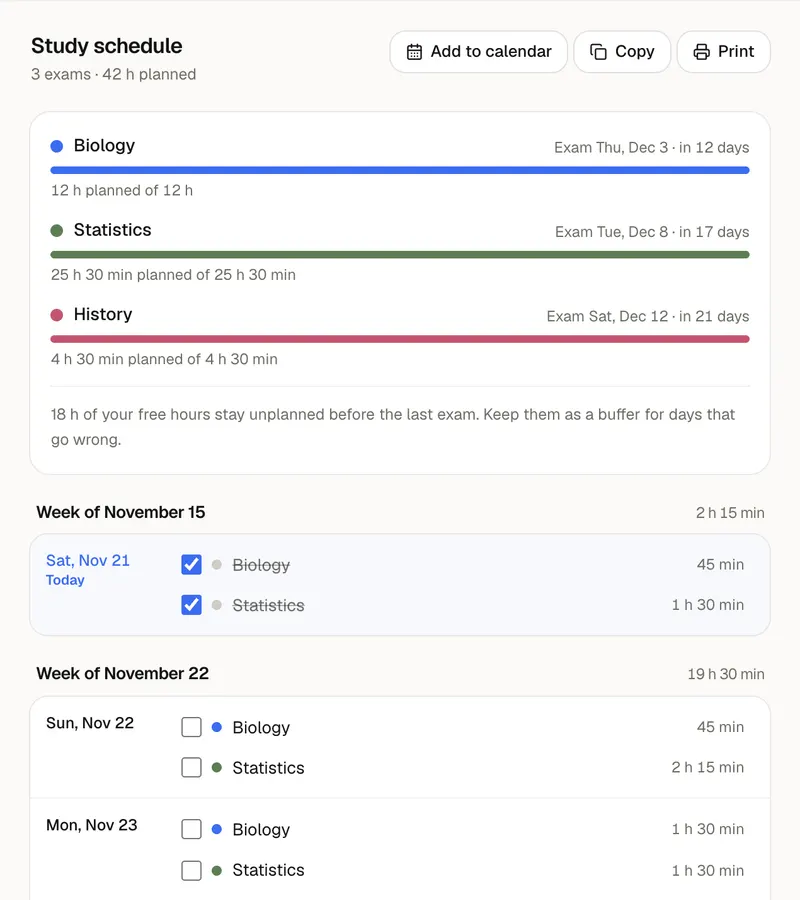
After the classes are in, add your own blocks. A review session within a day of each lecture does more than a long one at the weekend, because you forget most of a lecture in the first day or two. A short block for each course, in the same slot every week, is easier to keep than a plan you make again every Sunday. This method is called time blocking: every hour that matters has a job before the week starts. Add study blocks as classes with their own colour, so they look different from lectures.
The timetable shows Monday to Friday from 8:00 to 17:00, and grows to fit earlier or later classes. Switch on the weekend if you have Saturday classes or a job to plan around. The week starts on the day your language usually starts it, and times follow your language too, as 2:00 PM or 14:00. Two classes at the same time are shown side by side with a warning, which is useful when you are choosing courses and want to check that a combination fits before you register.
The tool keeps one timetable, in this browser, on this device. It does not sync between your phone and laptop: for that, download the calendar file and import it into Google Calendar, Apple Calendar or Outlook, where each class repeats weekly until the last day of term if you set one. It also does not handle schedules that alternate between weeks. A timetable tells you where to be. For what you learn there, PocketNote keeps a notebook per course with your notes and slides, and makes flashcards and quizzes from them for those study blocks.
FAQ
Questions, answered
A notebook for every class on it
PocketNote keeps each course's notes and slides together and turns them into flashcards and quizzes.